Oracle HCM Compensation Cloud 26A

Low

Feature Enablement
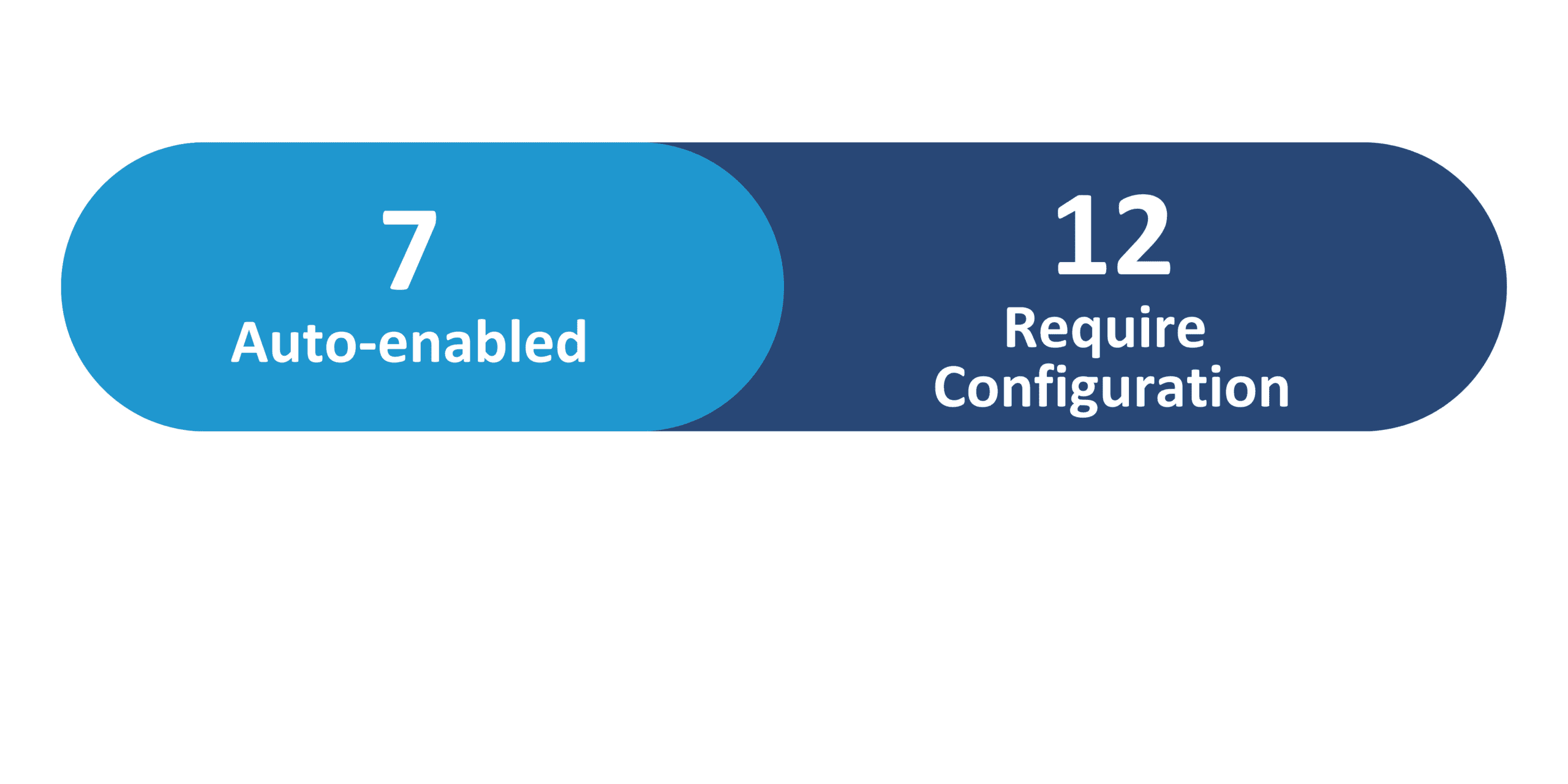
Redwood Features
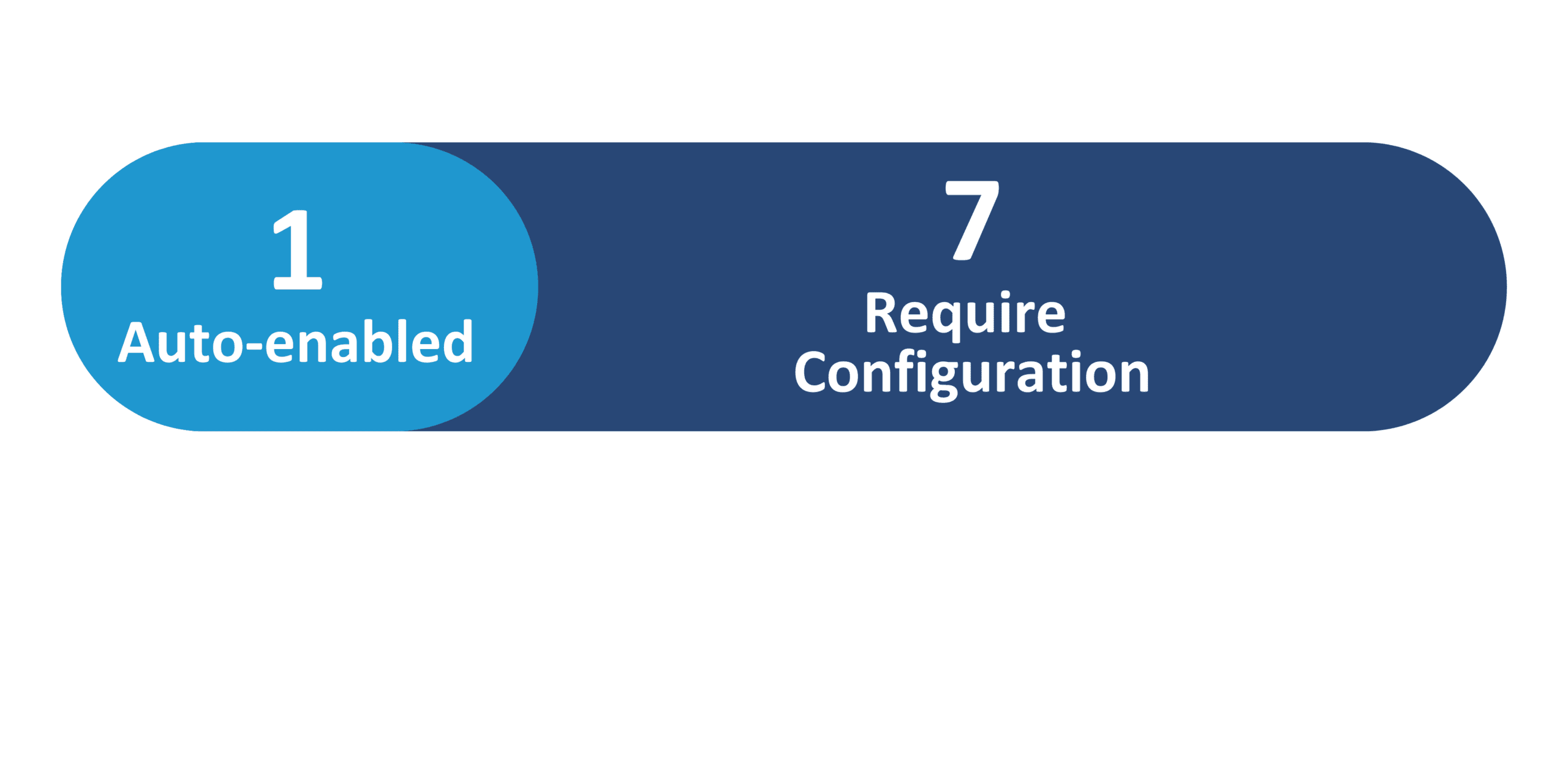
26A Update Features Covered:
- Redwood Experience
- Enhancements to AI Assist for Individual Compensation Plan Instruction Generation
- Prior Salary and Graph Section Introduction in Redwood Salary History
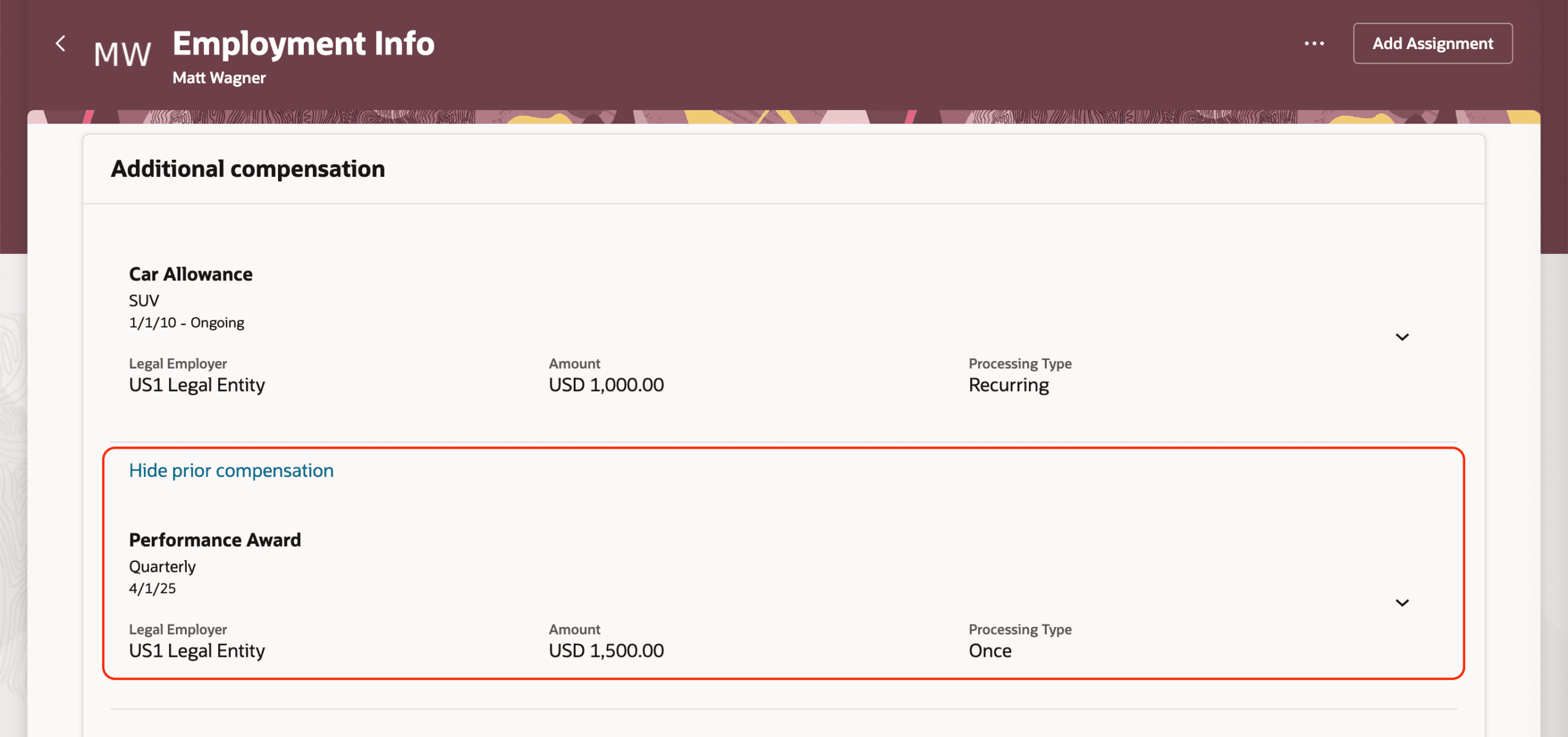
- Prior Individual Compensation in Redwood Employment Info Introduction
- Validate and Calculate on Save in Redwood Individual Compensation Pages
- Redwood Experience for Workforce Compensation Approval Worksheet
- Redwood Experience for Workforce Compensation Communicate Worksheet
1. Redwood Experience
The Redwood enhancements delivered in release 26A improve the overall compensation experience for end users. The Redwood Experience enhances the display of prior history on the Salary and Administrative Individual Compensation pages as part of salary and employment flow. In addition, the Workforce Compensation user experience has been enhanced across the Approval, Communicate, and Budget Model pages.
2. Enhancements to AI Assist for Individual Compensation Plan Instruction Generation
Quick Notes:


Now Admin users can leverage the power of artificial intelligence (AI) to revise, expand, summarize, or formalize the individual compensation plan instructions. Earlier, you had to modify the AI-generated instructions without help. Now you can use 5 options to refine instructions you added or that AI generated.

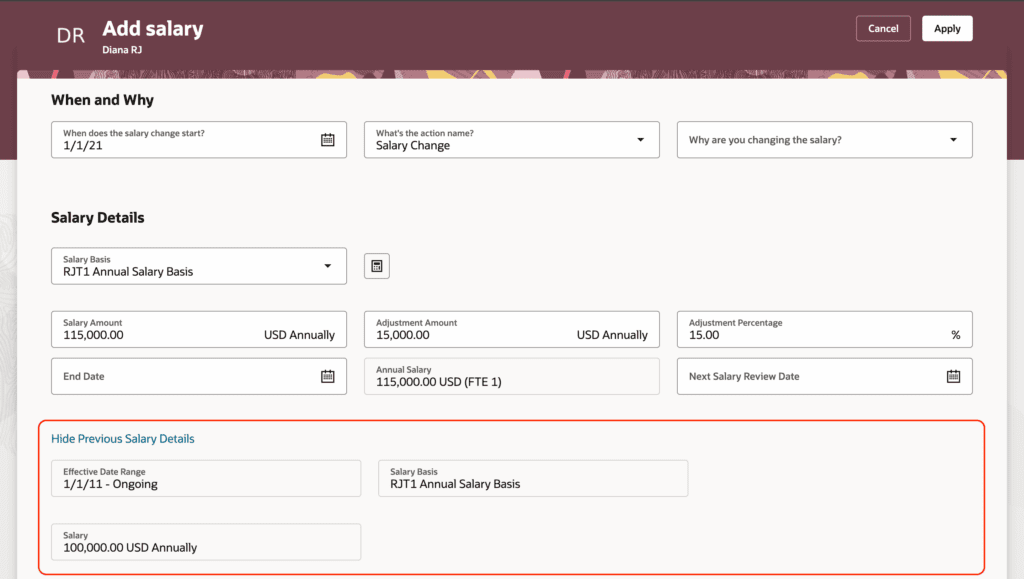
3. Prior Salary and Graph Section Introduction in Redwood Salary History
Quick Notes:

A new section introduced on the redwood salary update page. Now User can see prior salary while updating/correcting the salary.
4. Prior Individual Compensation in Redwood Employment Info Introduction
Quick Notes:
Users may now see prior compensation in the Additional Compensation section of the Redwood Employment Info page when the section is made visible using Visual Builder Studio.
5. Validate and Calculate on Save in Redwood Individual Compensation Pages
Quick Notes:
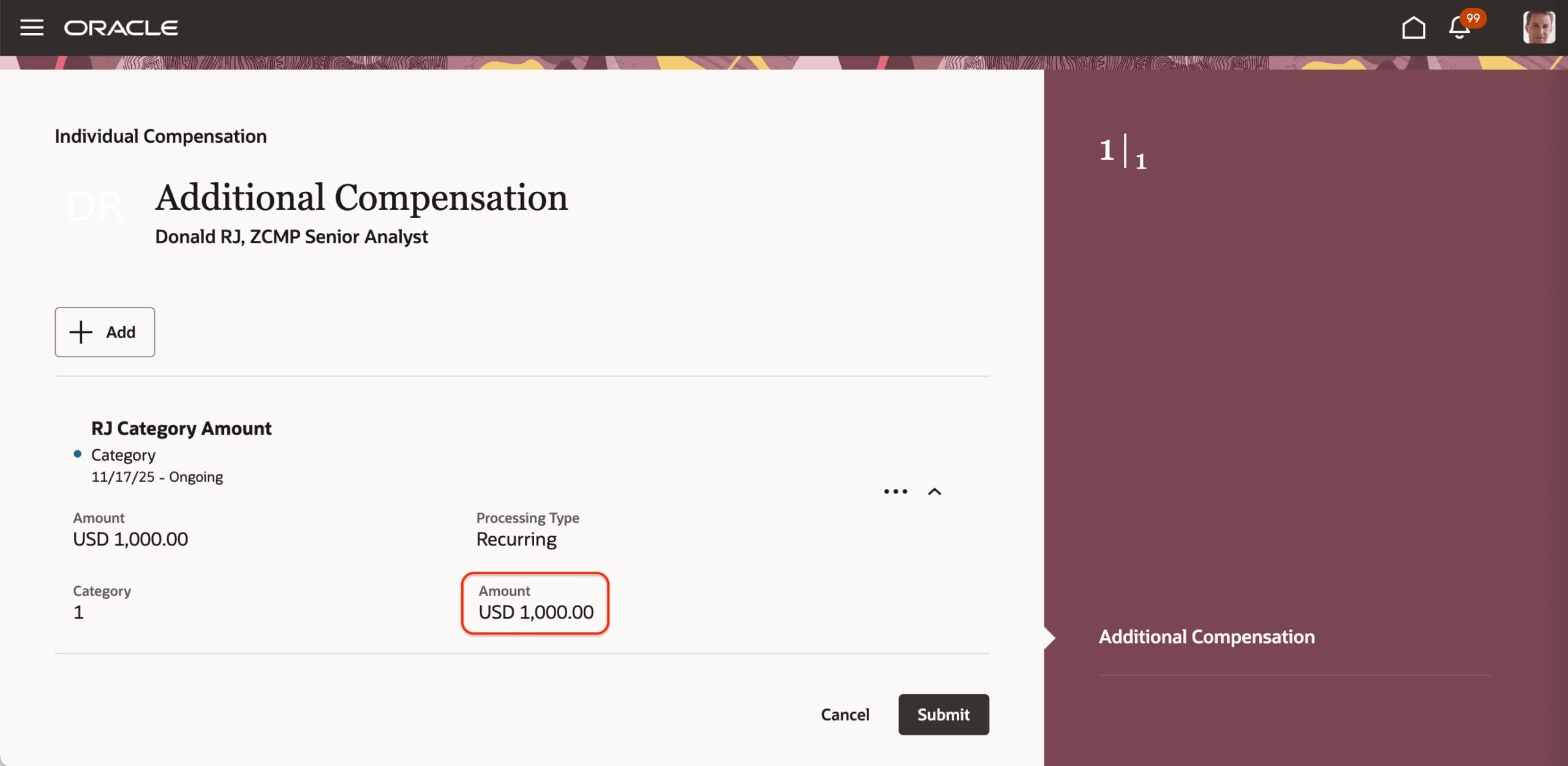
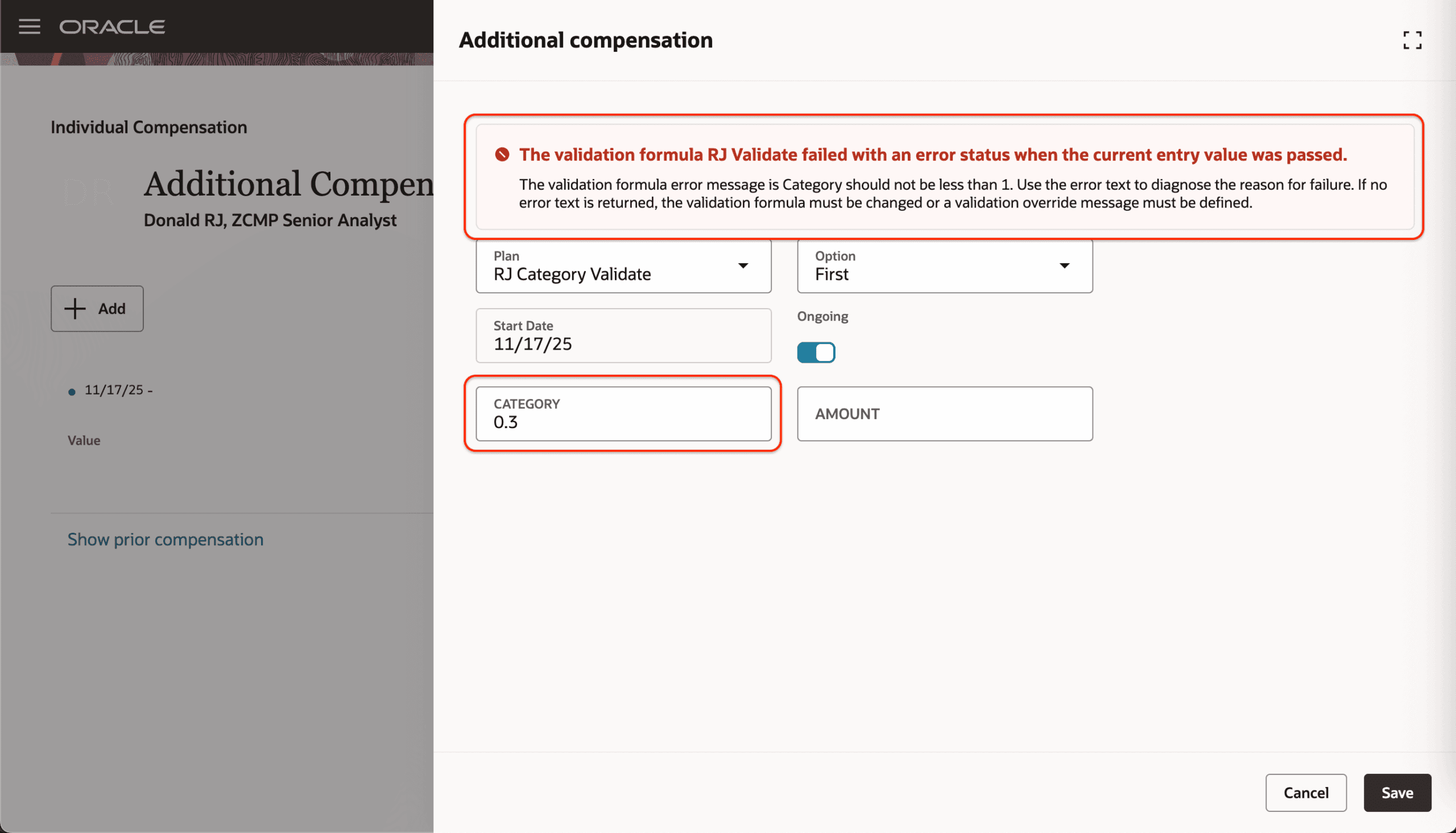
Users can now see ICP calculations and validation messages when they click Save. Previously, these checks were performed only when the plan was submitted.
Calculation rule:
Any calculation rules configured in the ICP and dependent on other input values will now run when the user clicks Save, allowing users to view calculated values earlier.
Validation rule:
Any validation rules configured in the ICP and dependent on other input values will now display error messages when the user clicks Save, helping users correct issues before submission.
6. Redwood Experience for Workforce Compensation Approval Worksheet
Quick Notes:
Line managers can access the new Approval Worksheet from the Approve tab on the Landing Page. They will experience the new Workforce Compensation Approval Worksheet, developed using the Redwood toolset, when it is enabled along with the Redwood experience.
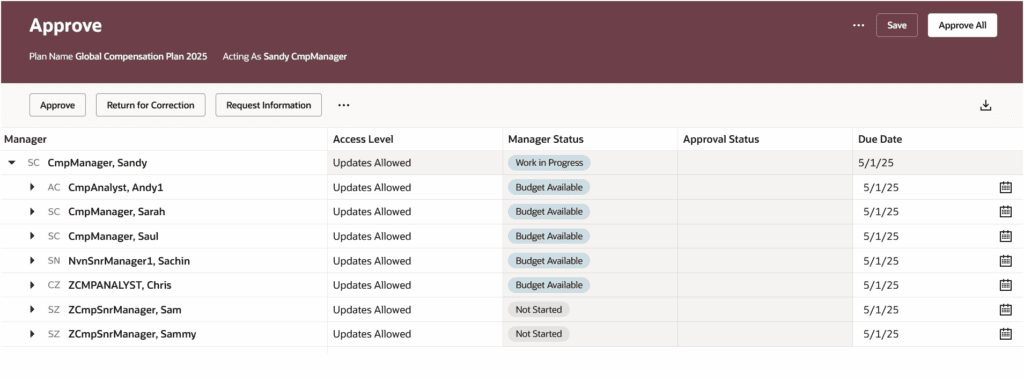
Approval Worksheet:
The ability to change access and due dates for all managers is in the overflow menu, along with the ability to view the approval chain

7. Redwood Experience for Workforce Compensation Communicate Worksheet
Quick Notes:
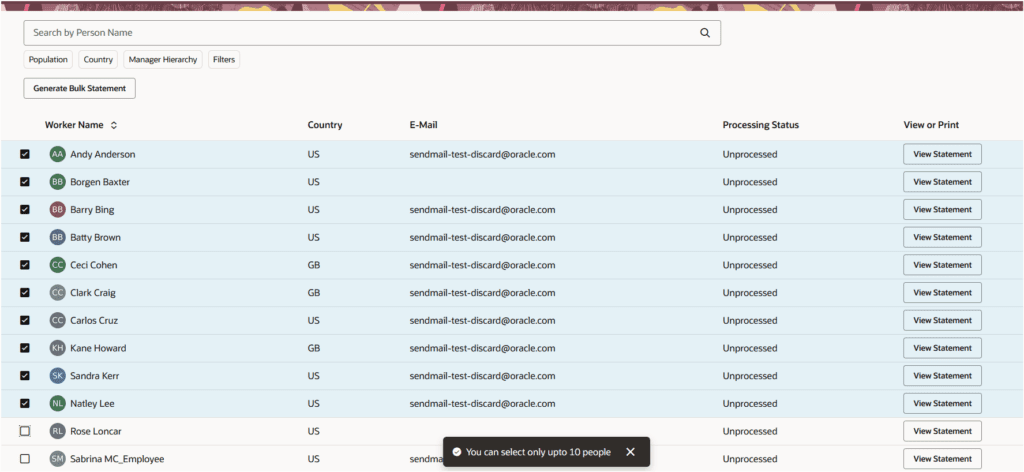
Managers will now see an improved Communicate Worksheet for Workforce Compensation when the Redwood experience is enabled. The new worksheet is built using the Redwood toolset and can be accessed from the Communicate tab on the Landing Page. This version is available for plans using the Centrally Managed and Stored delivery type.
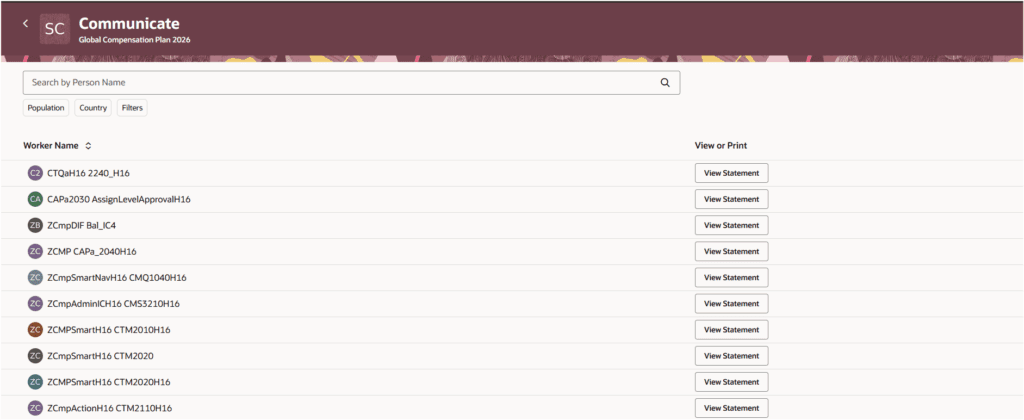
Communicate Worksheet
If the ability to stagger the release for statements is enabled, when the manager views a statement, the Release button will be on the bottom right of the page.

Bulk Statement Generation:
If the delivery method of Printed and delivered by managers is used, Manager can select up to 10 repartees and generate the statement in bulk.