Oracle HCM Recruiting Cloud 26A

Medium

Feature Enablement

Redwood Features
Generative AI Features
26A Update Features Covered:
- Redwood Experience
- Generative AI
- Recruiting Activity Center: Requisition and Job Application Preview Extensibility
- Allow Repeating Blocks in Request Information Flows
- Redwood Experience: Add Interaction Action in Job Applications List
- Redwood Experience: Job Application List Move Application Action Extensibility
- Redwood Experience: New Sections and Field in the Create and Edit Job Offer Flows
- Redwood Experience: Translate Job Requisition Details
- Redwood Experience: Usability Enhancements in Recruiting List Pages
1. Redwood Experience
The Redwood 26A features in Oracle Recruiting Cloud enhance efficiency, compliance, and user experience across the hiring process. Candidate management is streamlined with improved multi-select actions for requisitions, pools, and events, reducing clicks and speeding workflows. Navigation is more intuitive with consistent positioning in job application lists, minimizing context loss during filtering or view changes. Overall, these updates deliver a more intelligent, user-friendly, and policy-aligned recruiting experience.
2. Generative AI
Oracle Recruiting Cloud 26A uses AI to make hiring smarter and faster. The new Job Offer Creation Agent acts as an intelligent assistant, guiding recruiters through offer creation with answers tailored to company policies and uploaded documents. AI also powers candidate matching ratings, automatically scoring applicants on factors like skills and experience to help prioritize top talent. Additionally, enhancements to the Career Coach feature improve candidate guidance and streamline resume parsing. Together, these AI-driven tools reduce manual effort, improve accuracy, and deliver more personalized, efficient recruiting experience.
3. Recruiting Activity Center: Requisition and Job Application Preview Extensibility
Quick Notes:



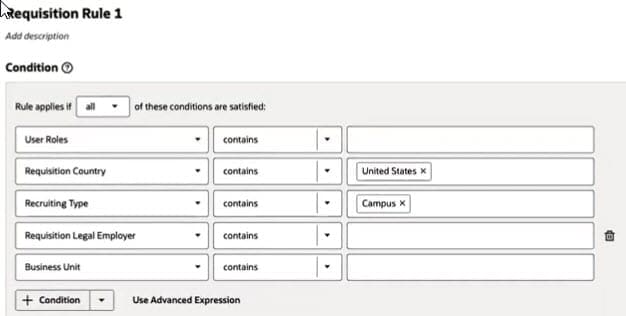
You can use Visual Builder Studio to create business rules that dynamically show or hide sections and fields in the job requisition and job application preview panels within the Recruiting Activity Center. These rules can include conditions that determine exactly when they apply, giving you full control over the display based on your organization’s requirements.
4. Allow Repeating Blocks in Request Information Flows
Quick Notes:
You can configure Request Information flows to reuse certain blocks across multiple flows. In the past, blocks shown in earlier flows were typically hidden from candidates in subsequent Request Information flows, except in specific scenarios. Now, you have the flexibility to repeat those blocks when needed.
5. Redwood Experience: Add Interaction Action in Job Applications List
Quick Notes:
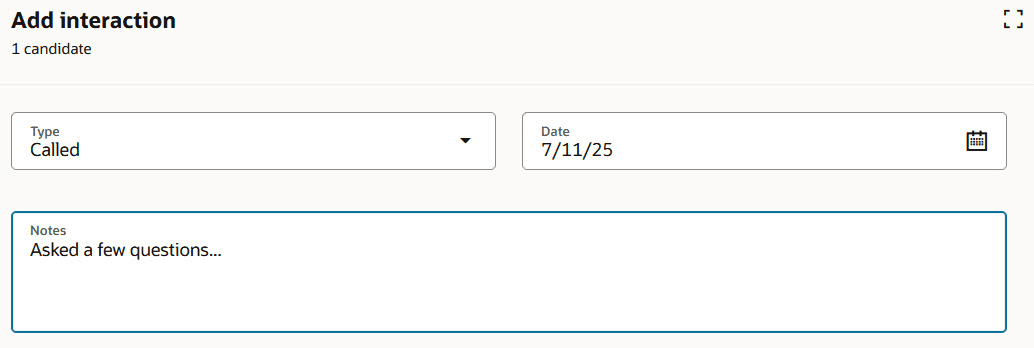
Use the Add Interaction action to record notes for one or multiple candidate applications. On the Add Interaction page, simply choose the interaction type, enter the date, and add your notes. When applying this action to 11 or more candidate applications, the system processes it asynchronously as a bulk action for efficiency.
6. Redwood Experience: Job Application List Move Application Action Extensibility
Quick Notes:
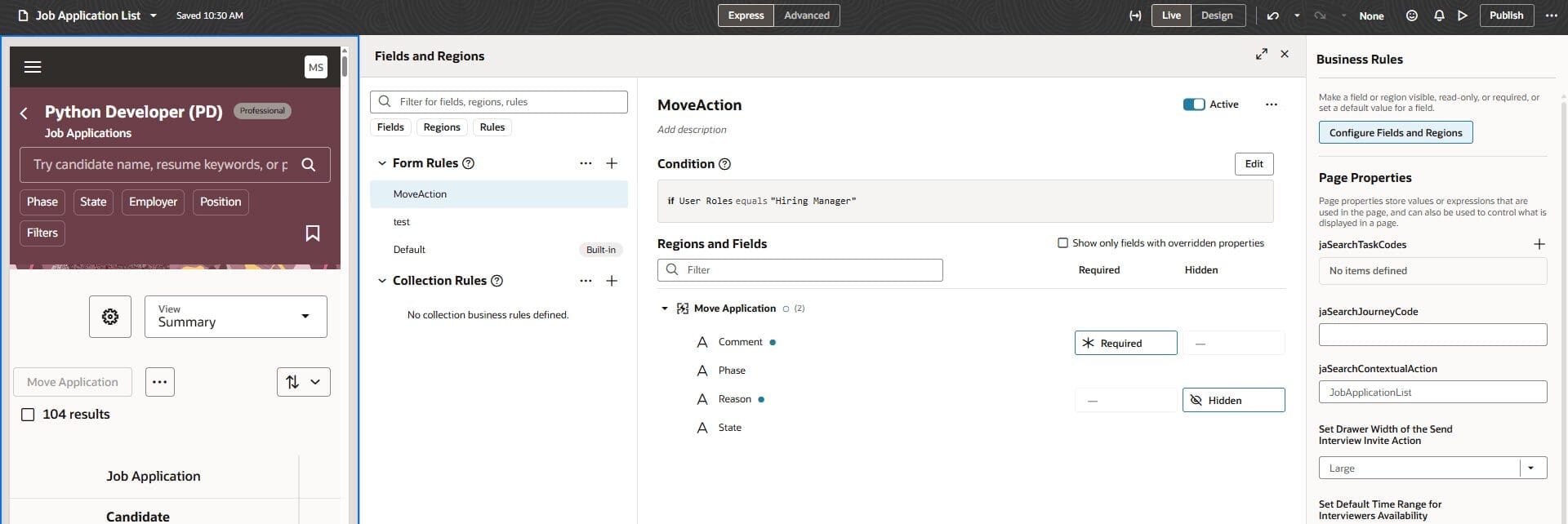
With Visual Builder Studio, you can customize the fields displayed when performing the Move Application action from the job application list. Fields such as Comment, Phase, Reason (visible only based on candidate selection process settings), and State can be configured to be hidden or required.
7. Redwood Experience: New Sections and Field in the Create and Edit Job Offer Flows
Quick Notes:
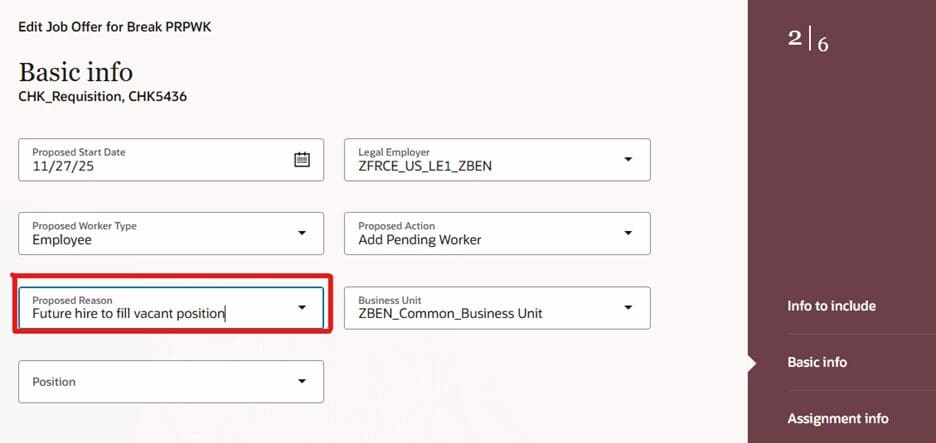
When creating or editing a job offer in Redwood, three new sections are now available:
- Additional Assignment Info
- Work Relationship Info
- Weekly Working Hours
These sections and their fields also appear in the Offer tab of job applications and in the Activity Center. By default, they’re hidden when you create, edit, or view a job offer, but you can use Visual Builder Studio rules to display them as needed.
8. Redwood Experience: Translate Job Requisition Details
Quick Notes:
You can now translate job requisition content using the Translate Job Requisition action, rebuilt in the Redwood toolset through Visual Builder Studio. When you select this action, a panel opens where you can review items to be translated, including requisition details and media assets.

9. Redwood Experience: Usability Enhancements in Recruiting List Pages
Quick Notes:
Key list pages, Job Requisitions, Job Offers, Candidate Pools, Campaigns, and Hiring Events—now offer improved navigation and personalization. Column sorting and scroll position are retained within the same session after actions, filtering, or page refreshes, so users return to their previous view without losing context. Additionally, column order and selection persist across sessions on the same device and browser, even after sign-out or opening new tabs.