Oracle HCM Time and Labor Cloud 26A
Low

Feature Enablement
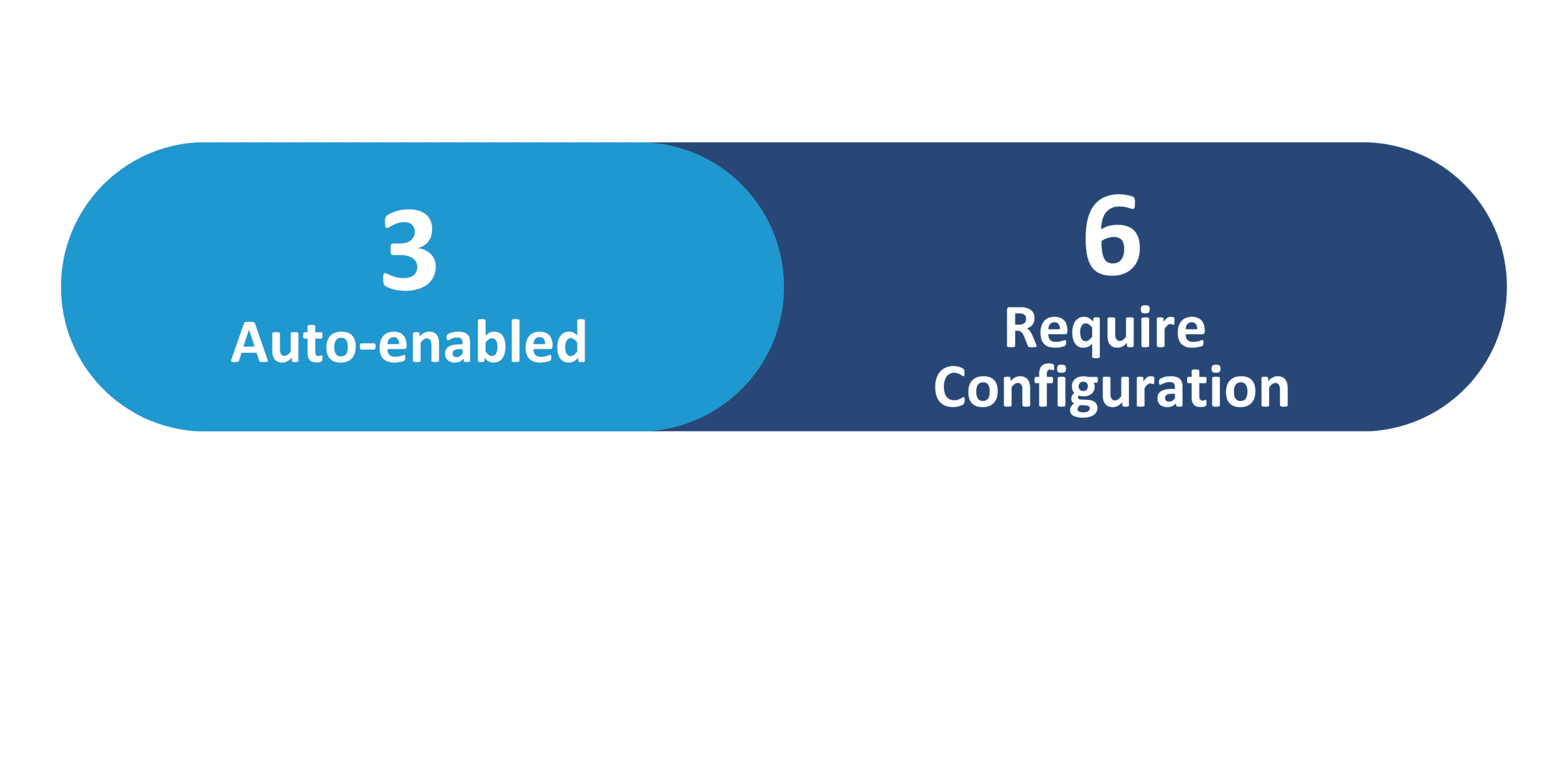
Redwood Features
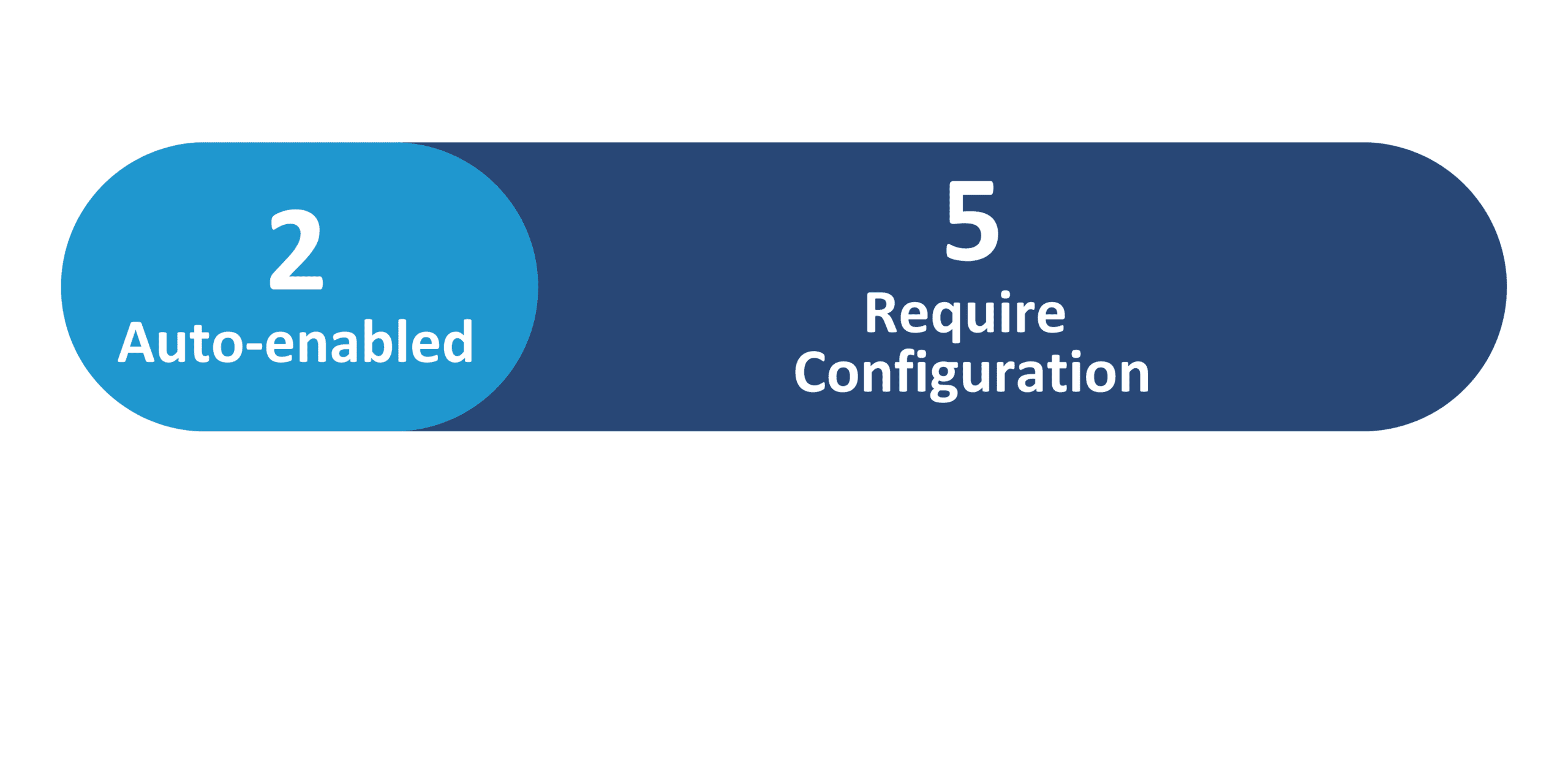
26A Update Features Covered:
- Redwood Experience
- Generative AI
- Team Schedule Enhancements
- New Time Calculation Formula and Template That Subtracts Unpaid Time Defined on Scheduled Shifts
- Time Change Request Enhancements for Workers
1. Redwood Experience
Redwood is Oracle’s modern, unified user interface designed to significantly enhance the overall user experience. While the Responsive UI remains available for existing users, Oracle strongly recommends transitioning to the Redwood UI to fully realize the benefits of its latest innovations, particularly those powered by Generative AI.
2. Generative AI
If you’re looking to unlock real business value with Generative AI, now is the ideal time to explore Oracle’s AI Agents across core Cloud modules such as Core HR, Onboarding, Recruiting, and Talent Management. Seamlessly embedded into everyday business workflows, these intelligent agents enhance decision-making, automate time-consuming tasks, and drive greater operational efficiency.
3. Team Schedule Enhancements
Quick Notes:


Steps to Enable: See the Access Requirements section to configure security.
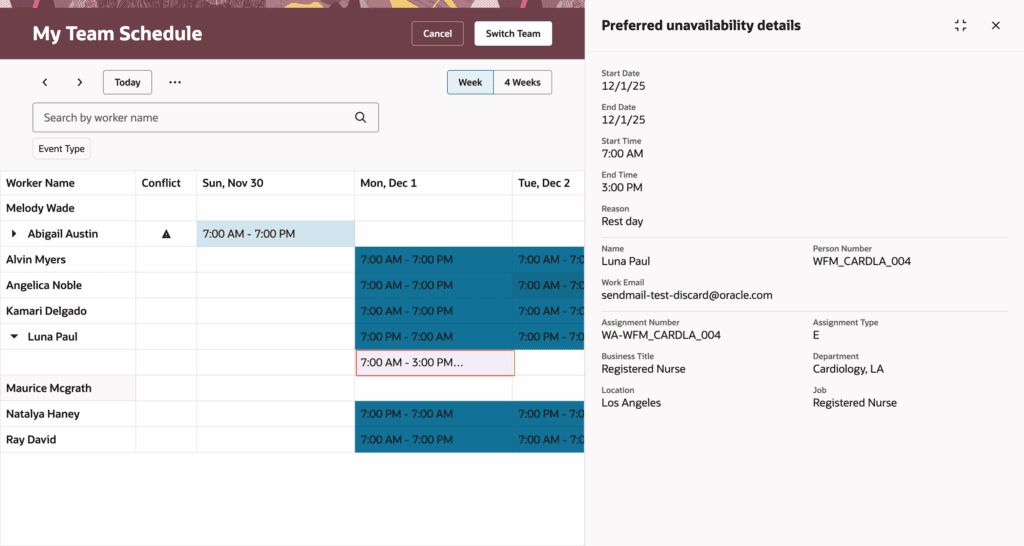
The Team Schedule page now provides a more complete view of workforce availability, giving managers greater clarity and control when planning schedules. Two key enhancements have been introduced:
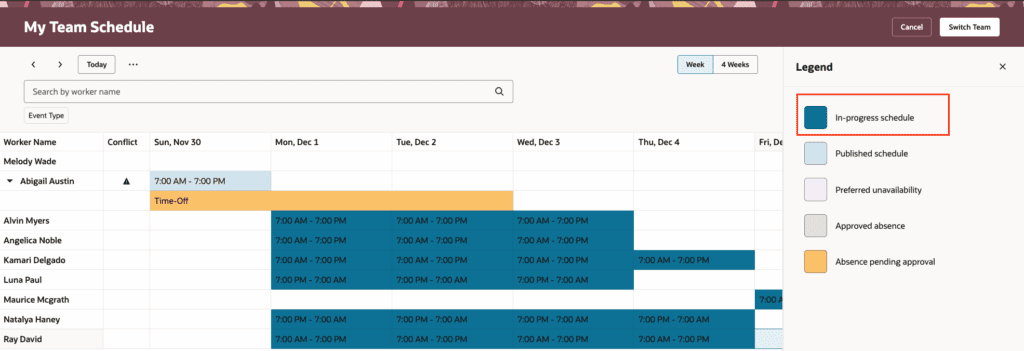
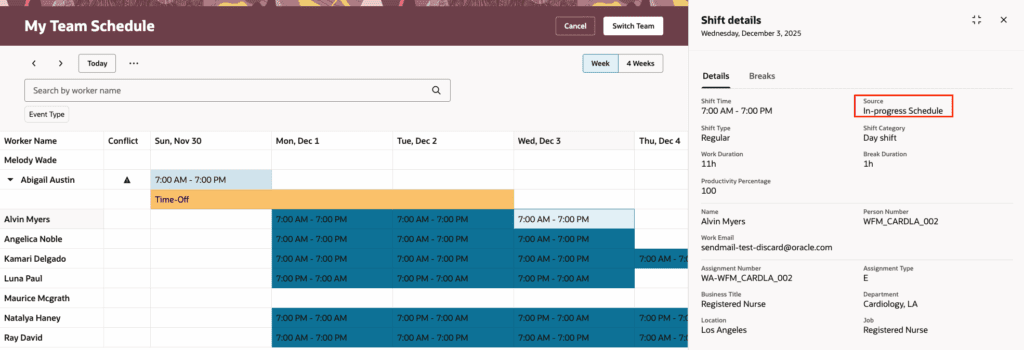
- Visibility into unpublished shifts: In-progress, unpublished shifts now appear alongside published schedules, allowing schedulers to track and manage shifts still under review.
- Clear display of partial availability: Partial availability, such as appointments or training, now appears clearly for each worker, making it easier to identify and avoid potential scheduling conflicts.
To view these enhancements for any shift, simply right-click on the shift. A clear color-coding scheme helps distinguish between event types and can be referenced in the legend.
With these improvements, managers can track draft and finalized schedules in one place, reduce schedule ambiguity, and ensure staff unavailability does not disrupt schedule planning.
4. New Time Calculation Formula and Template That Subtracts Unpaid Time Defined on Scheduled Shifts
Quick Notes:
Steps to Enable: Configure new payroll element, time calculation rule, add the rule to the appropriate rule set and rule set to the correct worker time processing profile.
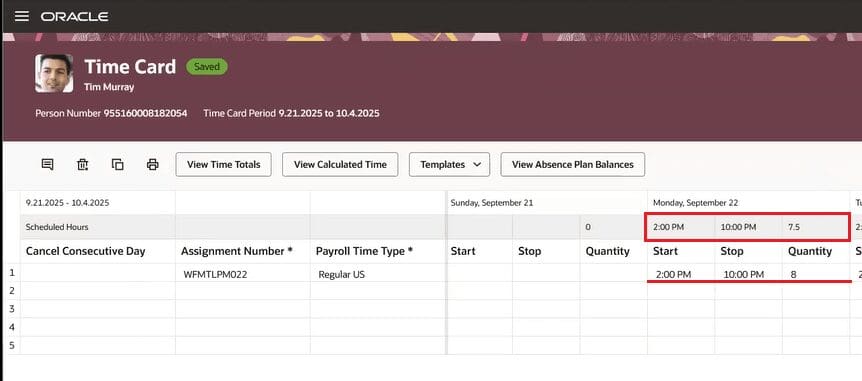
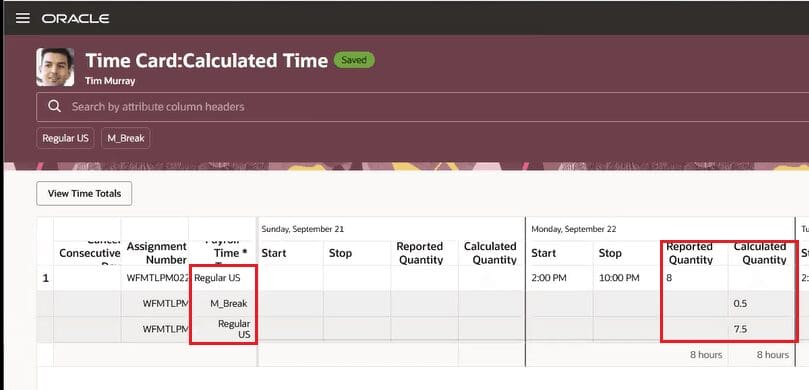
Oracle now makes it easier to manage unpaid breaks with a new fast formula and rule template. When unpaid breaks are set on a shift, processed time automatically excludes unpaid hours. You can choose to display unpaid time separately or show only actual work hours, improving clarity for payroll and reporting. This enhancement provides a clear separation of paid and unpaid time, helping streamline compliance and payroll processing.
5. Time Change Request Enhancements for Workers
Quick Notes:
Steps to Enable: See the Access Requirements section to configure security.
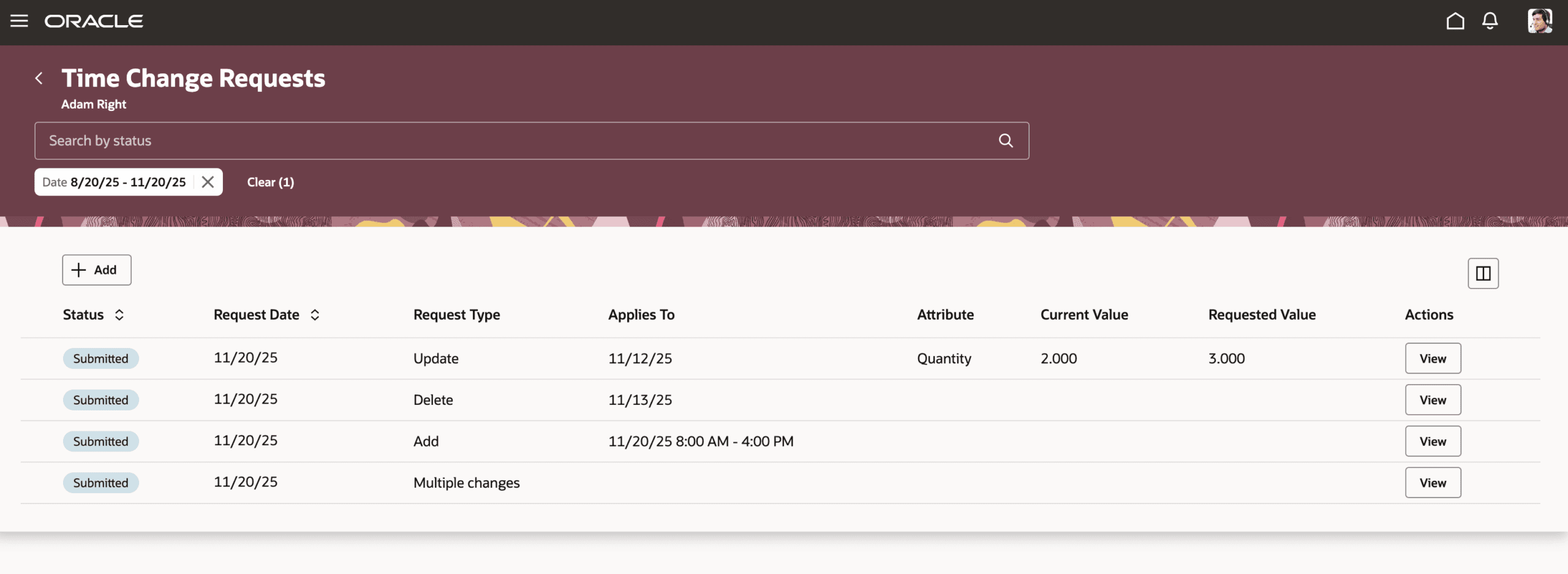
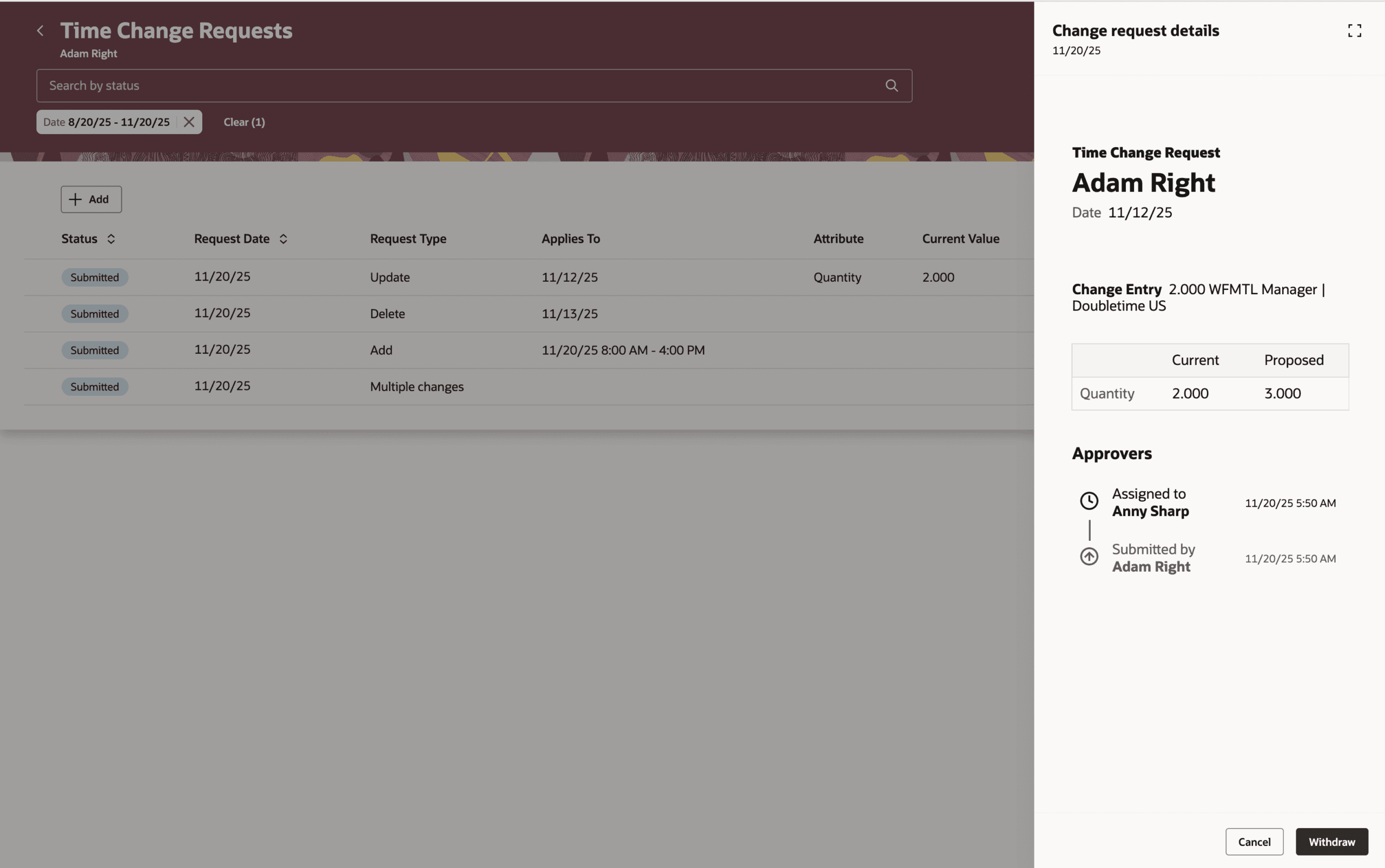
You can now view, search, and manage all submitted time change requests from a single page. Easily check approval history or withdraw pending requests using the new View action.
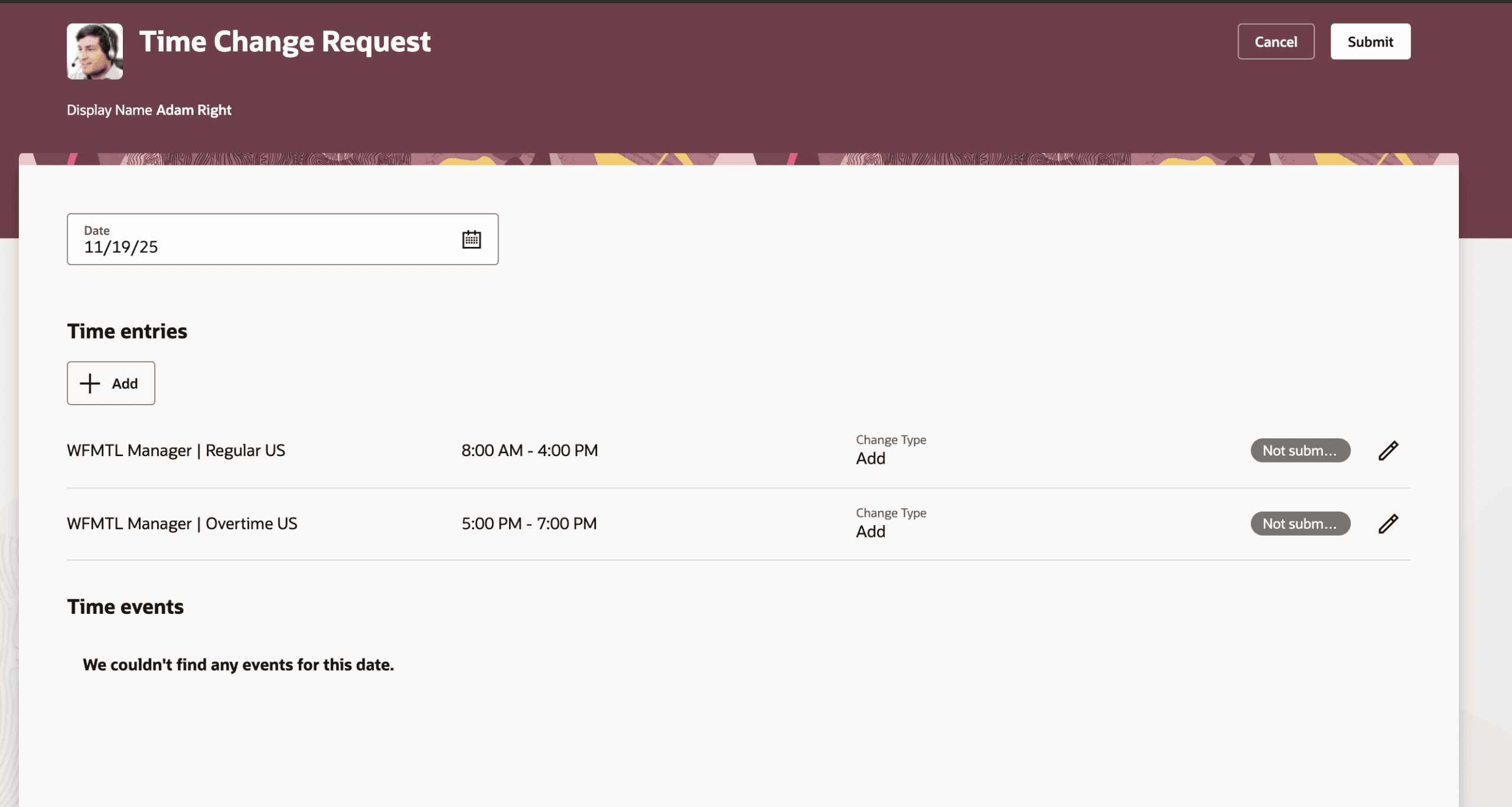
Change types are now clearly shown when creating or reviewing requests, approvals, entries, and deletions are safely tied to approvals, entries marked for deletion are removed only after approval. New project attributes, including ApprovalTimeChangeRequestDetail.projectManager in BPM, support flexible Project Manager approval routing.
This centralized experience simplifies time change management, improves oversight, and reduces the risk of accidental data loss.