Oracle Talent Management & Dynamic Skills 26C
Low

Feature Enablement
Redwood Features
Generative AI Features
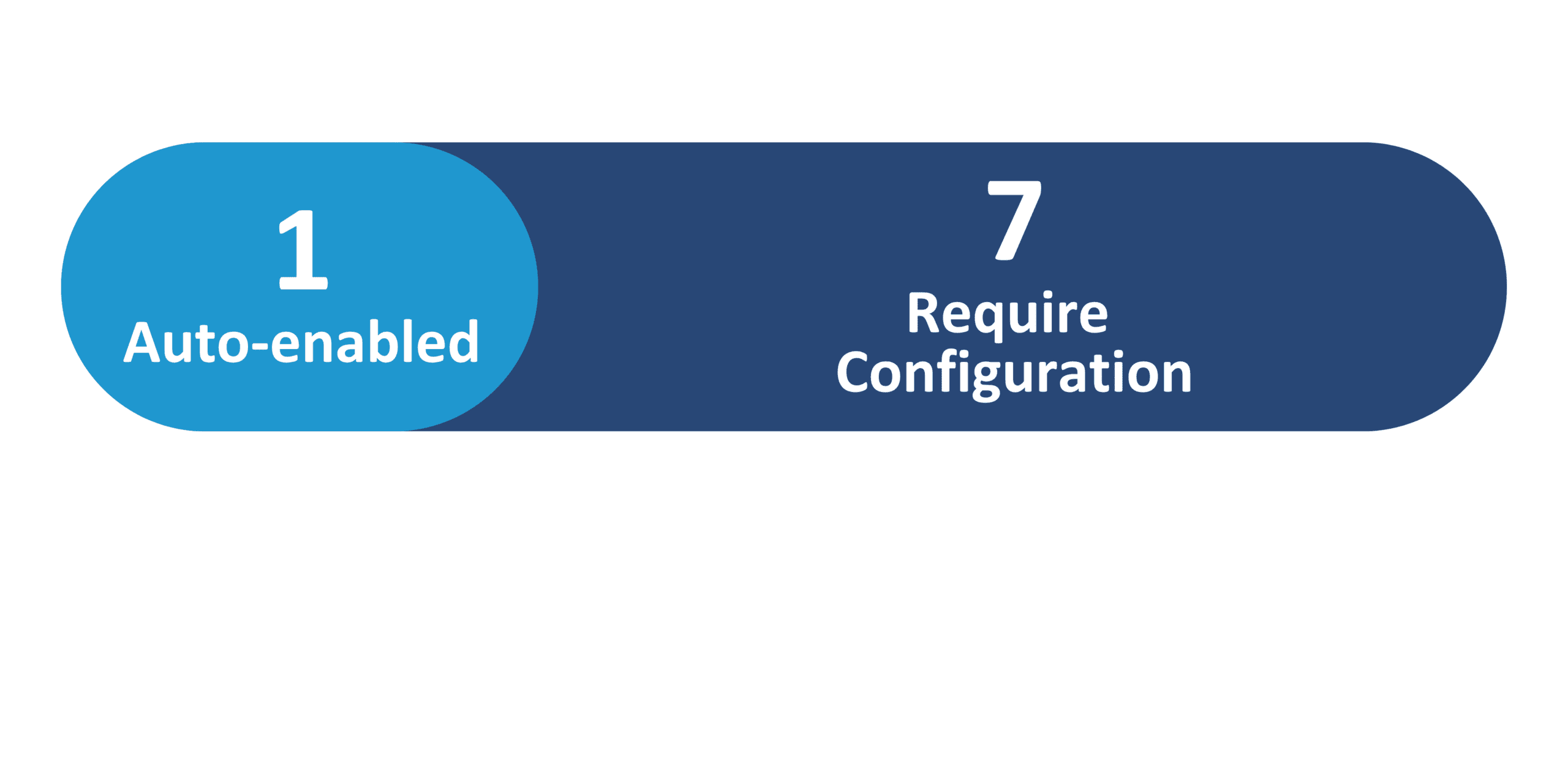
26C Update Features Covered:
- Redwood Experience
- Generative AI
- Conversion of Generative AI Prompts and Supervisor Agents to Goal Management Workflow Agents
- Redwood: Enable Mass Actions for Development Goals from Goals Center
- Redwood: Set Default Review Period for Employee and Manager Performance Landing Pages
- Redwood: Time-Based Autosave in Redwood Performance Documents and All-in-One Evaluations
- AI Agent: Intelligent Talent Profile Search
- Redwood: Upload and View AI-Generated Talent Review Meeting Summaries
- Redwood Experience: Usability Enhancements in Recruiting List Pages
- Redwood: New Manager Skills Center Experience
- Redwood: New Employee Skills Center Experience
- Redwood: New Administrator Skills Center Experience
- Redwood: Display Side Panel for Adding Skills
- AI Agent: Intelligent Talent Profile Search for Team Skills Center
1. Redwood Experience
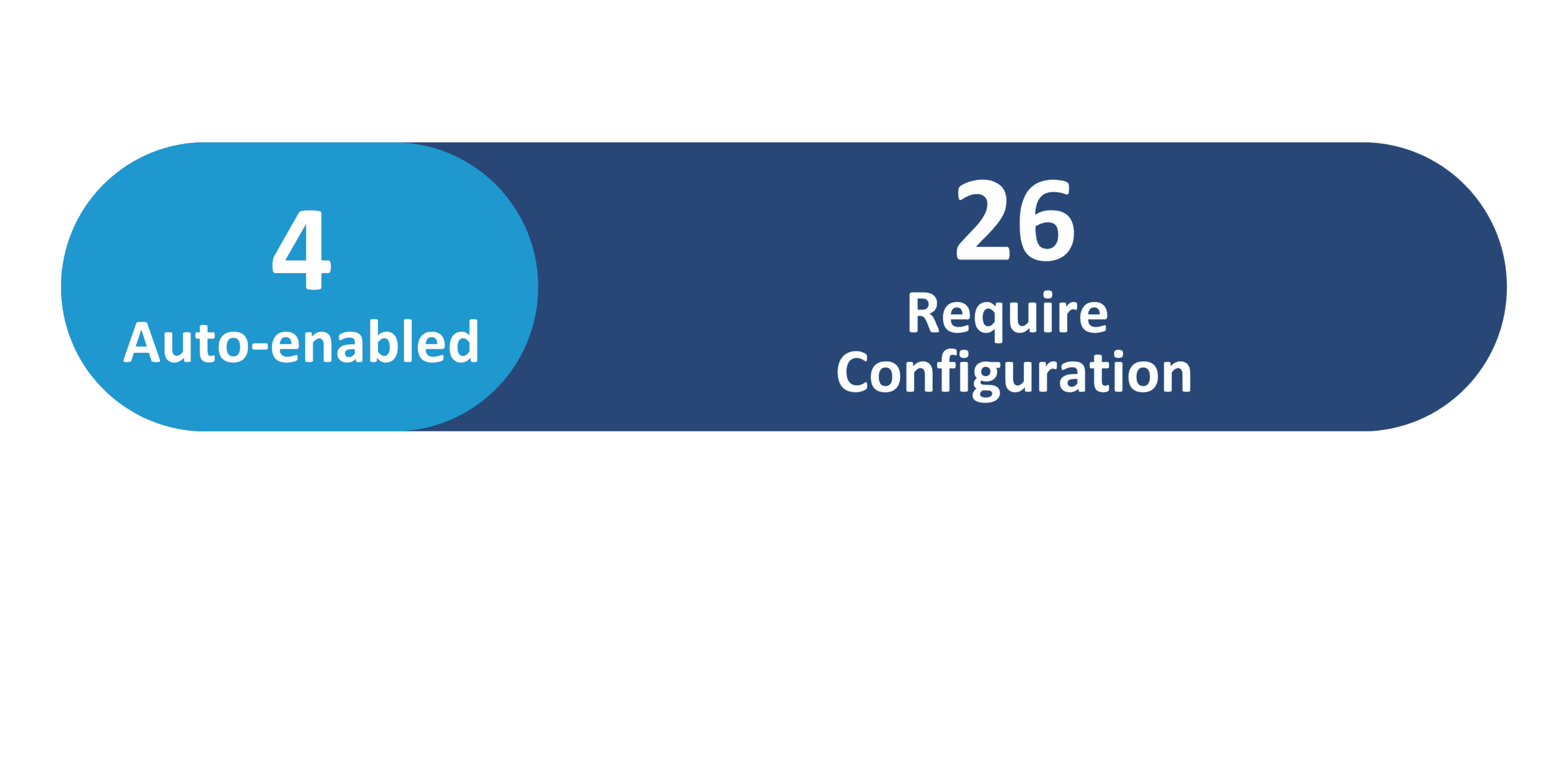
Update 26C delivers 19 Redwood features across Talent Management and 4 across Dynamic Skills. In Talent Management, key Redwood highlights include: Mass Actions for Development Goals from the Goals Center; configurable default Review Period filter for Performance landing pages; Time-Based Autosave in Performance Documents and All-in-One Evaluations; LinkedIn URLs and attachments for external succession candidates; and additional Redwood features across Goal Management, Performance Management, Profile Management, Succession Management, and Talent Review. In Dynamic Skills, the Skills Center has been comprehensively redesigned with three new persona-specific Redwood experiences for managers, employees, and administrators — each grouping skills into Required, Self Developing, and All Skills tabs — plus a new Side Panel Drawer for adding and rating skills
2. Generative AI
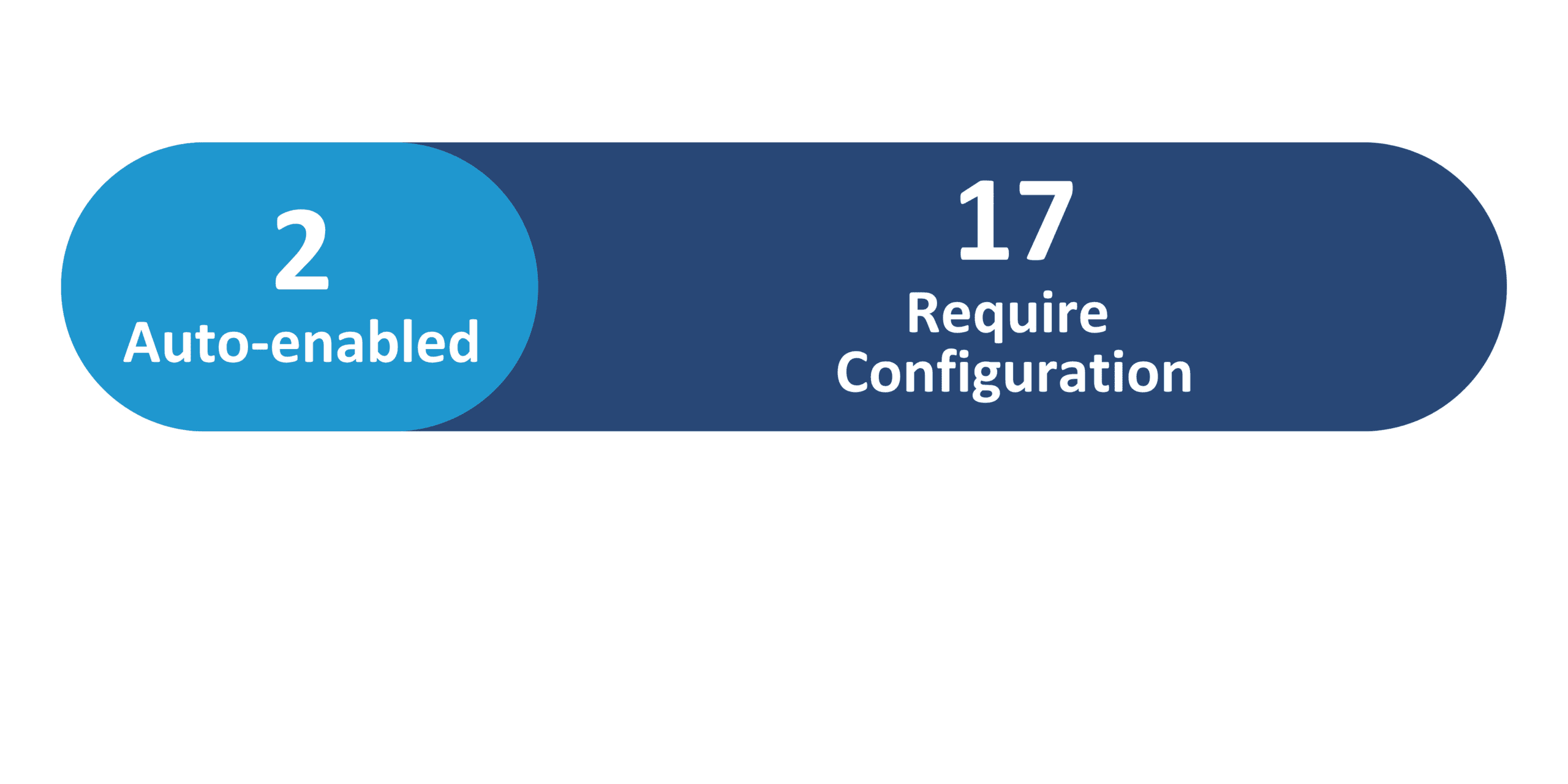
Update 26C introduces 8 Generative AI features across Talent Management and 1 across Dynamic Skills. In Talent Management: Goal Management transitions from AI Configurator prompts to richer workflow agents (Goal Creation Assistant, Team Goals Summary Generator, Employee Goals Assistant, Team Goals Assistant); Intelligent Talent Profile Search uses semantic matching via natural-language queries for HR administrators; and AI-Generated Talent Review Meeting Summaries are produced from uploaded transcripts using the Talent Review Transcript Summary Generator agent. In Dynamic Skills: Intelligent Talent Profile Search for Team Skills Center is a chat-based AI agent for managers that returns ranked, semantically matched employees as an HTML table.
3. Conversion of Generative AI Prompts and Supervisor Agents to Goal Management Workflow Agents
Quick Notes:


From update 26C, Oracle replaces the Goal Management Generative AI prompts and supervisor agents with new workflow agents available on the Agent Teams tab of AI Agent Studio that dynamically interprets user intent using multiple specialist nodes.
- Goal Creation Assistant — creates goals based on name, department and business title, and suggests goals from previous evaluation comments. Replaces Performance goal creation, Suggest goals from evaluation comments, and Team/Worker goal creation prompts
- Team Goals Summary Generator — generates a team goals summary. Replaces the Team Goals Summary prompt
- Employee Goals Assistant — assists employees in creating and managing performance and development goals
- Team Goals Assistant — assists managers in creating and managing team goals and answers queries about progress
4. Redwood: Enable Mass Actions for Development Goals from Goals Center
Quick Notes:
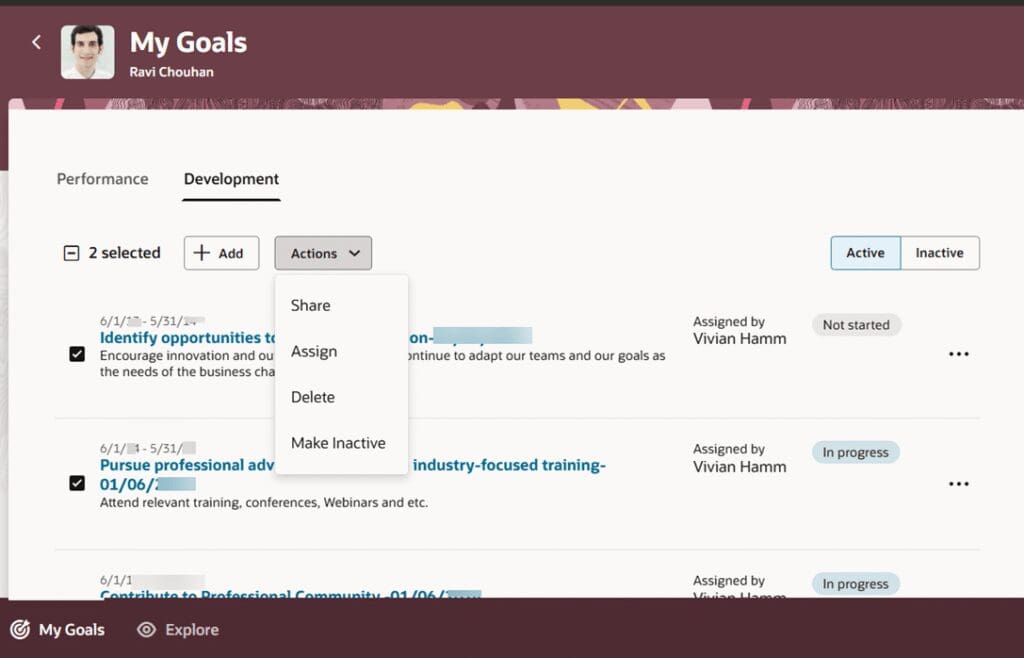
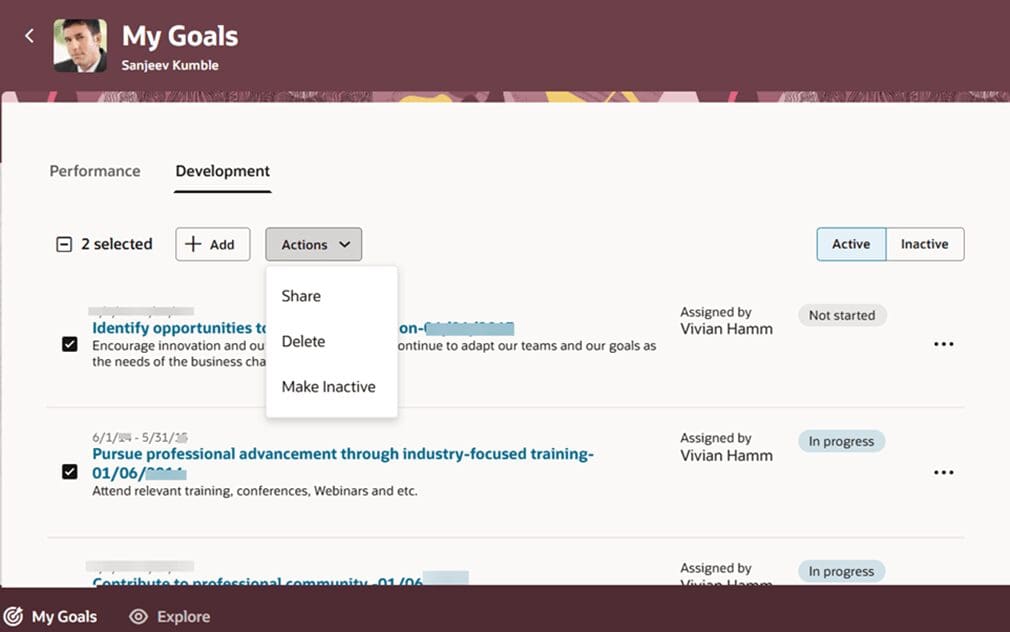
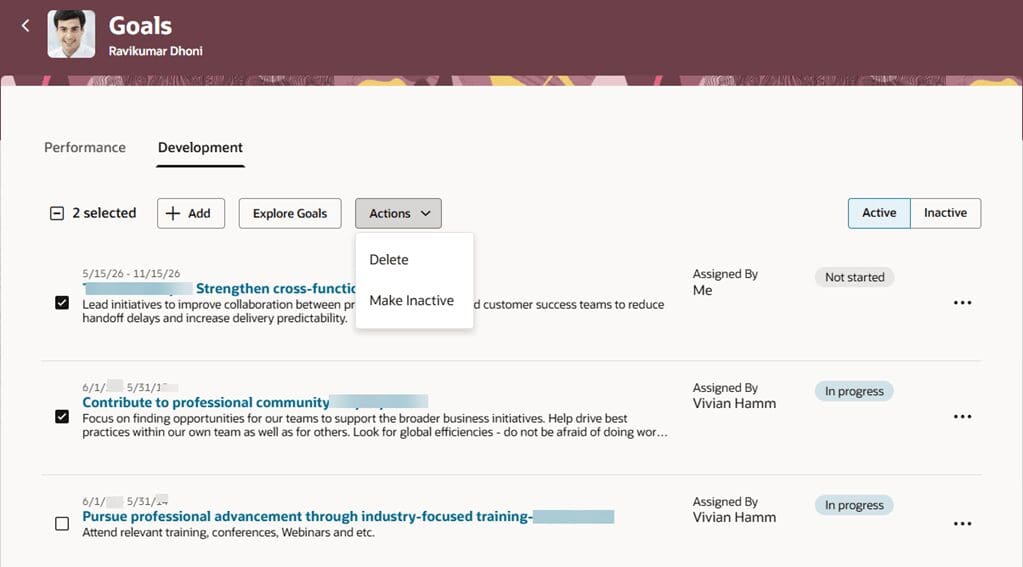
Administrators can now enable workers, managers, and HR specialists to select multiple development goals and act on them in bulk from the Goals Center, reducing the number of individual actions required.
- Employees can share, delete, or make multiple selected development goals inactive from their Goals Center
- Managers can assign multiple selected goals to team members from their own Goals Center
- Managers can delete or make multiple selected goals inactive when accessing a team member’s Goals page from the Team Goals Center
- HR specialists can delete or make development goals inactive for a person when multiple goals are selected
- Validations applied to all selected goals — mass actions only enabled when all pass validation and the user have the required privilege

5. Redwood: Set Default Review Period for Employee and Manager Performance Landing Pages
Quick Notes:
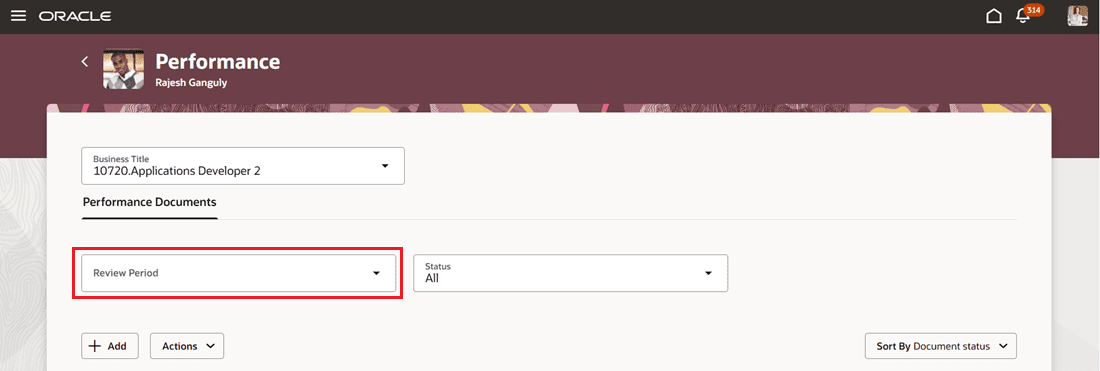
Managers and HR users can now filter performance documents or check-ins by review period, with configurable default values set per tab on the Performance landing page.
- The Review Period filter appears on the Performance page for managers to quickly focus on the most relevant period
- Different default review period values can be set for the Check-Ins tab and Performance Documents tab independently
- HR can configure a default review period for specific conditions such as manager location, department, or business unit
- Managers can still change the filter value after the default is applied
- If a default review period is configured, results display for that period even when the filter is not shown
6. Redwood: Time-Based Autosave in Redwood Performance Documents and All-in-One Evaluations
Quick Notes:
Comments and questionnaire responses entered during evaluation tasks are now autosaved automatically in Redwood performance documents and All-in-One Evaluations.
- Applies to worker self-evaluation, manager evaluation, and participant feedback tasks
- Autosave triggered based on a configurable interval set via the HRA_PERF_AUTOSAVE_INTERVAL profile option
- The number of autosave initiations is controlled per page via a page property (default 0, maximum 15)
- A separate page property controls autosave for All-in-One Evaluations
7. AI Agent: Intelligent Talent Profile Search
Quick Notes:
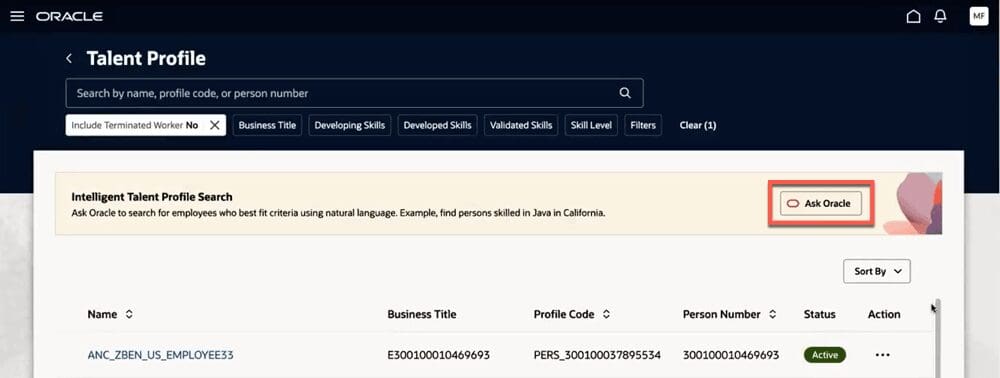
Intelligent Talent Profile Search is a chat-based AI agent for HR administrators using a vectorized database for semantic matching. Users ask natural-language questions, and the agent returns people who match the specified criteria.
- Ask flexible, natural-language queries combining multiple criteria — for example: “Who has both Java and Python and works in the San Francisco Office?”
- Combines talent profile data and work assignment details for semantic matching
- People names in results are linked directly to each person’s talent profile for immediate navigation
8. Redwood: Support for LinkedIn URL and Attachments for External Candidates of Succession Plans
Quick Notes:
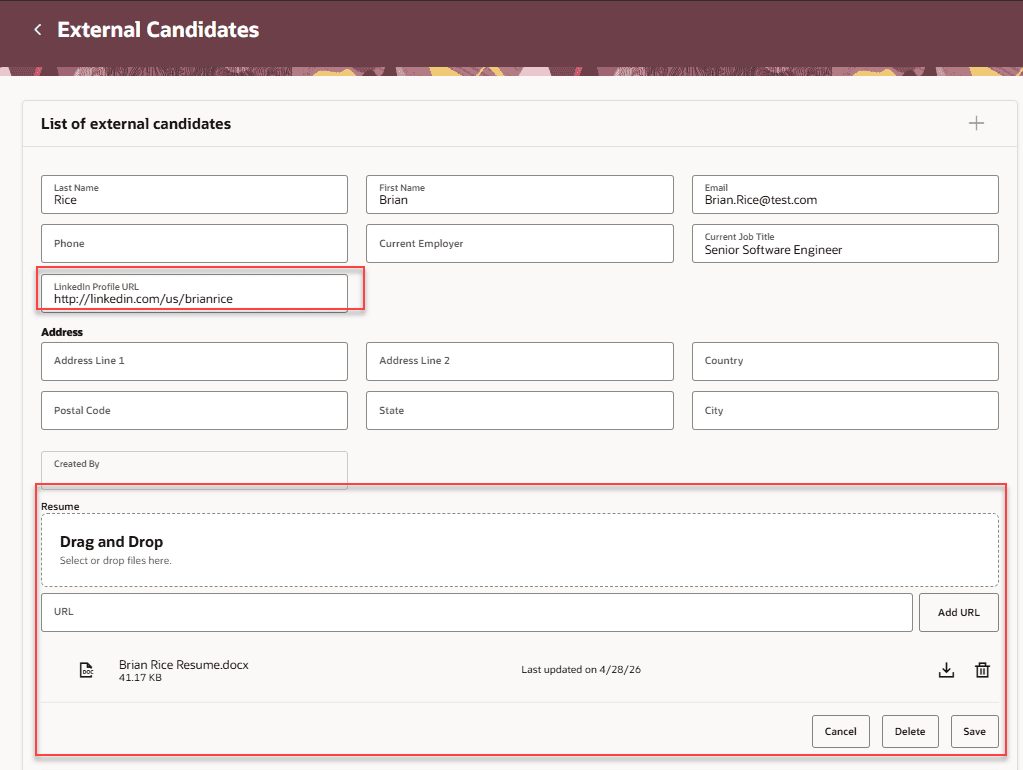
HR specialists can now add LinkedIn profile URLs and upload, view, download, and delete multiple attachments for external succession candidates, centralizing candidate documents in one place.
- Add a LinkedIn profile URL to an external candidate record for direct profile access from the succession plan
- Upload multiple attachments — supported formats: .pdf, .txt, .rtf, and .docx
- View, download, and delete attachments directly from the External Candidates page
- Centralizes candidate document storage, reducing the need to search external systems
9. Redwood: Upload and View AI-Generated Talent Review Meeting Summaries
Quick Notes:
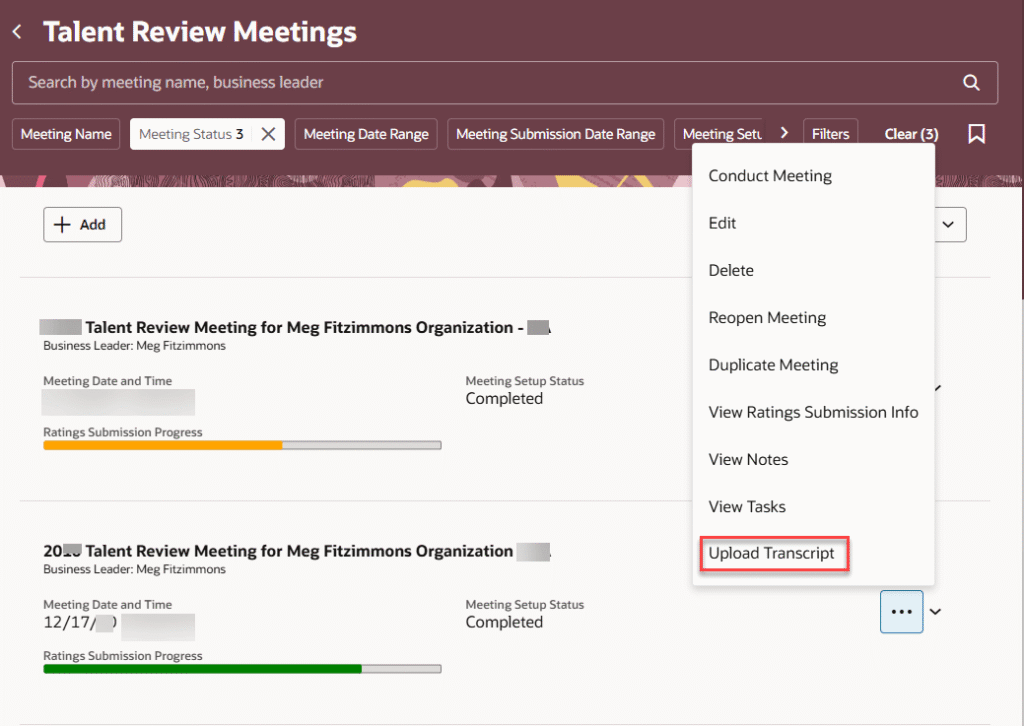
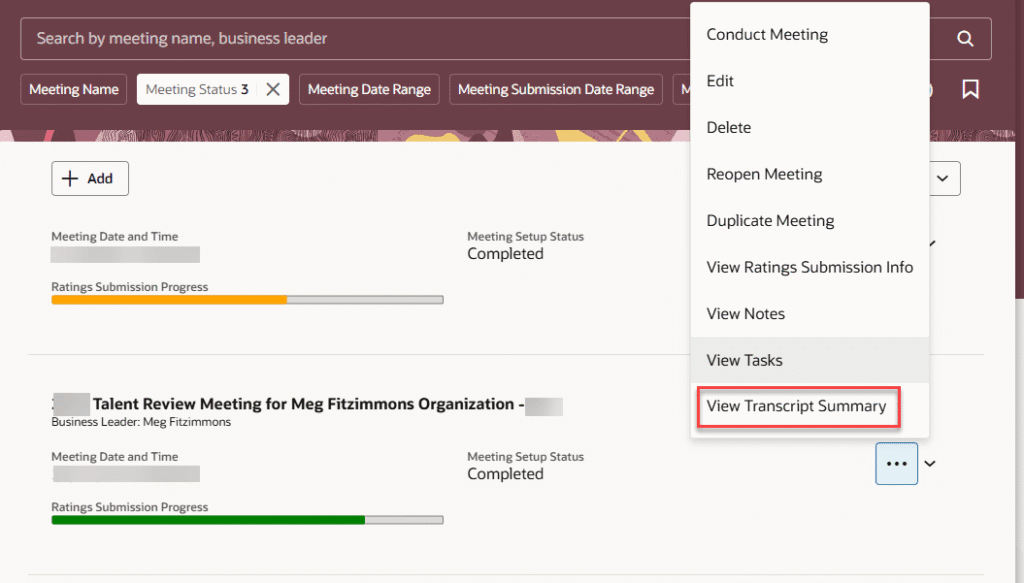
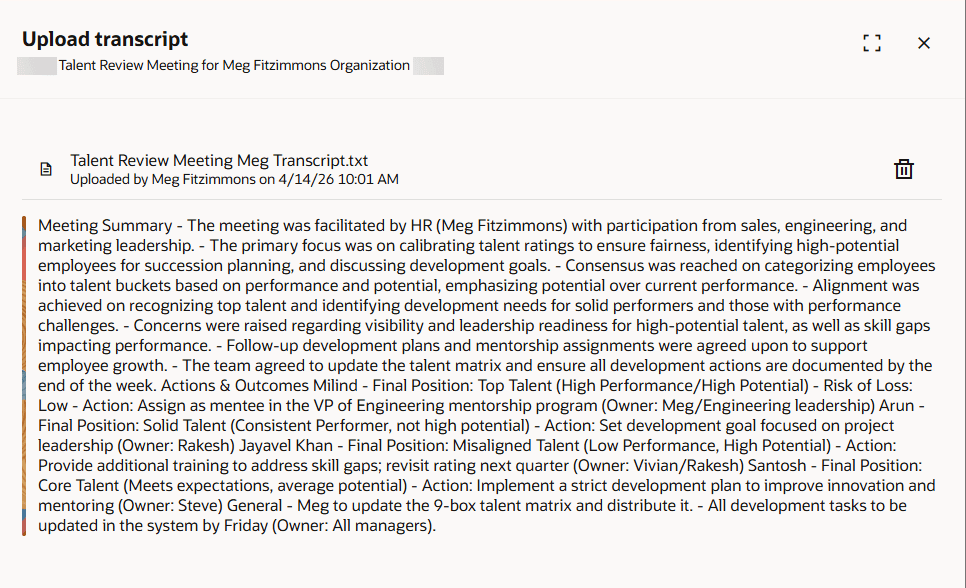
Facilitators can now upload meeting transcript files for completed Talent Review meetings and generate AI-powered summaries that are persistent and can be viewed at any time.
- Upload transcript files using the Upload Transcript action — supported formats: .txt, .json, .csv, .srt, .vtt (max 25MB)
- The AI summary is generated automatically after upload – the uploaded file is not stored
- View the generated summary at any time via the View Transcript Summary action
- Delete generated summaries and upload new transcripts to regenerate updated summaries
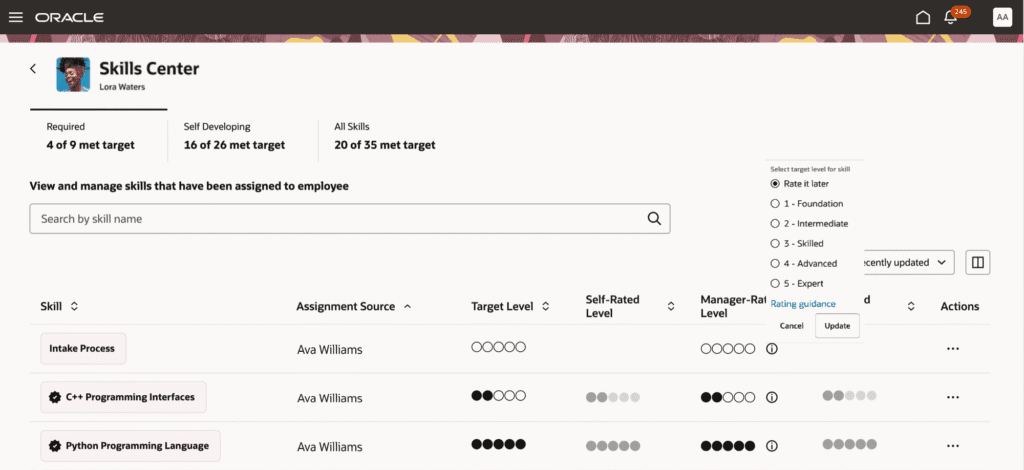
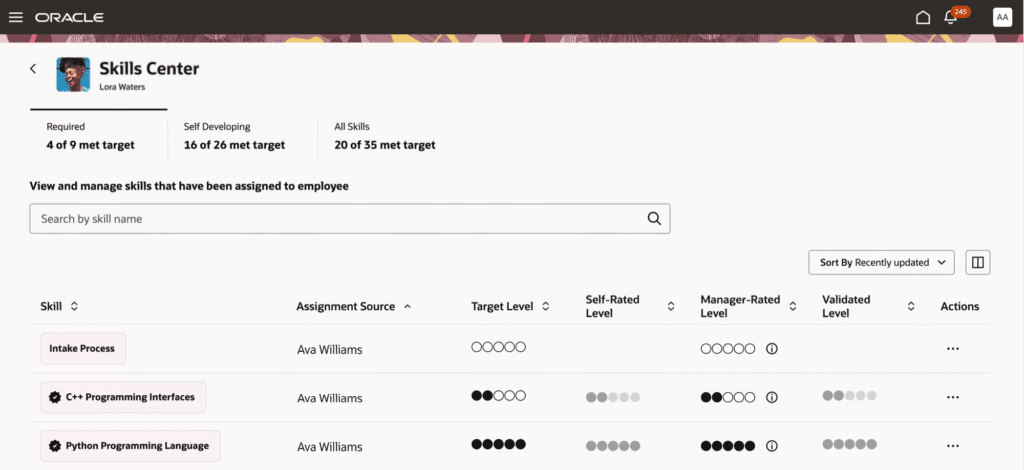
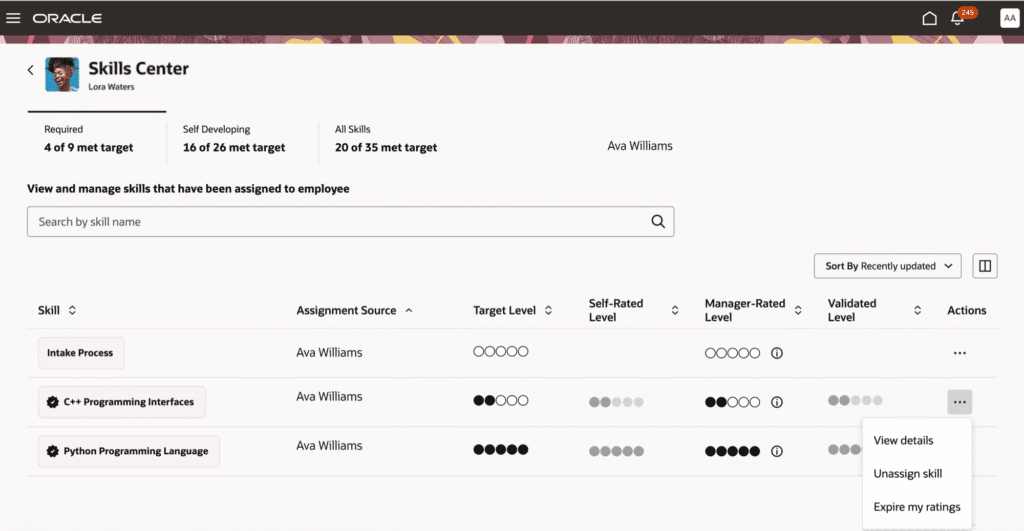
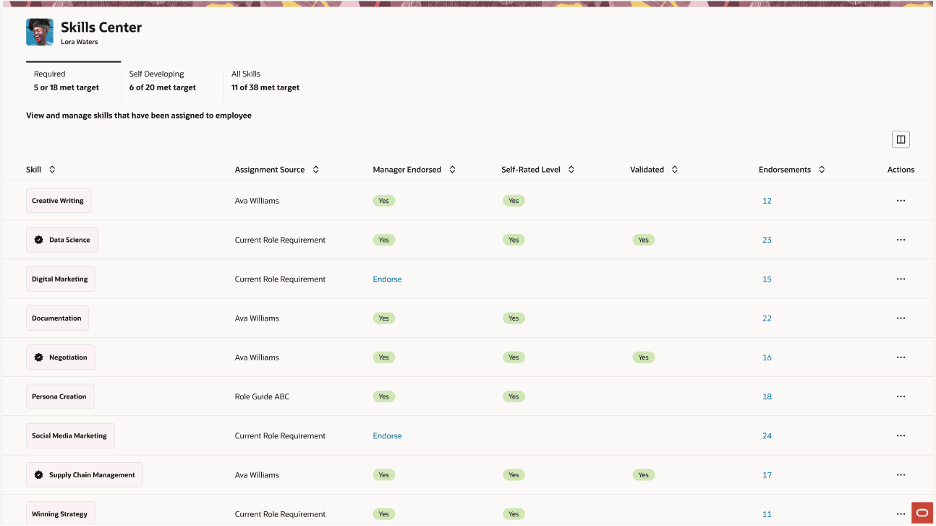
10. Redwood: New Manager Skills Center Experience
Quick Notes:
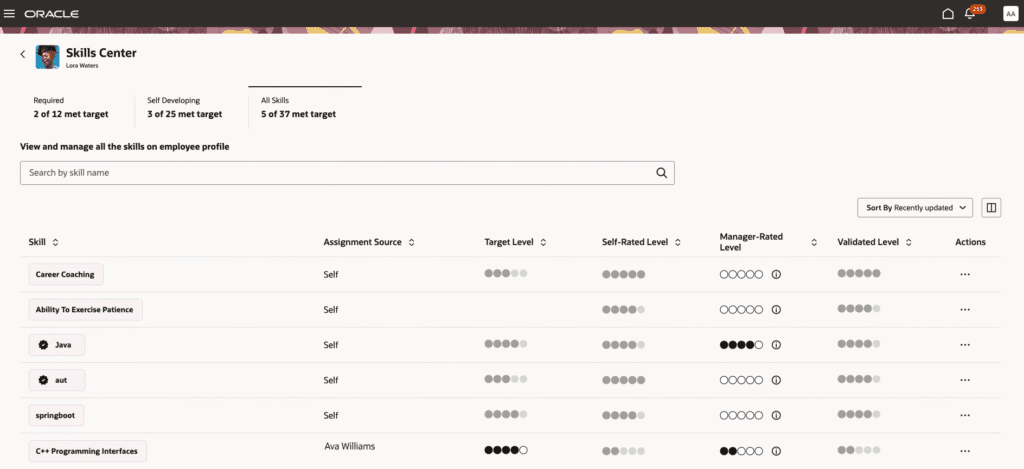
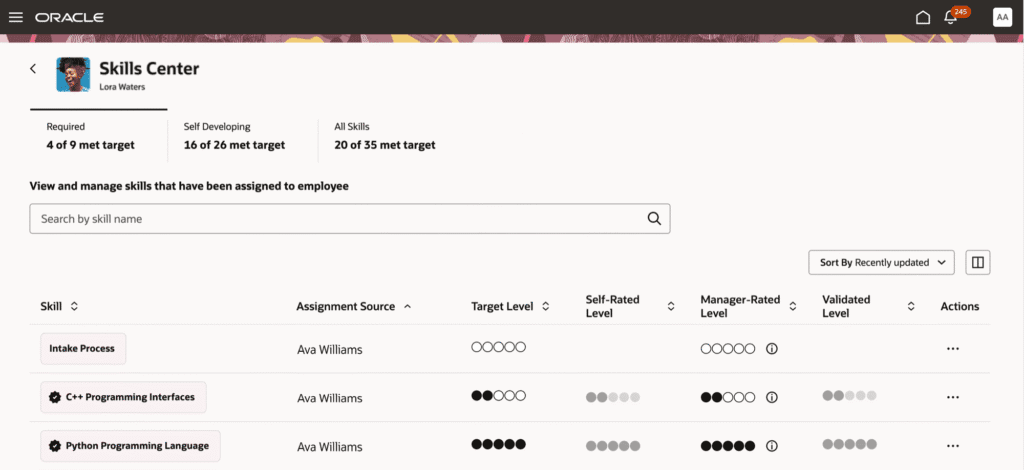
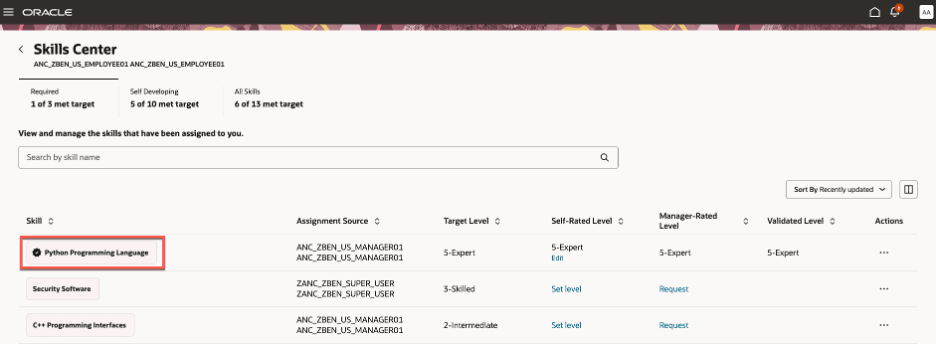
A new Redwood Skills Center experience for managers groups skills into Required, Self Developing, and All Skills tabs, providing a holistic, actionable view of each team member’s skill landscape.
- Rate employee skill levels using circular or text-based ratings — information icons provide guidance for each level
- Each manager sees only their own ratings; the highest rating level is displayed to the employee
- Target level for a required skill can only be modified by the same manager who originally assigned it — check the Assigned Source column
- When no rating model is enabled, managers can endorse skills; a badge indicates when sufficient validation score is achieved
- If the same skill is assigned by two managers with different target levels, the system shows the higher of the two
11. Redwood: New Employee Skills Center Experience
Quick Notes:
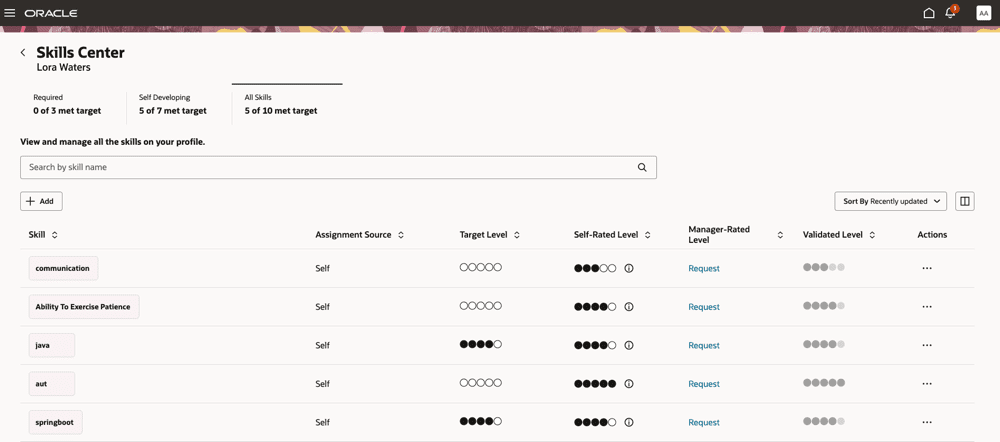
A new Redwood Skills Center experience for employees’ groups skills into Required, Self Developing, and All Skills tabs, with sorting by Recently Updated and Unattained Skills within each tab.
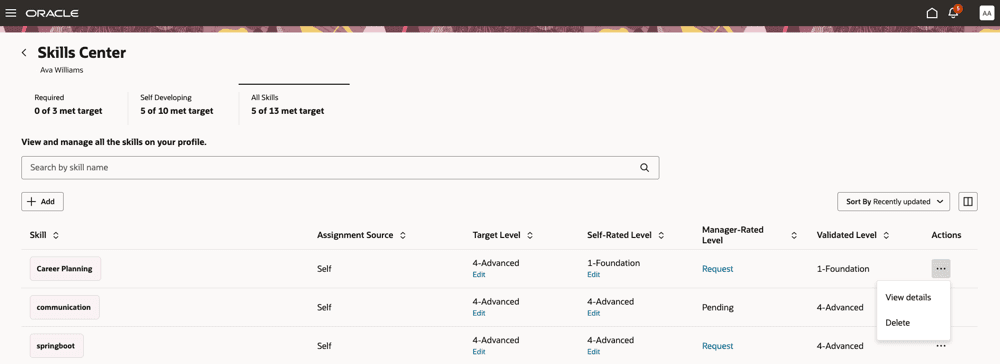
• Self-rate skills using circular or text-based rating — information icons provide guidance for each level
• Only managers can change target levels for Core Skills; only HR for Role Skills; employees only for self-assigned skills
• Request manager endorsement via the Manager-Rated Level column — once provided, rating appears in the Validated Level column
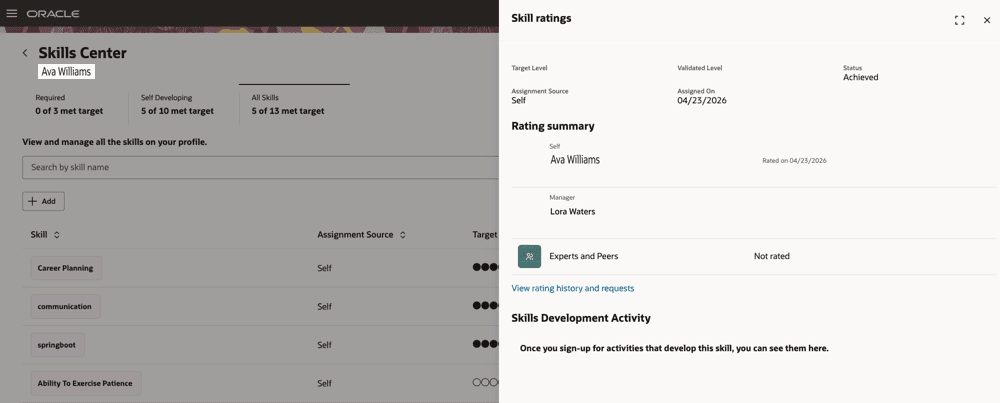
• Each self-rating update is captured in the skill endorsement evidence table for robust tracking
• Detailed skill information accessible via View Details in the Actions column
12. Redwood: New Administrator Skills Center Experience
Quick Notes:
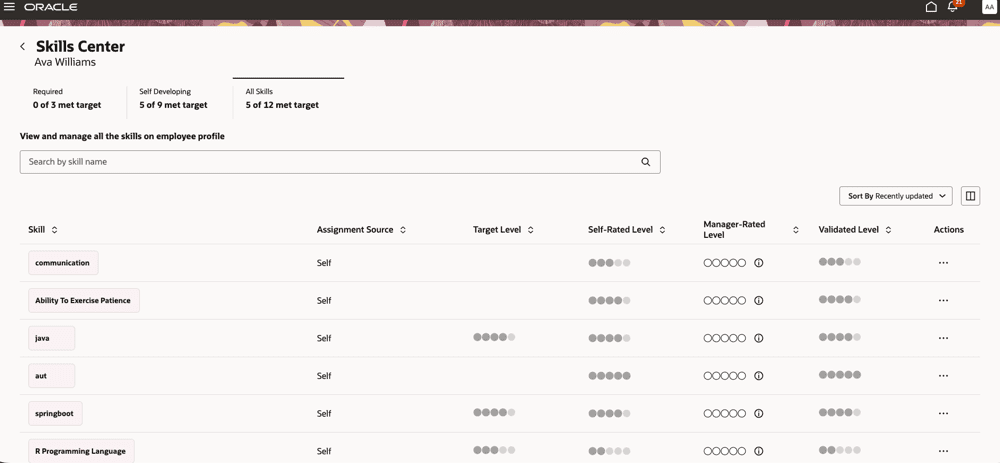
A new Redwood Skills Center experience for skills administrators, accessible via Talent Profile Search > Talent Profile Details > Skills Center Section > “Visit Skills Center”, grouping skills into Required, Self Developing, and All Skills tabs.
- View required, self-developing, and all skills for any employee — a complete read-only picture of skill gaps and development areas
- Detailed skill information displayed: skill chip, assignment source type, validation level, self-rating, rating guidance, and manager rating
- Administrators have a read-only view — they cannot edit any skill details
- Administrators can configure the order and visibility of tabs, and set a default tab for the Enhanced Skills Center
13. Redwood: Display Side Panel for Adding Skills
Quick Notes:
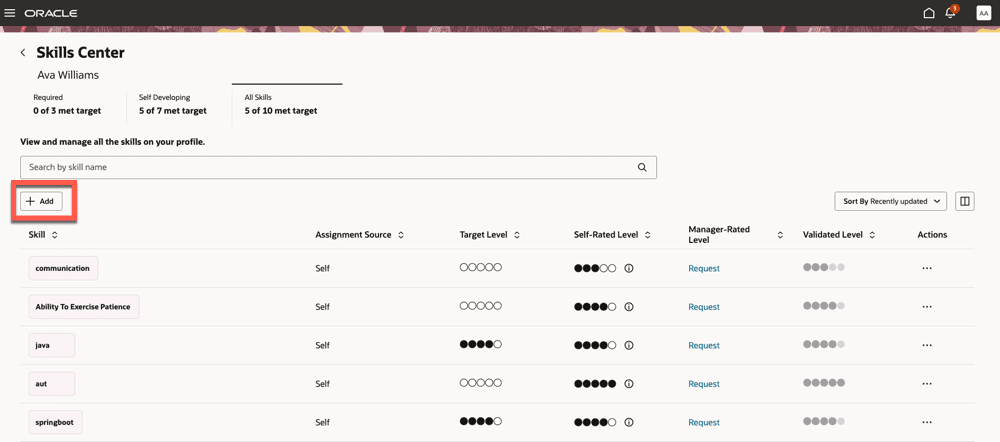
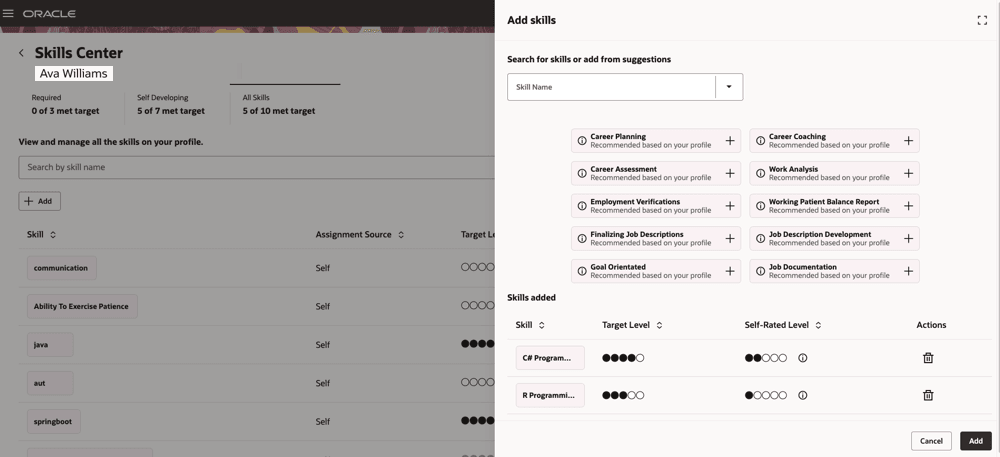
A new side panel drawer in Skills Center allows users to search for skills, browse AI-suggested skills, and manage newly added skills- all without leaving the Skills Center page. Access via the Add button on the Self Developing or All Skills tab.
- Search for specific skills or browse suggested skills displayed as chips with a “+” icon for quick addition
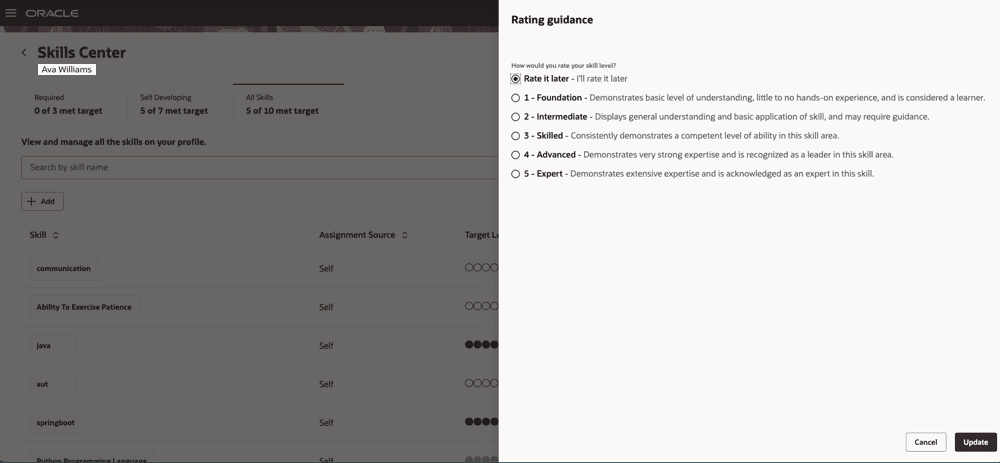
- After selecting a skill, set both the target level and self-assessed level — information icons provide rating guidance
- The Newly Added Skills section shows each skill with chip, target level, self-rated level, and a trash can icon for deletion
14. AI Agent: Intelligent Talent Profile Search for Team Skills Center
Quick Notes:
Intelligent Talent Profile Search for Team Skills Center is a chat-based AI agent for managers that uses a vectorized database for semantic matching, enabling natural-language queries to find employees matching specific talent profile criteria.
- Ask flexible, natural-language queries combining multiple criteria to find employees matching specific skill and profile requirements
- Combines talent profile data and work assignment details for semantically matched, ranked results — typically returned as an HTML table
- Employee names in results are linked directly to each person’s talent profile for immediate navigation