Oracle ERP Inventory Management Cloud 26B
Medium

Feature Enablement
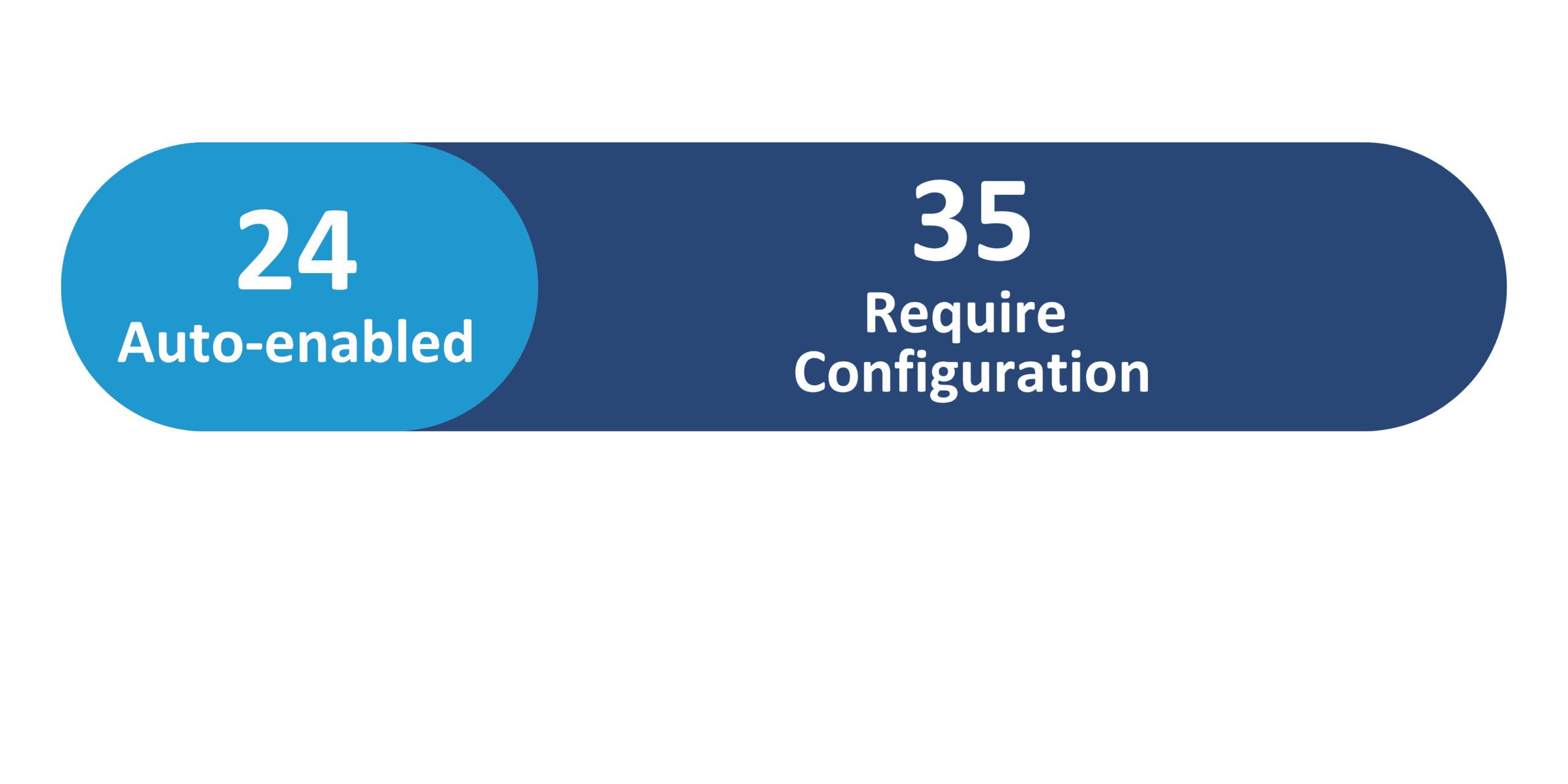
Redwood Features
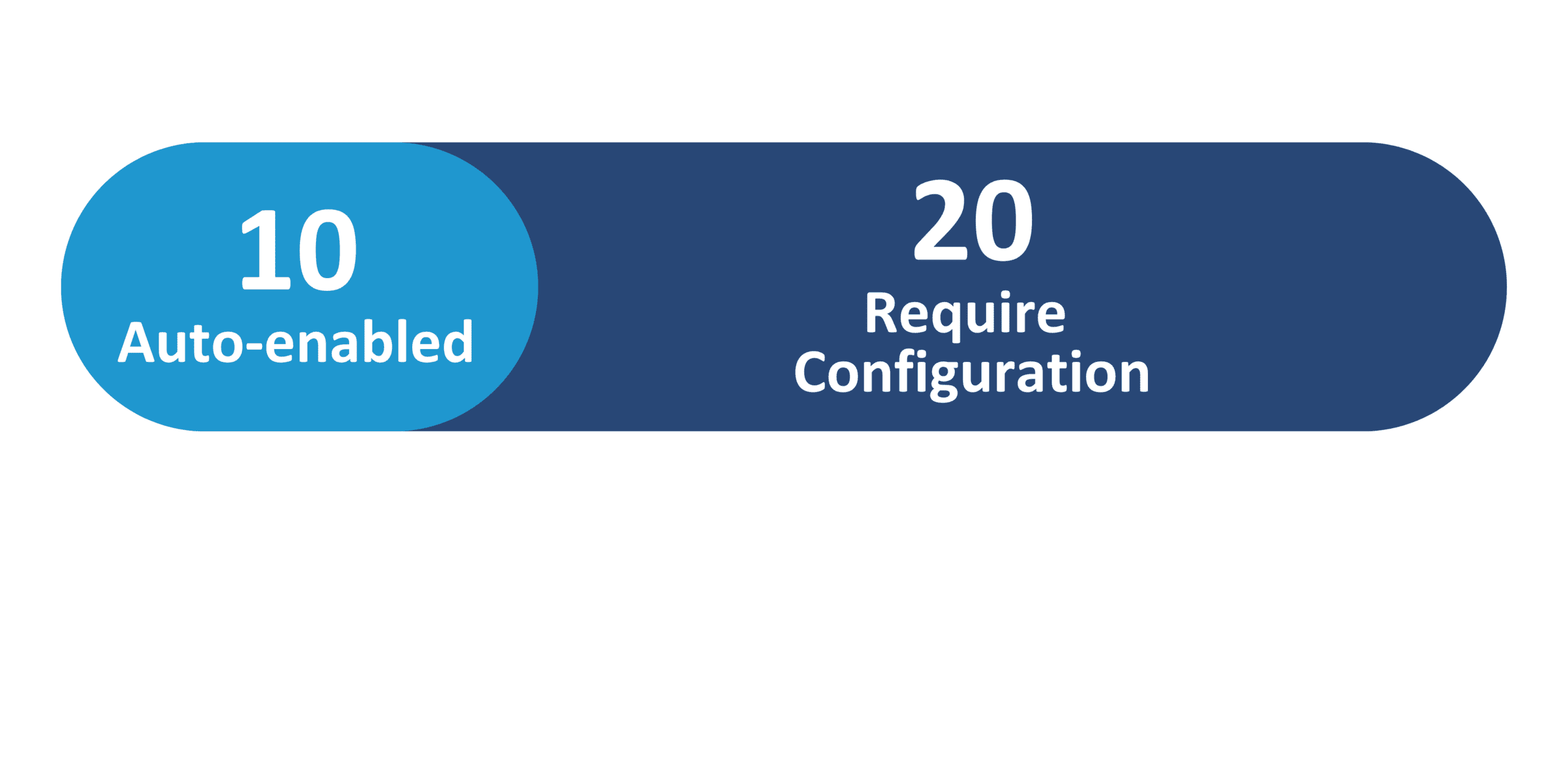
Generative AI Features

26B Update Features Covered:
- Redwood Experience
- Generative AI
- AI Agent: Configuration Advisor
- AI Agent: Inventory Shortages Assistant
- AI Agent: ASN Creation Assistant – Create ASN Through Email
- AI Agent: Receipt Creation Assistant – Create Receipt Through Email
- Inventory Management – Redwood
1. Redwood Experience
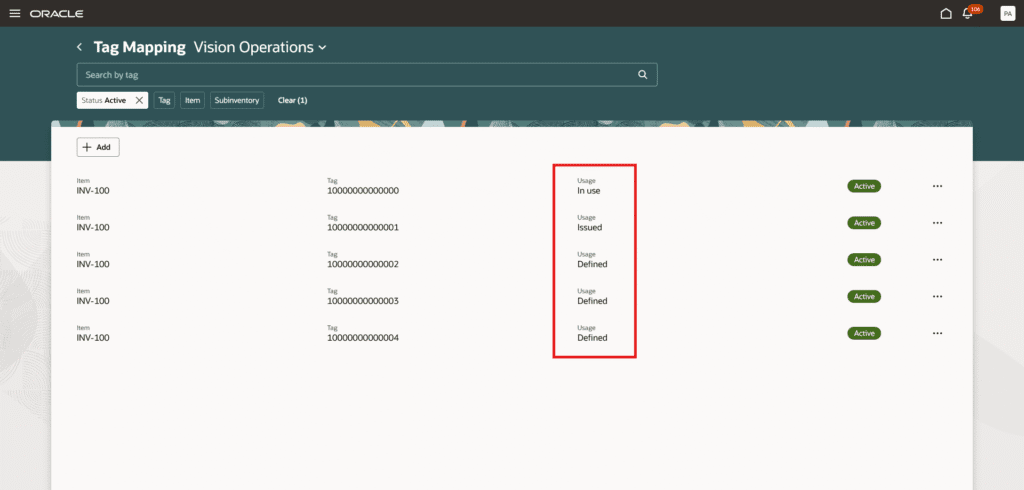
The Redwood enhancements introduced in the 26B release continue to improve the user experience across Oracle Supply Chain applications. These updates expand Redwood capabilities across areas such as collaboration messaging configuration, configured item management, maintenance work order tracking, and inventory and receiving processes through redesigned Redwood pages and improved business rules. In addition, enhancements across receiving, replenishment, mobile operations, and supply chain orchestration provide users with improved search capabilities, better visibility into inventory transactions, and a more streamlined and modern Redwood interface across supply chain workflows.
2. Generative AI
Oracle continues to expand its Generative AI capabilities in the 26B release with the introduction of several AI-powered agents designed to improve efficiency across inventory and supply chain operations. New agents such as the Inventory Task Allocation Assistant, Inventory Shortages Assistant, and Lot Management Advisor help users analyze inventory conditions and support operational decision-making. In addition, agents including the ASN Creation Assistant, Receipt Creation Assistant, and Transfer Price Advisor help automate workflows, generate insights, and streamline key inventory and transaction processes.
3. AI Agent: Configuration Advisor
Quick Notes:


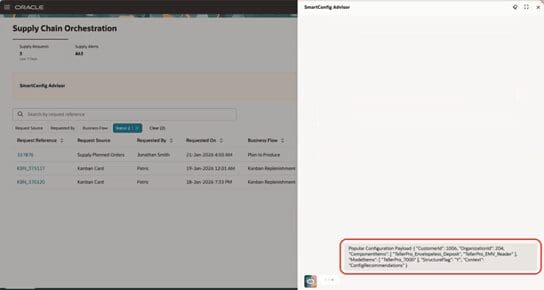
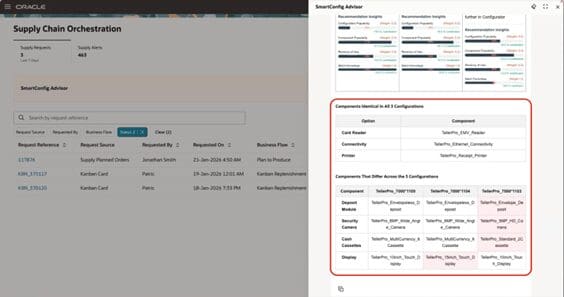
This AI agent helps you identify the optimal configuration for a configured item according to your inputs. Use the agent to compare two or more configurations and select the best one.
It also helps to quickly identify the most suitable product configurations based on your specific requirements.
Key Capabilities:
- Deliver faster, data-driven configuration recommendations. Enable CSRs to respond quickly and accurately to customer needs.
- Improve customer satisfaction. Provide personalized, easy-to-explain solutions with clear alternative options.
- Enhance CSR productivity. Automate complex configuration analysis and streamline access to detailed information.
- Ensure consistent and accuracy. Provide error-free recommendations across the service team to support higher service quality and upsell opportunities.
4. AI Agent: Inventory Shortages Assistant
Quick Notes:
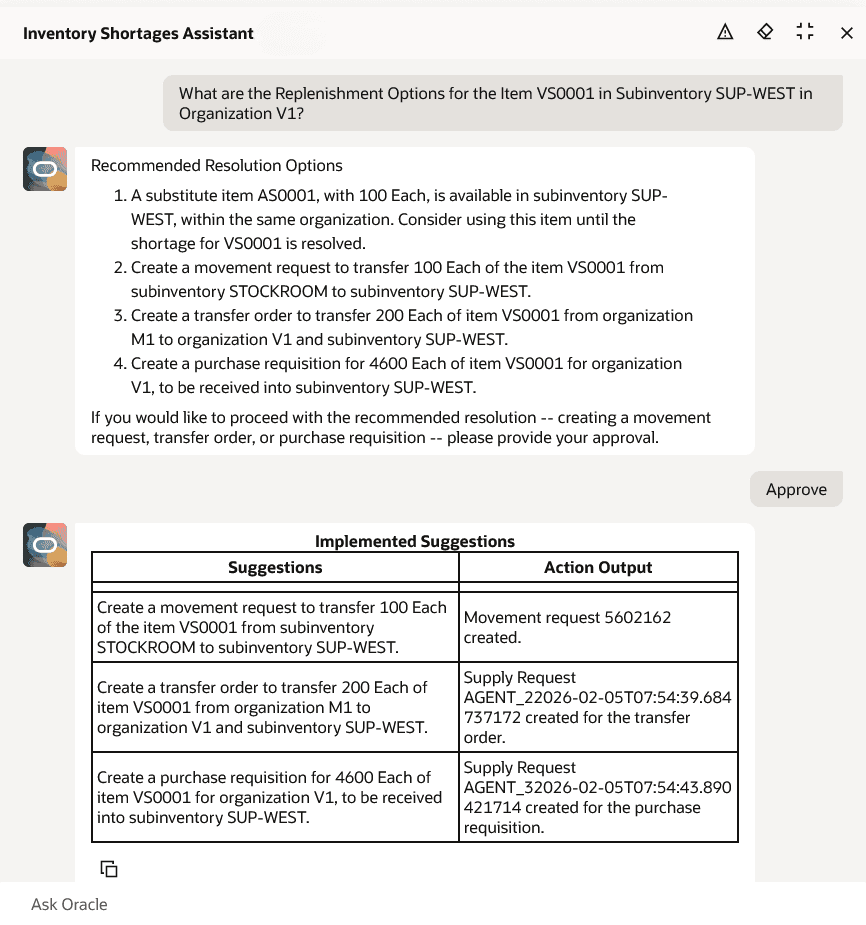
The Inventory Shortages Assistant AI agent helps inventory managers analyze item shortages and stockouts, evaluate available replenishment options, and execute recommended actions to prevent disruptions caused by missing critical supplies.
The Inventory Shortages Assistant AI agent can assist you with these tasks:
- Identify items currently in stockout or shortage within a specified organization.
- Identify items in stockout or shortage across PAR and Kanban locations for an organization.
- Retrieve current item availability and substitute item availability for a specific item in an organization.
- Recommend replenishment options for a specific stockout or shortage item within a given sub inventory and organization.
This feature also streamlines the process of identifying and resolving supply issues by immediately providing you insights and recommendations for any shortages or stockouts present in your warehouse.
5. AI Agent: ASN Creation Assistant – Create ASN Through Email
Quick Notes:

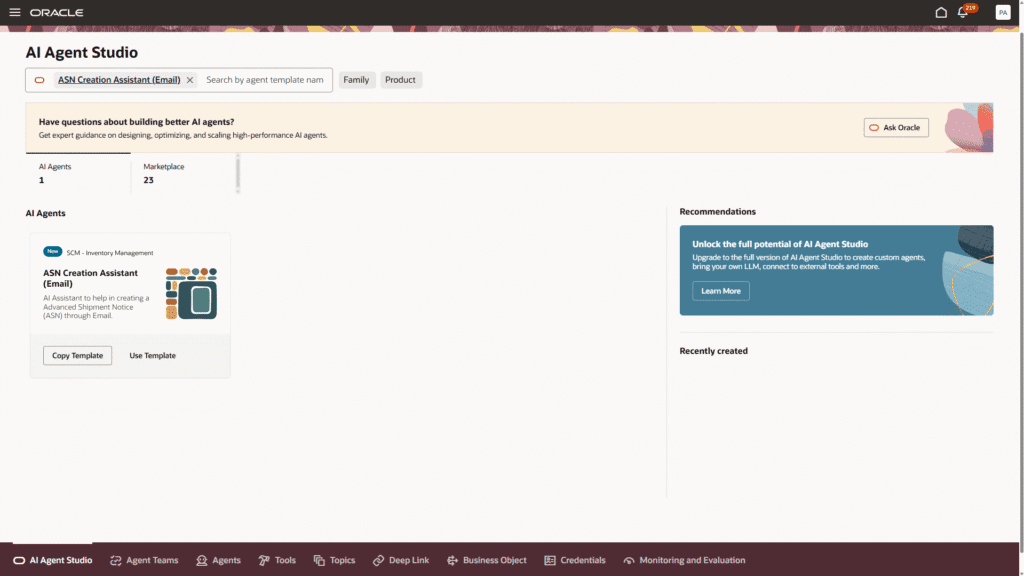
Advance Shipment Notices (ASNs) are important to track the latest updates on expected delivery dates from suppliers. This often involves sifting through emails, extracting relevant information, and then inputting details all by yourself, which can be time consuming and challenging
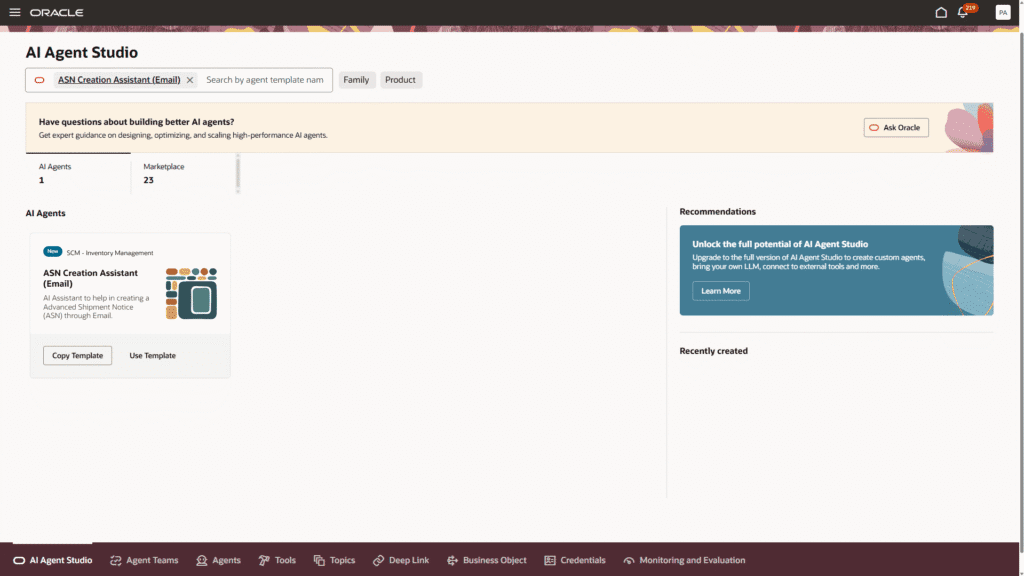
The ASN Creation Assistant AI agent enables you to create ASNs by simply copying and pasting the required details from your supplier’s email and can read attachments and text from emails sent directly to a specified email address and automatically create the ASN without manual effort.
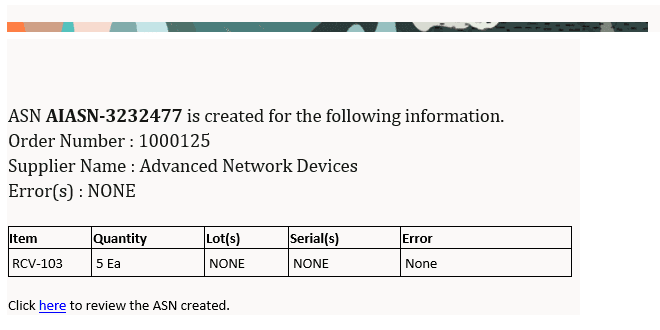
This feature saves you time and improves the visibility of your inbound supply by significantly reducing the time and effort it takes to create an ASN.
6. AI Agent: Receipt Creation Assistant – Create Receipt Through Email
Quick Notes:
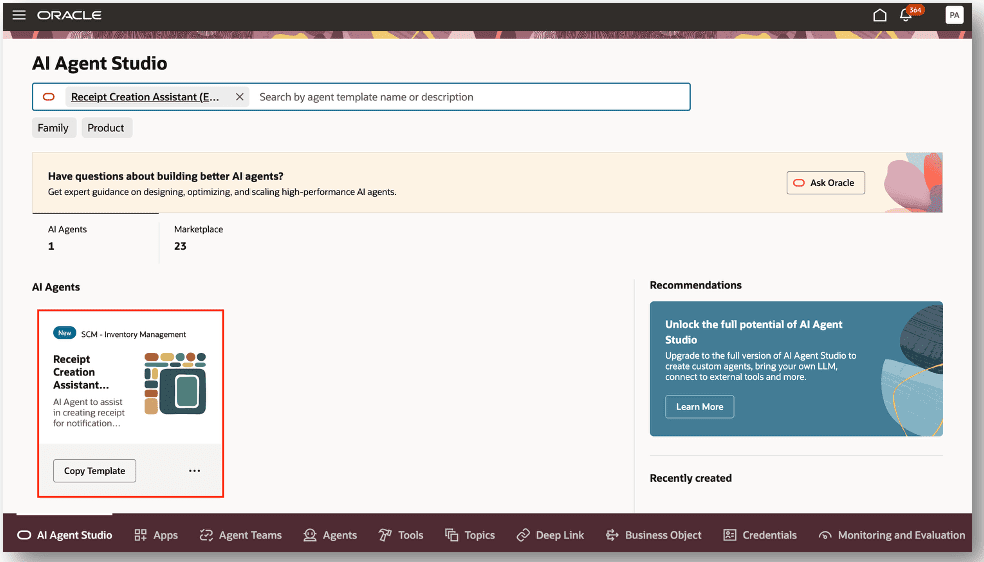
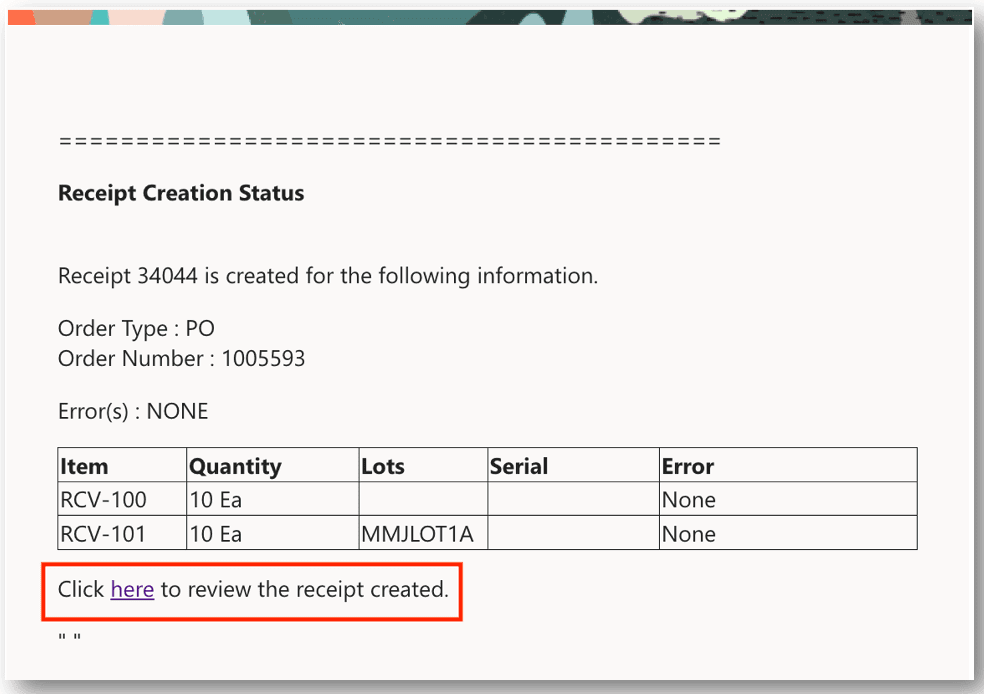
The Receipt Creation Assistant AI agent can automatically create a receipt based upon the content sent in an email. After processing, an email notification is sent to the specified email address indicating the receipt creation status. The email includes details such as the receipt number, order type, and order number.
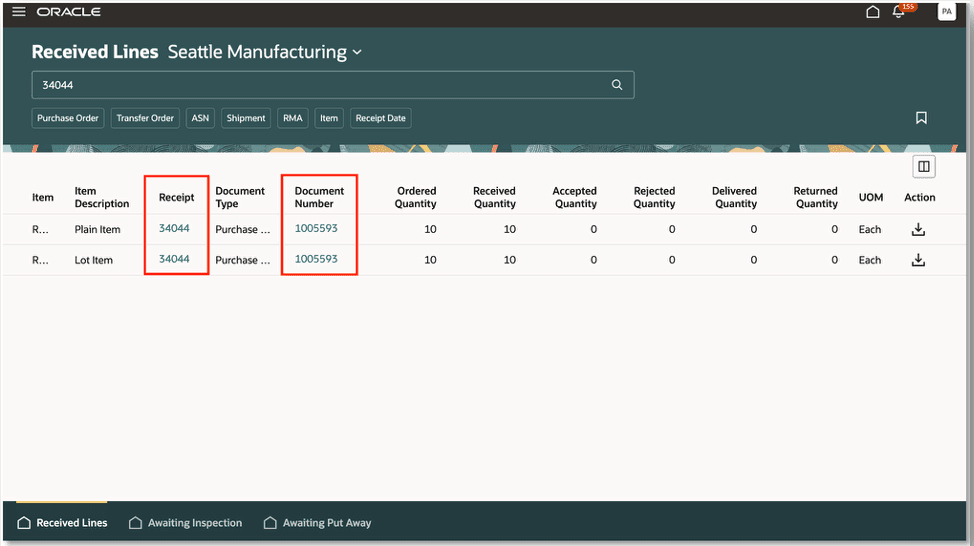
In the event you want to view additional receipt details, the receipt number link is provided and allows you to access the Received Lines page.
This feature streamlines the process by minimizing manual effort in creating receipts for goods that don’t need strict oversight, while still ensuring a receipt is generated for the complete order lifecycle.
7. Inventory Management – Redwood
Quick Notes:
Inventory updates for Redwood in 26B:
- Redwood: Deliver to Multiple Locations with Robotic Material Handling Equipment Using a Single Cart
- Redwood: Configure Collaboration Messaging
- Redwood: Define Processing Rules for B2B Messages
- Redwood: Override Inbound Message Definitions
- Redwood: Receive an Order from Oracle Configure, Price, Quote (CPQ)
- Redwood: Set up Supplier and Customer Collaboration Messaging Using a Redwood Page
- Redwood: Manage Configured Items and Review Their Structures
- Redwood: Track Asset Costs for Maintenance Work Orders
- Redwood: Use Additional Business Rules
- Redwood: Use Improved Logic for Goods in RFID-Enabled Cabinets
- Redwood: Perform Lot Split, Merge, or Translate Transactions Using a Redwood Page
- Redwood: Purge Completed PAR Requests
- Redwood: Use Additional Search Capabilities When Creating and Updating Subinventories
- Redwood: Use Improved Replenishment Logic for the Order PAR Replenishment Count Type
- Redwood: Use the All Organizations Option When Selecting an Organization
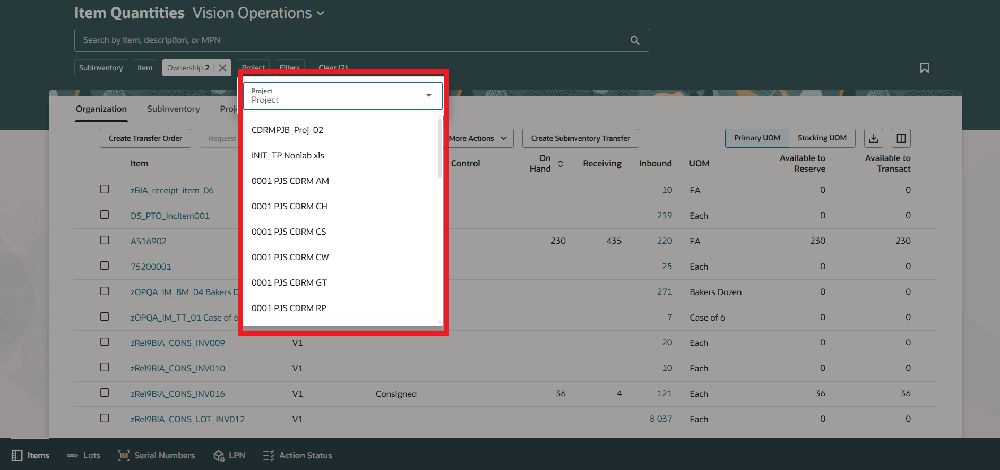
- Redwood: View On-Hand Quantity for Closed or Inactive Projects on the Item Quantities Page
- Redwood: Search for Open Pick Slips by Destination Location When Using a Mobile Device
- Redwood: Add Attachments and Update Descriptive Flexfields on Existing Receipts
- Redwood: Copy Lot and Serial Numbers from an ASN or Transfer Order When Using a Mobile Device to Receive or Put Away Goods
- Redwood: Create ASN or ASBN Using a Spreadsheet
- Redwood: Find Receipts Awaiting Put Away Using Additional Information on a Mobile Device
- Redwood: Notify a Requester about ASN or Receipt Creation
- Redwood: Use Approvals for Receipts
- Redwood: View Additional Information for Distributions in the Redwood Self-Service Receiving Application
- Redwood: Review and Select Lot and Serial Numbers from an ASN or Transfer Order During Receipt
- Use Improved Search in the Redwood Self-Service Receiving Application
- Redwood: Define Schedules Using a New User Experience
- Redwood: Support Use of Inverse Conversion Factors Between Units of Measure
- Redwood: Use Oracle Object Storage for Data Extract Scheduled Output
- Redwood: Enable Supply Chain Orchestration’s Redesigned Landing Page