Oracle HCM Time and Labor Cloud 26B
Medium

Feature Enablement
Redwood Features
26B Update Features Covered:
- Redwood Experience
- Generative AI
- Redwood Timecard Enhancements
- Worker Calendar Enhancements
- Team Time Cards Rolodex
1. Redwood Experience
Oracle continues expanding the Redwood user experience in Time and Labor to modernize the timecard interface and improve configurability. Employees benefit from a more intuitive time entry experience, while administrators gain additional control over the interface through Visual Builder Studio (VBS).
2. Generative AI
There are no dedicated Generative AI features released specifically for Time and Labor in 26B.
However, Oracle continues expanding AI capabilities across HCM such as:
- AI-assisted employee journeys
- AI-driven insights
- AI content generation in workflows
Future releases are expected to introduce AI assistance in workforce management and time entry.
3. Redwood Timecard Enhancements
Quick Notes:


Take advantage of improved security, user experience, and data cleanliness across the Redwood time card by controlling who sees absence plan balances, preventing the creation of empty time cards, and clarifying row- and cell-level comment behavior.
- View absence plan balances action secured by permission
Only users with the View Accrual Plan Balances privilege can see the View Absence Plan Balances action and open the related drawer. The absence plan balances drawer shows data filtered by the View Accrual Plan Balance Data data security.
- Cancel time card flow prevents creating empty time cards
Canceling a newly opened time card no longer creates a time card record. The application doesn’t retain any edits you make on the time card unless you save or submit it.
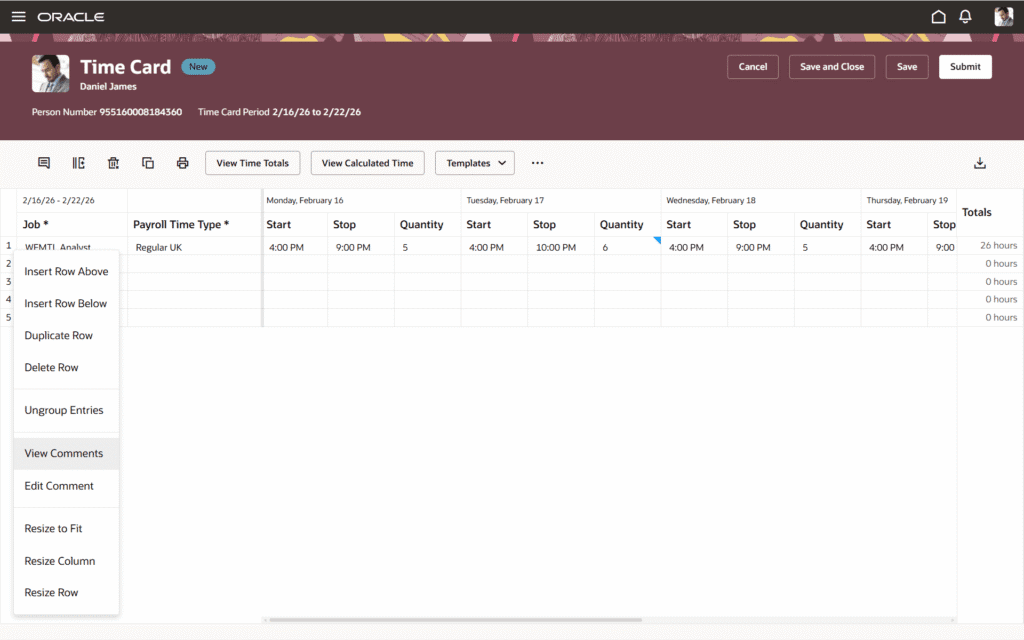
- Row-level comment action updates
If no entry-level comment exists on a row, the row-level action shows Add Comment. It adds a comment to each entry of the related row. If a row is read-only, edit actions are not available; view-only actions follow the read-only restrictions.
These enhancements ensure absence data visibility is governed by appropriate permissions, reduce accidental or unwanted time card data creation, and standardize comment actions for clearer user interaction.
4. Worker Calendar Enhancements
Quick Notes:
Workers benefit from clearer event titles, consistent absence rendering, and a calendar layout that matches their organization’s work week. Administrators gain new configuration options to tailor the calendar display to their organization’s needs.
- Configurable Event Titles
Administrators can now configure which attribute is displayed as the event title on shift entries in the Work Schedules calendar. The selected event title applies to claimed shifts during self-scheduling and all scheduled shifts on published schedules. It doesn’t apply to open shifts, work patterns, absences, or holidays. If the selected attribute is empty for a given shift, the system falls back to the previously used event title value to avoid blank entries.
- Single-Day Absence Display on Calendar
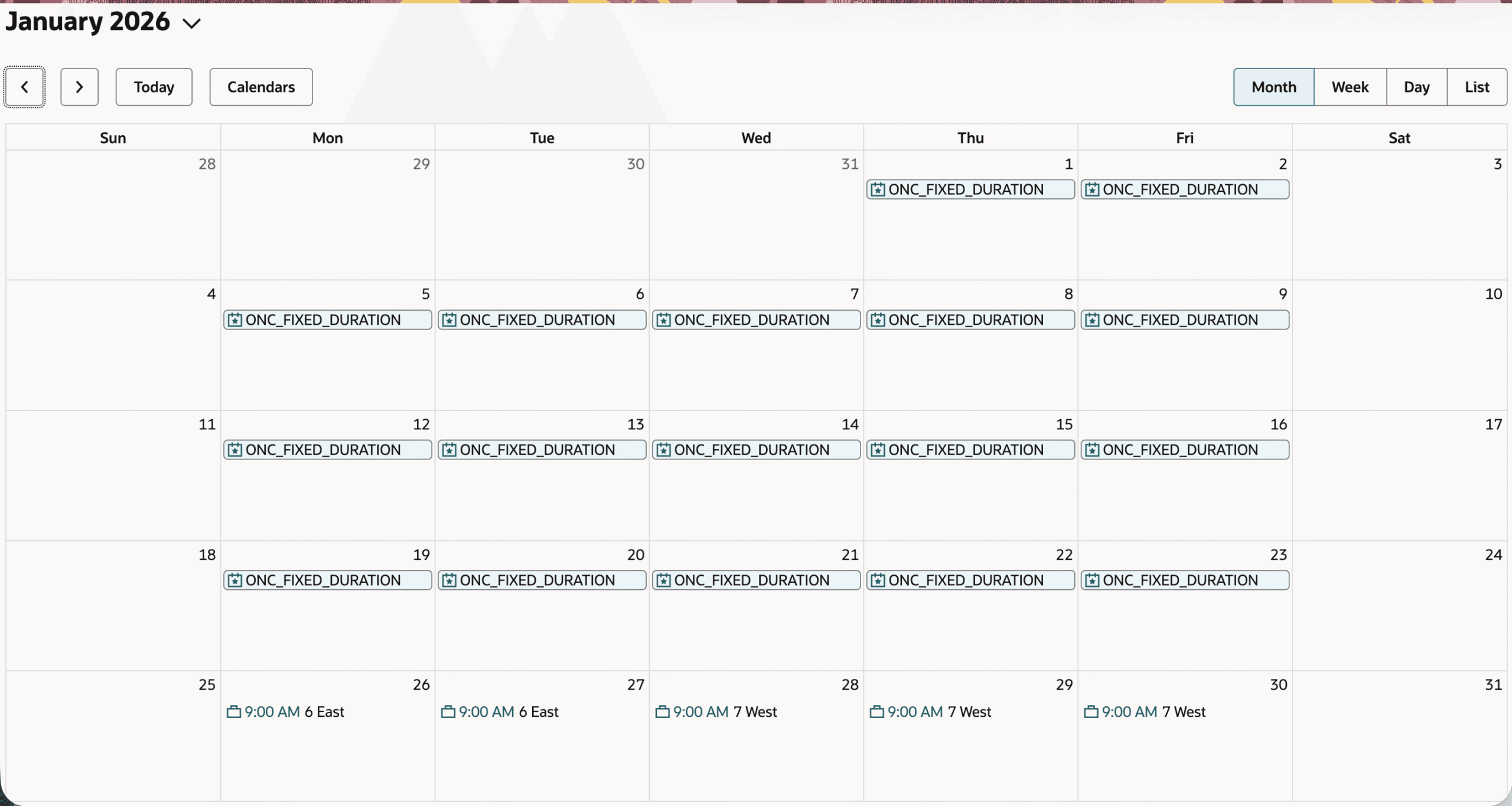
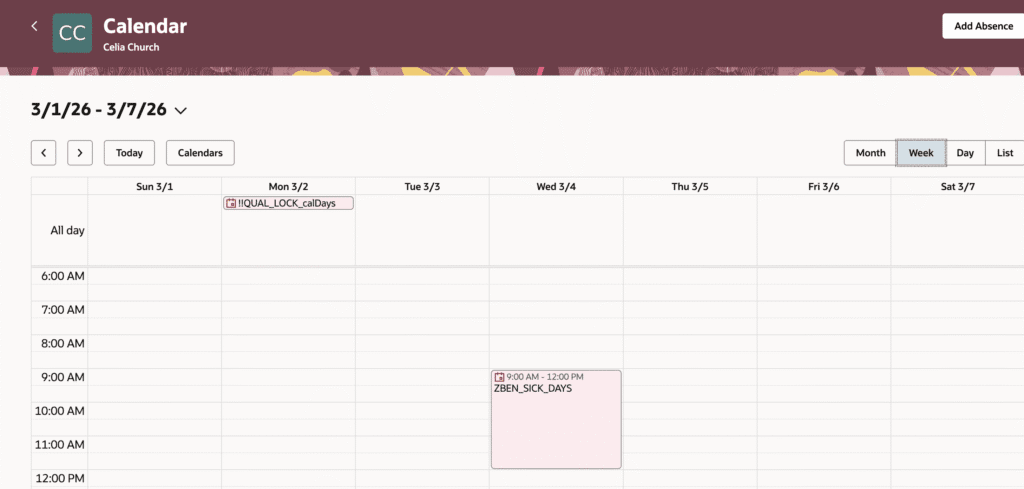
Single-day absences now display consistently and clearly across all calendar views, on both desktop and mobile devices. The calendar distinguishes between three types of single-day absences and renders each appropriately:
- Full-day absences appear as all-day blocks in all views.
- Partial absences on a time schedule (with fixed start and end times) appear as time-blocked events at the correct position on the timeline.
Partial absences on an elapsed schedule (duration only, no fixed times) appear with duration labels such as “Half-day” or “4 hours” in the all-day section.
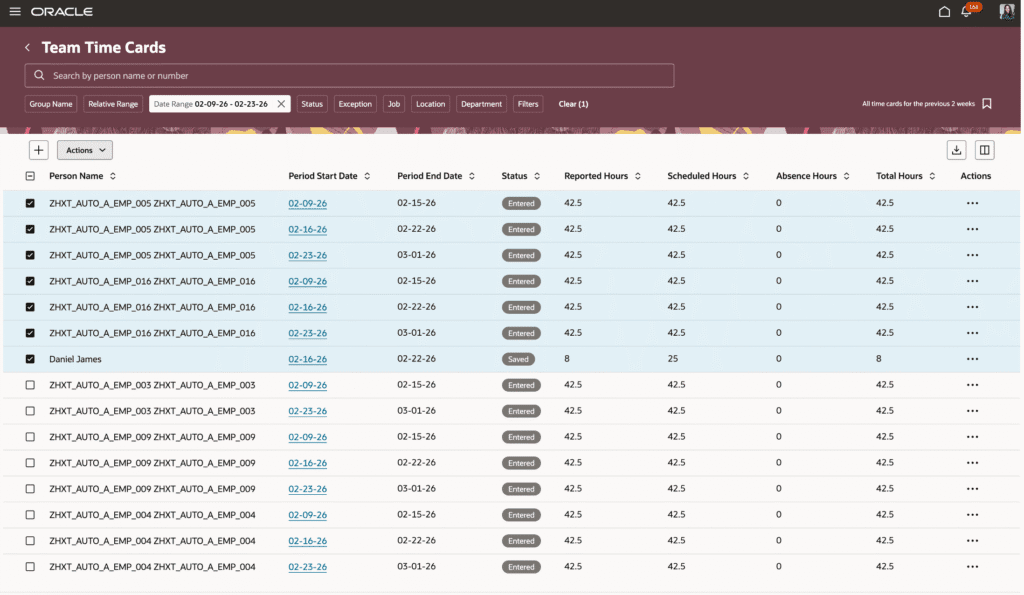
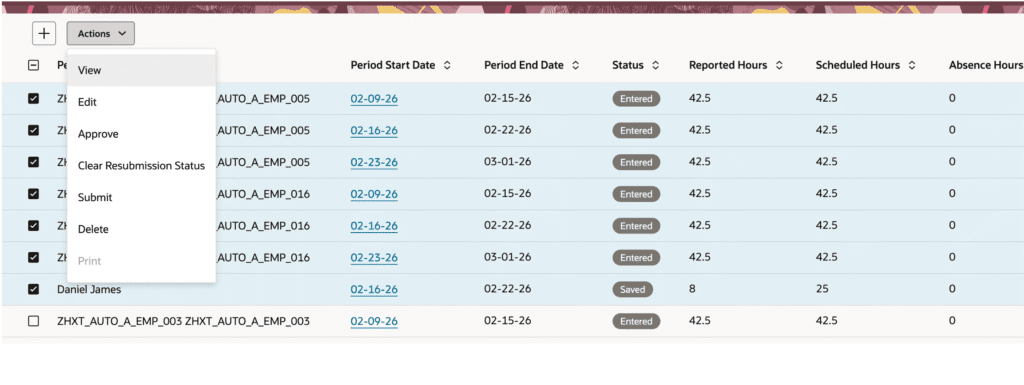
5. Team Time Cards Rolodex
Quick Notes:
Managers and timekeepers can use the multi-select option on Team Time Cards page to open and navigate through these time cards in sequence. Enables managers and time keepers to review and manage multiple time cards in one flow, improving efficiency when working through several time cards.