Oracle ERP Financials Cloud 26C
Low

Feature Enablement

Redwood Features

Generative AI Features
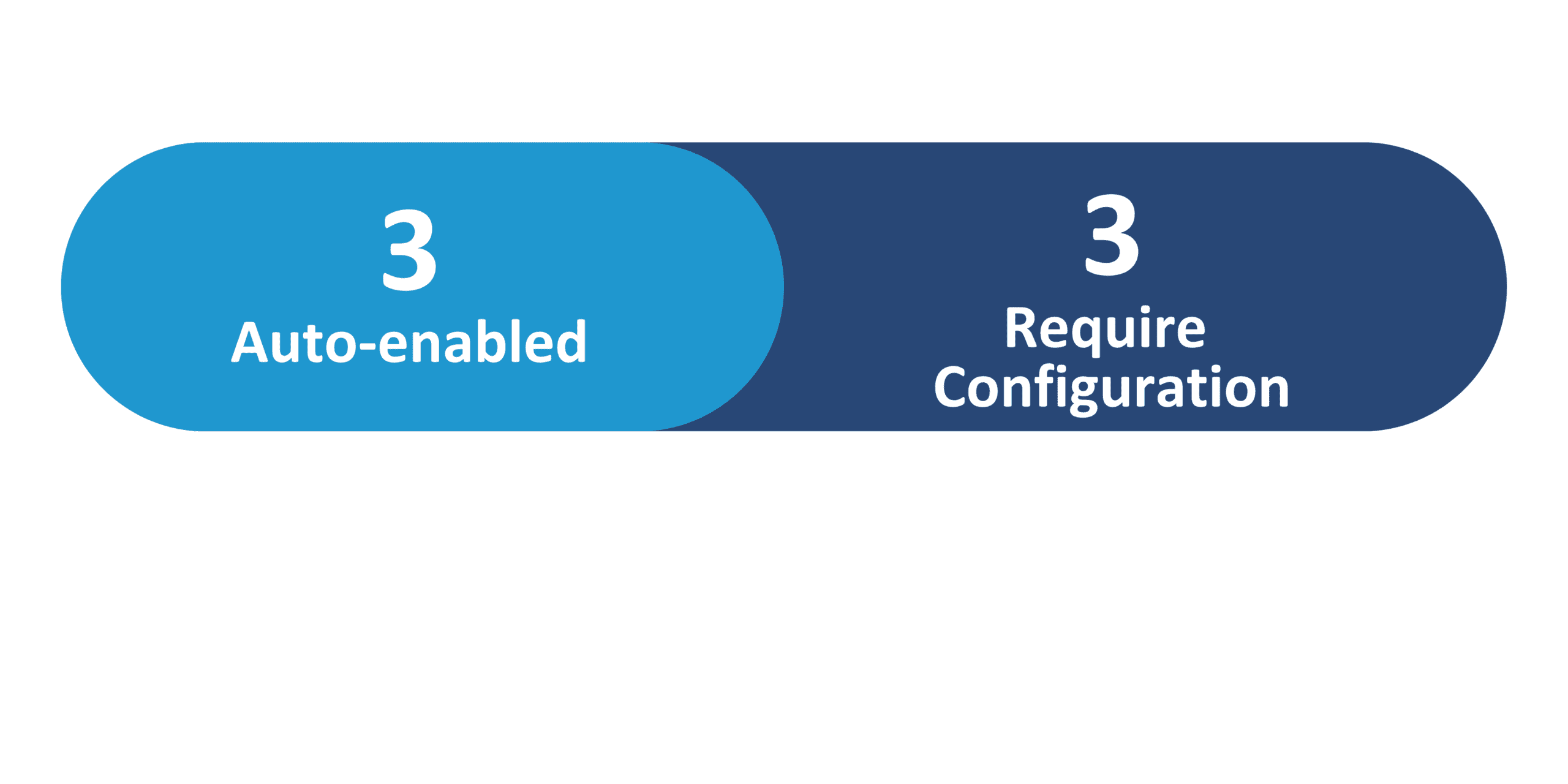
26C Update Features Covered:
- Redwood Experience
- Generative AI
- AI Agentic App: Warehouse Operations Workspace – Use Improved Stockout and Outbound Recommendations
- AI Agent: Inbound Goods Advisor
- AI Agent: Inventory Label and Document Printing Assistant
- Redwood: Scan a Barcode with Item Number, GTIN, MPN, or SPN Without a Barcode Format to Find Items
- Redwood: Export All Search Results Records on the Item Quantities Page
1. Redwood Experience
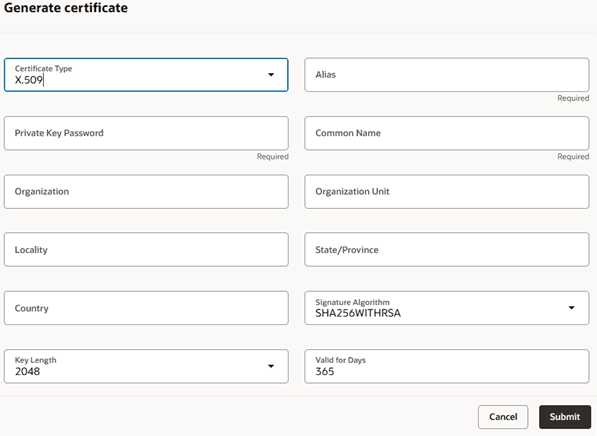
Oracle Cloud Financials 26C introduces further enhancements to the Redwood experience, focusing on modernizing critical business processes. Organizations can now leverage a Redwood page to efficiently define, manage, and maintain digital certificates essential for secure B2B messaging. This improvement streamlines the handling of encryption and decryption for AS2 protocol collaborations, ensuring sensitive data protection during transit. These updates contribute to meeting stringent organizational security and compliance requirements with a more intuitive and unified user interface.
2. Generative AI
Oracle continues to expand its Generative AI capabilities within Financials, empowering users with intelligent assistants for enhanced productivity and accuracy. New features include a Fixed Asset Inquiry Assistant for conversational asset information retrieval, an Expenses Agent for intelligent cost allocations, and a Budget Adjustment Assistant that facilitates natural language budget entry and issue resolution for EPM control budgets. These innovations leverage AI to simplify complex tasks, reduce manual effort, and provide quicker access to critical financial data and processes.

3. Fixed Asset Inquiry Assistant
Quick Notes:


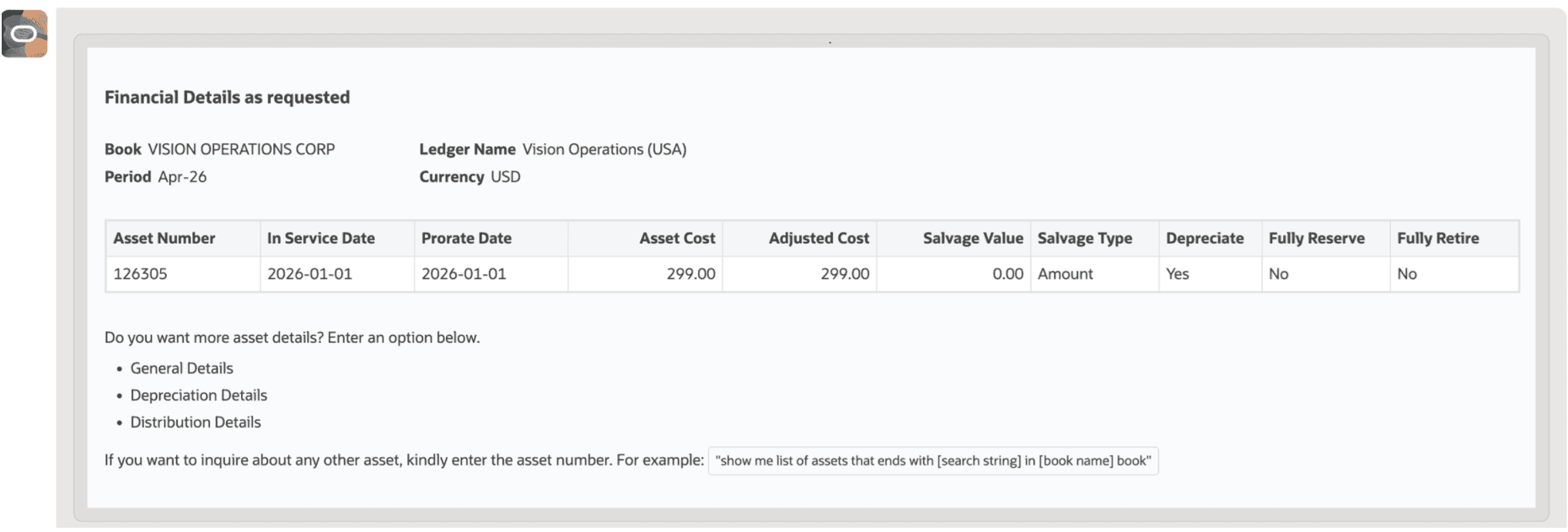
The Fixed Asset Inquiry Assistant introduces a conversational, self-service experience for accessing fixed asset information. Users can quickly retrieve details about assets within a book and obtain a summary of current period activities using natural language interactions. The assistant allows searching by Asset Number, Tag Number, Serial Number, or Asset Description, supporting operators like ‘starts with’ or ‘contains’.
Users can request specific categories of details, such as General, Financial, Depreciation, or Distribution, receiving a tailored list of attributes for the selected asset. This significantly streamlines the process of gathering asset intelligence.
Business benefits:
- Faster retrieval of fixed asset information
- Intuitive natural language interaction
- Improved self-service capabilities for asset inquiries
4. Expenses Agent for Cost Allocations and Additional Information
Quick Notes:
The Expenses Agent now offers enhanced capabilities for cost allocations, enabling organizations to accurately split expenses across various cost centers, projects, and tasks. This functionality ensures precise distribution of expenditure, which is vital for granular cost tracking and financial reporting.
By automating the allocation process, the agent helps improve the accuracy of financial records and significantly boosts productivity for expense management teams. This feature is particularly beneficial for organizations requiring detailed expense breakdowns and adherence to specific project or departmental budgeting.
Business benefits:
- Accurate distribution of expenses across accounts
- Improved cost tracking and financial reporting
- Increased productivity in expense management
5. Budget Adjustment Assistant
Quick Notes:
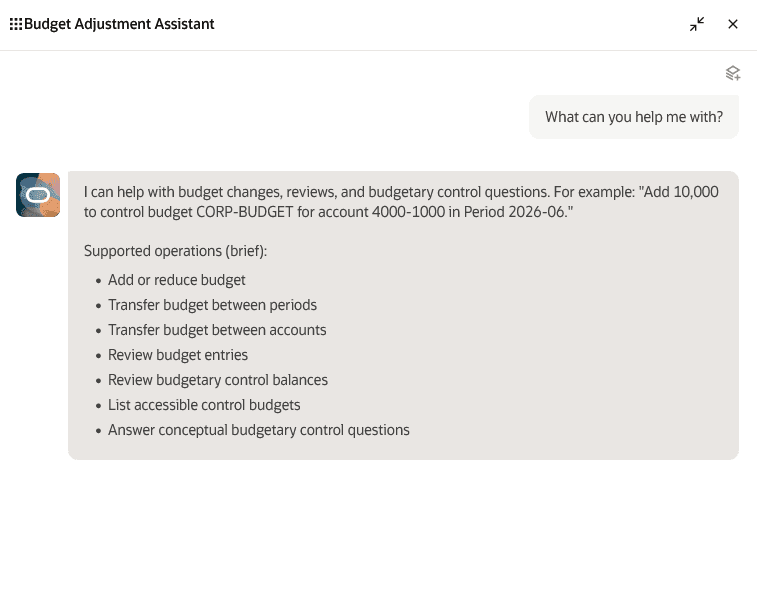
The Budget Adjustment Assistant empowers budget office users to create budget entries for Enterprise Performance Management (EPM) control budgets using natural language. This intelligent assistant guides users through the adjustment process, helping to identify and resolve potential creation issues before submission, thereby reducing errors.
Furthermore, users can efficiently review approved budget entries and check budgetary control balances directly through conversational prompts. This innovation significantly enhances productivity by simplifying complex budget modifications and providing immediate insights into financial controls, eliminating the need to navigate multiple pages or forms.
Business benefits:
- Improved productivity through natural language budget entry
- Reduced errors with pre-submission issue resolution
- Faster access to budget entries and control balances
6. Invoice Import with Supplier Bank Account Details Using Collaboration Messaging Framework
Quick Notes:

Organizations can now import B2B XML invoices into Fusion Payables, including supplier Remit-to Bank Account Number and Supplier IBAN, via the Collaboration Messaging Framework. This enhancement ensures that inbound payloads containing supplier external bank account information are seamlessly interfaced to Fusion Payables. For suppliers with multiple bank accounts, the system automatically populates the invoice installment with the specified bank details if provided and validated, facilitating direct electronic payments.
If details are omitted, the system defaults to the primary bank account. This feature significantly improves payment accuracy and strengthens compliance, particularly for localizations like French requirements.
Business benefits:
- Accurate selection of supplier bank accounts for payments
- Streamlined electronic payment processing
- Enhanced compliance with localization requirements
7. Original Invoice and Credit Memo References for Rebill Invoices
Quick Notes:
This feature introduces the ‘Rebill Source Transaction’ field on the Create or Edit Transaction page, allowing users to explicitly associate a rebill invoice with its original invoice. This crucial link significantly improves audit traceability and supports regulatory compliance by providing a clear lineage for rebill transactions. Whether creating rebill invoices via the user interface, AutoInvoice, or REST services, the system validates the eligibility of the referenced original invoice.
Once completed, the field becomes read-only, offering drill-down capabilities to review source transaction details and related credit memo information, thereby reducing manual reconciliation efforts and enhancing visibility.
Business benefits:
- Improved audit traceability for rebill transactions
- Reduced manual reconciliation effort
- Enhanced visibility into transaction relationships