Oracle HCM Human Resources Cloud 26D
Medium

Feature Enablement
Redwood Features
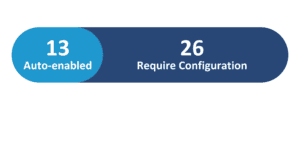
Generative AI Features
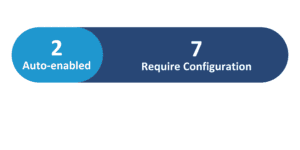
26D Update Features Covered:
- Redwood Experience
- Generative AI
- Configure Termination and Resignation Dates in Redwood
- Create Business Rules to Identify Duplicate Family and Emergency Contacts
- Security for Tasks in Journey Task Library
- Retain Transaction Changes On Changing the Effective Date in Redwood Employment Processes
- Propagate Historical Assignment Changes to Future Records
1. Redwood Experience
Oracle Cloud 26D introduces significant Redwood experience enhancements across Human Resources, streamlining core employment and personal data management. Organizations benefit from enhanced date configuration flexibility during terminations and resignations, automated propagation of historical assignment updates to future records, and dynamic retention of transaction modifications when changing effective dates. Additionally, refined document record routing and duplicate contact validation business rules further optimize user workflows, elevate data integrity, and ensure operational efficiency across all HR processes.
2. Generative AI
Oracle continues to expand its Generative AI capabilities in Human Resources to elevate operational productivity and contextual security. The latest release introduces AI-assisted document record creation from chat attachments, allowing automatic data extraction and field population. Furthermore, AI agents and role-based access security within the Journey Task Library ensure that workers, managers, and administrators interact only with relevant, authorized HR tasks, significantly improving data privacy and administrative oversight.
3. Configure Termination and Resignation Dates in Redwood
Quick Notes:



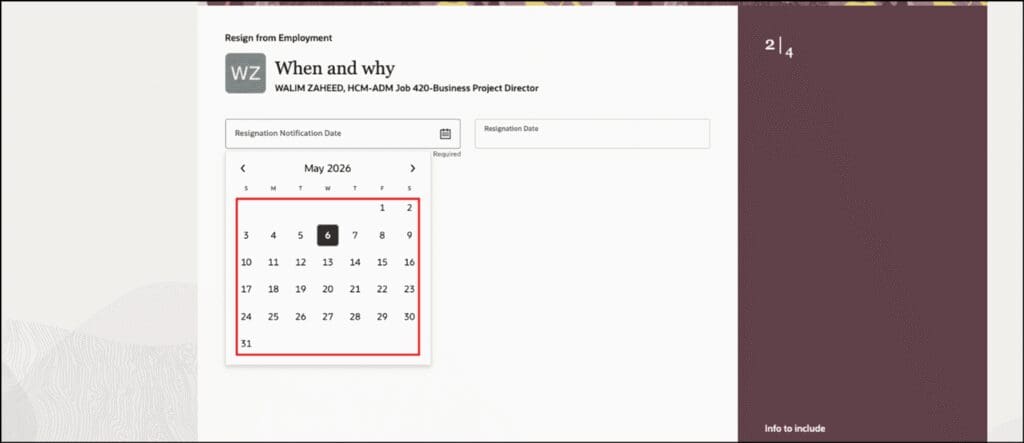
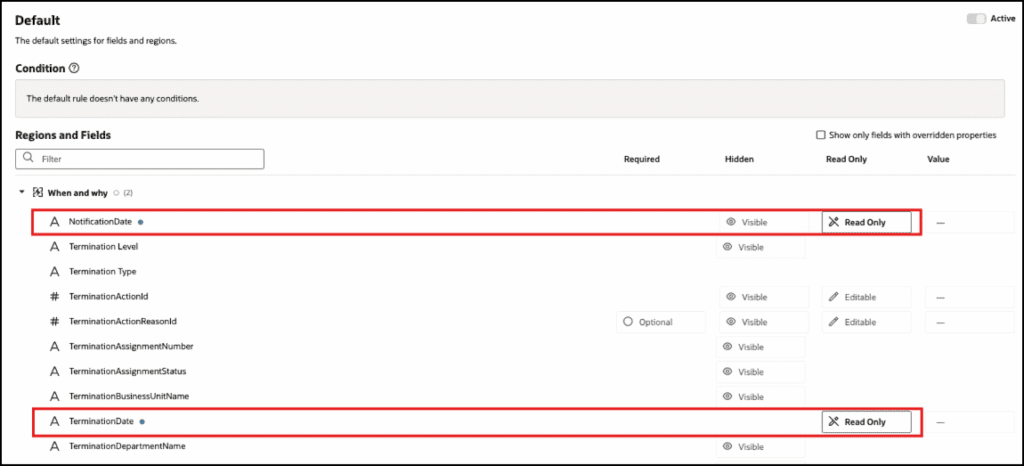
Organizations can now configure notification date and effective date behaviors within Redwood termination and resignation user flows to match specific business requirements. Administrators can hide or display notification date fields conditionally based on user roles or action reasons, set fields to read-only status, and allow entry of past notification dates for resignations.
By aligning system behaviors with organizational policies, HR teams gain greater control over date entry visibility and field editability. This enhanced flexibility reduces date entry errors during separation processing, streamlines employee and manager interactions, and ensures consistent rule enforcement across all workforce offboarding activities.
Business benefits:
- Enables flexible display and editability rules for notification and effective dates based on user roles and action reasons.
- Allows past notification dates for resignation entries to accurately reflect real-world notice timing.
- Improves data accuracy and compliance during employee offboarding workflows.
4. Create Business Rules to Identify Duplicate Family and Emergency Contacts
Quick Notes:
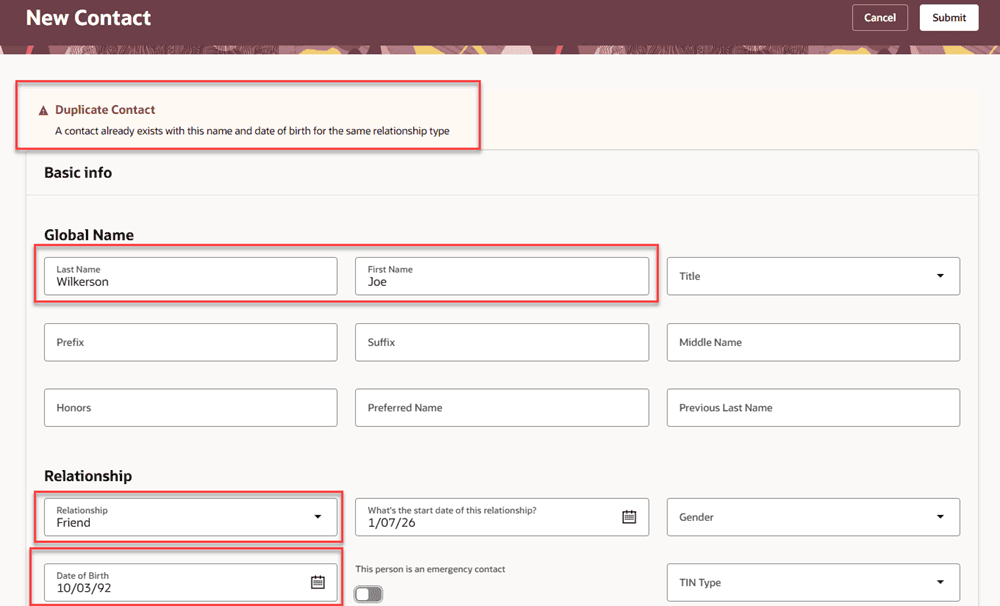
HR administrators can now use Visual Builder Studio to write custom business rules for the Redwood Family and Emergency Contacts page that flag potential duplicate contacts. Rules can compare a newly entered contact’s name, date of birth, and relationship type (along with other attributes like addresses, phone numbers, and national identifiers) against a person’s existing or pending contact records and display a warning or error when a likely match is found.
No validation rules are provided out of the box — organizations write their own using Oracle’s sample rule as a starting template, tailoring the comparison logic and message text to their needs. The duplicate contact validation rule only applies to the Create New Contact page; it can’t be applied to the Edit Contact or Create a Coworker as a Contact page.
Business benefits:
- Helps prevent duplicate family and emergency contact records from being created
- Improves the overall accuracy and reliability of contact data
- Gives organizations full control over which fields and logic define a “duplicate”
- Reduces downstream cleanup effort for HR teams managing contact records
5. Security for Tasks in Journey Task Library
Quick Notes:
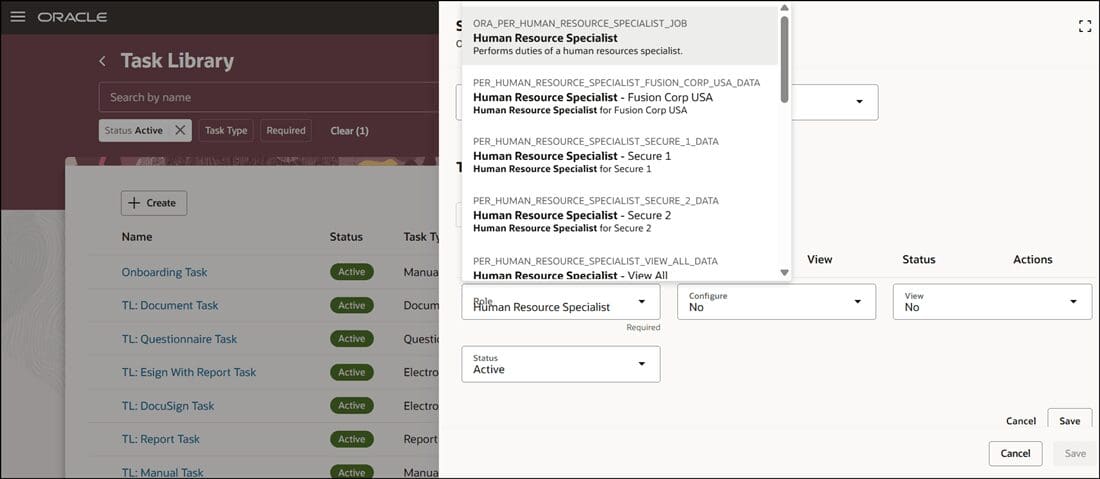
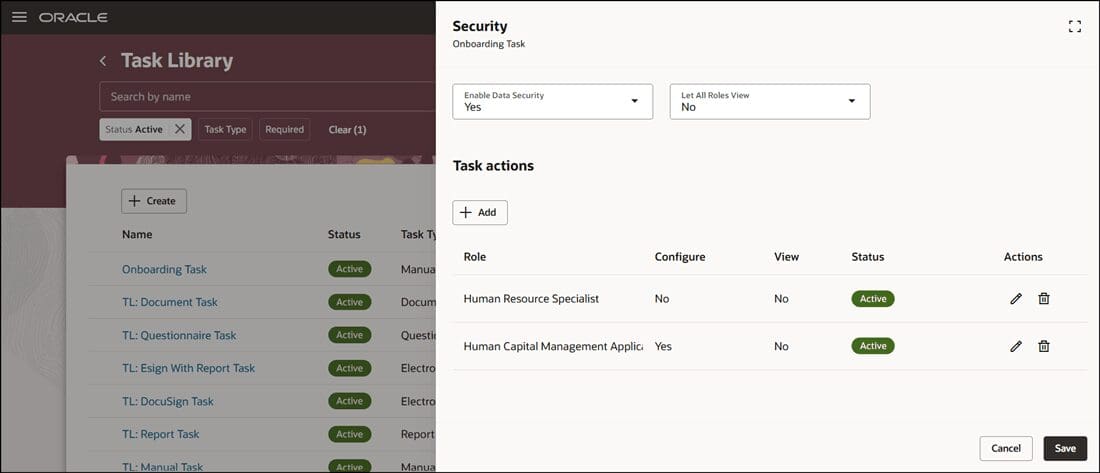
Security for tasks in the Journey Task Library allows organizations to control which worker roles can discover and initiate individual journey tasks. Administrators can secure tasks so that only appropriate tasks are accessible to workers based on their assigned roles and authorized use cases.
This capability ensures that sensitive administrative tasks, such as system access revocation or final payroll processing, remain restricted to HR specialists. Simultaneously, employees gain access to self-service tasks, while managers obtain targeted onboarding and development items.
Securing task discovery reduces administrative overhead, prevents unauthorized task execution, and delivers a tailored, compliant journey experience for every employee role.
Business benefits:
- Restricts sensitive administrative tasks to authorized HR roles while maintaining employee self-service access.
- Enhances data security and role-based governance across journey management flows.
- Simplifies task discovery by displaying only relevant tasks to target worker personas.

6. Retain Transaction Changes On Changing the Effective Date in Redwood Employment Processes
Quick Notes:
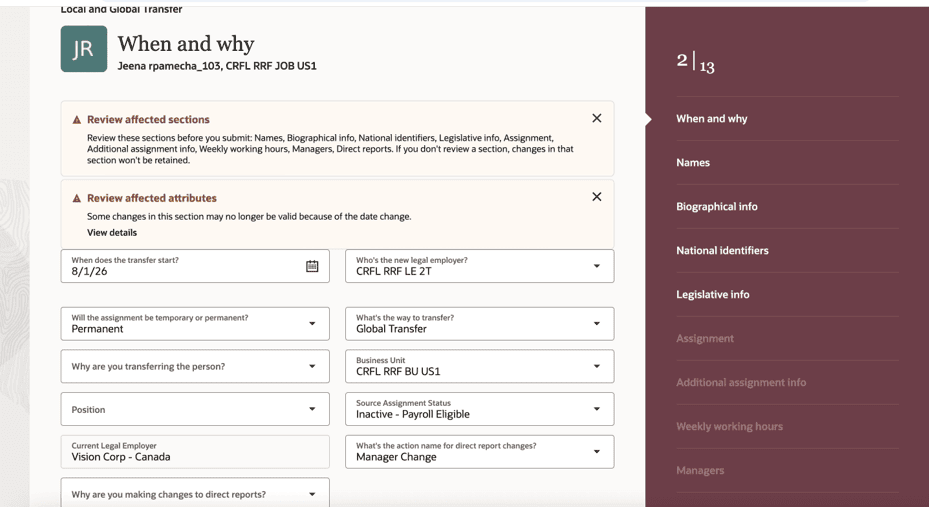
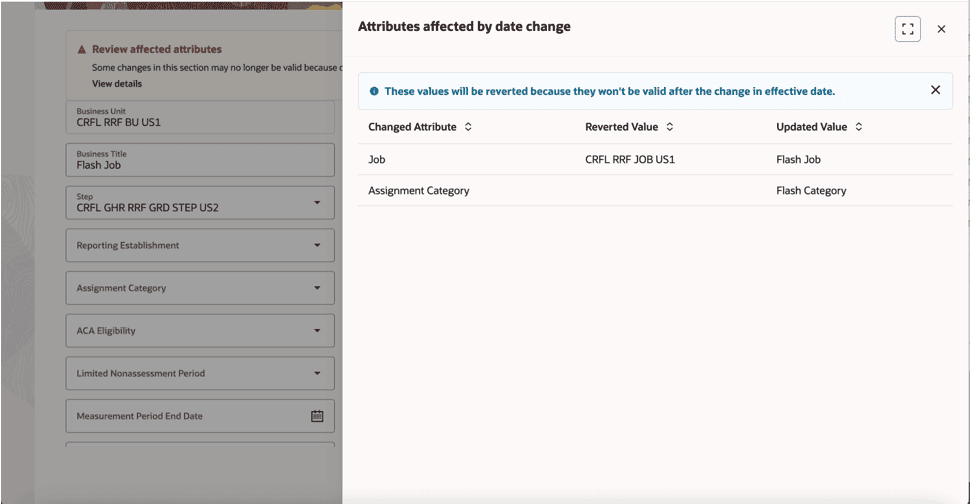
Redwood employment processes now automatically retain user changes when modifying the effective date of an in-progress transaction. When an user adjusts the effective date, the application preserves direct entries along with values updated through dependent logic, defaulting, or derivation.
The system rebuilds the transaction context for the new effective date, re-applies all captured modifications, and re-validates the transaction rules. Supported flows include Add Assignment, Promote, Transfer, and Local & Global Transfer. By eliminating the need to re-enter data after changing effective dates, this enhancement saves significant administrative time, minimizes user frustration, and reduces potential data entry errors in key workforce changes.
Business benefits:
- Preserves user-entered data and derived logic automatically when effective dates change.
- Eliminates repetitive data entry and re-keying across supported Redwood employment actions.
- Re-validates transaction rules automatically for the newly selected effective date.
7. Propagate Historical Assignment Changes to Future Records
Quick Notes:

Organizations can now automatically propagate eligible changes made to historical date-effective assignment records into future-dated assignment records. When an administrator modifies a past assignment record in supported Redwood flows, the application identifies subsequent date-effective records and applies updated attributes accordingly.
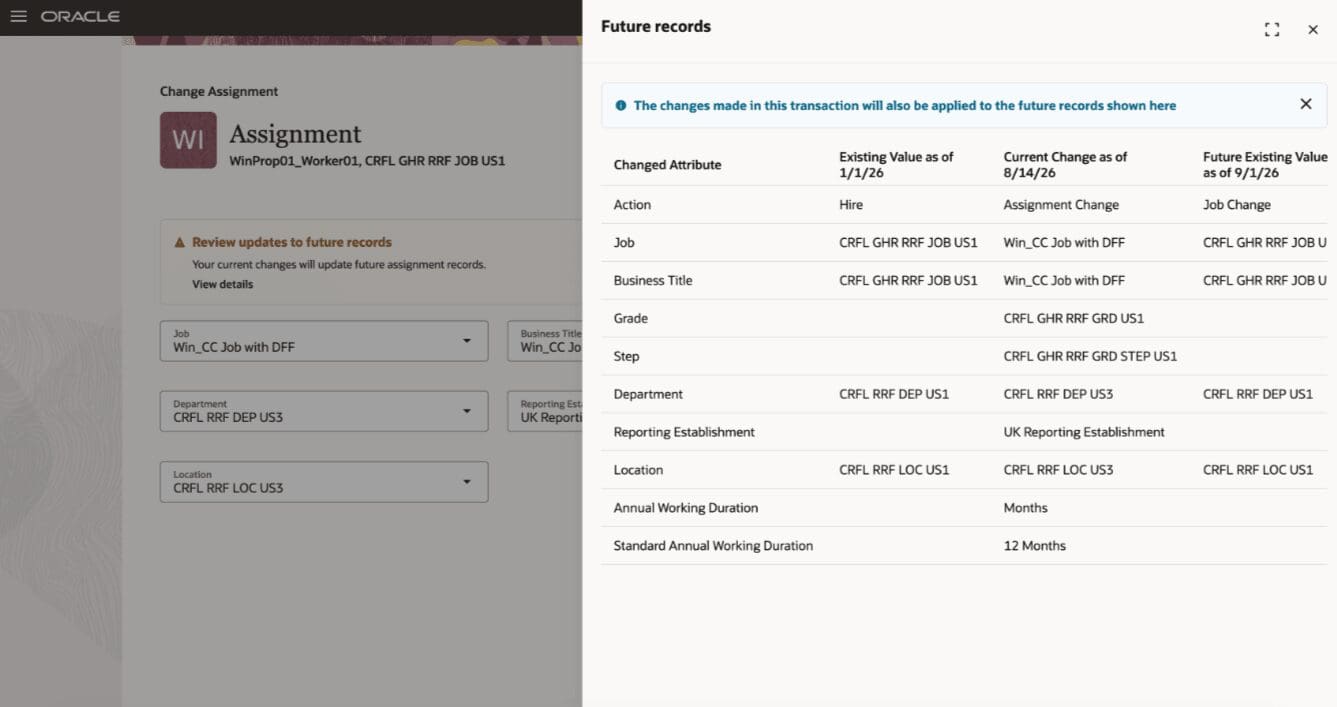
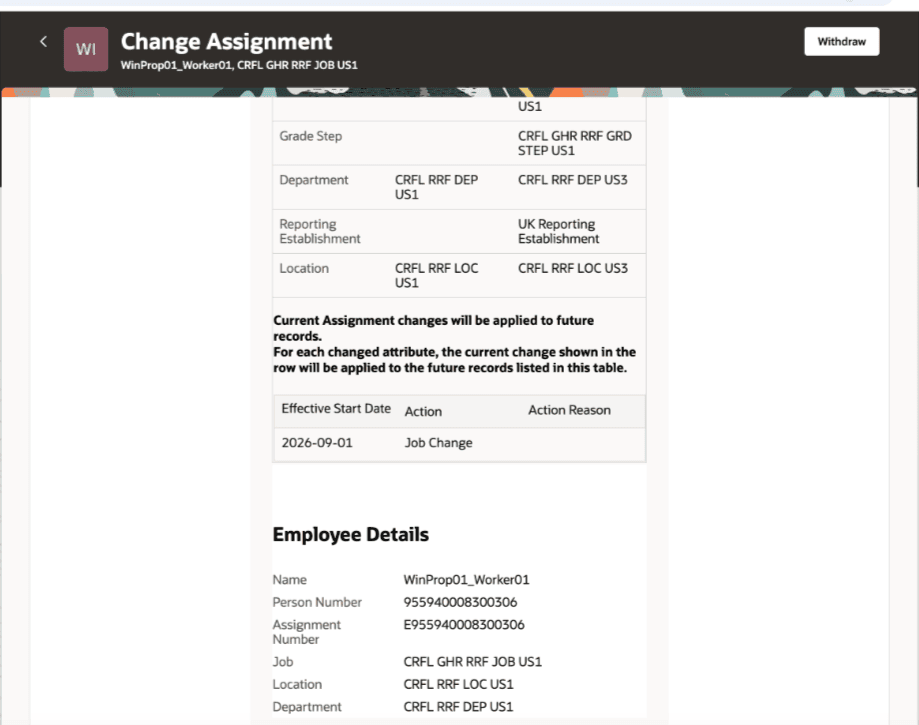
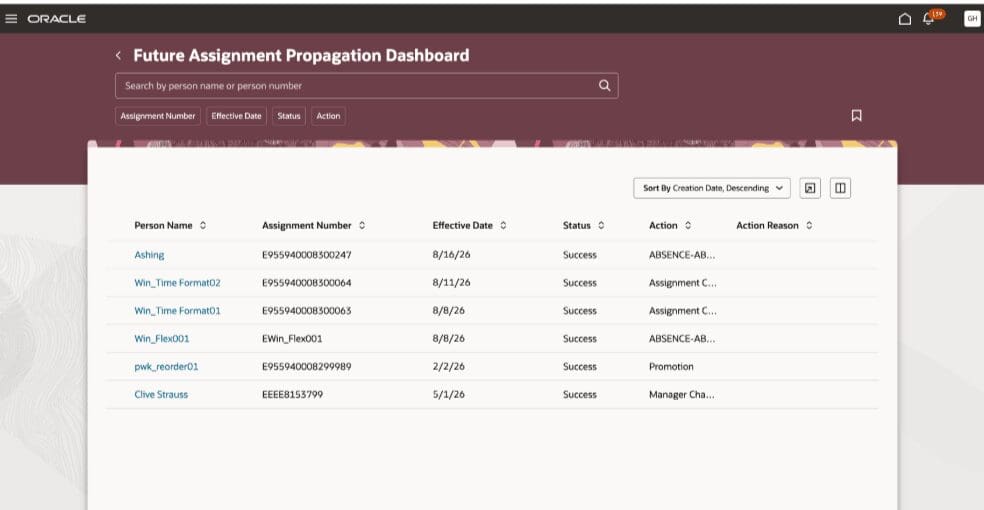
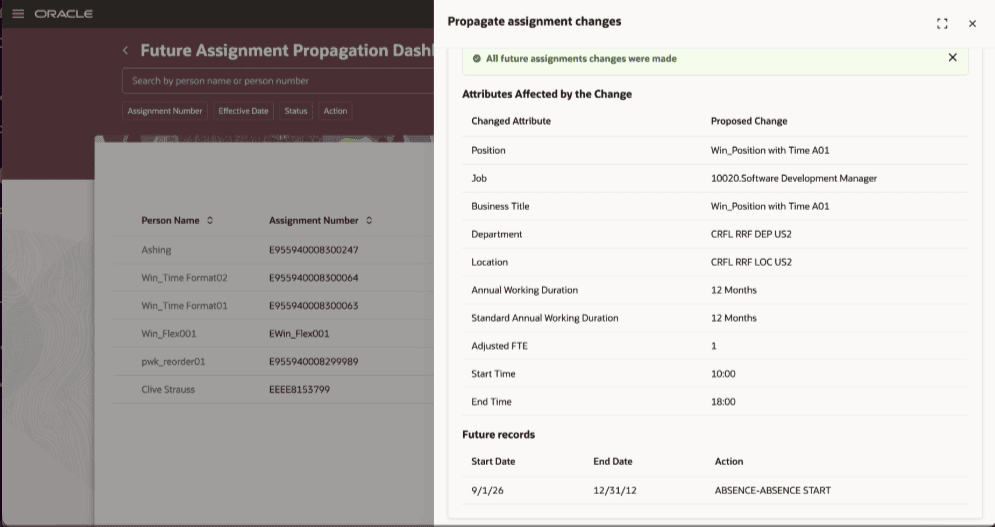
Visual alerts and the Future Records drawer notify users of affected records before submission, allowing clear pre-submission verification. Additionally, the Change Assignment notification and Future Assignment Propagation Dashboard provide complete transparency into historical propagation outcomes.
This automated update process eliminates manual adjustments across multiple future records, ensuring long-term assignment data consistency, reducing maintenance efforts, and preventing discrepancies in future workforce records.
Business benefits:
- Automates updating future assignment records when retroactively correcting historical assignment data.
- Provides pre-submission visibility into affected future records through the Future Records drawer.
- Monitors propagation status centrally using the Future Assignment Propagation Dashboard.