Oracle ERP Procurement Cloud 26C
Low

Feature Enablement
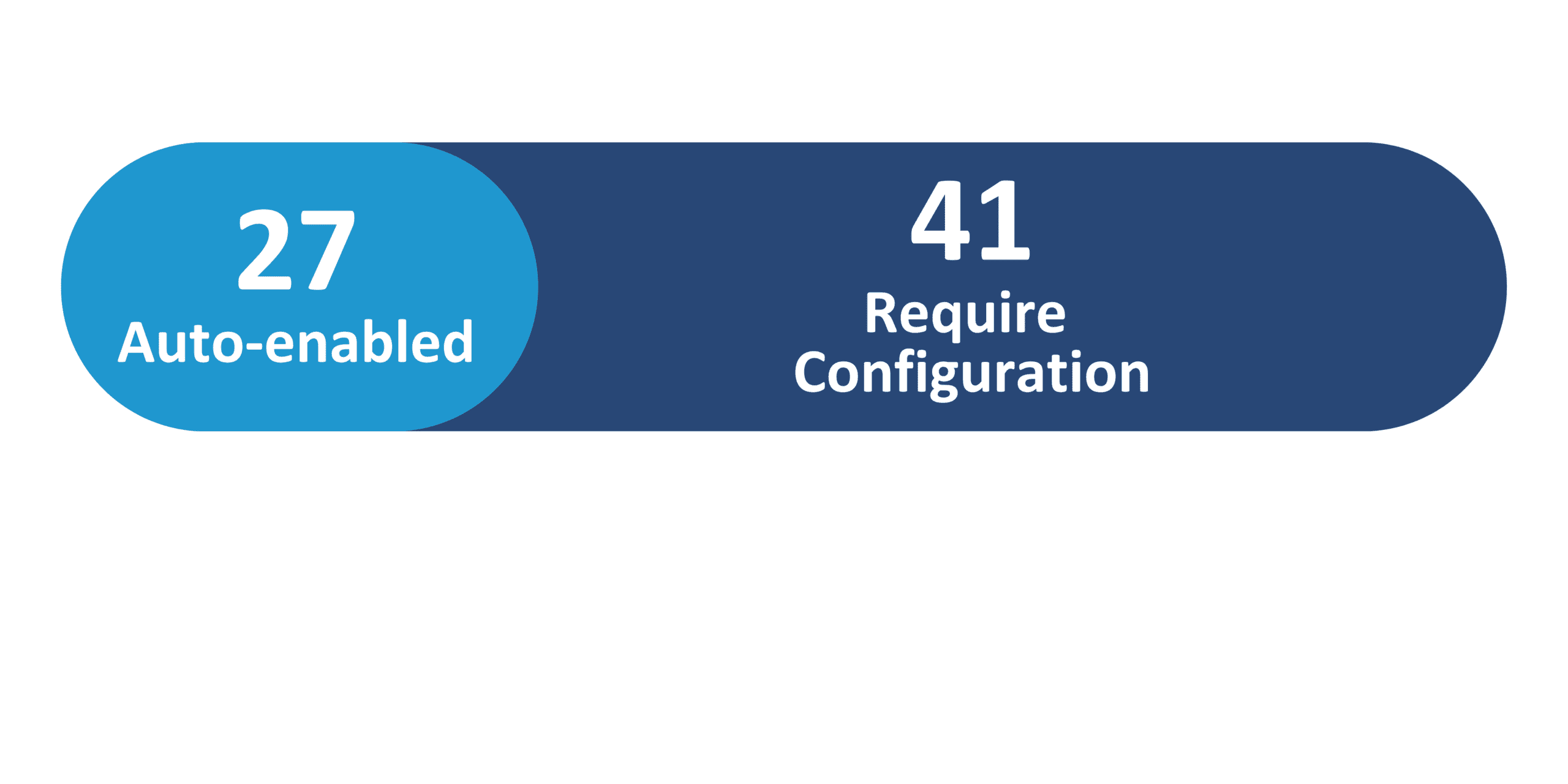
Redwood Features
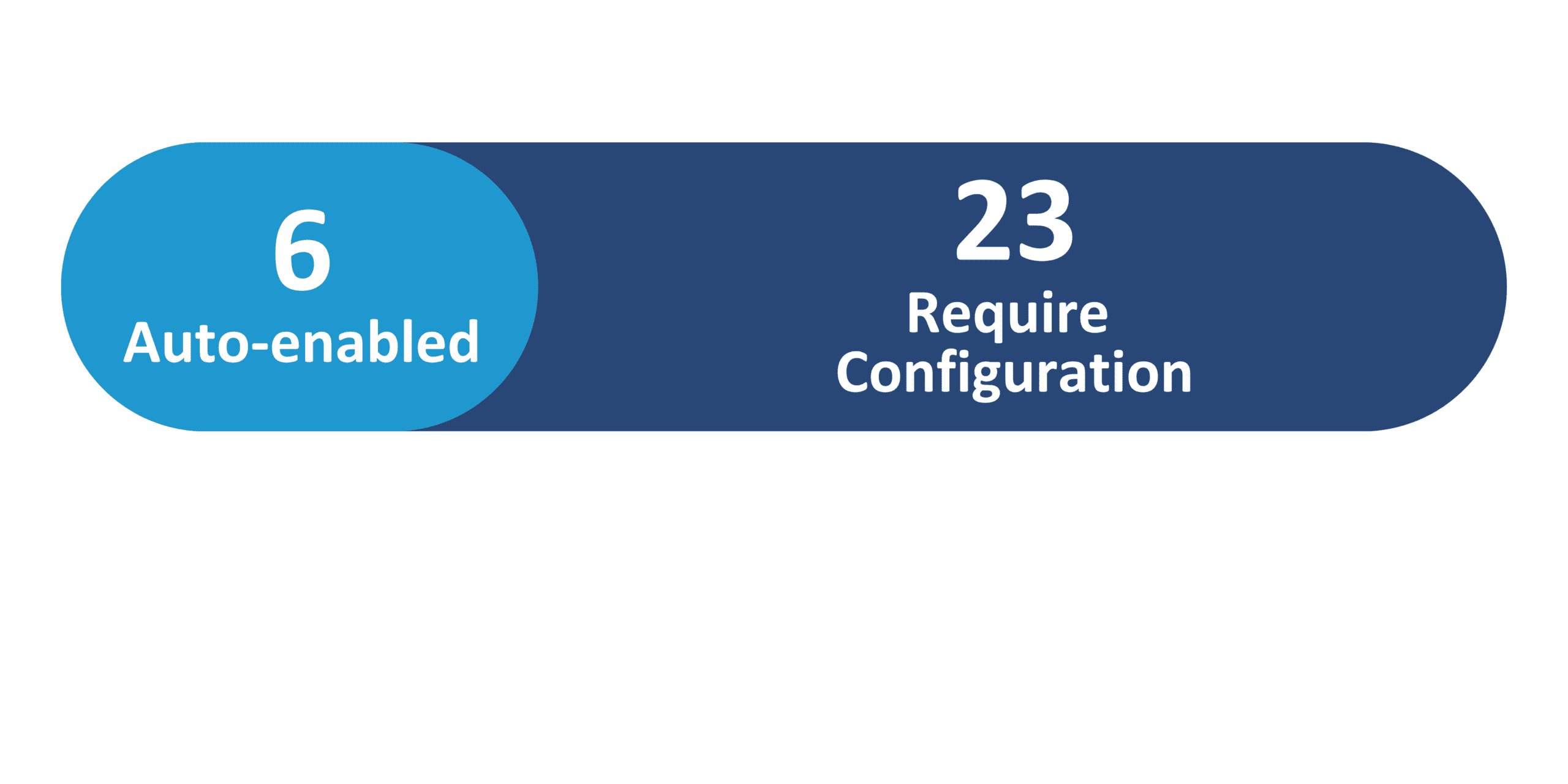
Generative AI Features
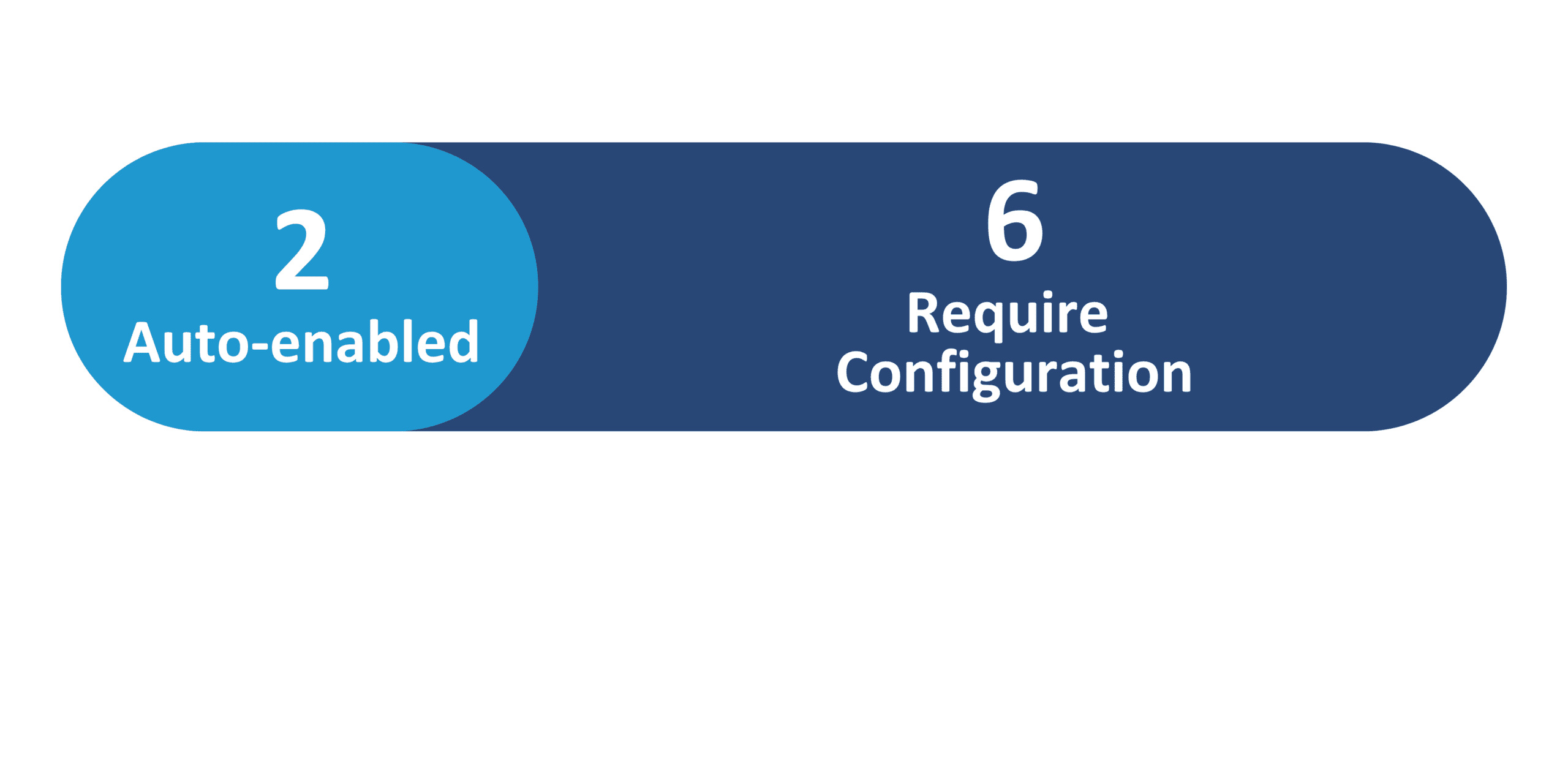
26C Update Features Covered:
- Redwood Experience
- Generative AI
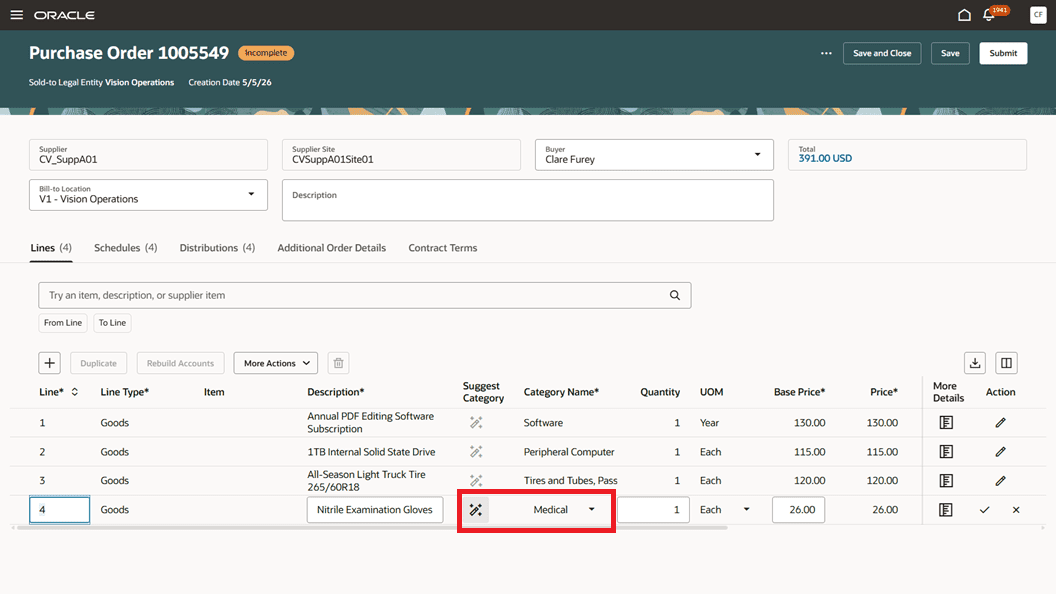
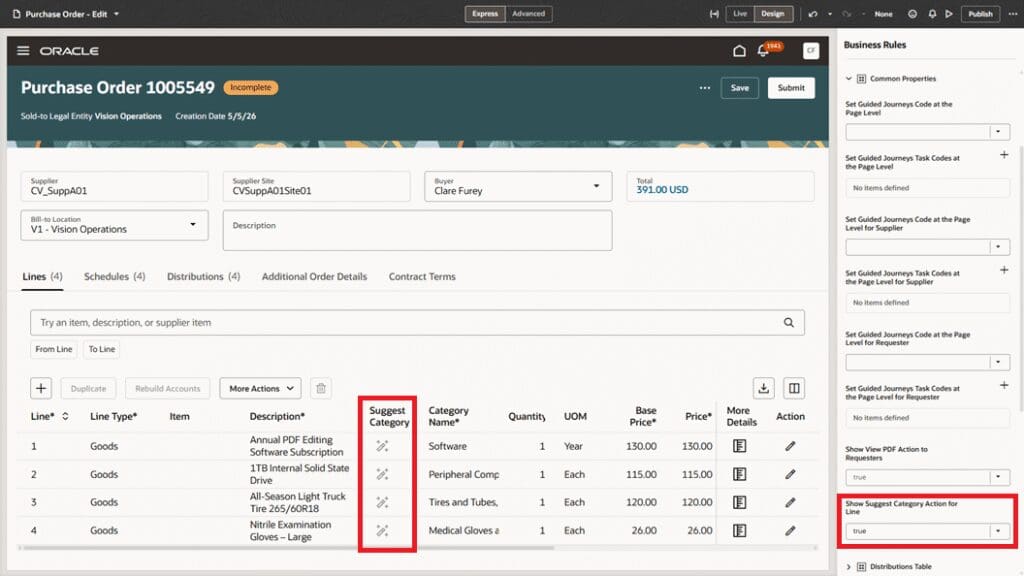
- Redwood: Get Category Suggestions for Description-Based Lines Using AI
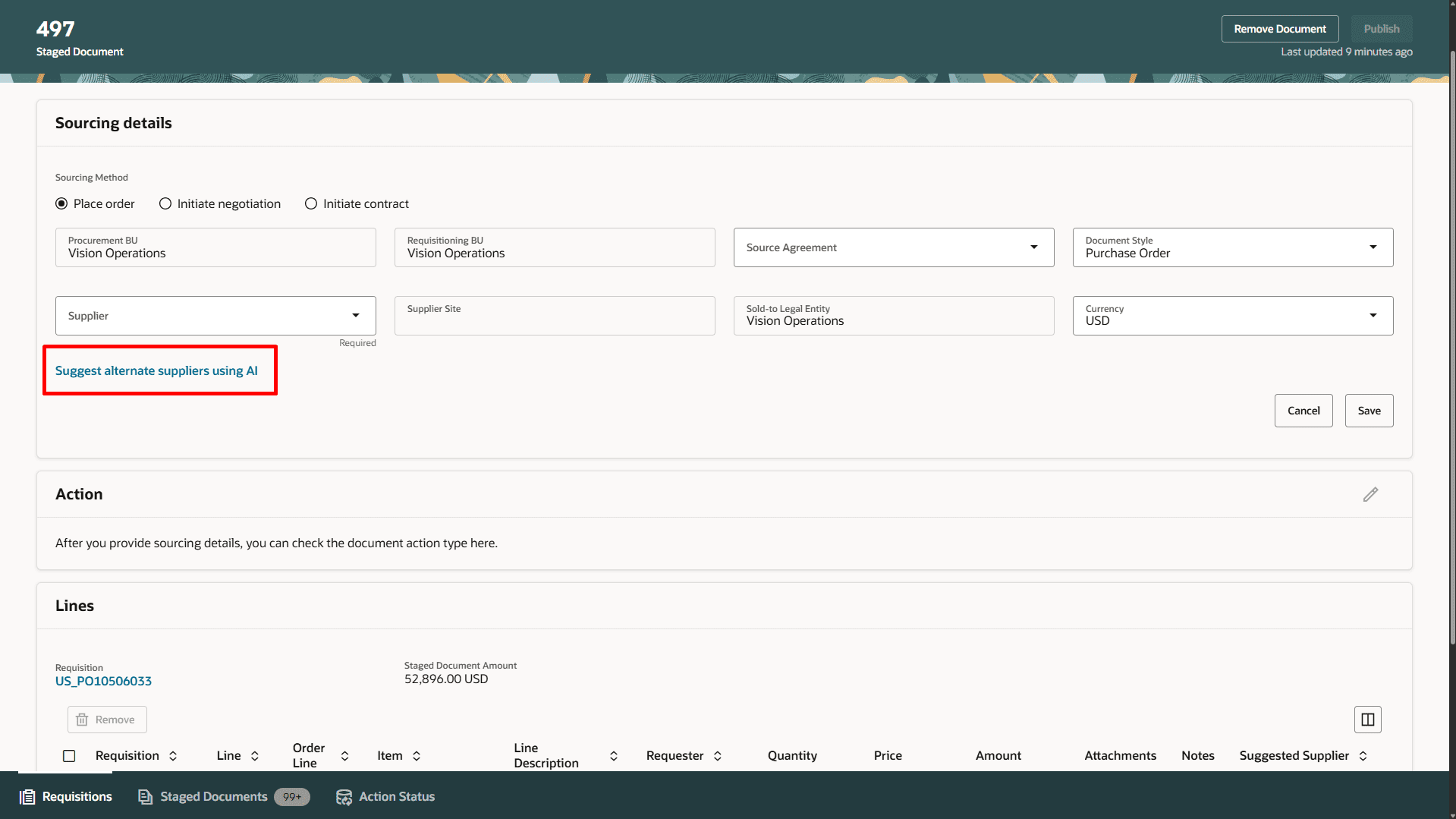
- Redwood: Suggest Alternate Suppliers in Staged Documents Using AI
- Restrict Deliver-To Locations to Valid Delivery Sites When Creating Requisitions and Purchase Orders
- AI Agent: Purchase Requisition Creation Guide – Additional Capabilities and Policy Compliance
- Manage Public Shopping Lists
1. Redwood Experience
Oracle Cloud 26C Procurement introduces significant Redwood experience enhancements, empowering users with more intuitive and efficient workflows. Organizations can now manage B2B certificates through a modern interface, while catalog administrators benefit from a streamlined Redwood page for public shopping lists. Users will also experience persistent table column personalizations, ensuring their preferred layouts are retained across sessions. Additionally, deliver-to location restrictions leverage the Redwood application for improved data accuracy, collectively enhancing usability and productivity across procurement processes.
2. Generative AI
Oracle continues to expand its Generative AI capabilities in Procurement, delivering intelligent automation and enhanced decision support. New features include AI-powered category suggestions for description-based lines in purchasing documents, improving spend classification accuracy. Organizations can also leverage AI to suggest alternate suppliers in staged documents, optimizing sourcing efficiency. Furthermore, the AI Agent for Purchase Requisition Creation now offers advanced policy compliance checks and expanded guided requisitioning flows, ensuring smarter, more compliant purchasing experiences.
3. Redwood: Get Category Suggestions for Description-Based Lines Using AI
Quick Notes:


Organizations can now leverage AI to receive category suggestions for description-based lines across purchase orders, blanket purchase agreements, and change orders. When users select the ‘Suggest Category’ action, the application intelligently analyzes the entered description by drawing upon historical purchasing data.
This process recommends the most appropriate category, significantly improving spend classification accuracy and reducing the need for manual category entry. The enhancement streamlines the procurement process, ensuring consistency and compliance in categorization, ultimately leading to better data quality for analysis and reporting.
Business benefits:
- Improve spend classification accuracy
- Reduce manual category entry efforts
- Enhance data quality for analysis
- Streamline purchasing document creation
4. Redwood: Suggest Alternate Suppliers in Staged Documents Using AI
Quick Notes:
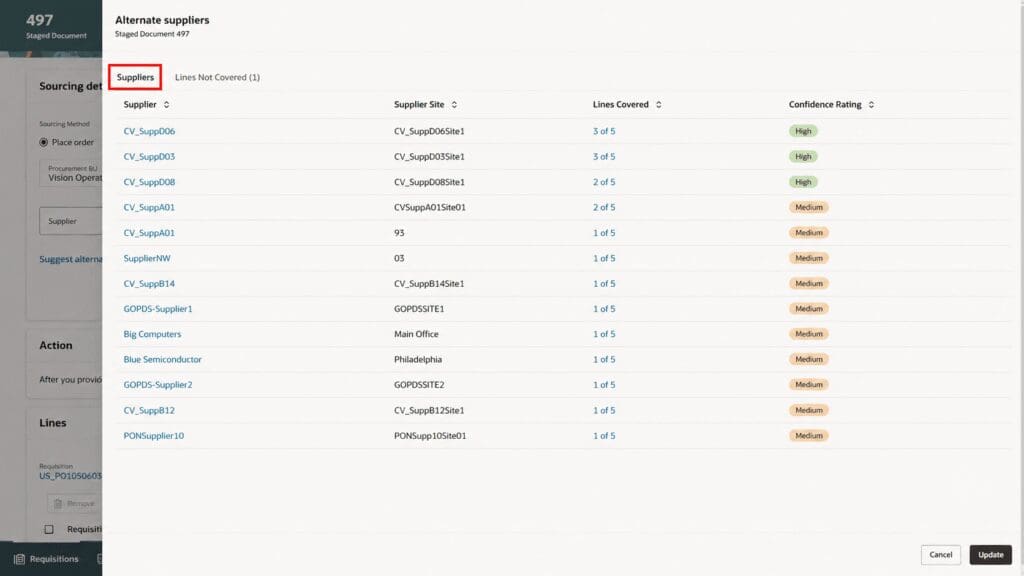
This feature introduces AI-driven suggestions for alternate suppliers when processing requisition lines into purchase orders within the Redwood experience. The AI model analyzes historical transactions, including purchase orders, agreements, negotiations, and awards, to identify relevant suppliers for each staged document line.
Buyers can initiate the ‘Suggest Alternate Supplier Using AI’ action to view ranked suggestions, complete with confidence ratings based on attribute matching like item, description, or category. This capability streamlines supplier selection, enhances sourcing efficiency, and provides valuable insights for procurement professionals.
Business benefits:
- Optimize supplier selection process
- Improve sourcing efficiency
- Reduce manual supplier research
- Enhance decision-making with confidence ratings
5. Restrict Deliver-To Locations to Valid Delivery Sites When Creating Requisitions and Purchase Orders
Quick Notes:

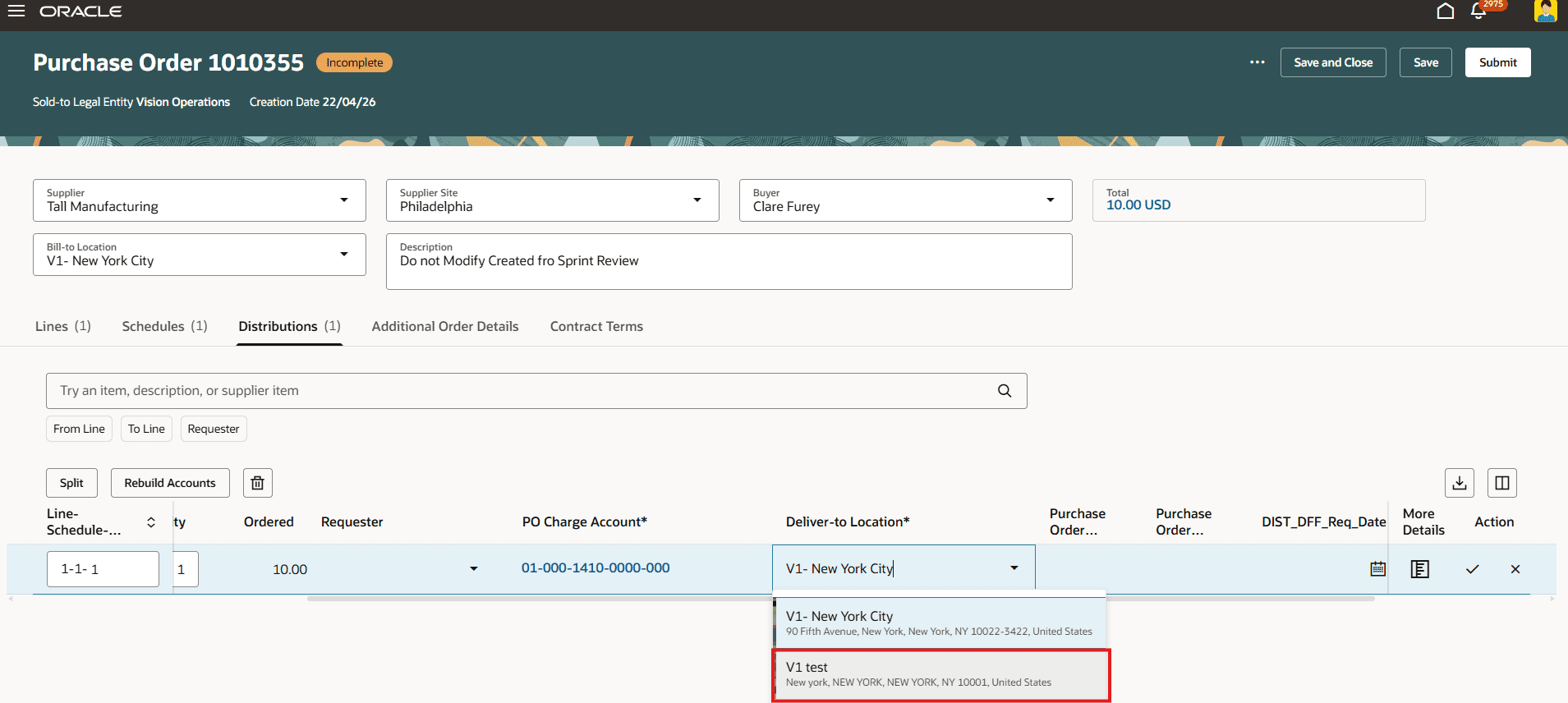
Organizations can now enforce greater accuracy in procurement by restricting deliver-to locations to only valid delivery sites when creating requisitions and purchase orders. Previously, sites designated for billing or shipping could be erroneously selected. With this feature, only locations explicitly identified as ‘deliver-to sites’ in the Manage Locations setup are available within the Redwood application.
This prevents incorrect deliveries, enhances data integrity, and streamlines the requisitioning and purchasing processes. Users with existing documents containing non-delivery sites can still submit them but must update their preferences for new entries.
Business benefits:
- Improve data accuracy in procurement documents
- Reduce errors in deliver-to location selection
- Streamline requisitioning and purchasing processes
- Enhance compliance with delivery site policies
6. AI Agent: Purchase Requisition Creation Guide – Additional Capabilities and Policy Compliance
Quick Notes:
The Purchase Requisition Creation Guide AI Agent receives significant enhancements, offering more comprehensive guidance and support. The agent can now evaluate applicable procurement policies and rules *before* performing a catalog search, ensuring that returned results align with organizational policies and providing relevant policy guidance.
New capabilities include launching noncatalog requests directly from starter questions, requesting internally sourced items, adding amount-based catalog services, and opening smart forms from search results. This update streamlines the requisitioning process, promotes policy compliance, and improves the overall user experience for preparers.
Business benefits:
- Ensure policy-compliant requisitions
- Streamline the requisition creation process
- Improve user experience with guided flows
- Reduce errors through proactive policy evaluation

7. Manage Public Shopping Lists
Quick Notes:
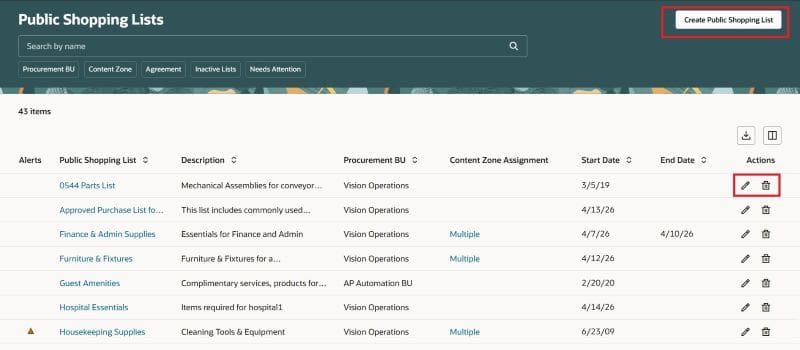
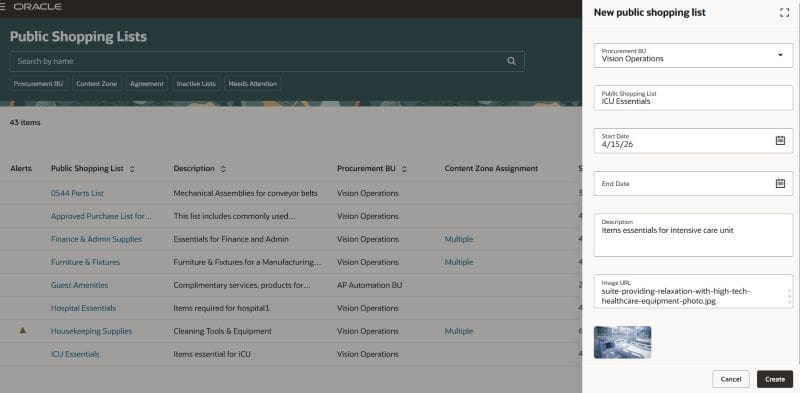
Catalog administrators can now efficiently manage public shopping lists through a modern, intuitive Redwood experience. This updated interface, accessible from quick links under Catalogs, enables administrators to create, edit, and delete lists with enhanced search and filtering capabilities by Procurement BU, Content Zone, and Agreement.
Users can easily add master items or agreement lines, define display sequences, and manage quantities. The feature also provides tools to identify inactive public shopping lists or those linked to inactive agreements, ensuring proactive management and a more controlled shopping environment for preparers.
Business benefits:
- Streamline public shopping list administration
- Improve catalog content control
- Enhance shopping experience for preparers
- Proactively manage list validity and agreements