Oracle HCM Absence Management 26C
Low

Feature Enablement
Redwood Features
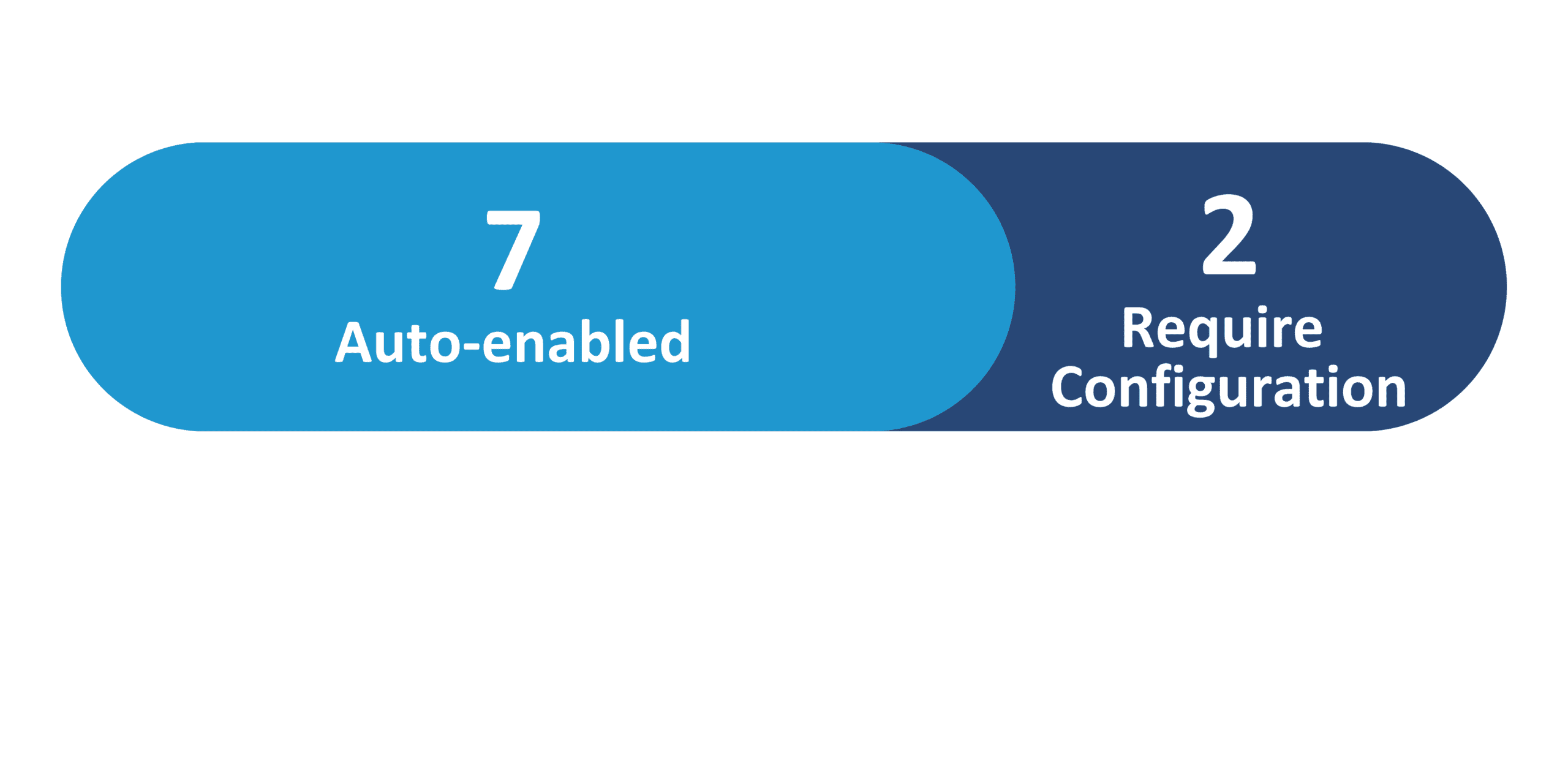
26C Update Features Covered:
- Redwood Experience
- Prevent Withdrawal of Previously Approved Absences
- Absence Types Redwood Experience
- Calendar Usability Improvements
1. Redwood Experience
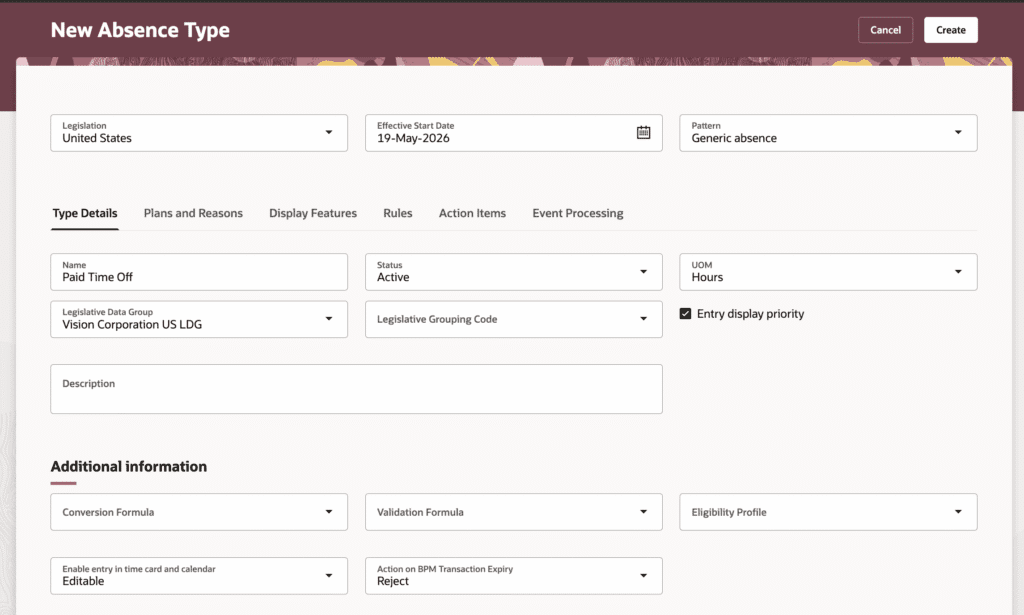
Update 26C delivers 2 Redwood features for Absence Management. The Absence Types setup page is now available in the Redwood experience, separating Display Features and Rules into distinct tabs and introducing a streamlined interface for administrators — disabled by default and enabled via the ORA_ANC_TYPES_VBCS_UI_ENABLED profile option.
The Additional Extensibility for Redwood Add Absence feature extends VB Studio extensibility options for the Redwood absence entry page. Review existing absence type configuration for maternity fields ahead of enabling the Redwood experience.
2. Prevent Withdrawal of Previously Approved Absences
Quick Notes:


Update 26C prevents employees from withdrawing absences that have been previously approved and subsequently edited. When an approved absence is edited and resubmitted, it moves back to Awaiting Approval status — and the withdraw option is now hidden until the manager approves the change.
- When approval processing is enabled, any change made by the employee to an approved absence requires the manager’s approval before the absence status is updated
- After the change is approved, the employee can then request withdrawal of the absence, which will again require manager approval
- Employees can still withdraw absences that have not yet been approved — these will be set to Withdrawn status
- Ensures greater control over absence management by requiring manager review for all changes or withdrawals to previously approved absences
3. Absence Types Redwood Experience
Quick Notes:
The absence type setup page is now available in the Redwood user experience, providing a simplified and improved setup interface aligned with other Redwood pages in Absence Management. The page introduces a new tab organization and several functional changes to the absence type configuration.
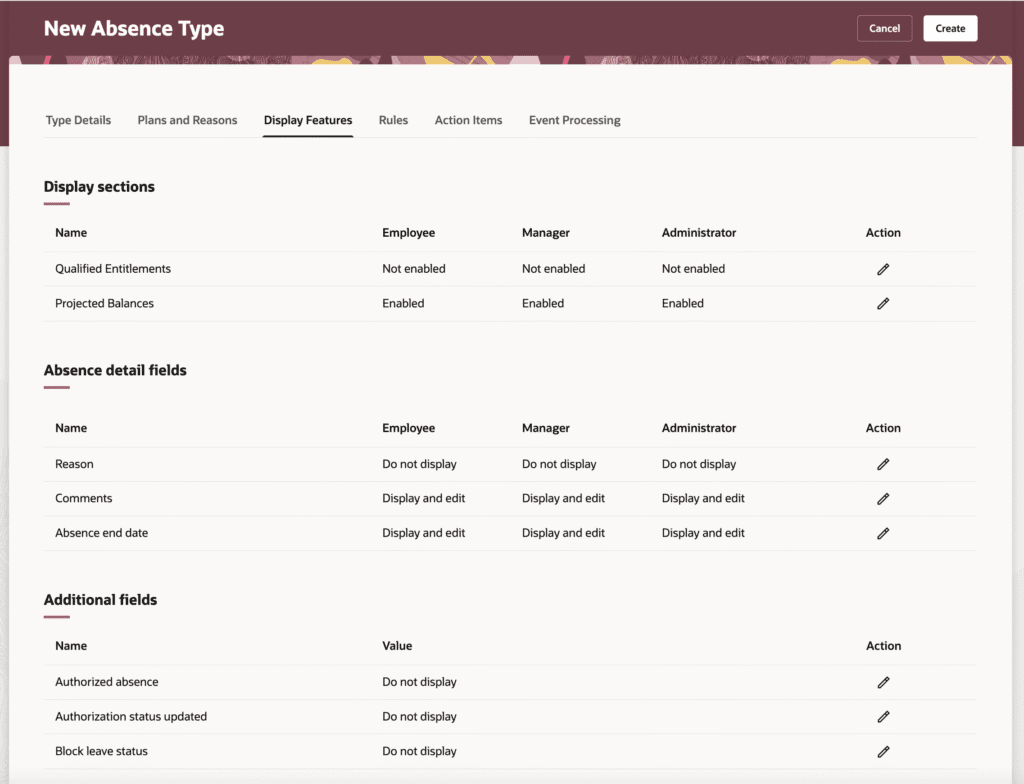
- The Display Features tab and Rules tab are now separate — Display Features contain sections and attributes, while the Rules tab contains all rules (previously combined in classic)
- A single display value can now be set for supplemental fields (Authorized Absence, Authorization Status Update, Blocked Leave Status, Notification Date, Condition Start Date) across all three user roles (Employee, Manager, Administrator) at once
- Entry display order field replaced with Entry display priority — a checkbox that prioritizes the absence type alphabetically in the absence types list of values
- Maternity fields are no longer part of absence type configuration — they display and are editable for all three user roles on the Redwood absence entry page automatically when a Childbirth or Placement pattern is selected

4. Calendar Usability Improvements
Quick Notes:
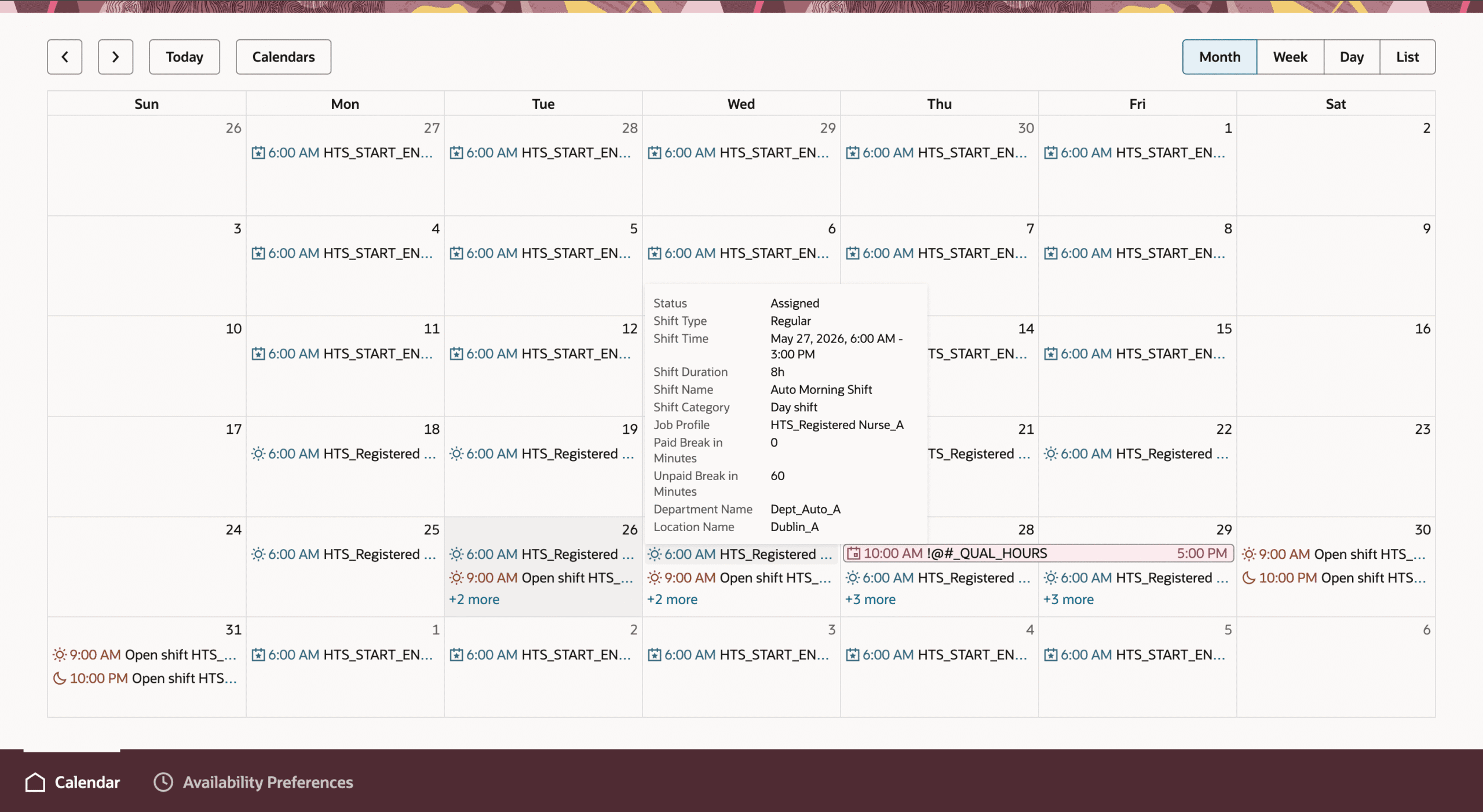
The worker calendar includes several usability improvements that help workers understand their schedules more quickly. Multi-day absences display more consistently, shifts with notes are easier to identify, and configurable tooltips can show the most relevant schedule details.
- Multi-day absences — including full-day, partial absences with fixed times, and duration-based absences — now display directly in the calendar view without needing to open each day individually
- A folded-corner indicator on a shift shows it has a note attached — workers open the shift detail panel to read the full note
- Hoverable tooltips show administrator-configured shift, open shift, and absence details — examples include Job Profile, Shift Start/End Time, Department, Premium Shift Code, and Incentive Amount
- Administrators can configure which calendar providers (Work Schedules, Open Shifts, Absences, Public Holidays, Availability Preferences) are visible by default and their display order
- Configurable primary and secondary event sorting using attributes such as All Day, Start Time, and Event Title