Oracle HCM Benefits Cloud 26D
Low

Feature Enablement
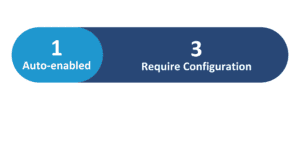
Redwood Features
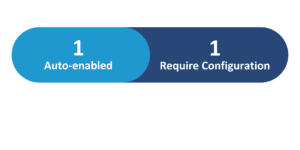
Generative AI Features
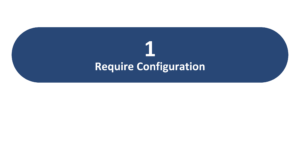
26D Update Features Covered:
- Redwood Experience
- Generative AI
- Benefits Administration Command Center
- Life Event Simulation Analyst
- Review Payroll Element Details on the Redwood Benefits Summary Page
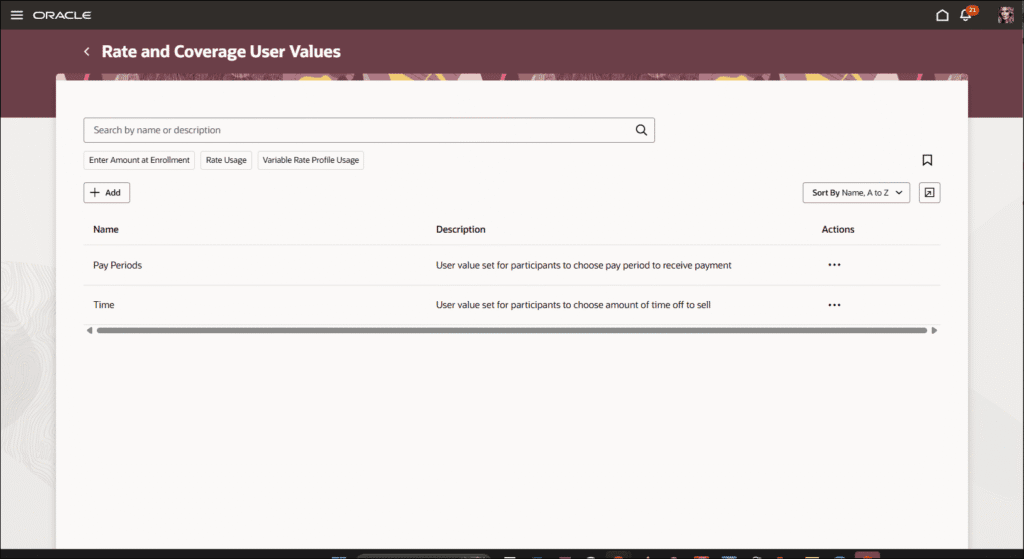
- Redwood Experience for Rate and Coverage User Values
1. Redwood Experience
Oracle Cloud 26D introduces significant Redwood experience enhancements for Benefits administrators. Users can now efficiently review payroll-related details directly from the Redwood Benefits Summary page, eliminating the need to navigate to separate payroll sections. Additionally, managing benefit types, rates, and coverage user values is streamlined through a modern Redwood interface, offering improved search capabilities, saved searches, and panel-drawer details for creation, editing, and review. These updates deliver a more intuitive and productive administrative experience.
2. Generative AI
Oracle continues to expand its Generative AI capabilities within Benefits, empowering administrators with advanced tools. The new Benefits Administration Command Center leverages AI to detect, understand, and resolve issues from a unified workspace, offering natural-language queries and AI-generated executive summaries. Furthermore, the Life Event Simulation Analyst now includes AI summaries, enabling administrators to run what-if scenarios and assess the impact of benefits changes with more informed validation and decision-making before applying them.
3. Benefits Administration Command Center
Quick Notes:


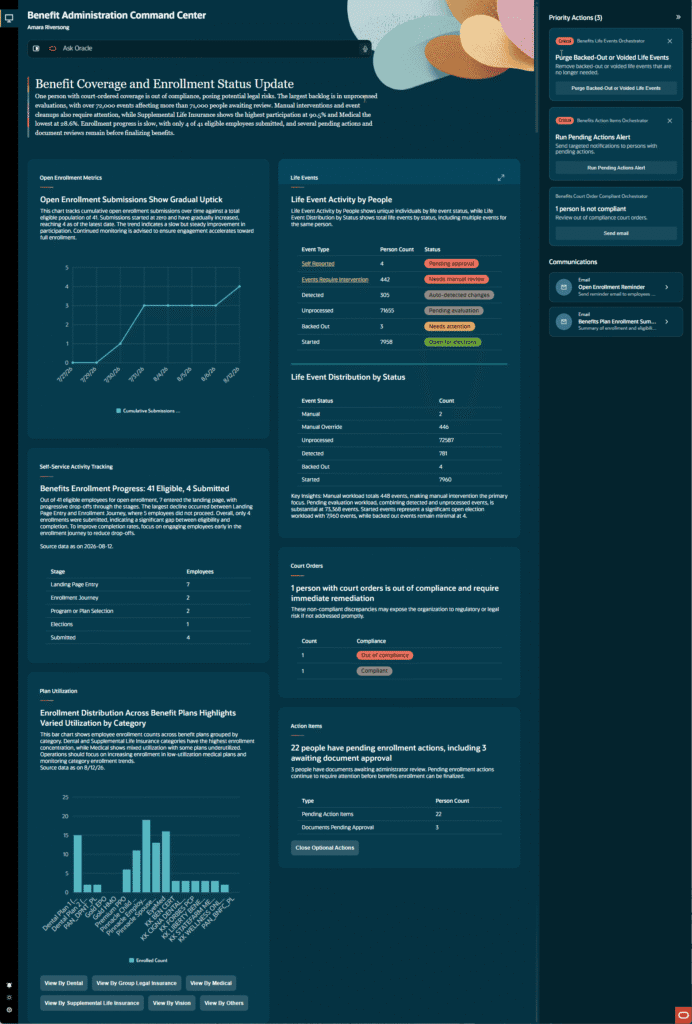
This new agentic application provides a unified workspace for benefits administrators to detect, understand, and resolve issues efficiently. It integrates insights, analytics, and corrective actions, allowing users to ask natural-language questions about panels, policies, or individuals using “Ask Oracle.” The command center also generates an AI-powered executive summary of the current panel, highlighting key trends, issues, and high-priority items.
Administrators can review important follow-up actions and take immediate steps, such as sending communications or submitting processes. This comprehensive tool streamlines benefits administration by centralizing critical information and providing intelligent assistance for proactive problem-solving.
Business benefits:
- Detect, understand, and resolve benefits administration issues from a single workspace.
- Utilize natural-language queries with “Ask Oracle” for quick information retrieval.
- Receive AI-generated executive summaries highlighting key trends and priority items.
- Access insights and analytics for Open Enrollment, Self-Service Activity, Plan Utilization, Life Events, and Court Orders.
4. Life Event Simulation Analyst
Quick Notes:
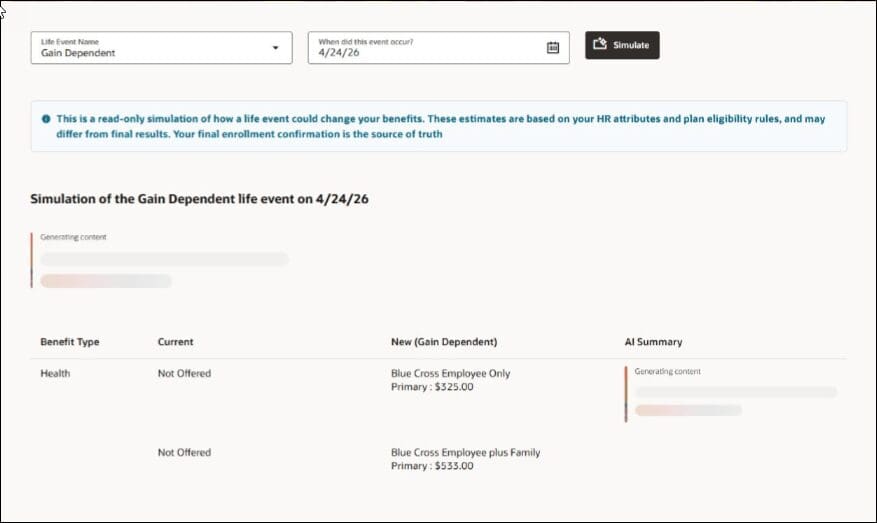
The Life Event Simulation Analyst feature allows administrators to perform “what-if” simulations for life events on a selected date without making permanent changes to a person’s benefits. This capability is crucial for assessing the potential impact of proposed plan design changes, rate adjustments, eligibility profile modifications, or organizational restructuring scenarios like mergers and acquisitions.
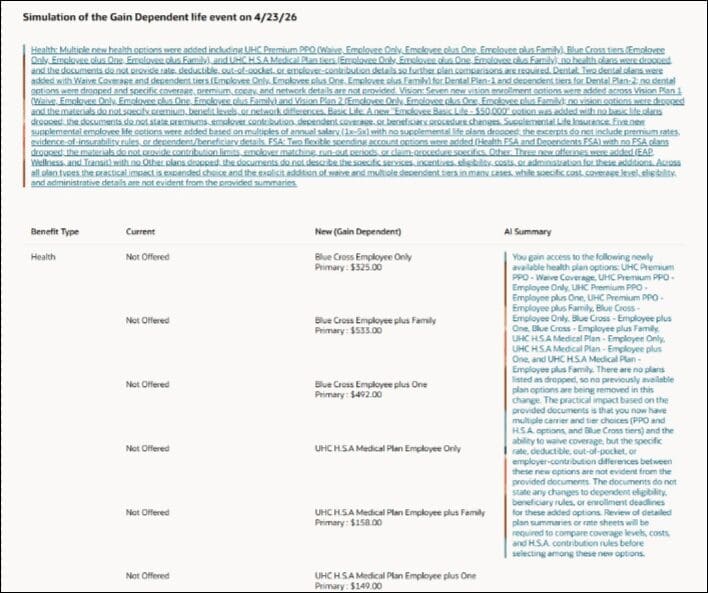
The system compares current and new enrollment opportunities, highlighting changes across plan types, including added/dropped plans, rate differences, and dependent/beneficiary changes. An AI-generated summary for each plan type and an overall summary of enrollment changes further support informed validation and decision-making.
Business benefits:
- Run “what-if” simulations for life events without impacting live data.
- Compare current and new enrollment opportunities with highlighted changes.
- Receive AI-generated summaries for plan types and overall enrollment changes.
- Assess the impact of proposed plan design, rate, or eligibility changes before implementation.
5. Review Payroll Element Details on the Redwood Benefits Summary Page
Quick Notes:
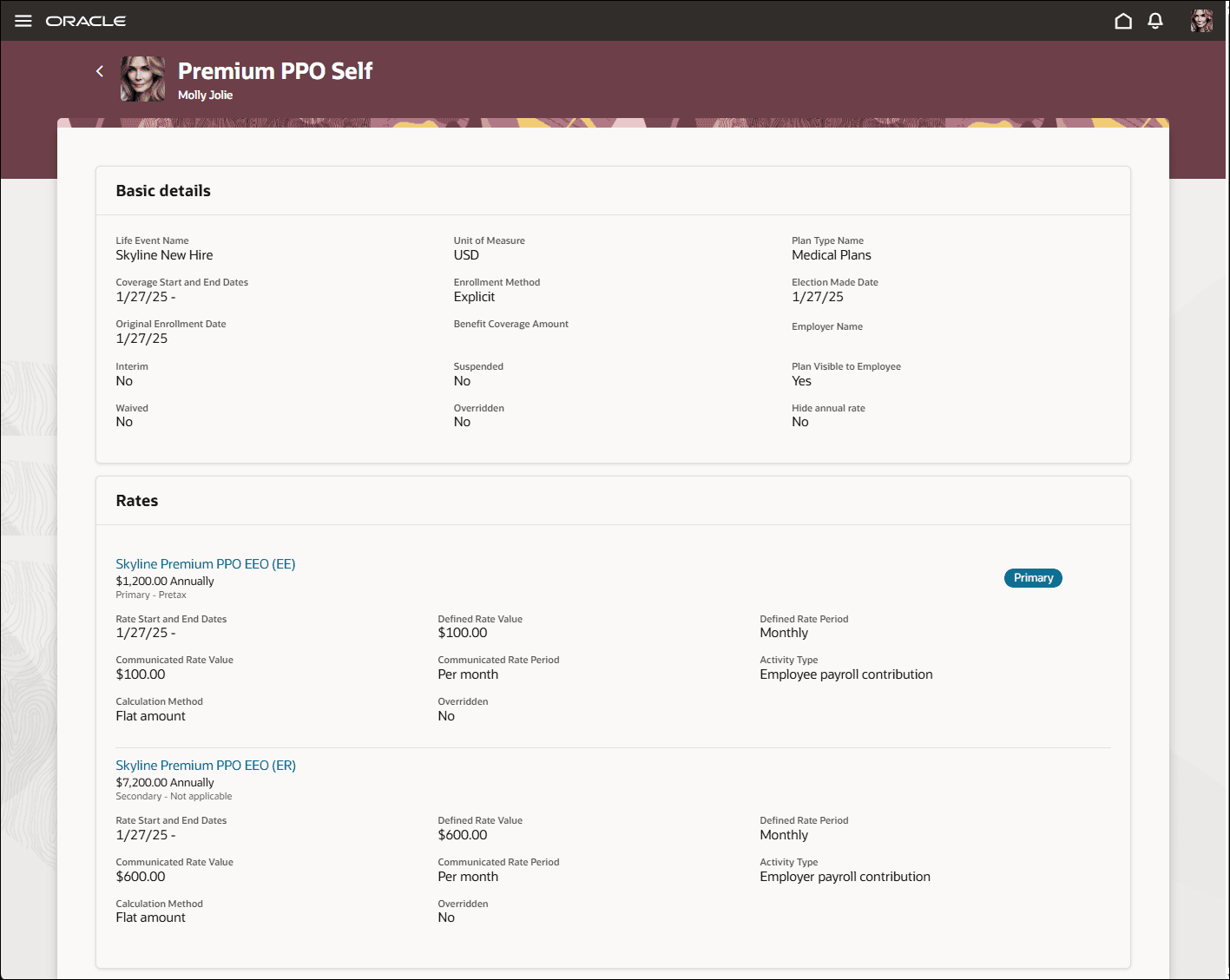
This Redwood Platform enhancement allows benefits administrators to review payroll-related details directly from the Benefits Summary page, eliminating the need to navigate to separate payroll sections. Users can select a linked rate name to view related element entry details in a convenient panel drawer.
Additionally, the “View Payroll Info” option is available to review CIR (Compensation Information Record) element details when such information exists for an enrollment. The panel drawer provides comprehensive insights into element values, attributes, costing, and processing history.
This integration significantly improves efficiency by centralizing critical information, enabling administrators to investigate enrollment rates and CIR information more quickly and effectively.
Business benefits:
- Access payroll element details directly from the Redwood Benefits Summary page.
- View element entry details, attributes, costing, and processing history in a panel drawer.
- Review CIR element details when available for an enrollment.
- Streamline investigation of enrollment rates and CIR information.
6. Redwood Experience for Rate and Coverage User Values
Quick Notes:
This auto-enabled Redwood experience modernizes the management of benefit types and their associated rate and coverage user values, replacing the classic UI. Benefits administrators can now efficiently find benefit types using enhanced search capabilities, including searching by name or description, sorting results, and utilizing saved searches.
The new panel drawer interface facilitates the creation and maintenance of benefit types and their user values, complete with robust validation and list-of-values behavior. Users can also review record details without leaving the main page.
The feature includes controls for deleting eligible benefit types, ensuring data integrity by preventing deletion if referenced by other benefits configurations.
Business benefits:
- Manage benefit types and user values with a modern Redwood interface.
- Efficiently find benefit types using advanced search, sorting, and saved searches.
- Create and maintain records using an intuitive panel drawer with validation.
- Ensure data integrity with deletion controls for referenced benefit types.