Oracle HCM Cloud Common 26C
Low

Feature Enablement
Redwood Features
Generative AI Features
26C Update Features Covered:
- Redwood Experience
- Generative AI
- Configure Roles and Delegations and Manage User Account Quick Action Pages
- Resolve HCM Data Security Access using AI Assistance
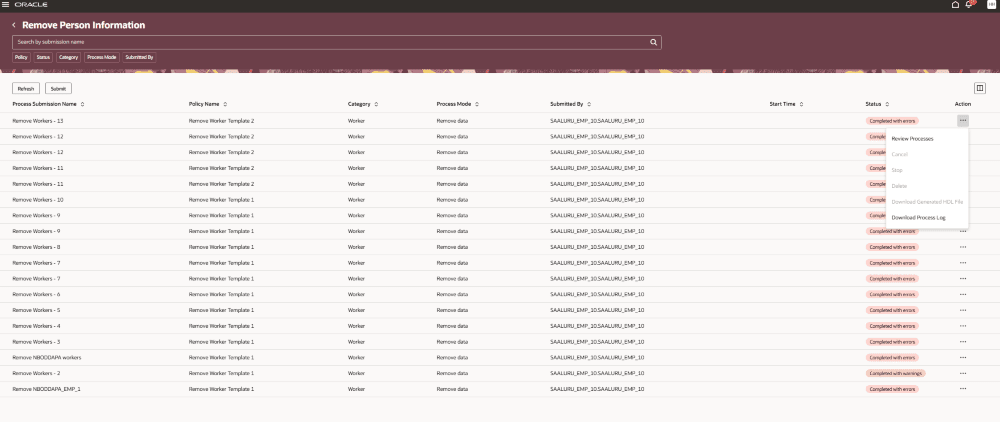
- Redwood Experience for Remove Person Information
1. Redwood Experience
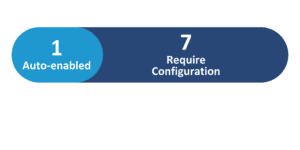
Update 26C delivers 4 Redwood features across HCM Cloud Common. The Remove Person Information and Configure Remove Person Information Policies pages have been fully redesigned in Redwood, providing a modern interface for managing data privacy and regulatory compliance. The Redwood Extract Configuration Groups page for HCM Extracts is enabled by default. Business rules can now be used to control field and section visibility on the Roles and Delegations and Manage User Account quick action pages through Visual Builder Studio.
2. Generative AI
Update 26C introduces 2 Generative AI features across HCM Cloud Common. The HCM Data Security Assistant enables IT Security Managers to troubleshoot and resolve user data security access issues through natural-language conversation — covering roles, security profiles, ACL regeneration, access previews, and cross-user comparisons. The Spreadsheet Data Loader Advisor enables users to upload CSV files and initiate HSDL processing conversationally, automatically identifying business objects, mapping templates, and monitoring load progress — including support for macOS.
3. Configure Roles and Delegations and Manage User Account Quick Action Pages
Quick Notes:


You can now use business rules to control the display of page elements on the Roles and Delegations and Manage User Account quick action pages. This helps administrators simplify user account management by showing only the information that is relevant to their business processes.
- Control visibility of sections including Roles, Role Delegations, Approval Delegation Rules, and Roles Delegated to Me
- Hide or show specific fields such as Start Date on Roles, End Date on Role Delegations, and IsSelfApprovalEnabled on Approval Delegation Rules
- Control visibility of actions including Add Roles, Delete Roles, Reset Password, Sync with Identity Store, and Update Role Assignments
- Configure fields such as End Date to be optional or required without writing custom code
4. Resolve HCM Data Security Access using AI Assistance
Quick Notes:
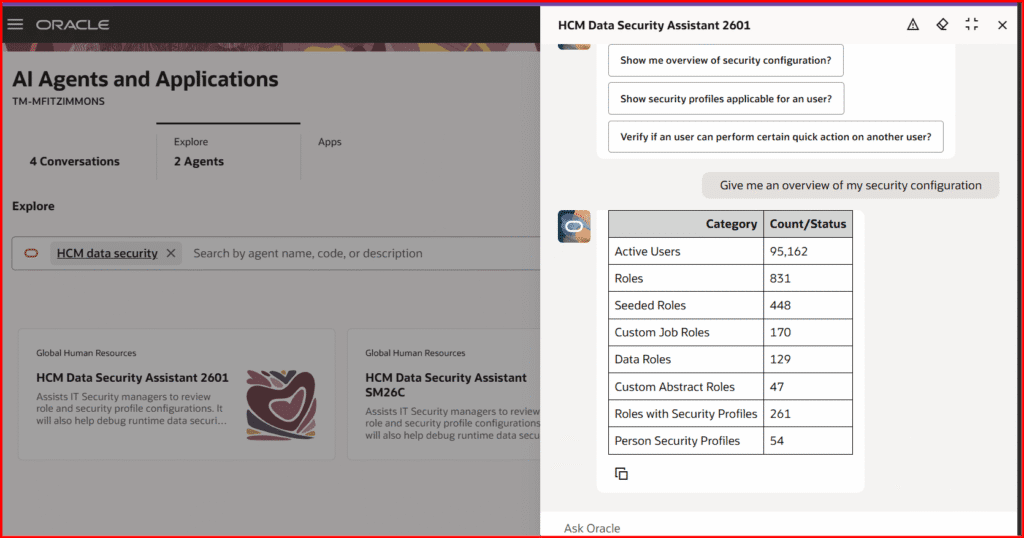
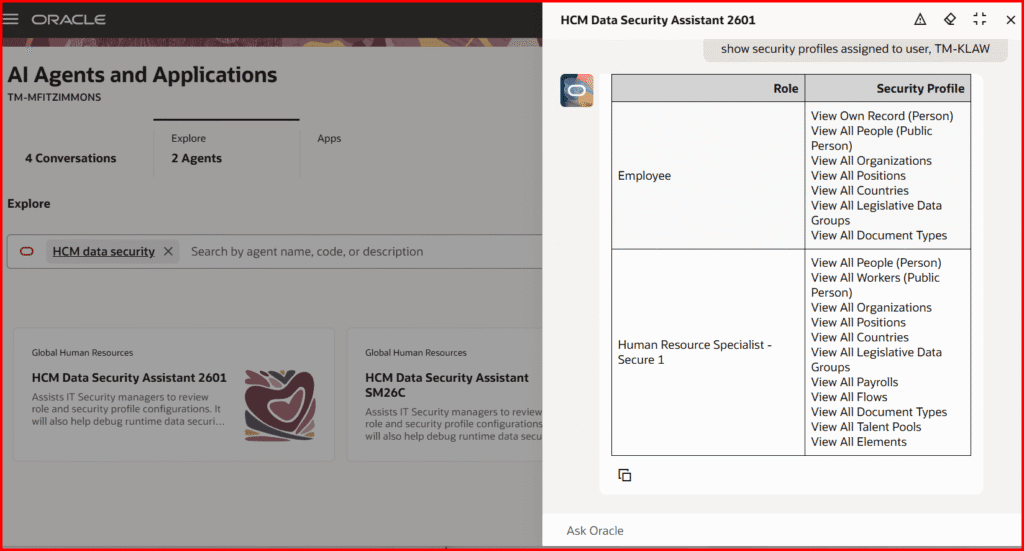
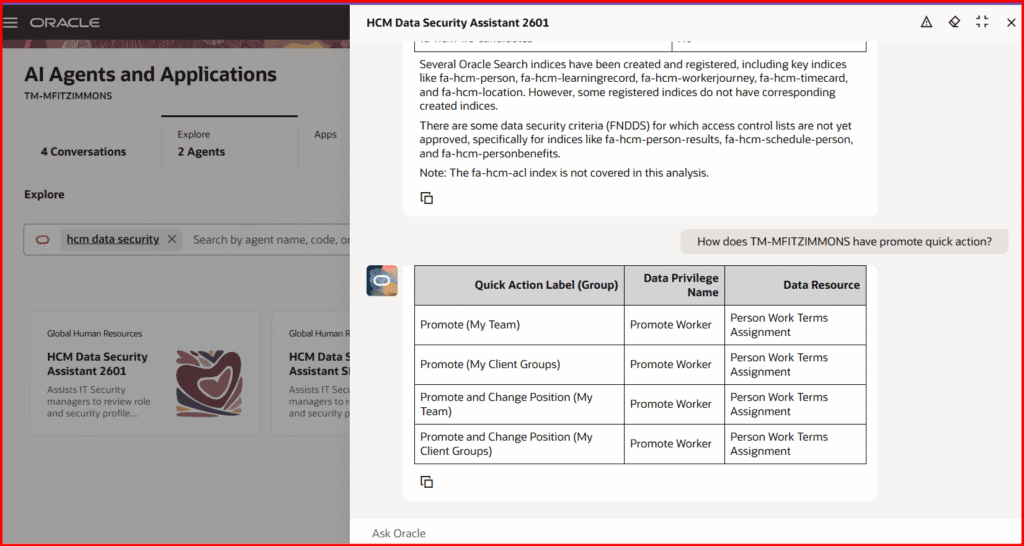
The HCM Data Security Assistant is an AI-powered agent designed to help IT Security Managers troubleshoot and resolve user data security access issues quickly through natural-language conversation.
- Provide an overview of the organisation’s current HCM data security configuration
- Show roles and security profiles assigned to a specific user
- Compare security profile configurations across multiple users or roles
- Preview whether a user can perform a specific quick action on another worker
- Regenerate a user’s Access Control List (ACL) to restore correct access
- Report on data security policies associated with a specific role
5. Redwood Experience for Remove Person Information
Quick Notes:
The Remove Person Information and Configure Remove Person Information Policies pages have been redesigned using the Redwood design system and built from the ground up in Visual Builder Studio.
- Search and filter submitted Remove Person Information processes by Policy, Status, Category, Process Mode, and Submitted By
- Submit new data removal processes via a guided parameters drawer
- Review the full hierarchy of submitted processes including Business Object, Request ID, Status, Start Time, Finish Time, and Elapsed Time
- Download generated HDL files and process log files directly from the page