Oracle HCM Compensation 26C
Low

Feature Enablement
Redwood Features
Generative AI Features
26C Update Features Covered:
- Redwood Experience
- Generative AI
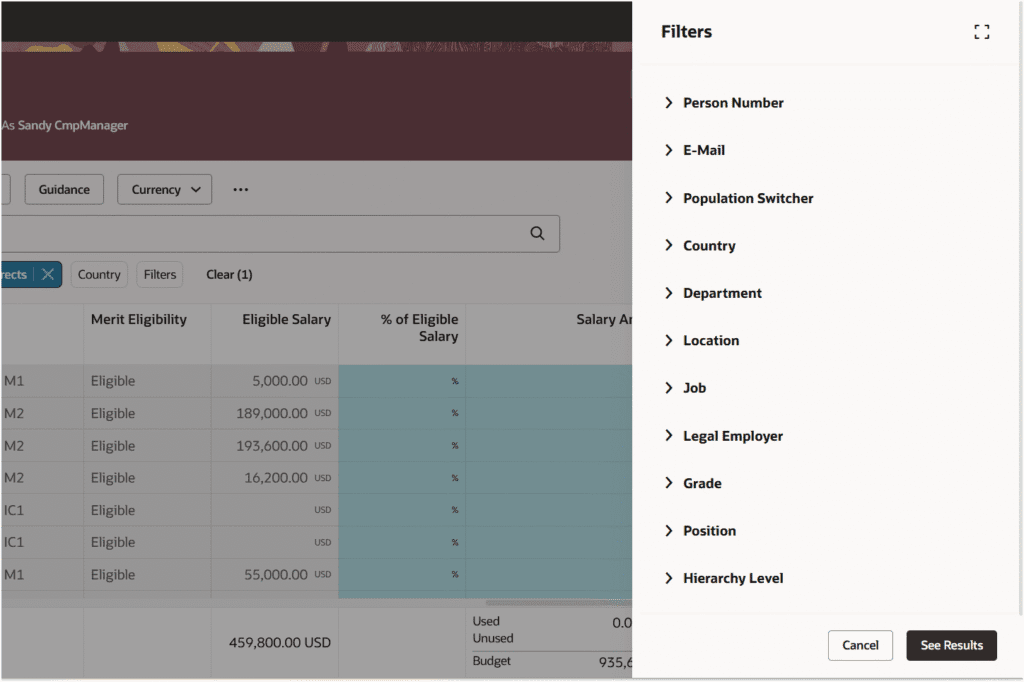
- Redwood Experience for Workforce Compensation Worksheet
- Workforce Compensation Analyst AI Agent
- Configurable Business Title Switcher Introduction in Compensation Pages
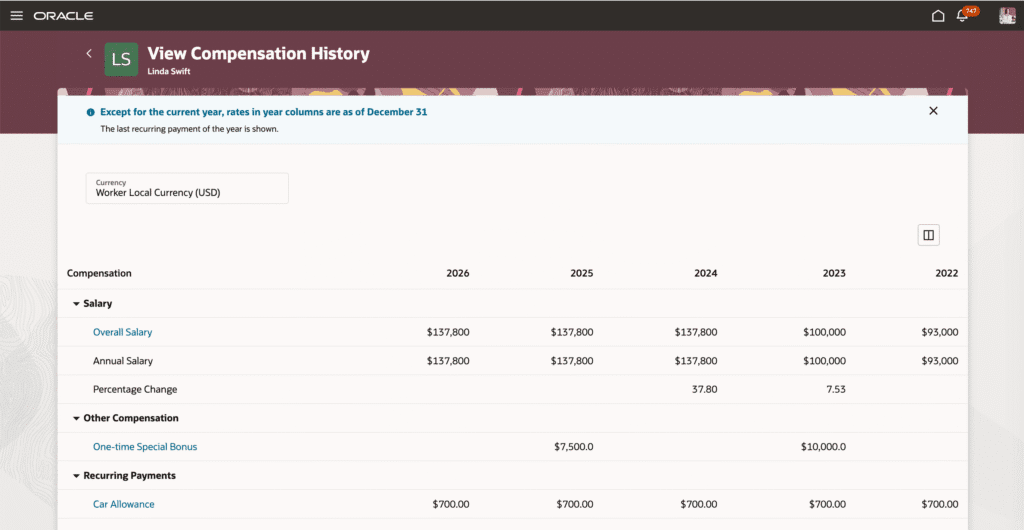
- Enhancements to Redwood Salary, Compensation History Extensibility
1. Redwood Experience
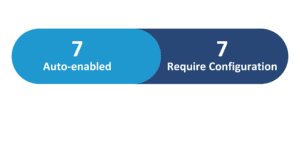
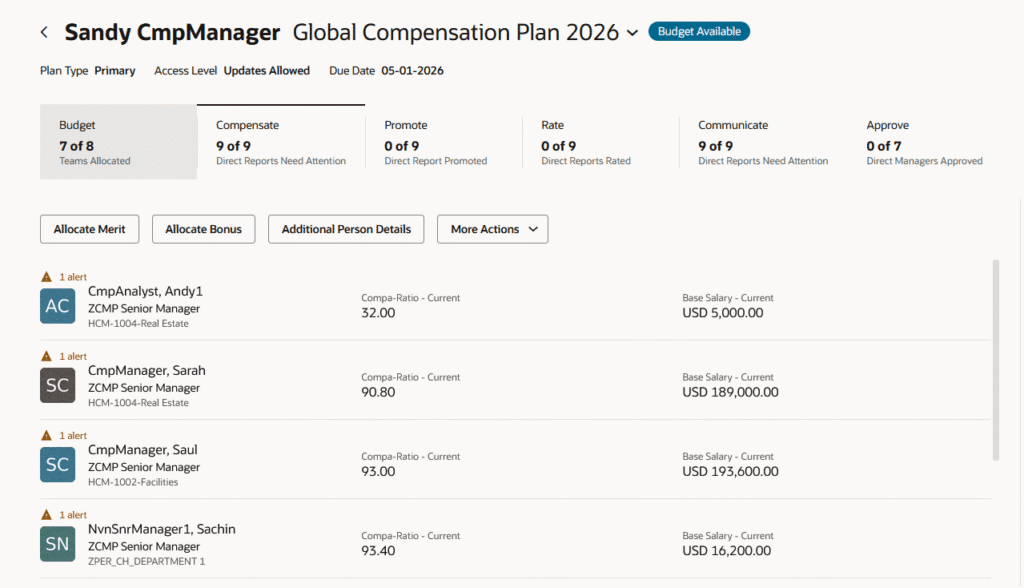
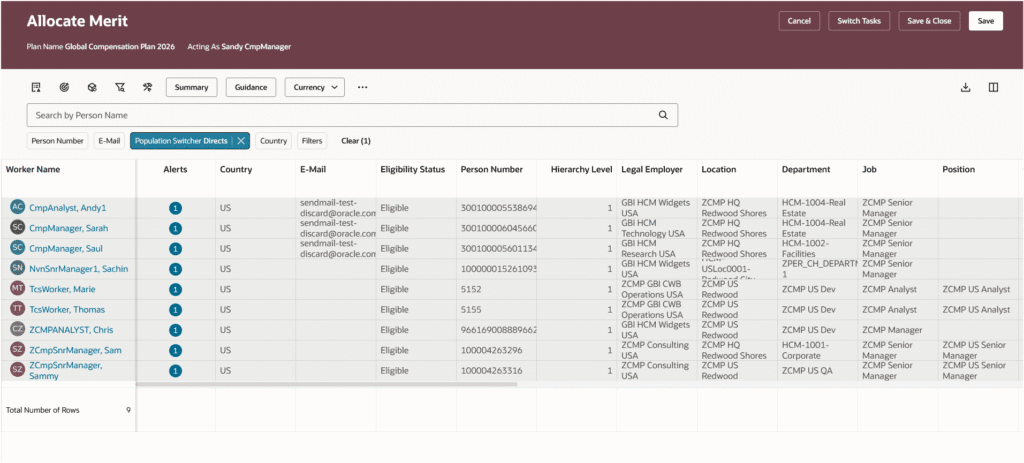
Update 26C delivers 8 Redwood features across Compensation. The flagship delivery is the Workforce Compensation Worksheet in Redwood — providing managers with a modern worksheet interface featuring consolidated alerts, fixed header and footer totals, panel drawer access for notes, attachments and assignment segments, a currency switcher, and a new Show Calculation Trail option. The Total Compensation Statement also transitions to Redwood with four new pages covering Statement Definitions, Printable Statement Templates, Generate Printable Statements, and Monitor Processes. Additional Redwood enhancements include expanded extensibility for Individual Compensation and Salary History pages, and Setup and Maintenance links that now launch Redwood pages directly.
2. Generative AI
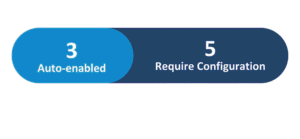
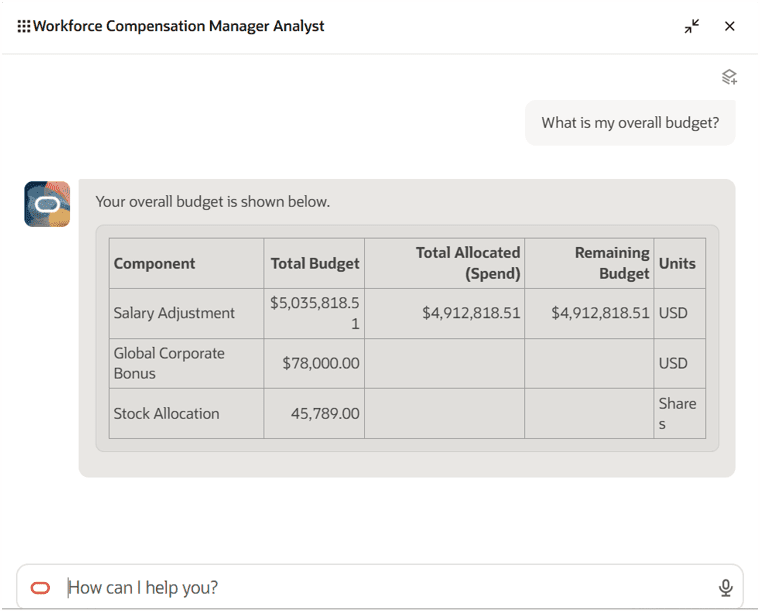
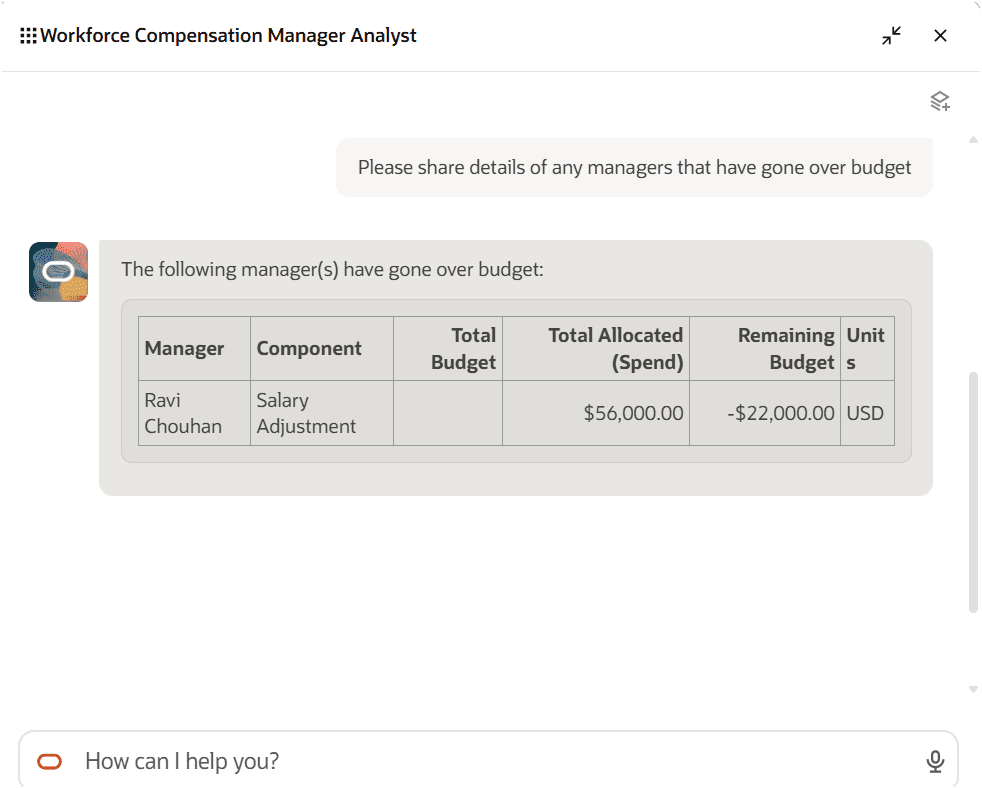
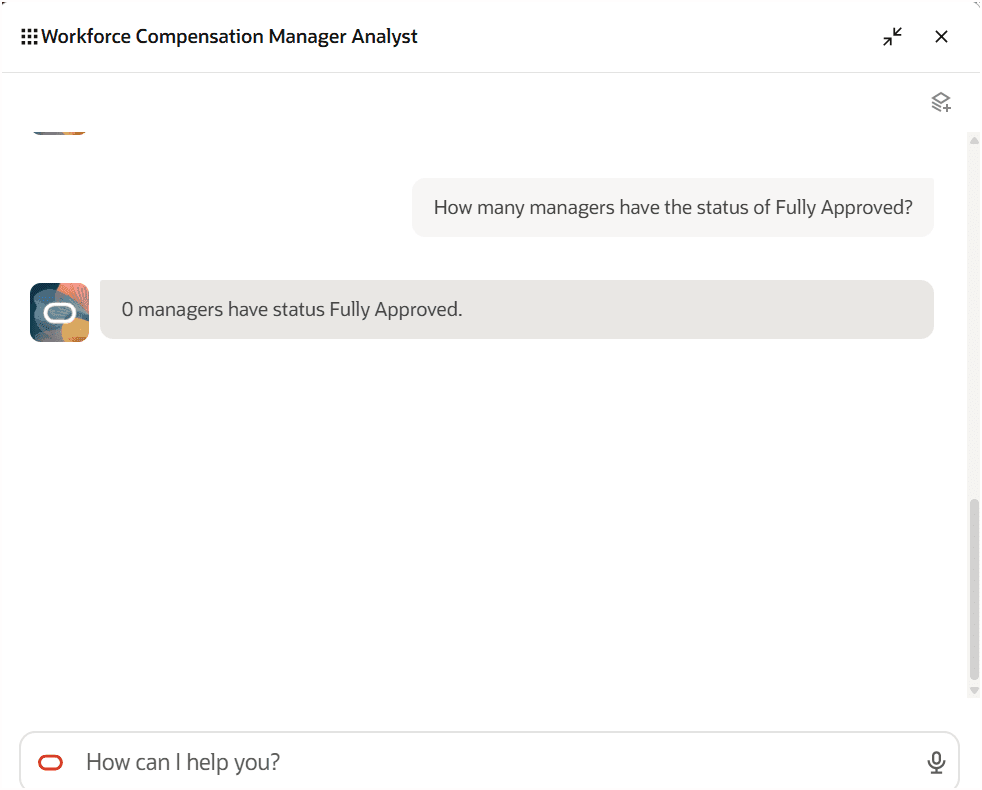
Update 26C introduces 1 Generative AI feature across Compensation. The Workforce Compensation Manager Analyst AI Agent lets worksheet managers query plan-level information through natural-language conversation — including reporting manager worksheet status, overall budget and overage information, and manager due dates — without navigating through multiple worksheet pages.
3. Redwood Experience for Workforce Compensation Worksheet
Quick Notes:


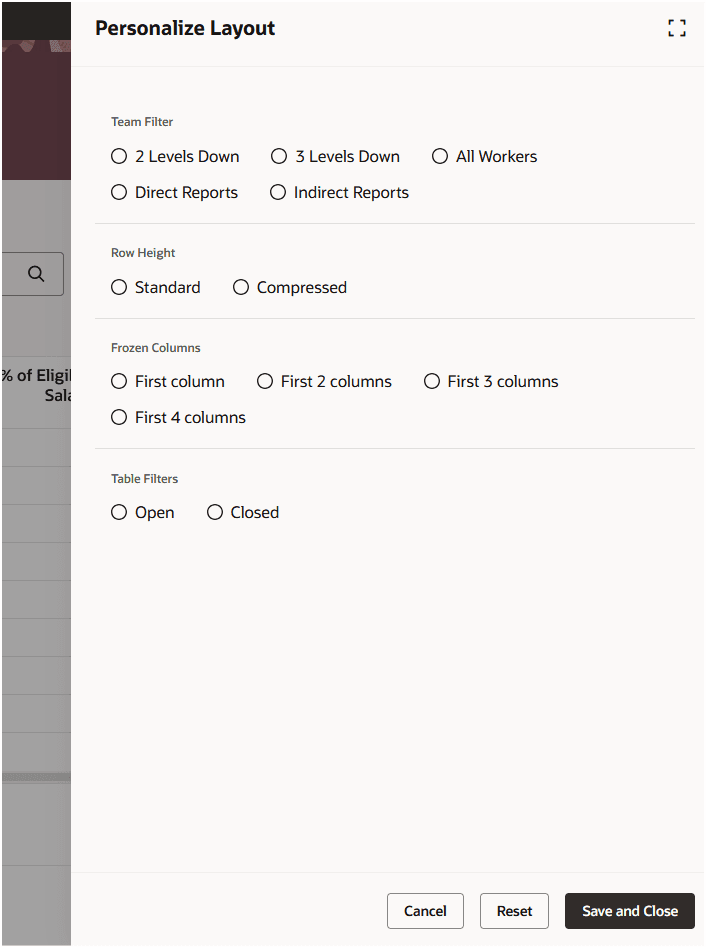
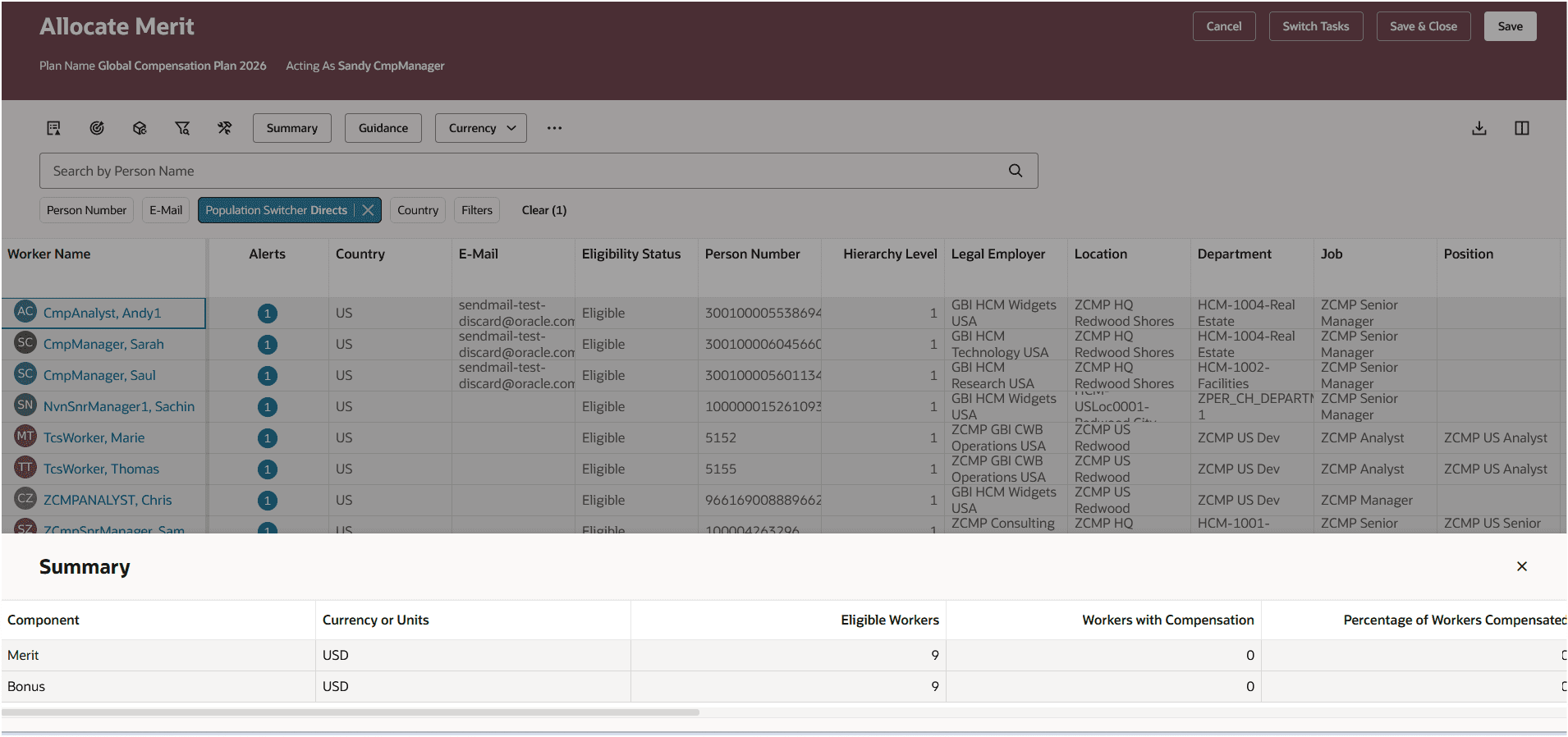
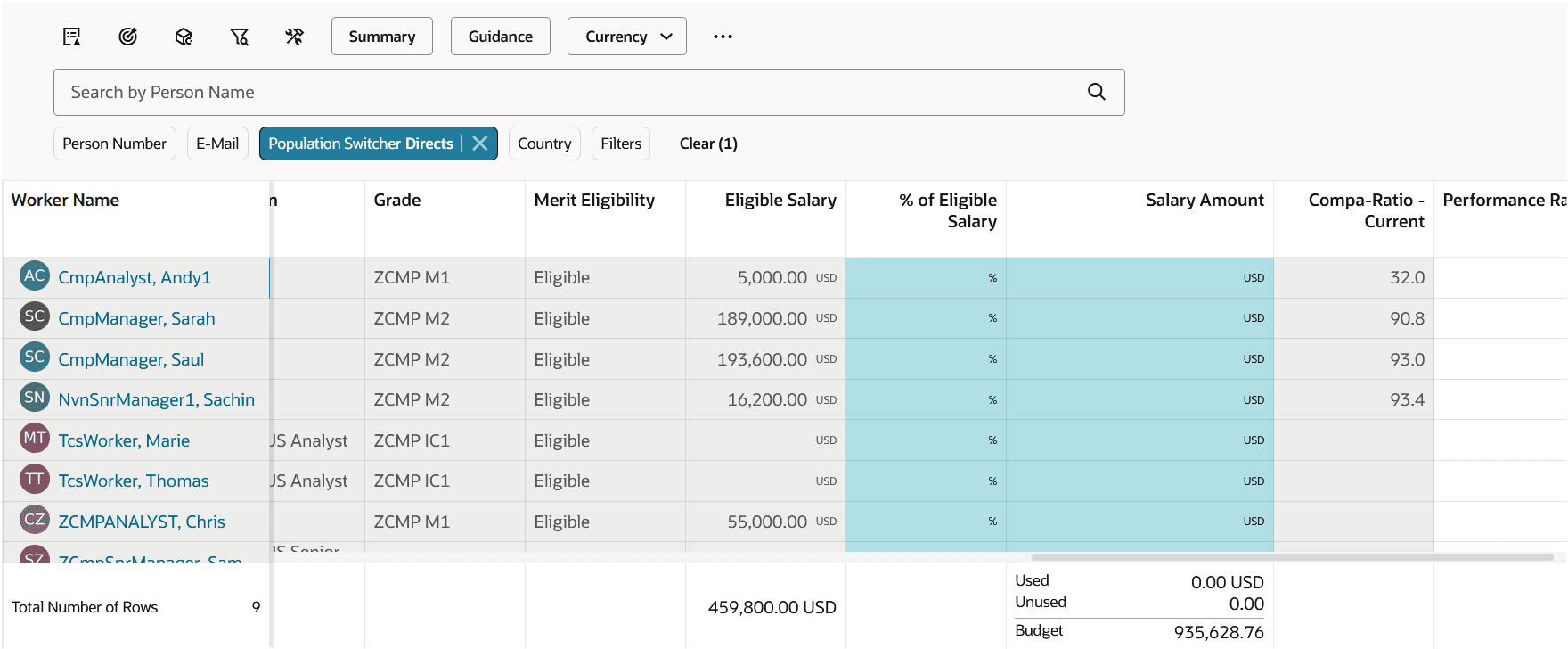
The Workforce Compensation worksheet is now available in the Redwood user experience, providing managers with a modern worksheet interface from the landing page.
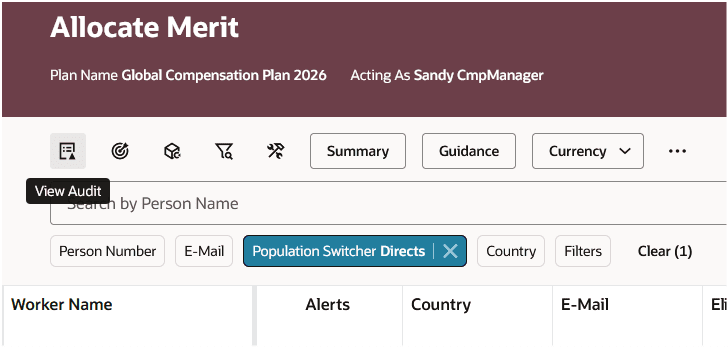
- Toolbar icons give quick access to Audit Trail, Apply Targets, Apply Models, Filters, Personalize Layout, Summary View, Guidance, Currency Switcher, Overflow Menu, Download, and Manage Columns
- Alerts consolidated into Error, Warning and Info categories — clicking the alerts icon opens a panel drawer listing all triggered alerts
- Header and footer remain fixed while managers scroll, retaining access to totals for Eligible Salary, Compensation Amount, and Target Compensation
- Compensation History opens in a new tab displaying the Redwood Compensation History page
- Notes and Attachments accessible via panel drawers using HCM Notes (new notes must be created — SCM Notes are not migrated)
4. Workforce Compensation Analyst AI Agent
Quick Notes:
The Workforce Compensation Manager Analyst AI Agent allows worksheet managers to review plan information through natural-language conversation. The agent operates in the context of the plan and provides manager-level summary data only.
- Ask about the status of reporting manager worksheets without navigating multiple pages
- Query overall budget information including budget overages at a manager level
- Review manager due date information and approval status across the plan
5. Configurable Business Title Switcher Introduction in Compensation Pages
Quick Notes:
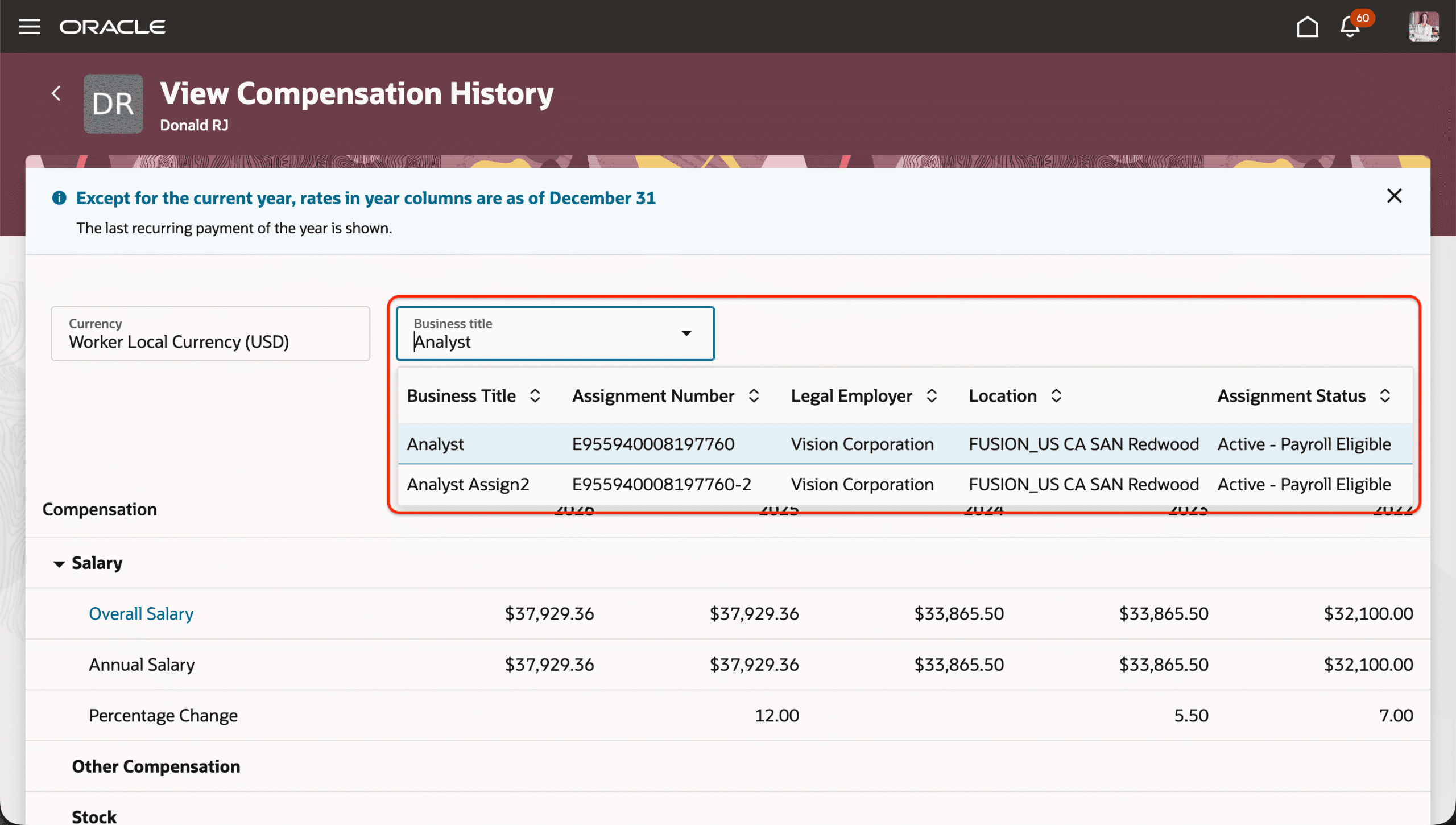
The Business Title Switcher in Redwood My Compensation, Compensation Info, and View Compensation History pages have been enhanced with search and filter functionality for faster, more targeted value selection.
- Search by key attributes such as name or code directly within the Business Title Switcher LOV
- Configuration options for both Database search and Oracle Search are available
- Drives higher productivity and data accuracy by enabling faster, more targeted value selection


6. Enhancements to Redwood Salary, Compensation History Extensibility
Quick Notes:

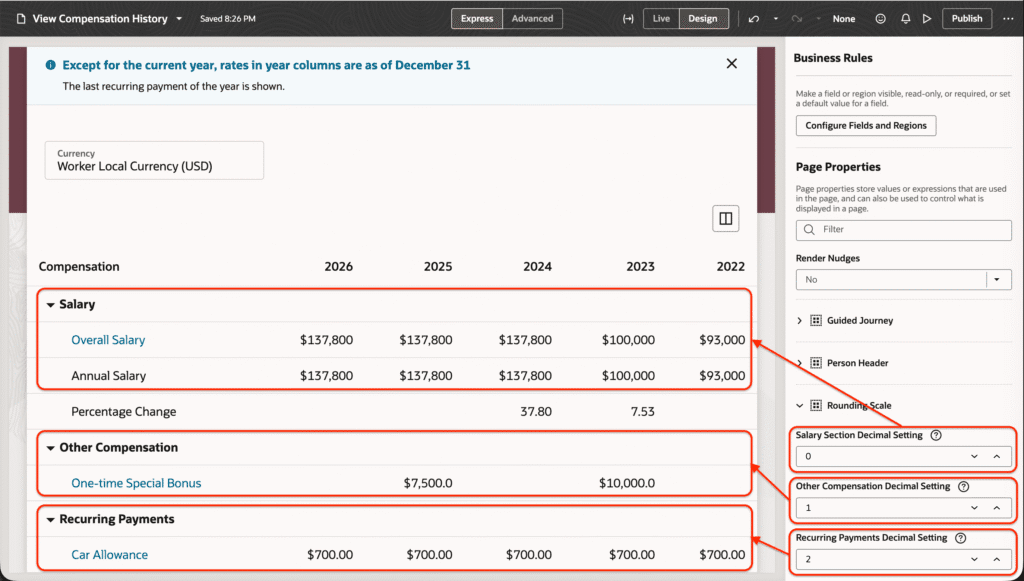
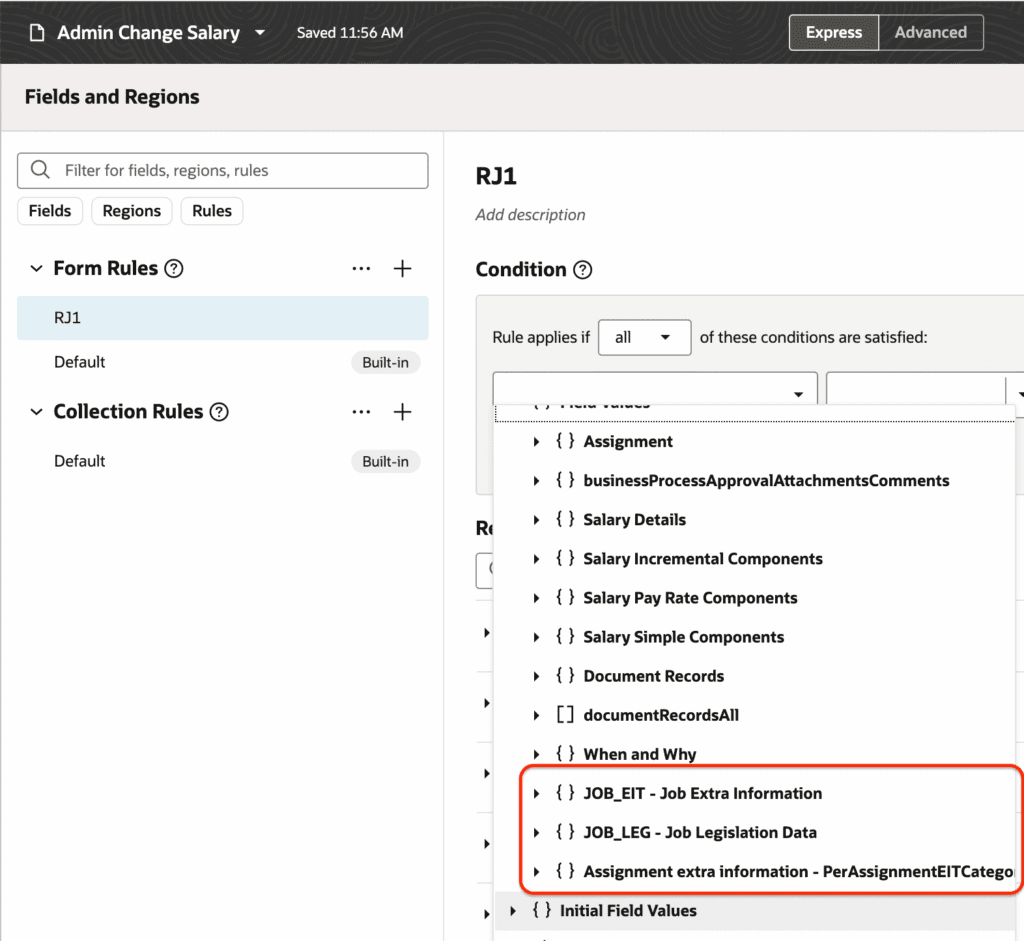
You can now configure decimal settings for monetary values in the Redwood View Compensation History summary page, and apply both defaulting and validation rules to the same field with support for job and assignment EFF.
- Configure decimal display settings individually for monetary values in the Salary, Other Compensation, and Recurring Payments groups
- Apply both defaulting and validation business rules to the same field — previously only one rule type per field
- Use job EFF and assignment EFF attributes as conditions in defaulting and validation rules for more dynamic business rule configuration