Oracle HCM Compensation Cloud 26D
Low

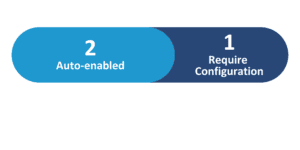
Feature Enablement
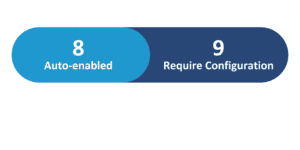
Redwood Features
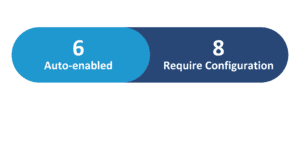
Generative AI Features
26D Update Features Covered:
- Redwood Experience
- Generative AI
- Total Compensation Statement: AI Agent – Additional Features
- Expanded Change Salary Assistant Capabilities
- Bulk Approve Progressions and Salary Updates
- Preserve Salary Data for Changes in When Date
- Adjust Budgets In Administer Workers
1. Redwood Experience
The Redwood experience in Compensation is enhanced with several key updates. Administrators can now directly adjust manager-level budgets within Administer Workers, streamlining budget management. Approvers benefit from the ability to bulk approve progression and salary updates, significantly reducing administrative effort. Furthermore, salary data is preserved across effective date changes in various Redwood flows, minimizing re-entry and improving data accuracy. These enhancements collectively deliver a more efficient and intuitive user experience.
2. Generative AI
Oracle continues to expand its Generative AI capabilities within Compensation, empowering both employees and managers. The Total Compensation Statement AI Agent now offers enhanced functionality, allowing employees to query their specific statement data for a deeper understanding of their compensation. Concurrently, the Change Salary AI Agent provides managers with expanded conversational capabilities, enabling them to find workers, review salary details, and propose changes more efficiently using natural language, including policy-specific questions.
3. Total Compensation Statement: AI Agent – Additional Features
Quick Notes:


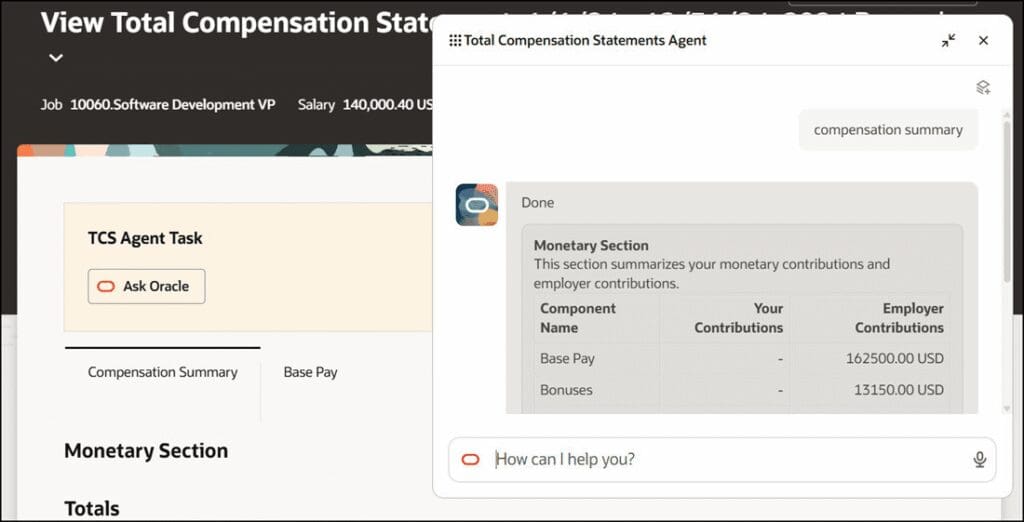
Previously, the Total Compensation Statement (TCS) AI agent utilized Retrieval Augmented Generation (RAG) to answer general questions based on uploaded documents. This enhancement significantly expands the agent’s utility by enabling it to access and interpret individual employee compensation data.
Employees can now interact with the AI agent through an “Ask Anything” chat box to clarify specific details about their personal statement, such as compensation summaries, cash compensation breakdowns, bonus lists, benefit contribution details, and salary retrieval.
This direct access to personalized data empowers employees to gain a more comprehensive understanding of their total compensation package, fostering greater transparency and reducing the need for manual HR inquiries.
Business benefits:
- Provides employees with personalized answers to compensation questions.
- Enhances understanding of individual total compensation statements.
- Reduces the need for HR intervention for common inquiries.
- Increases transparency regarding compensation details.
4. Expanded Change Salary Assistant Capabilities
Quick Notes:
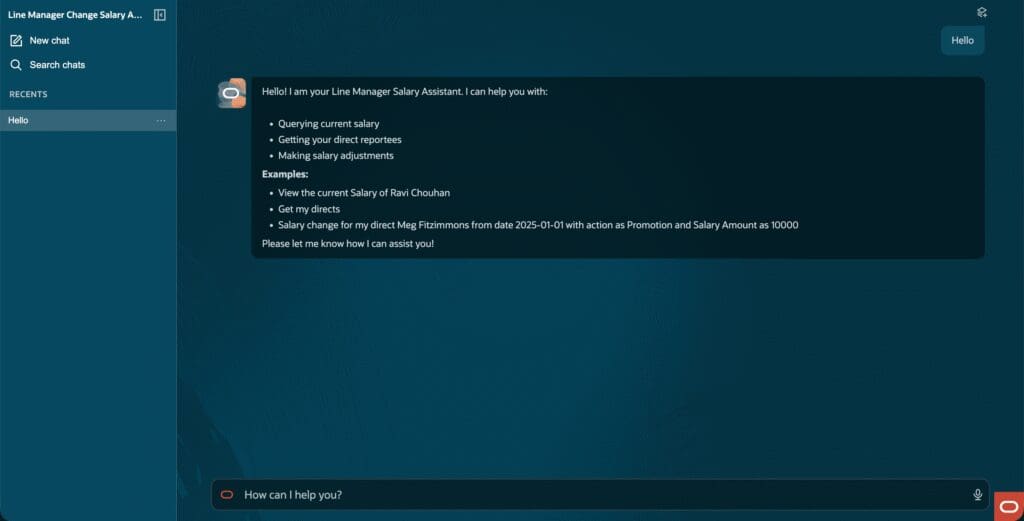
The Change Salary AI Agent now offers significantly expanded capabilities, allowing managers to perform a wider range of salary-related tasks conversationally. Managers can search for and view both direct and indirect reports, review comprehensive current salary details including compa-ratio and range position, and propose changes for primary and non-primary assignments, as well as incremental and simple component salaries.
A key enhancement includes the ability to ask policy-specific questions, with responses based on customer-added salary policy documents. The assistant maintains conversation context, guiding users from questions to transaction preparation, and provides assignment-aware links for unsupported operations, ensuring a seamless and efficient salary review process.
Business benefits:
- Enables managers to complete more salary tasks conversationally.
- Provides policy-specific answers based on uploaded documents.
- Supports salary changes for primary, non-primary, and component salaries.
- Streamlines the salary review and proposal process.
5. Bulk Approve Progressions and Salary Updates
Quick Notes:

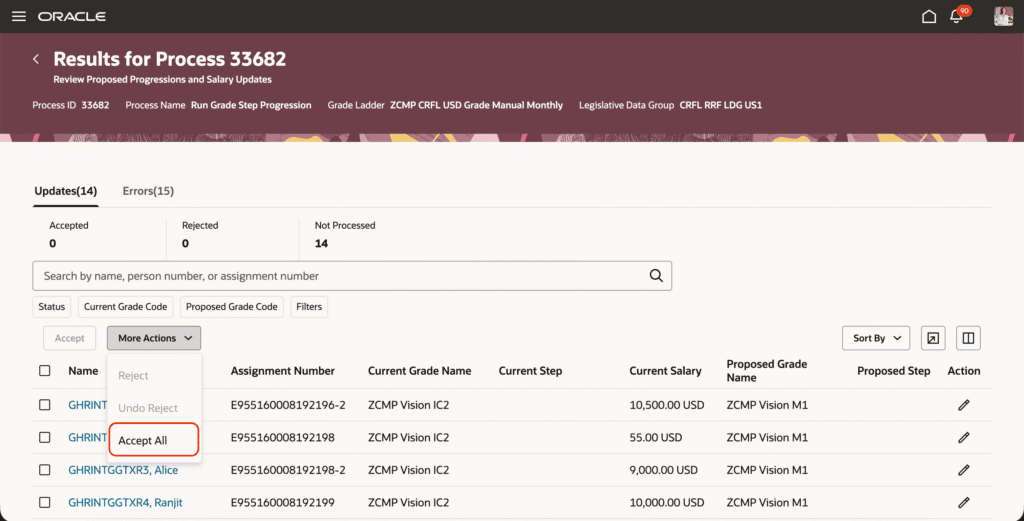
This feature introduces the ability to bulk approve all unprocessed proposals for grade ladders that utilize manual confirmation on the Redwood Review Proposed Progressions and Salary Updates page. This includes both Grade Step Progression and Rate Synchronization proposals, even those beyond the currently displayed rows.
Upon submission, a background process is initiated, and its ID is provided for monitoring in Scheduled Processes. This enhancement significantly reduces the administrative burden associated with large volumes of proposals, eliminating the need for repeated scrolling, filtering, and individual submissions.
It allows for efficient processing while still preserving the crucial review step before salary and assignment updates are finalized and posted.
Business benefits:
- Reduces administrative effort for large proposal populations.
- Streamlines the approval process for grade step progressions.
- Minimizes repeated scrolling and individual submissions.
- Maintains review before salary and assignment updates are posted.
6. Preserve Salary Data for Changes in When Date
Quick Notes:
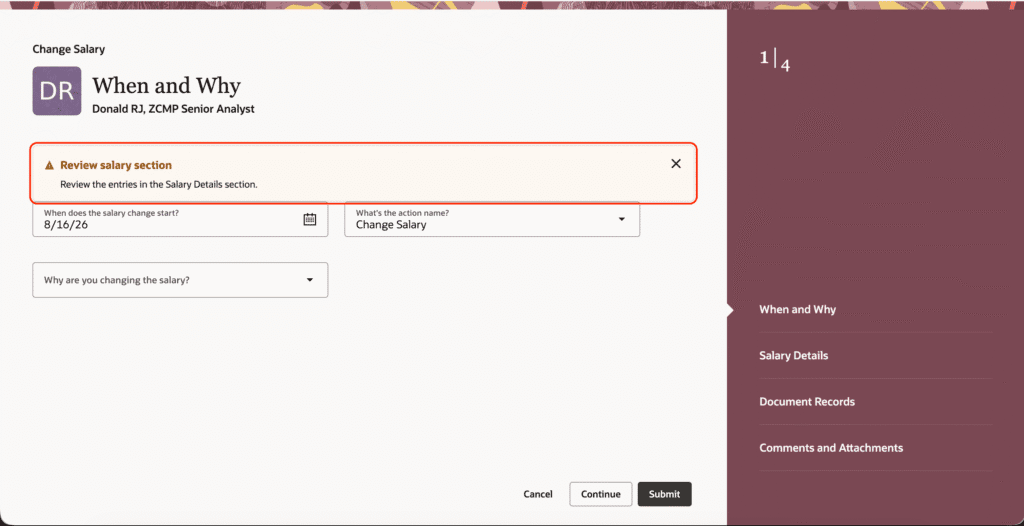
This feature ensures that when managers, HR specialists, or approvers modify a transaction’s effective date, supported salary entries remain available if they are valid on the revised date. This functionality applies across various Redwood flows, including Change Salary, Promote, Change Assignment, and Global Transfer, among others.
It supports simple, component-based, and rate-based salaries. Users are prompted to review transaction data after an effective date change, allowing them to verify retained values or values recalculated based on new effective grade or value-by-criteria rates.
This enhancement significantly reduces duplicate data entry and improves the accuracy of salary transactions when effective dates are corrected, streamlining the overall process.
Business benefits:
- Reduces duplicate data entry during effective date changes.
- Improves accuracy of salary transactions.
- Retains valid salary values across various Redwood flows.
- Prompts users to review recalculated values for accuracy.
7. Adjust Budgets In Administer Workers
Quick Notes:
Compensation administrators can now directly adjust manager-level budgets from the Budget tab within the Administer Workers interface, provided budgets are actively used in a compensation plan. This new capability eliminates the need to navigate to Workforce Compensation or use the “Act as Proxy” function for budget modifications. A convenient panel drawer allows administrators to select from available reasons for the adjustment and input updated budget values.
After selecting “Update,” the changes are immediately reflected in the Budgets tab. This streamlined process enhances administrative efficiency, making budget management more intuitive and accessible directly from a central worker administration hub.
Business benefits:
- Allows direct adjustment of manager-level budgets.
- Eliminates the need to use “Act as Proxy” for budget changes.
- Streamlines budget management for compensation administrators.
- Enhances administrative efficiency and ease of use.