Oracle HCM Global Human Resources Cloud 26B
Low

Feature Enablement
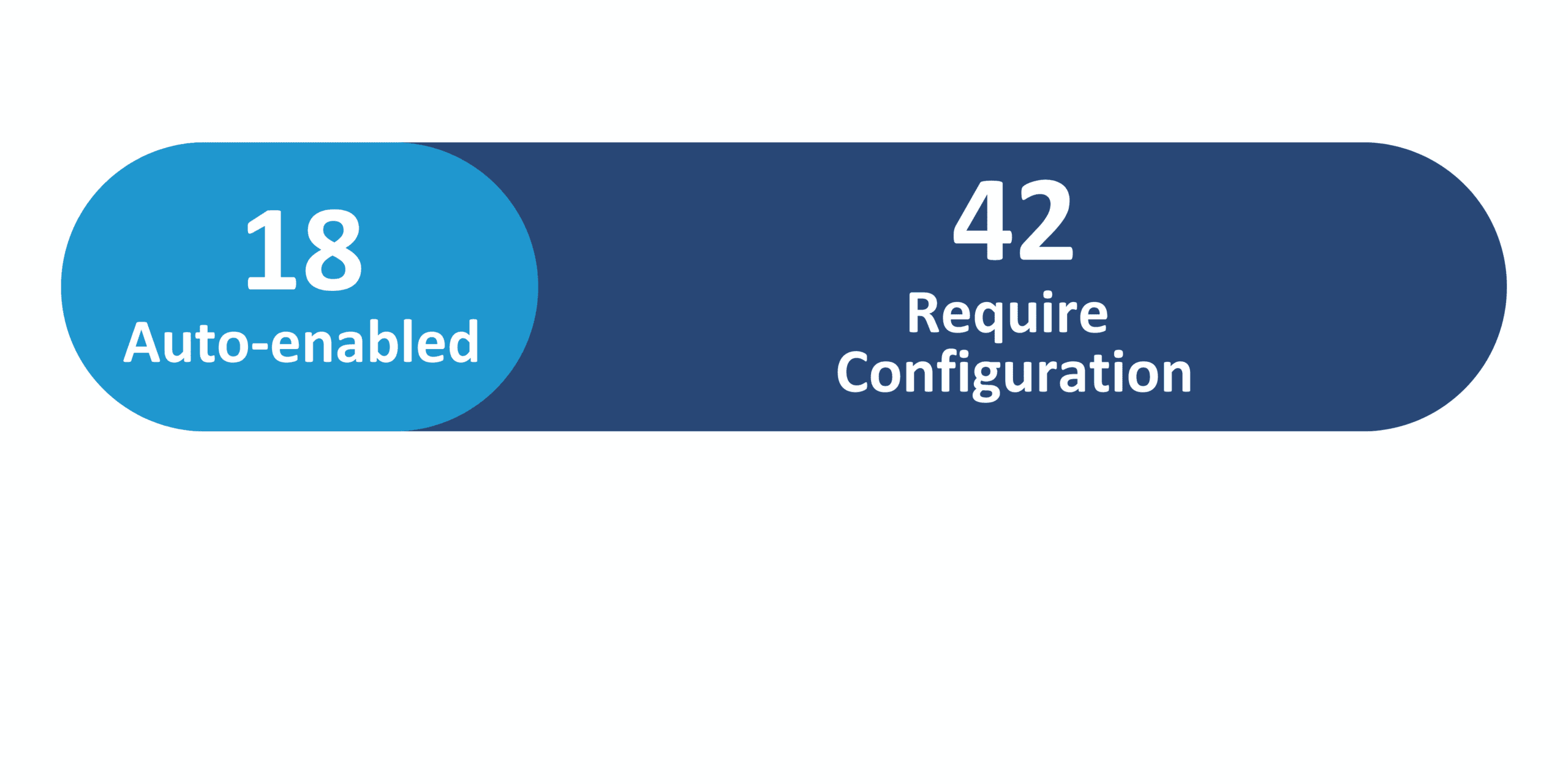
Redwood Features
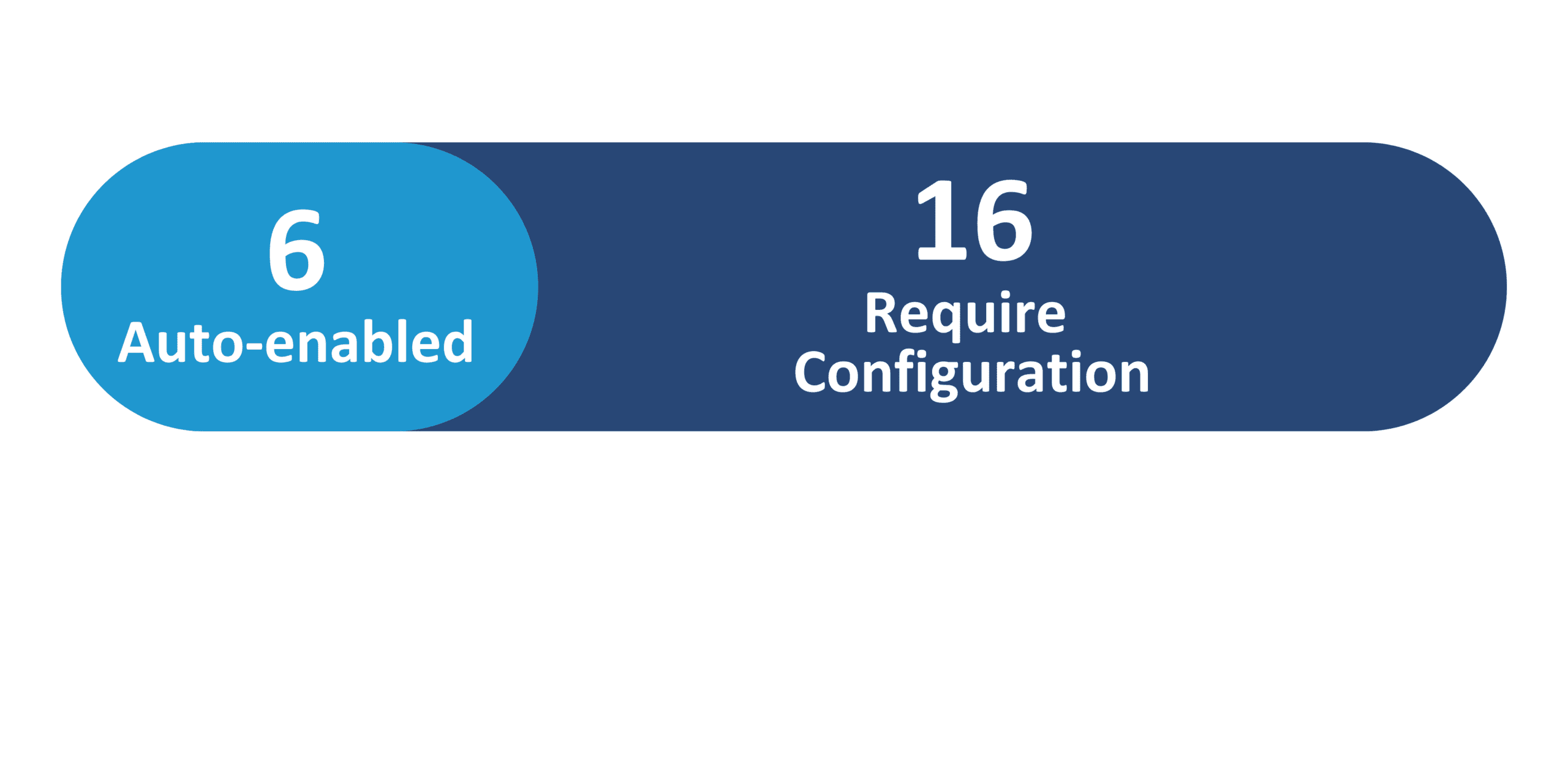
Generative AI Features
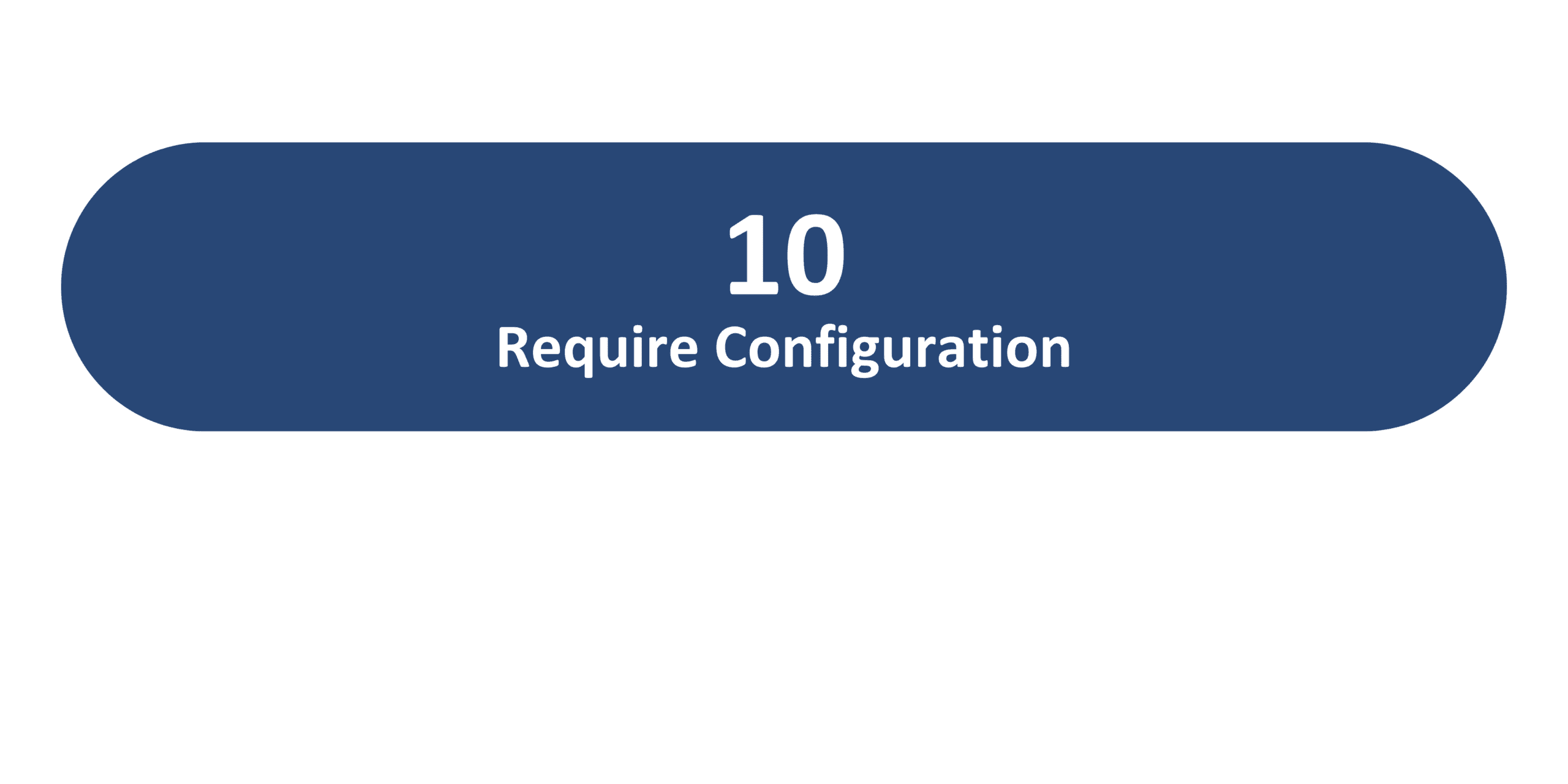
26B Update Features Covered:
- Redwood Experience
- Generative AI
- New Redwood Process to Change Worker Type
- Enhanced Guided Journey Parameters for Redwood Employment Processes
- Time Zone Configuration in Journey Templates
- Hide Org Hierarchy and Position Hierarchy Buttons in Team Activity Center
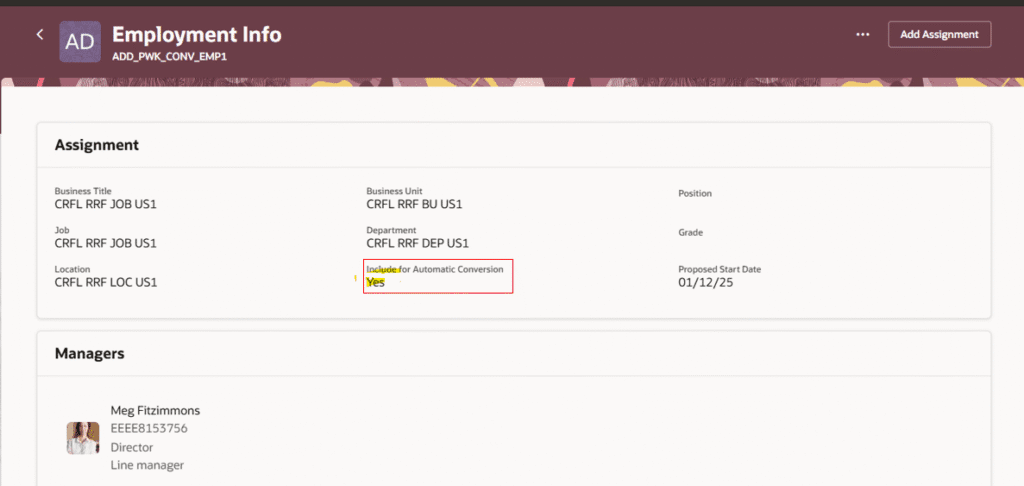
- View “Include for Automatic Conversion” Field for Pending Workers on Redwood Employment Info and View Employment Details Pages
1. Redwood Experience
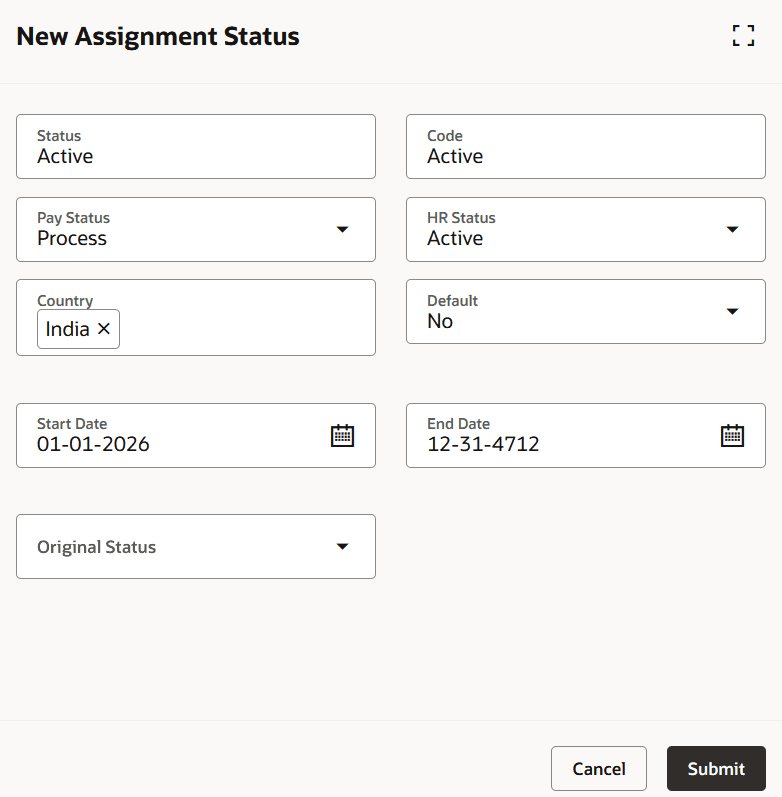
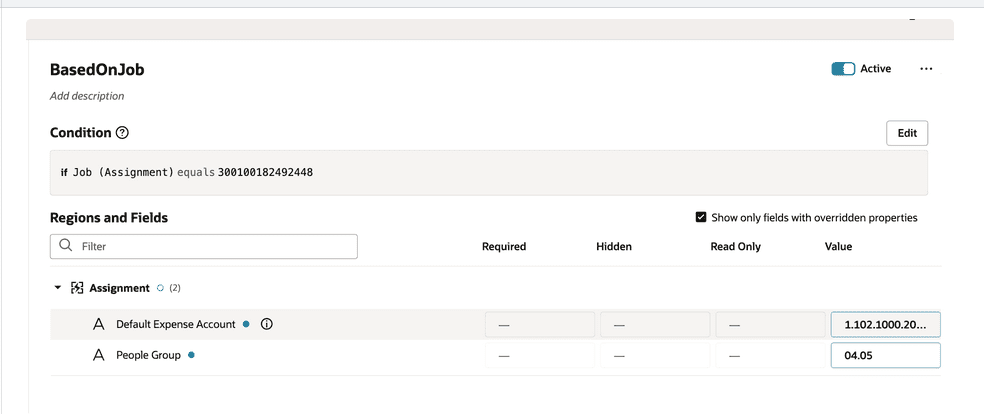
In the 26B release, Oracle continues to develop and enhance new and existing Redwood pages with a focus on streamlined navigation and upgraded performance. Various employment pages receive Redwood upgrades, including Actions Reasons, Assignment Flexfields Mapping, Assignment Statuses, Configure Actions, and Configure Seniority Dates. Existing pages also see supportive upgrades to their functionality, including things such as enhanced search, LOV, and Business Rules options. Additionally, certain profile options will be enabled by default beginning in both 26B and 26C; users should ensure they review these profile options and test and plan accordingly.
2. Generative AI
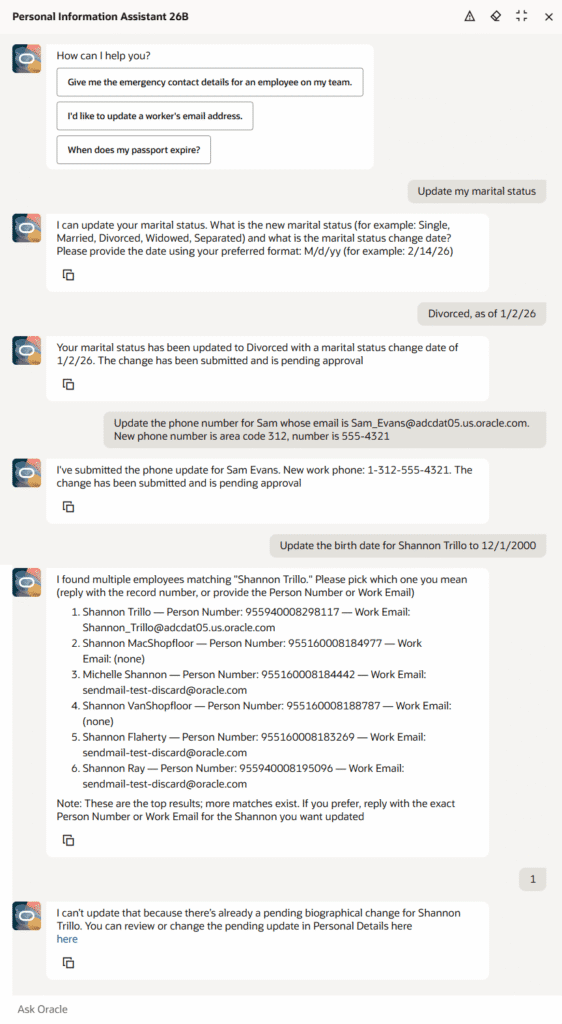
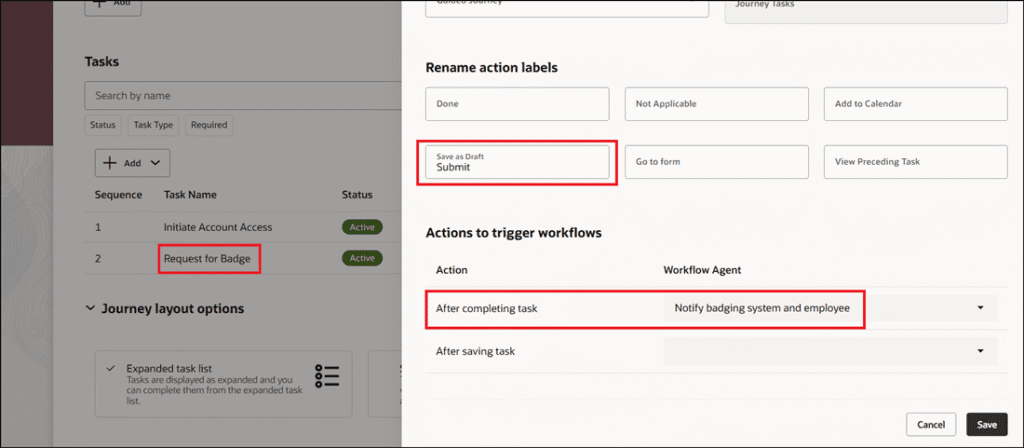
Oracle continues to rollout AI features in the 26B release, focusing on expanding the range of pages that support AI assistance and enhancing the capabilities of AI agents. The Document Records Management Assistant receives a V2 upgrade to better support line managers and HR specialists, while the Personal Information Assistant receives enhanced functionality that allows it to create, update, and delete selected personal information directly in the chat. Additionally, workflow agents can now be associated with Journeys tasks and trigger when those tasks are saved or completed.
3. New Redwood Process to Change Worker Type
Quick Notes:



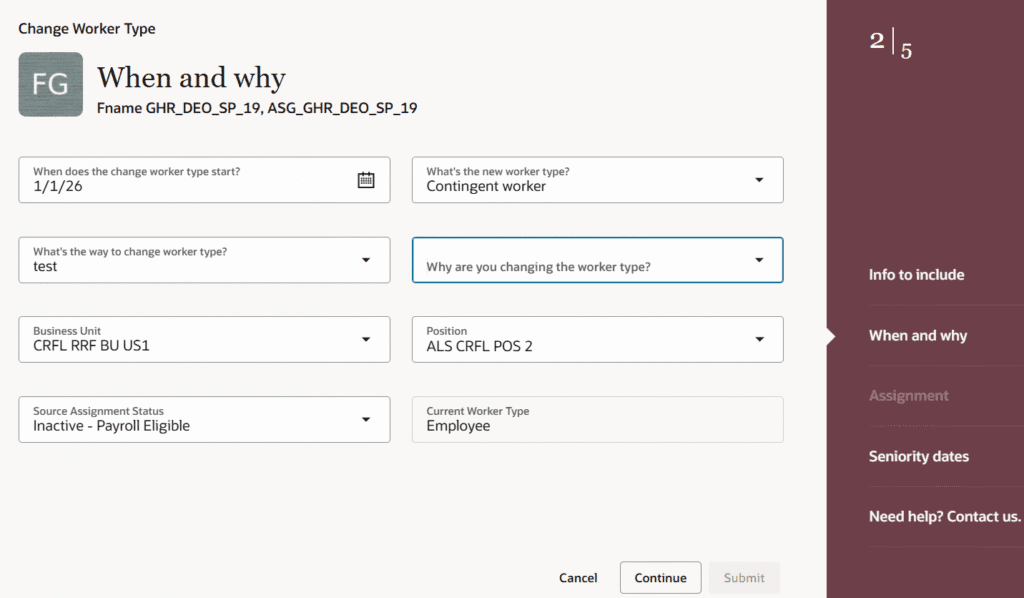
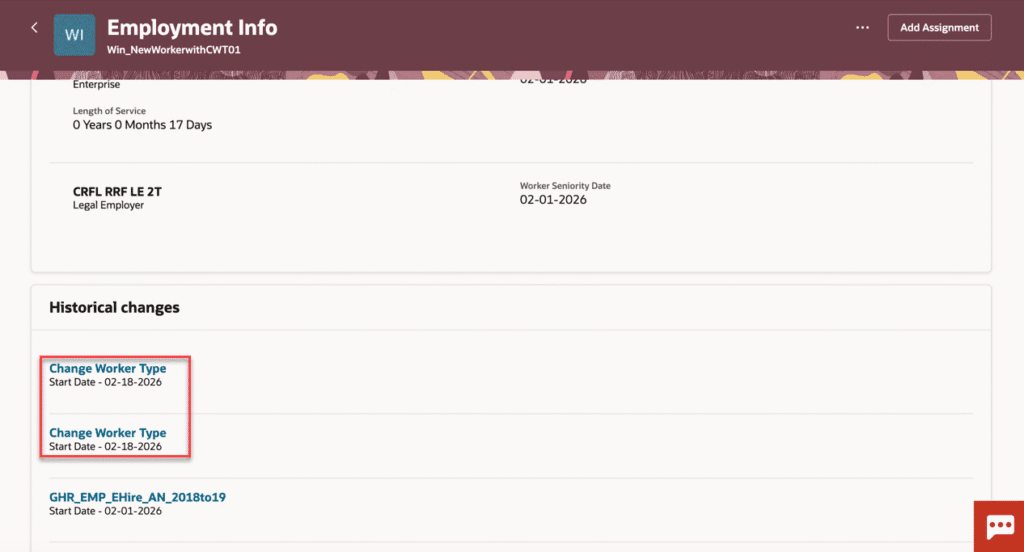
The new Redwood Change Worker Type process allows users to convert workers from one type to another under a single guided flow. Nonworkers, Contingent Workers, and Employees may all be changed from one to the other using this process. Approvals can be configured for this new action, and worker type changes will trigger automatic payroll updates. Users can additionally rollback data that is changed while changing worker type.
This enhancement allows businesses to more quickly respond to their changing needs and requirements by streamlining the process of changing a worker type, which previously required multiple steps and manual intervention when dealing with payroll.
4. Enhanced Guided Journey Parameters for Redwood Employment Processes
Quick Notes:
Additional parameters are now passed from Redwood Employment flows to Guided Journey, enabling users to configure tasks that utilize contextual employee and assignment data, including Person ID and Assignment ID as well as Person Number and Assignment Number.
This enhancement is useful for tasks including contextual data – such as generating customized BIP reports based on the current employee’s context – and reduces the need for users to look up and enter this information manually.
5. Time Zone Configuration in Journey Templates
Quick Notes:
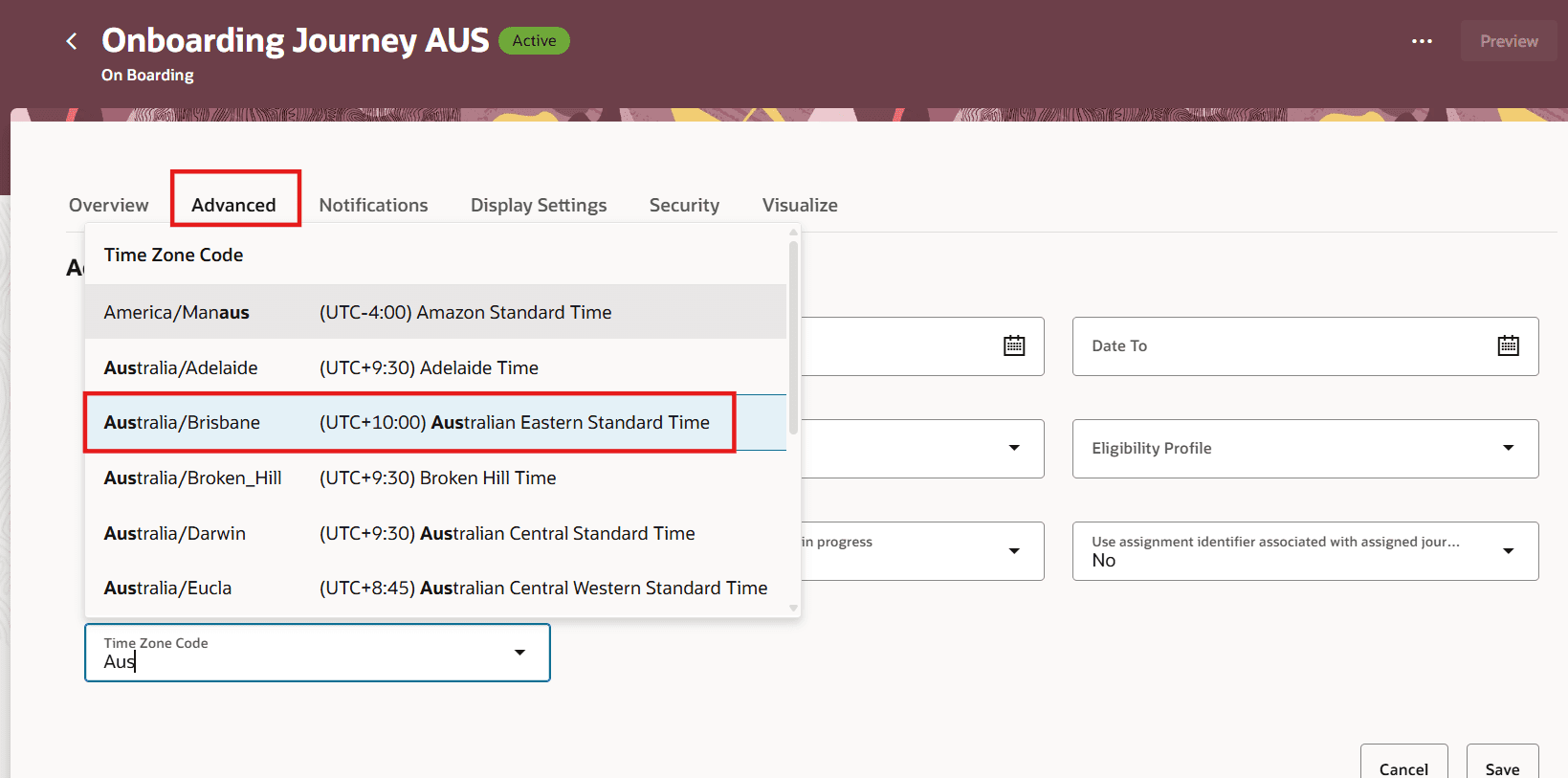
Preferred time zones can now be configured at the Journey template level using the new Time Zone Code field. This allows journey allocation, status changes, and time-based evaluations to follow the selected local time zone rather than the default UTC time zone. Due dates, expiry dates, delay duration, and reminder notifications are similarly updated to fit the selected time zone. To ensure that the code is applied correctly, confirm the Process HR Checklist and Tasks ESS process is scheduled to run daily.
This enhancement makes sure time-sensitive journey and task allocations are handled more effectively and efficiently by reducing delays. Journey templates will still default to UTC unless otherwise changed.
6. Hide Org Hierarchy and Position Hierarchy Buttons in Team Activity Center
Quick Notes:
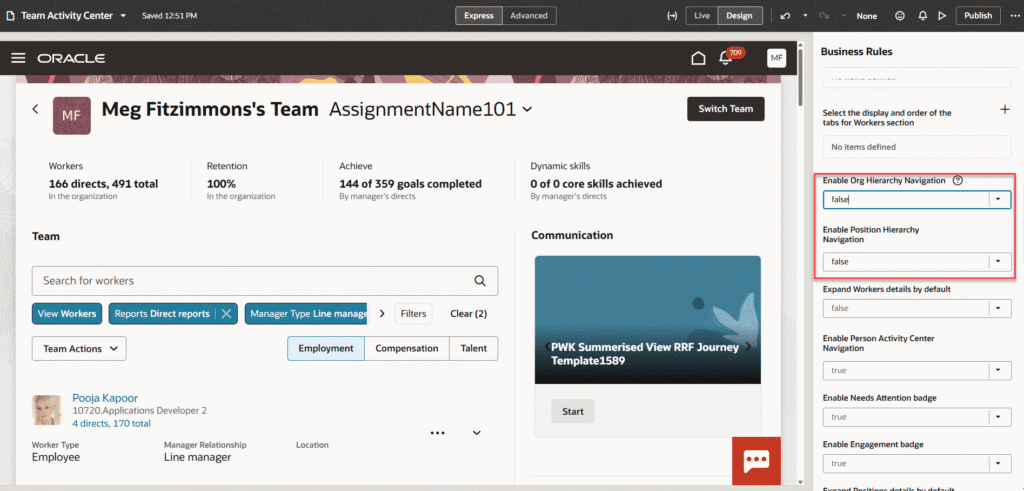
In the Team Activity Center, the Org Hierarchy button under Worker view and Position Hierarchy button under Position view can now be hidden using the Enable Org Hierarchy Navigation and Enable Position Hierarchy Navigation properties under Business Rules.
This allows businesses to hide these hierarchies from managers if the business’s needs require it.
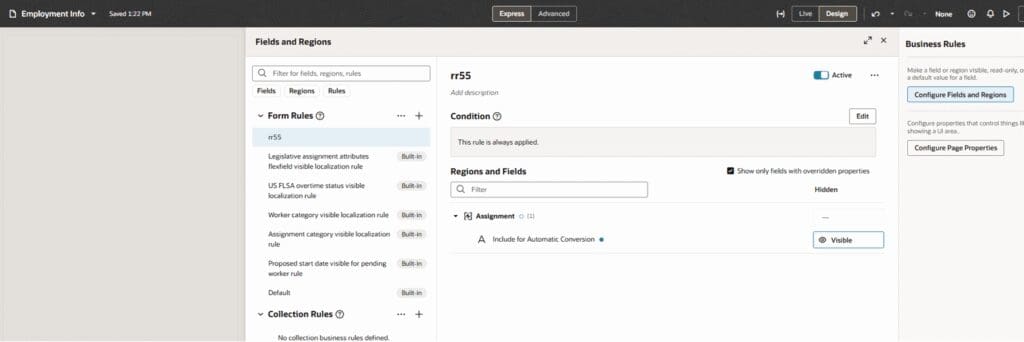
7. View “Include for Automatic Conversion” Field for Pending Workers on Redwood Employment Info and View Employment Details Pages
Quick Notes:
The Redwood Employment Info and View Employment Details pages can now display the Include for Automatic Conversion field by toggling it using Business Rules. This allows HR specialists to quickly verify a pending worker’s conversion readiness without navigating to other pages within the application.