Oracle HCM Compensation Cloud 26B
Low

Feature Enablement
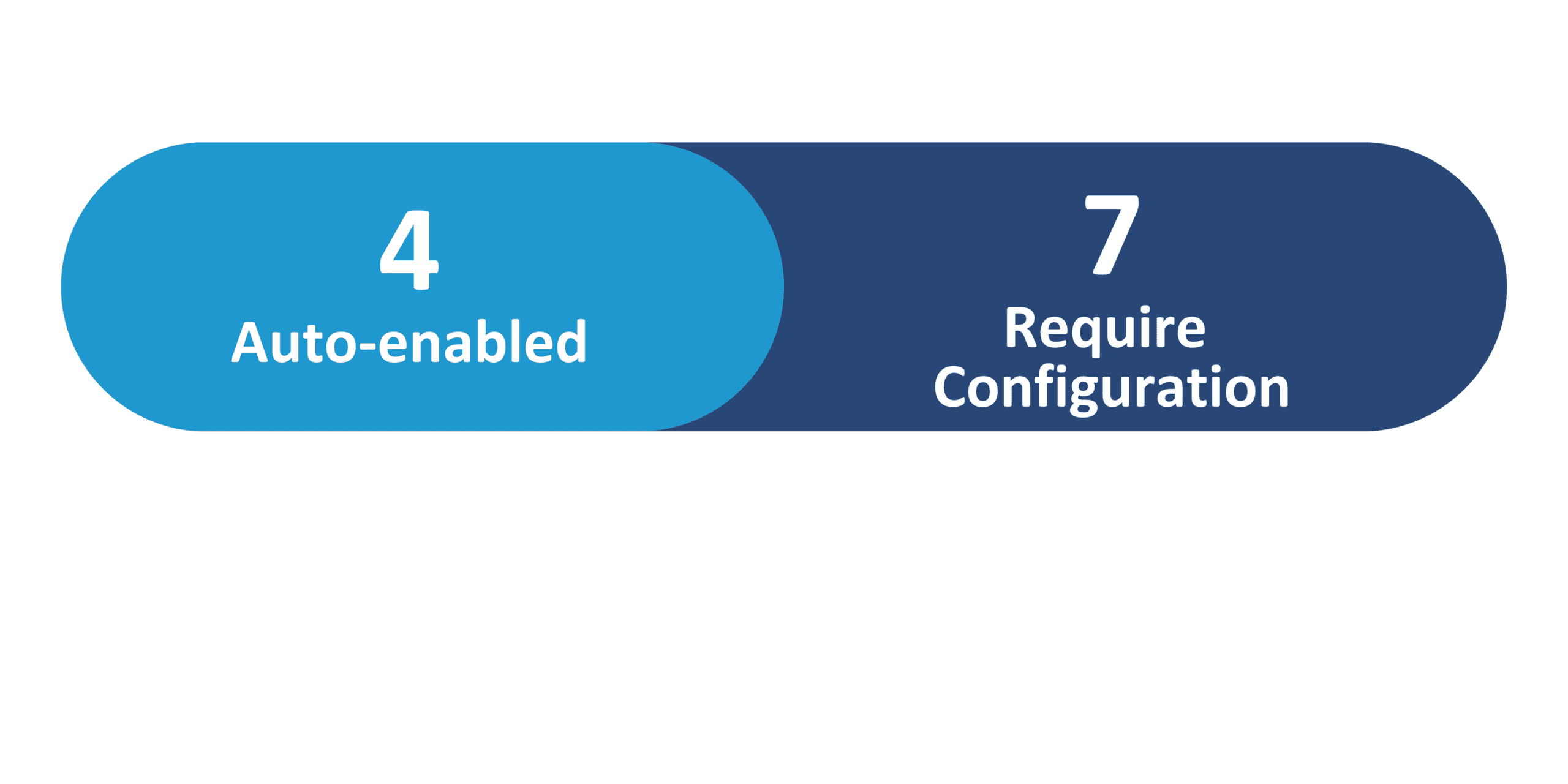
Redwood Features
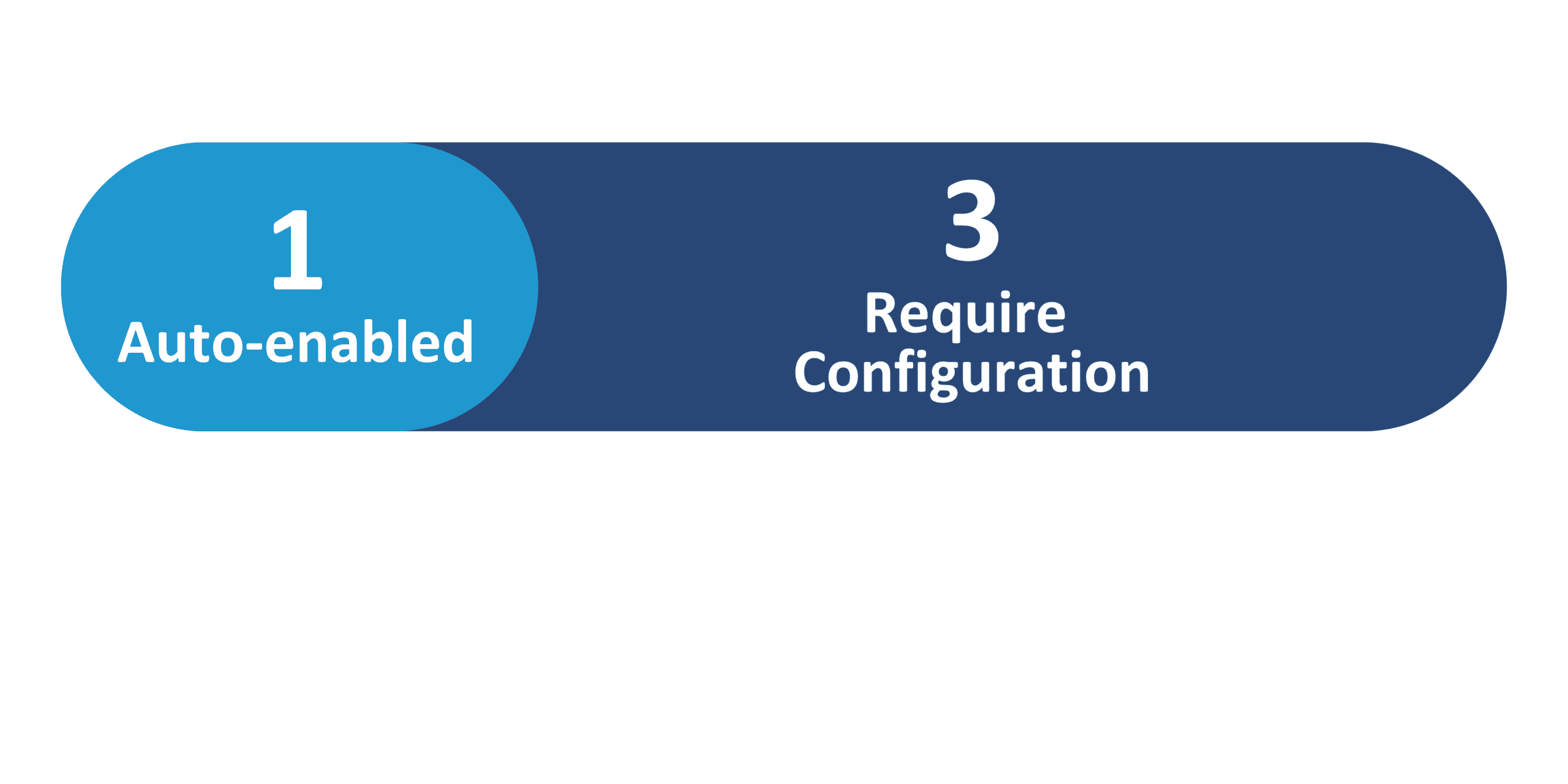
Generative AI Features
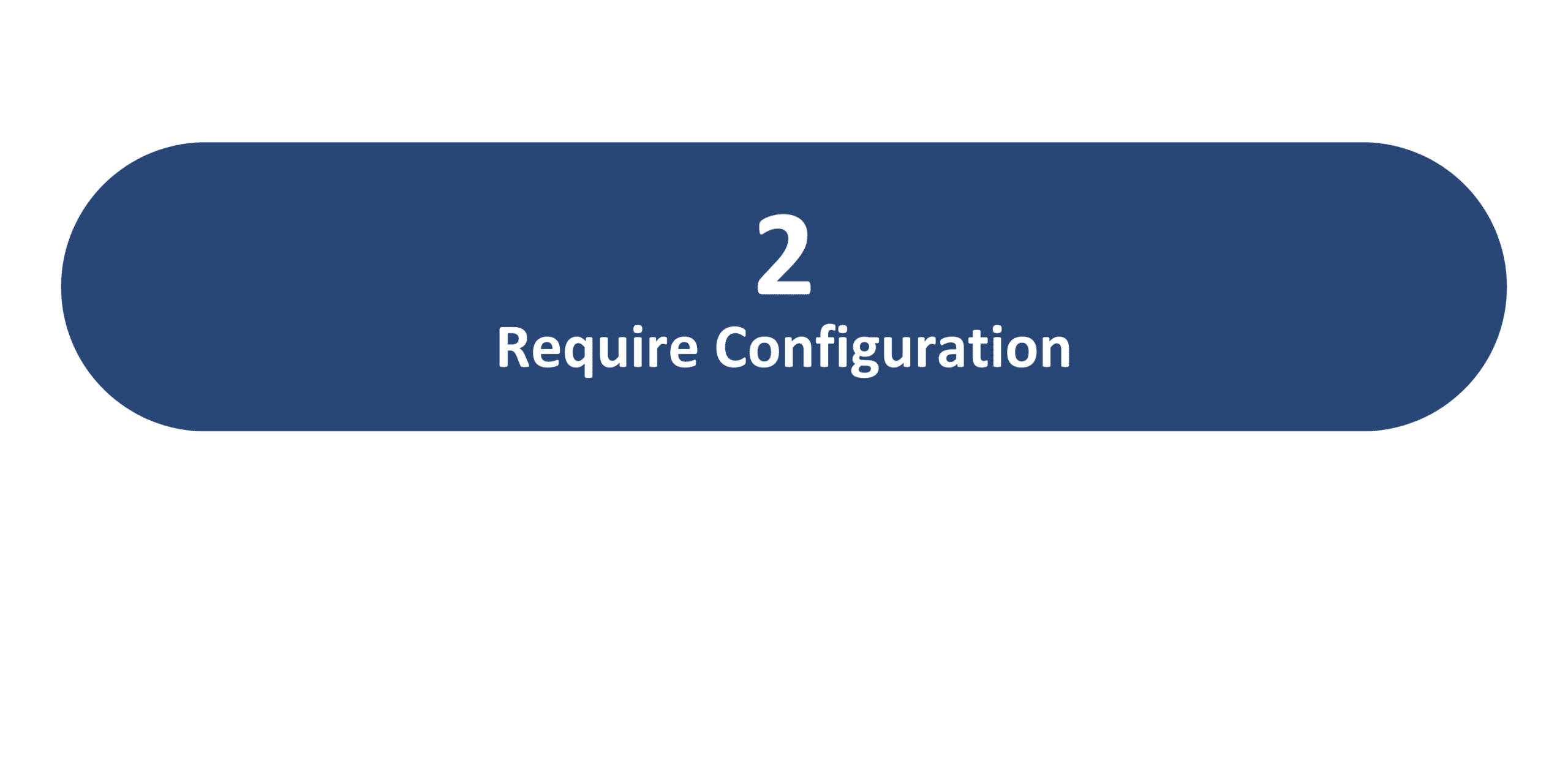
26B Update Features Covered:
- Redwood Experience
- Generative AI
- Extensibility Enhancements to Redwood Individual Compensation Start and End Date Attributes
- Line Manager Salary Change AI Agent
- Personal Contribution AI Agent
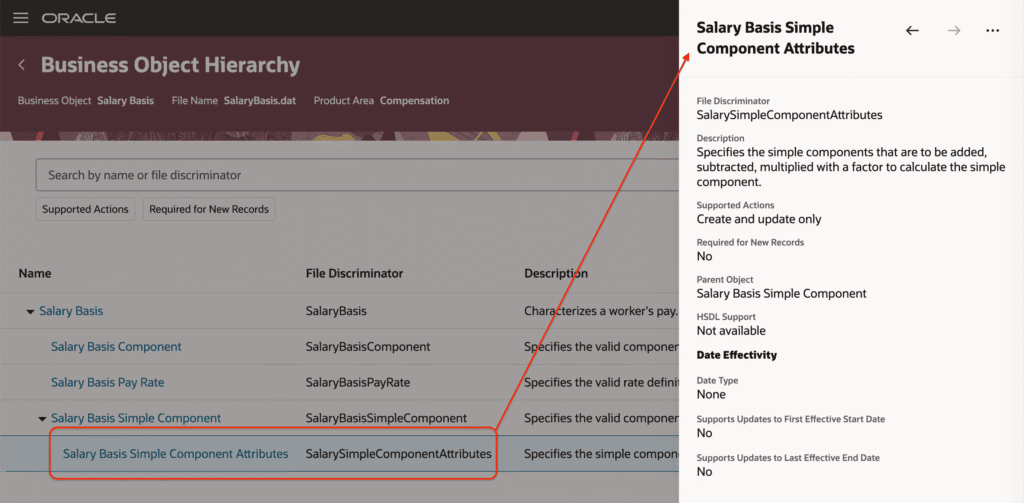
- HDL Support for Salary Basis Calculation Type Simple Component, and Other Miscellaneous
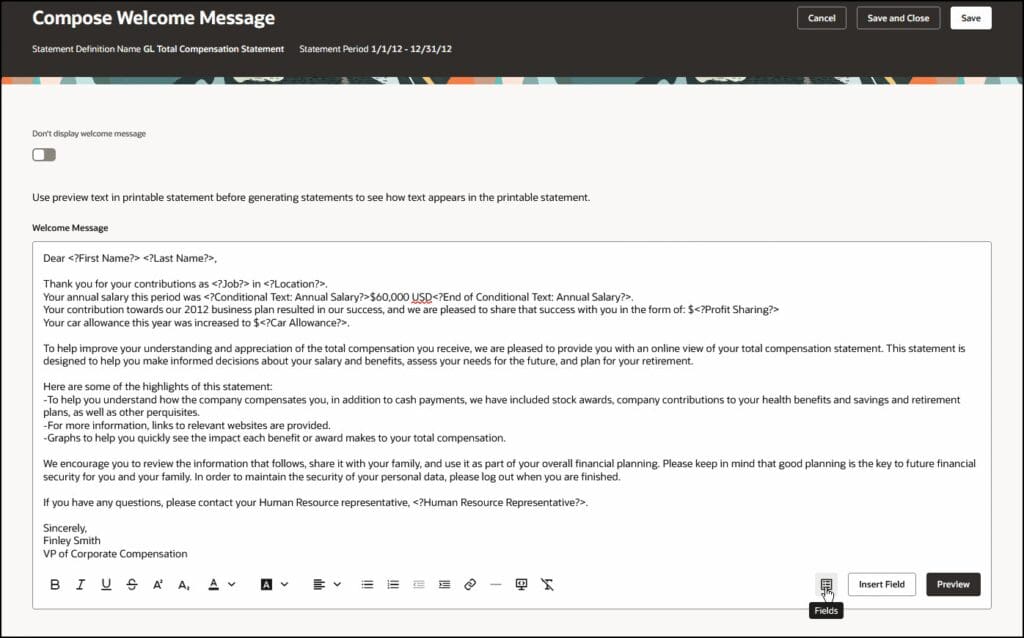
- Total Compensation Statement: Redwood Experience for Welcome Message
1. Redwood Experience
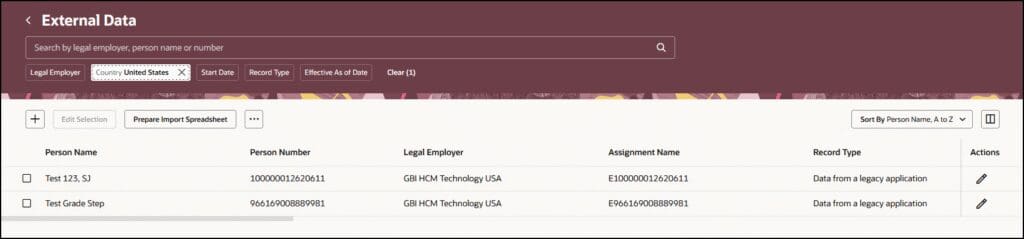
The Redwood enhancements introduced in release 26B continue to improve the overall compensation experience and journey of Oracle Redwood solutions. These updates provide greater flexibility by enabling extensibility for Individual Compensation start and end date attributes through configurable business rules and introduction of redesigned Redwood pages such as External Data and the Total Compensation Statement welcome message further enhancing the consistency and usability of the compensation experience.
2. Generative AI
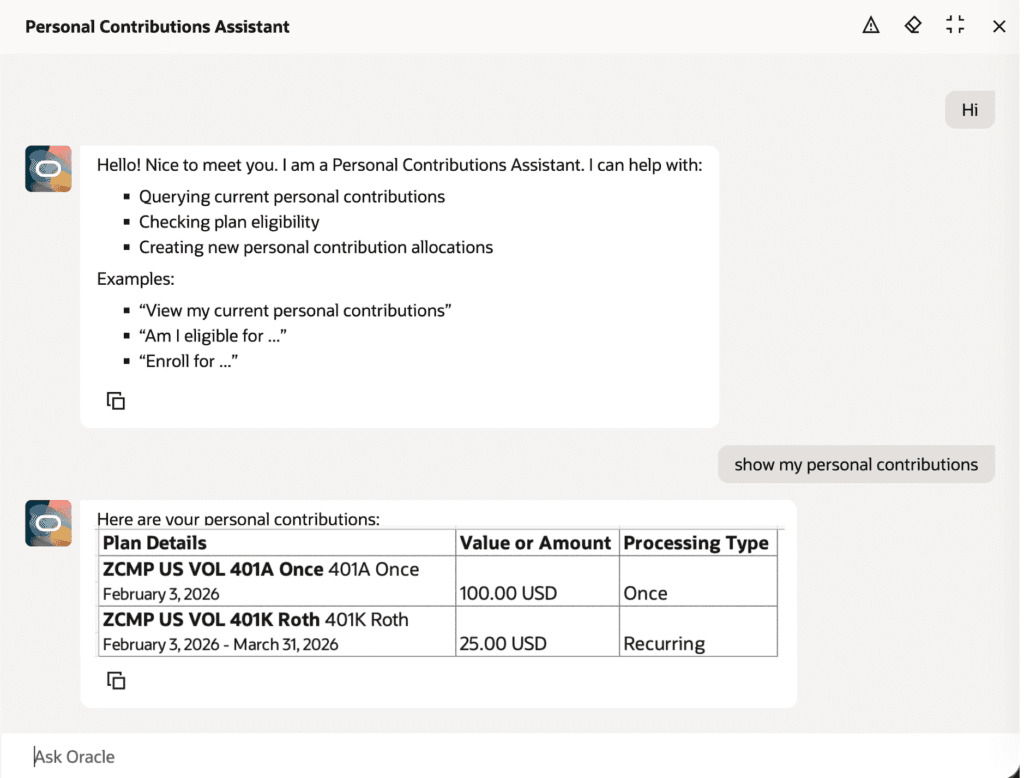
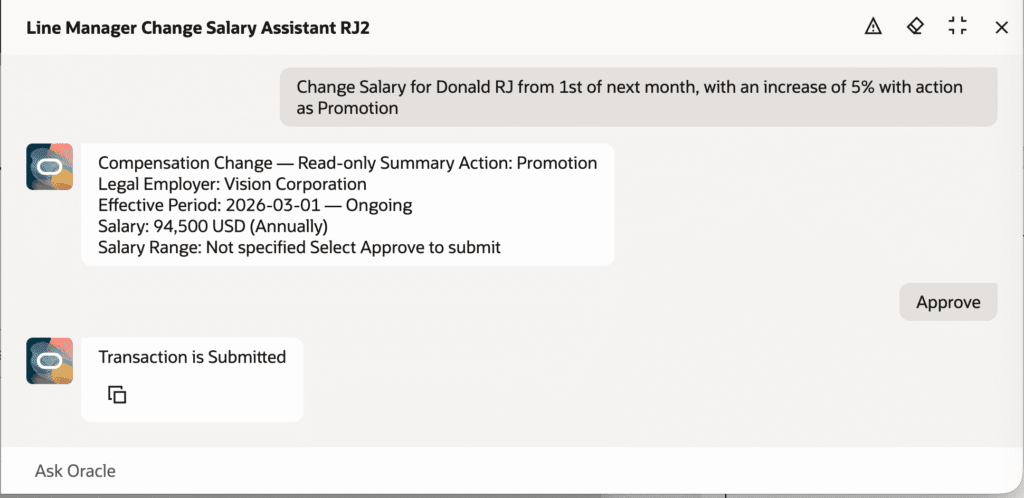
Oracle continues to expand its Generative AI capabilities in the 26B release with new AI-powered agents designed to simplify compensation processes. The Personal Contribution AI Agent enables employees to enroll in new personal contributions and review contribution details in accordance with plan rules. In addition, the Line Manager Salary Change AI Agent allows managers to evaluate and submit salary changes through guided interaction while maintaining standard approval workflows.
3. Extensibility Enhancements to Redwood Individual Compensation Start and End Date Attributes
Quick Notes:



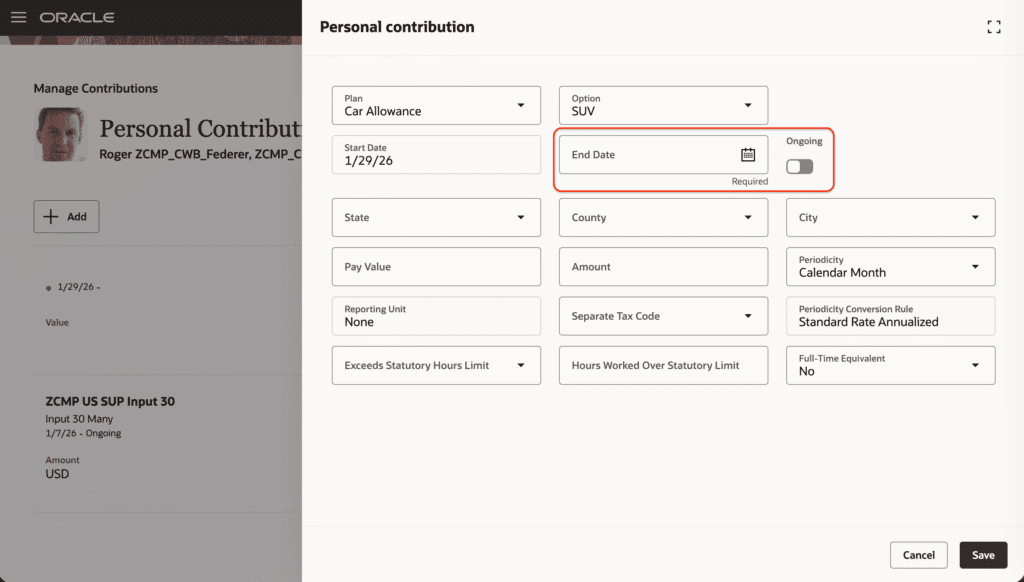
Users can now override the individual compensation plan start and end date behavior by using the VB Studio business rules to configure and validate. When you override, the plan configuration will be ignored and behaviors such as synchronize start date will not take effect.
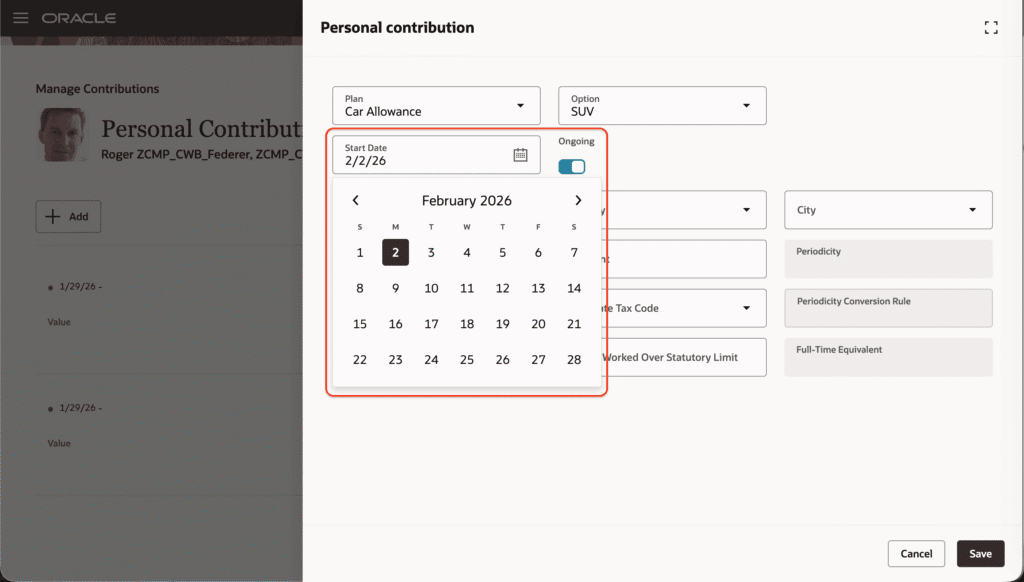
“Ongoing” appears wherever an end date is applicable; users must clear it to set a date. When you make the end-date rule editable via business rules, the “Ongoing” flag is removed, and users can directly select an end date.
4. Line Manager Salary Change AI Agent
Quick Notes:
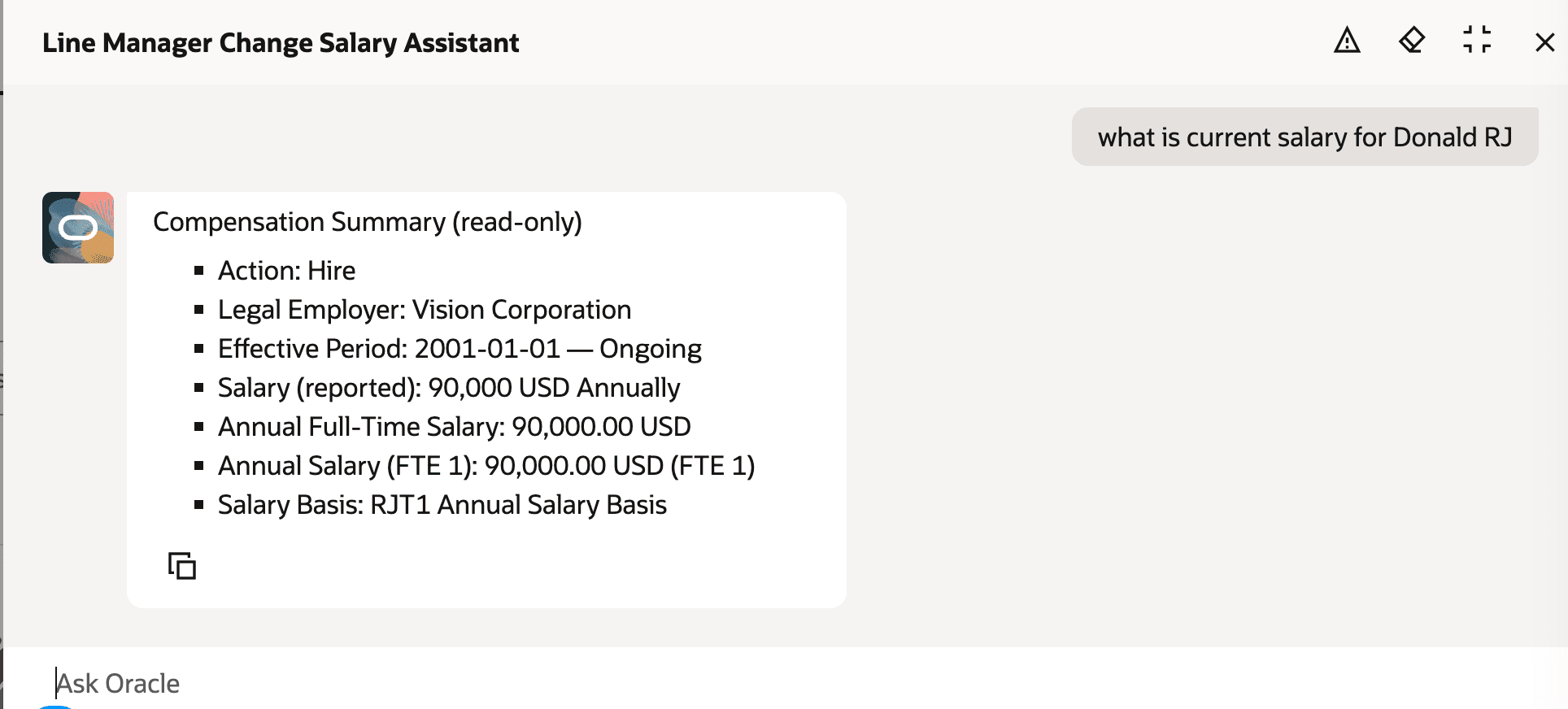
Line managers can now be enabled to evaluate, prepare, and submit salary changes in an efficient and guided manner. The agent verifies data security access, that there is no other salary change pending approval, and lets a line manager review the proposed change through a simple interaction.
It improves the salary change experience through the following advantages:
- Supports direct submission in-agent: for simple salary change cases, sending the transaction into the standard approval workflow configured in the application.
- Detects in-progress or pending salary transactions: for the same employee (such as salary change, promotion with salary change) and prevents duplicate or conflicting submissions by alerting the line manager and guiding next steps.
5. Personal Contribution AI Agent
Quick Notes:
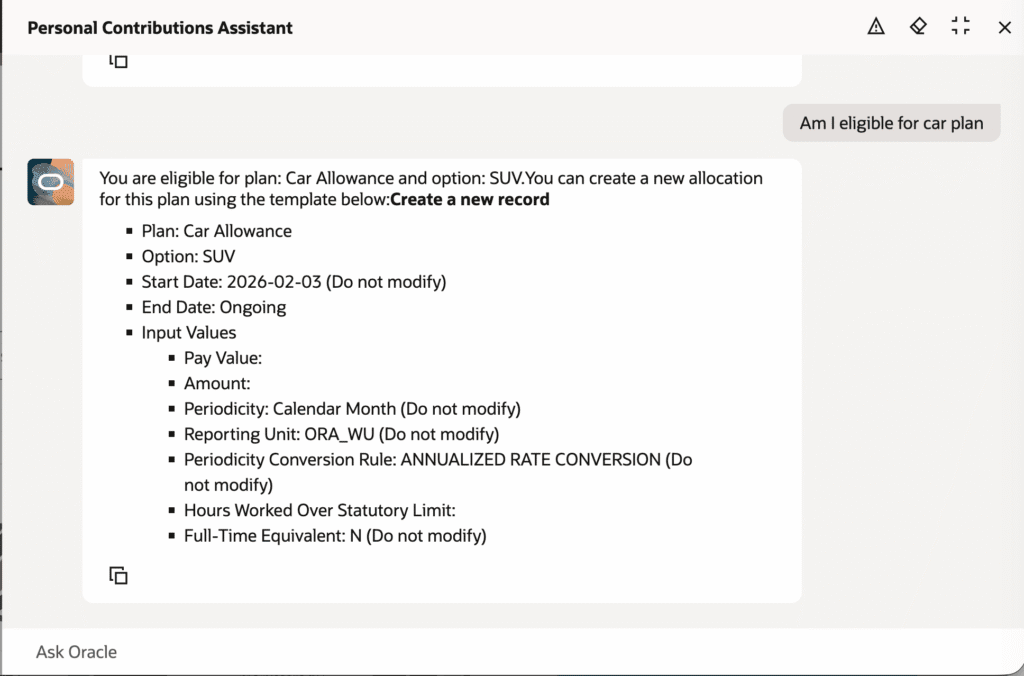
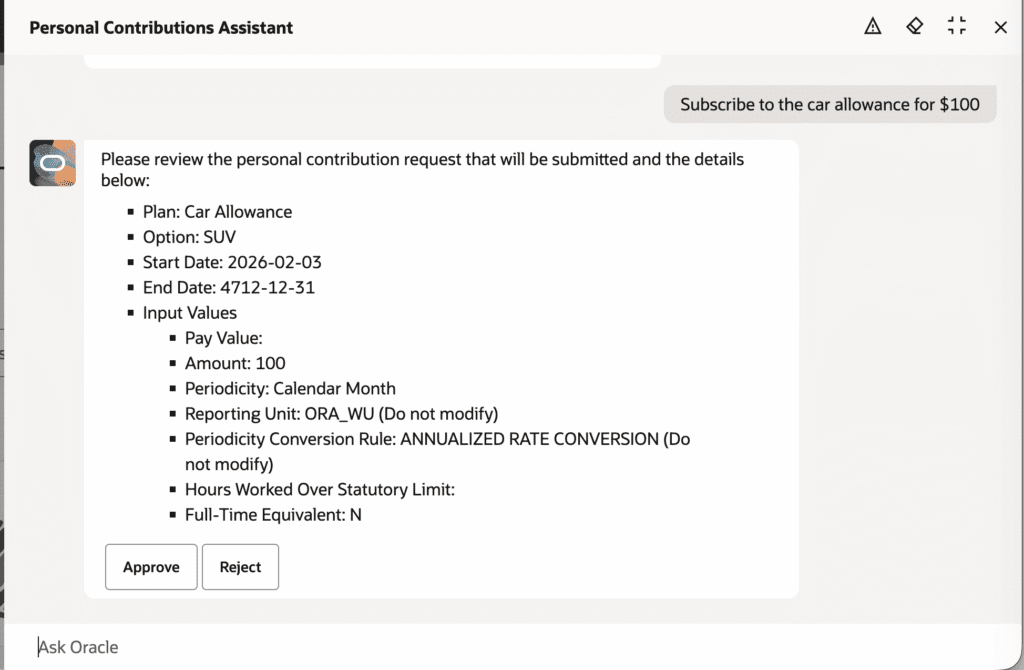
The Personal Contribution AI Agent help employees to enroll in new personal contributions. They can contribute to eligible plans and options, view current and future contribution details, and start new contributions.
The agent helps to create a smarter, more intuitive experience that elevates productivity and quality.
6. HDL Support for Salary Basis Calculation Type Simple Component, and Other Miscellaneous
Quick Notes:
The enhancements streamline salary management.
Users can now:
1. Load and manage salary basis records that use the Simple Component calculation type using HCM Data Loader.
2. Use simple components of calculation type in the redwood offer pages.
3. Optional simple salary components of progression grade ladder type are now supported on Redwood pages and sections, such as Line Manager Change Salary and Salary History.
7. Total Compensation Statement: Redwood Experience for Welcome Message
Quick Notes:
The new Welcome Message page is re-created with the Redwood tool set Visual Builder Studio (VBS). With this re-created Redwood page, you continue your journey into Oracle Redwood solutions.
Steps to Enable:
Enable these profile options to use the new Welcome Message page. To revert to the non-Redwood page, set the site-level profile value to No for this profile option.
You need to enable these Redwood profile options.
- ORA_HCM_VBCS_PWA_ENABLED
- ORA_CMS_TOTAL_COMPENSATION_STATEMENTS_REDWOOD_ENABLED