Oracle HCM Global Human Resources 26C
High

Feature Enablement
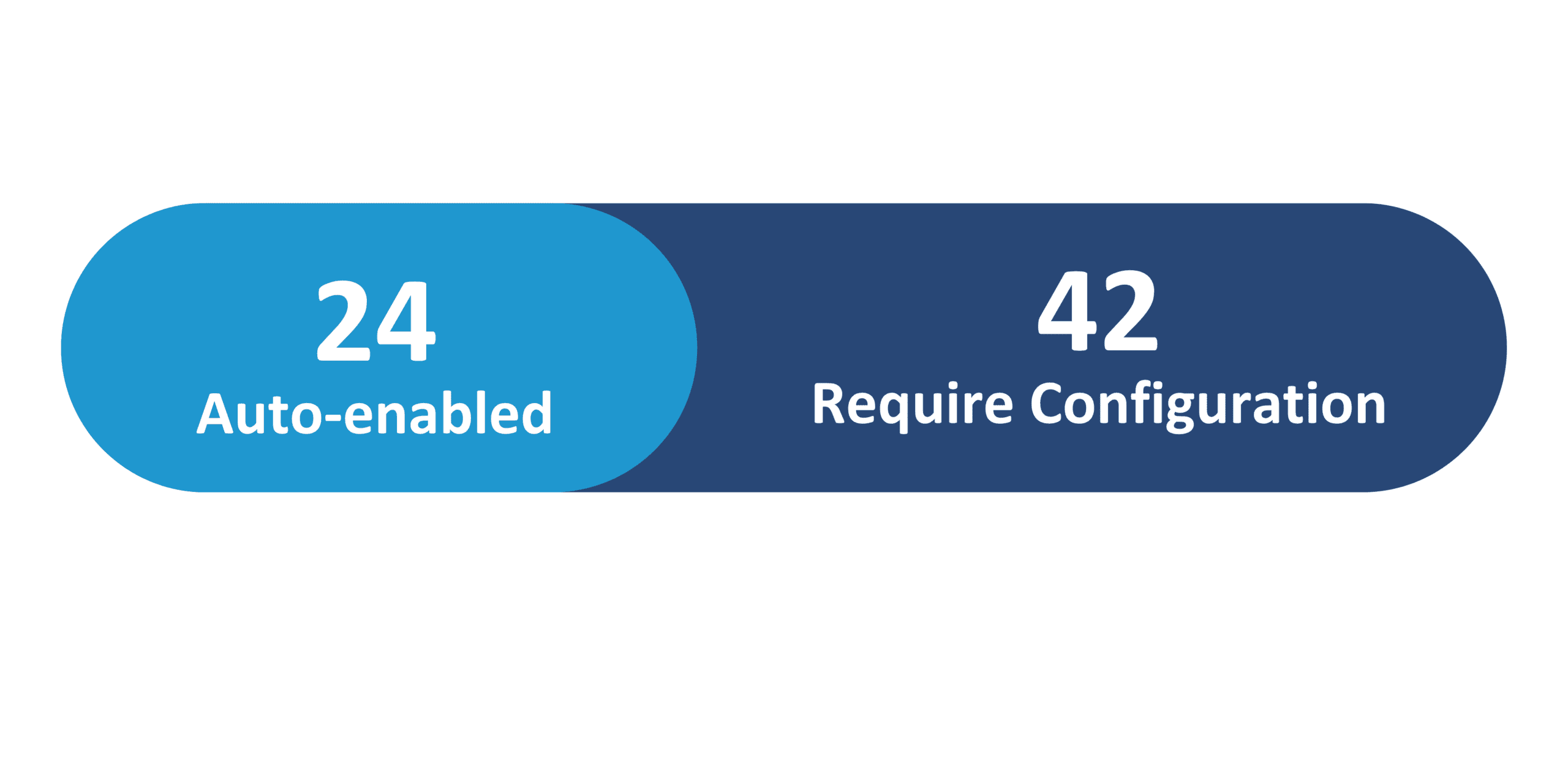
Redwood Features
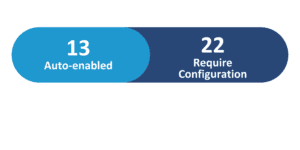
Generative AI Features

26C Update Features Covered:
- Redwood Experience
- Generative AI
- Control Edit and Delete Buttons on Redwood Document Record Pages
- New Redwood Work Relationship Info Page
- Activate Journey Tasks Based on Specified Days Before Transaction Effective Date
- Allow Performers to Reopen Journey Tasks and Add Comments
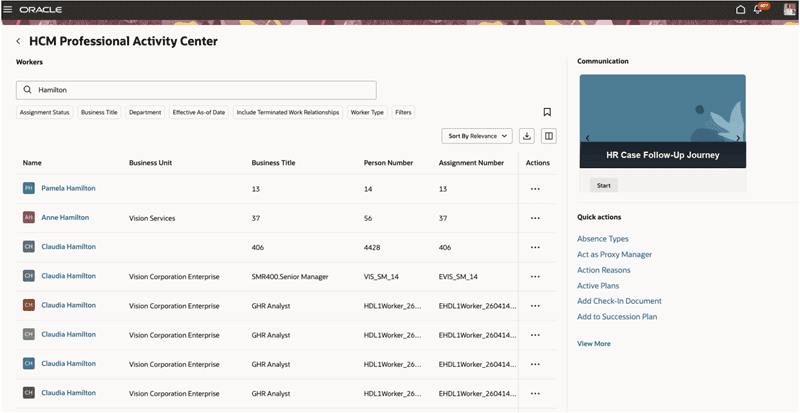
- Introducing HCM Professional Activity Center
1. Redwood Experience
Update 26C delivers 30 Redwood features across Global Human Resources — the largest Redwood investment of any HCM module this quarter. Key highlights in this newsletter include: a new Redwood Work Relationship Info page providing a consolidated read-only view of work relationship details with direct access to Edit and Cancel actions (Auto-Enabled); and the HCM Professional Activity Center, a new Redwood workspace combining worker search, quick action execution, and guided journey communications for HR professionals. The full 26C release also delivers Redwood defaults for Employment, Person, and Workforce Structure pages, expanded Redwood journey setup capabilities, and extensive Redwood extensibility enhancements.
2. Generative AI
Update 26C introduces 15 Generative AI features across Global Human Resources — the most Gen AI features of any HCM module this quarter. These span AI Agents for Promotion and Change Assignment processes, AI Assistance for onboarding and personal payment method setup, AI-powered translation editors for document records, journey templates, and nudge configuration pages, a Person Data Assistant Workflow Agent replacing the Personal Information Assistant, and AI agents for managing Jobs and Positions in Workforce Structures.
3. Control Edit and Delete Buttons on Redwood Document Record Pages
Quick Notes:



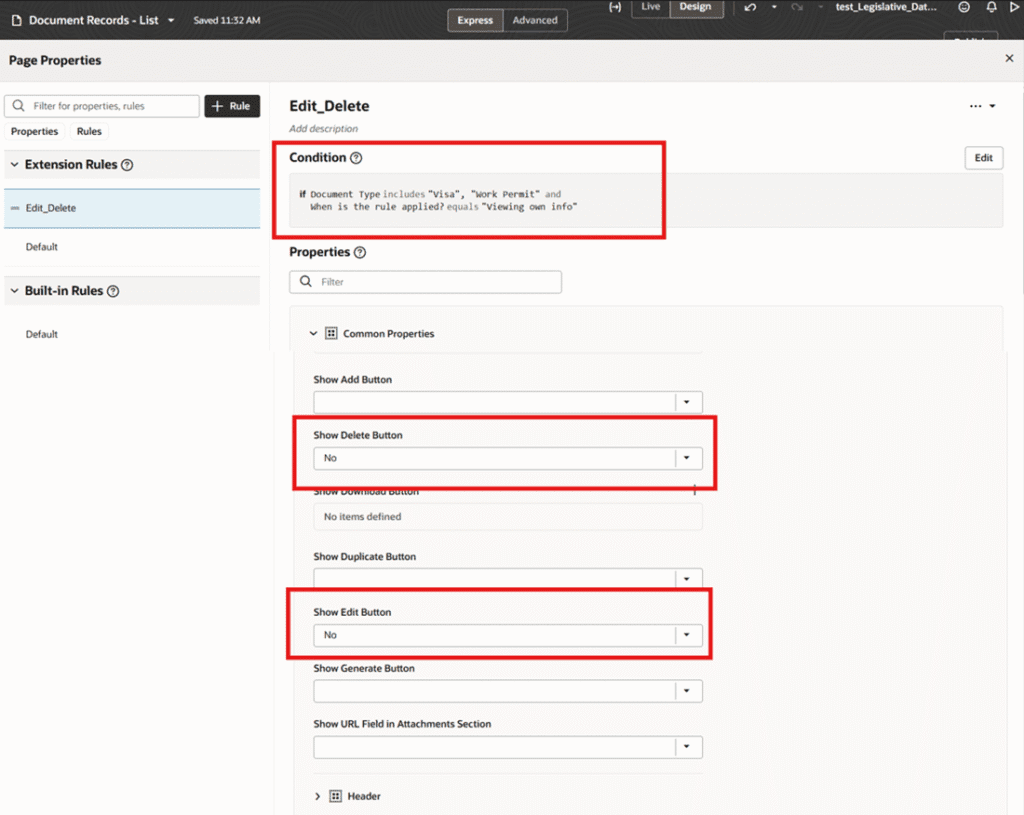
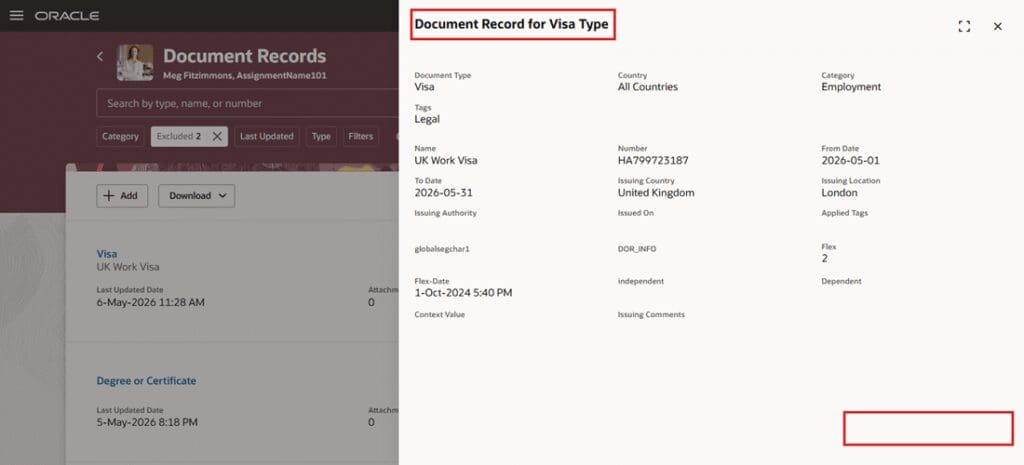
You can now use business rules to control the display of Save and Delete buttons on Redwood Document Record pages using page properties, based on the user role, document type, and other supported conditions.
- Prevent employee self-service users with elevated access from reopening and editing submitted document records
- Enforce compliance rules such as restricting changes after submission or preventing past-date modifications
- Configure Save and Delete button visibility conditionally for different roles and document types
- Maintains data integrity and reduces the risk of accidental updates to submitted records
4. New Redwood Work Relationship Info Page
Quick Notes:
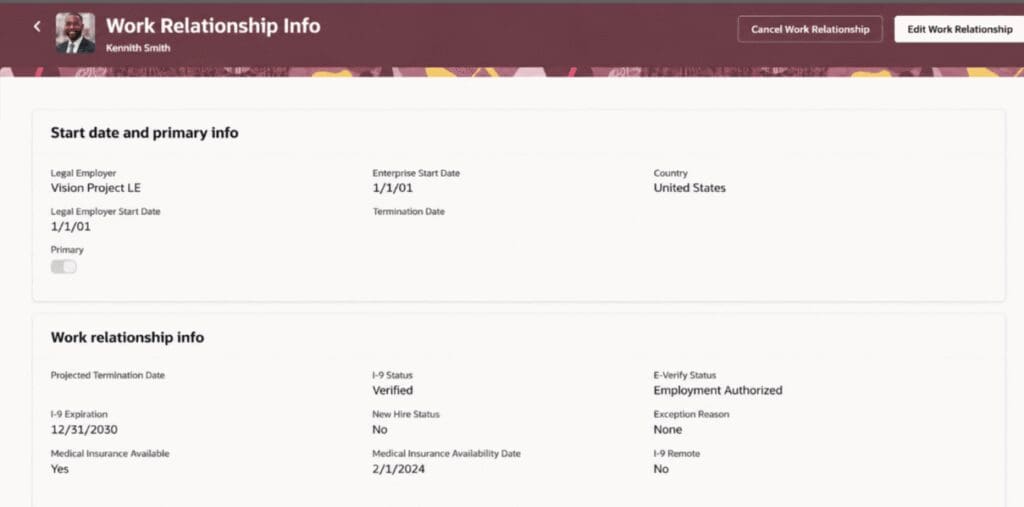
A new Redwood page, Work Relationship Info, is now available for reviewing key work relationship information for a selected worker in a consolidated read-only layout.
- Review a worker’s legal employer, enterprise start date, country, and primary work relationship indicator
- Confirm projected termination date, I-9 status, E-Verify status, and medical insurance availability
- Access Edit Work Relationship and Cancel Work Relationship actions directly when the user has appropriate access
- Thin access and quick action can be granted to users who only need to view work relationship information
- Guided journeys are supported at page and section levels
5. Activate Journey Tasks Based on Specified Days Before Transaction Effective Date
Quick Notes:
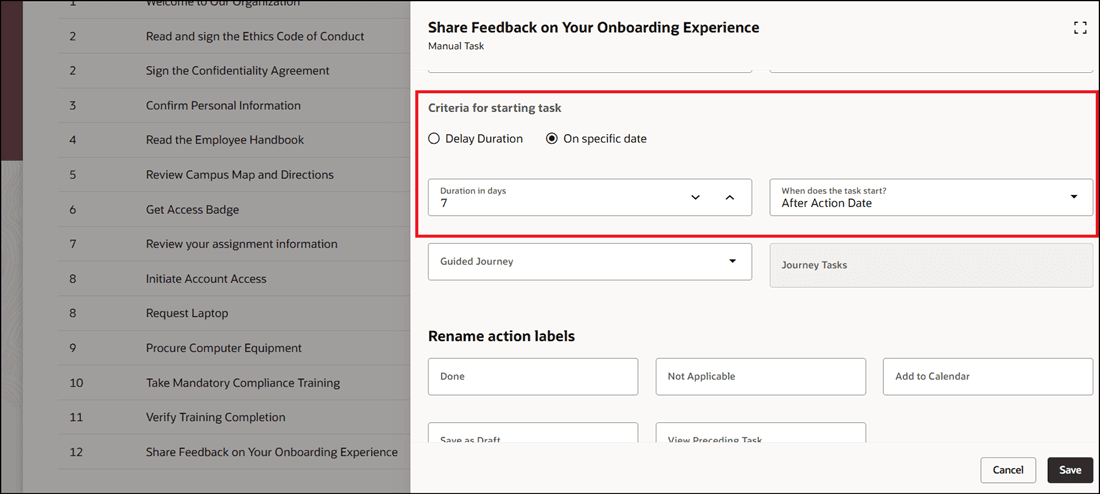
You can now configure journey tasks so that the task assignment date is calculated from the transaction effective date or action date, instead of only from the journey assignment date.
- Schedule journey tasks before or after key worker lifecycle dates such as hire, transfer, or termination effective dates
- Configure preboarding tasks — for example, assign IT provisioning tasks 15 days before a worker’s start date
- Support backward scheduling: assign offboarding tasks a fixed number of days before the termination effective date
- Reduce manual coordination for business processes that depend on the effective date of an action
- Existing behavior is preserved: the default remains the journey assignment date unless administrators configure the new fields

6. Allow Performers to Reopen Journey Tasks and Add Comments
Quick Notes:
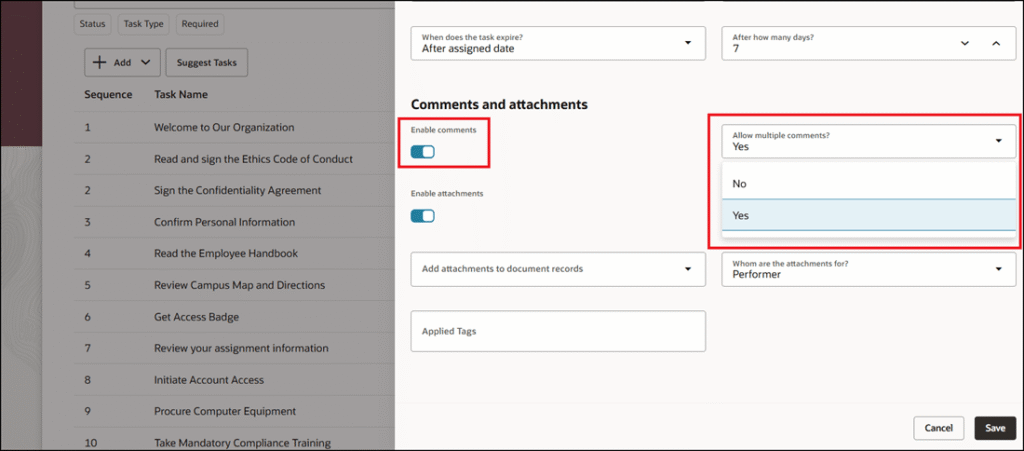
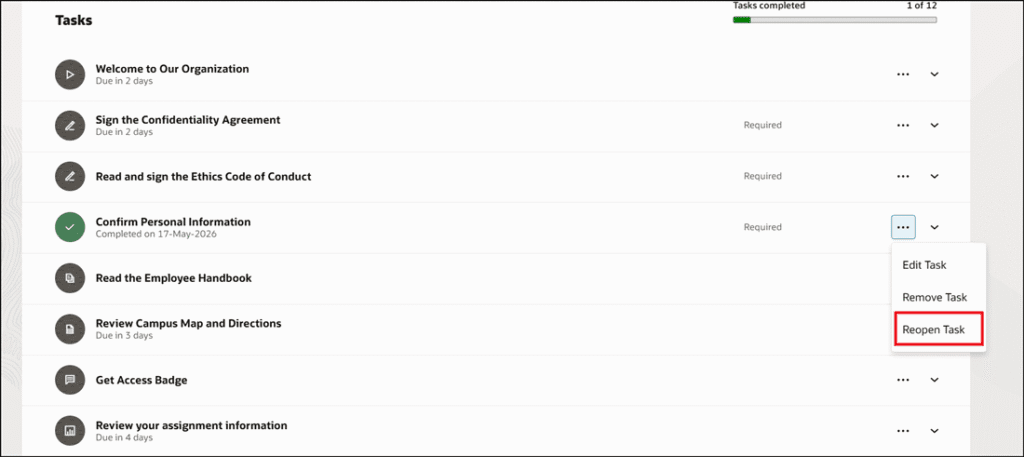
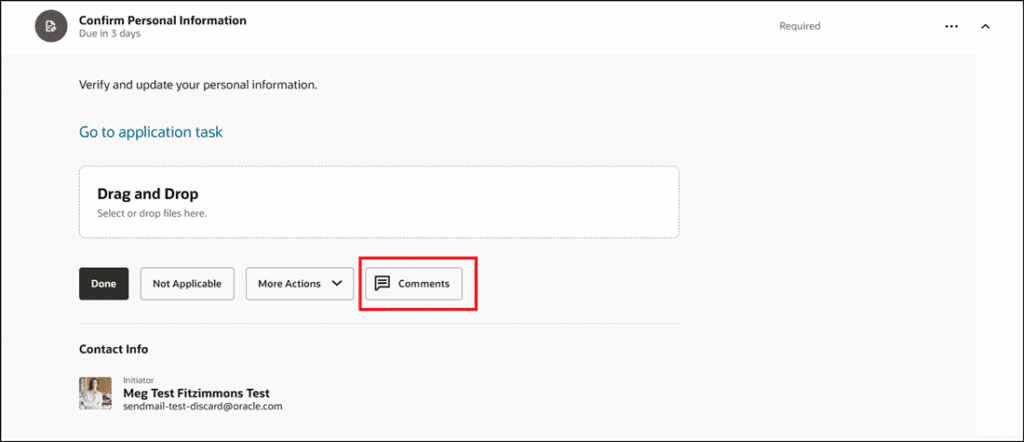
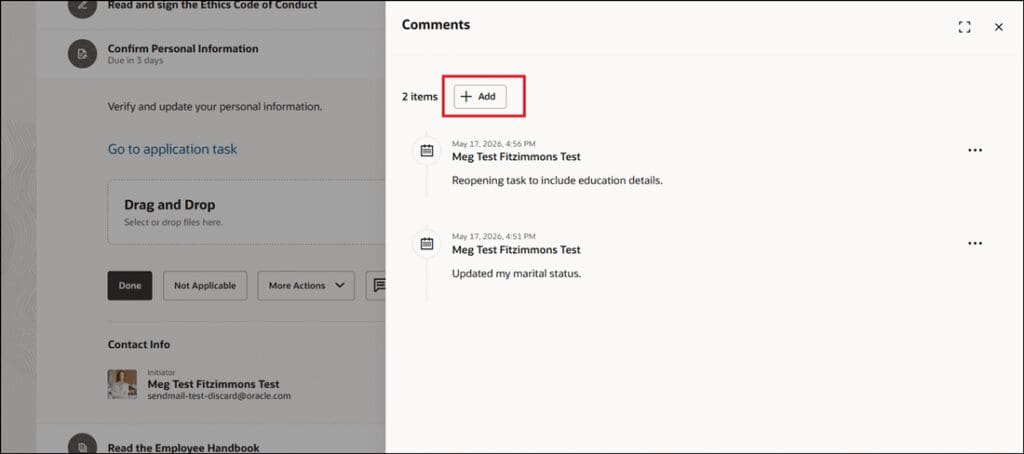
You can now configure journey tasks to support multiple comments. When enabled, task performers, owners, line managers, and HR specialists can add and review multiple comments on a journey task.
- Configure tasks to allow multiple comments — a Comments button opens a panel drawer with full history and option to add new comments
- Add a comment when reopening a completed task to explain the reason for reopening
- Support multi-performer tasks where each participant can contribute comments
- Retain all existing comments when a task is reassigned so the new performer can review prior context
7. Introducing HCM Professional Activity Center
Quick Notes:
The HCM Professional Activity Center provides a Redwood workspace that helps users in HR roles quickly review information about the people they support and perform HR actions.
- Search for workers by name, business title, work email, or person number — save searches and rerun without re-entering criteria
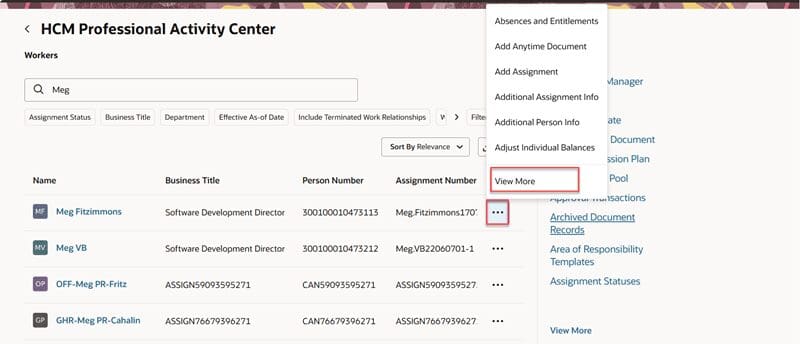
- Perform individual quick actions for workers via an Actions menu — pin preferred actions to personalize the default set
- Open quick actions in the same tab or a new browser tab using the shortcut menu; download search results to Excel
- View broadcast communications from Journeys, journey tasks, and invoke AI agents through guided journeys from the Communication section
- Selecting a worker’s name navigates directly to their Person Activity Center