Oracle HCM Learning Cloud 26D
Low

Feature Enablement
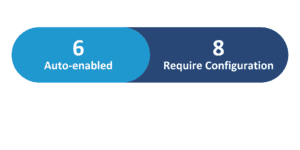
Redwood Features

Generative AI Features

26D Update Features Covered:
- Redwood Experience
- Generative AI
- Upgraded My Learning Assistant
- Use Grow Coach Workspace and Ask Oracle in Grow to receive learning guidance
- Learning Path Renewals
- Audit Learning Catalog Changes
- Learning Audience Management with AI Assistance
1. Redwood Experience
Oracle Cloud Learning in 26D introduces significant Redwood experience enhancements, streamlining user interactions and administrative tasks. Workers can now leverage the Grow Coach Workspace and Ask Oracle in Grow for personalized, prioritized guidance on skills and learning activities, ensuring a consistent development journey. Administrators benefit from improved audit visibility for learning catalog changes, with auditing enabled for courses, learning paths, events, and self-paced learning managed through Redwood pages, bolstering compliance and governance. These updates deliver a more intuitive and efficient learning environment.
2. Generative AI
Oracle continues to expand its Generative AI capabilities within Cloud Learning, empowering both learners and administrators. The Upgraded My Learning Assistant now offers a comprehensive conversational experience for common learning tasks, from discovering recommendations to enrollment. Additionally, the Grow Coach Workspace integrates Ask Oracle for personalized skill and learning guidance. Administrators gain AI assistance for creating worker-based learning audiences, enabling natural language descriptions to define criteria, preview matches, and avoid redundant definitions, significantly enhancing efficiency and accuracy in audience management.
3. Upgraded My Learning Assistant
Quick Notes:


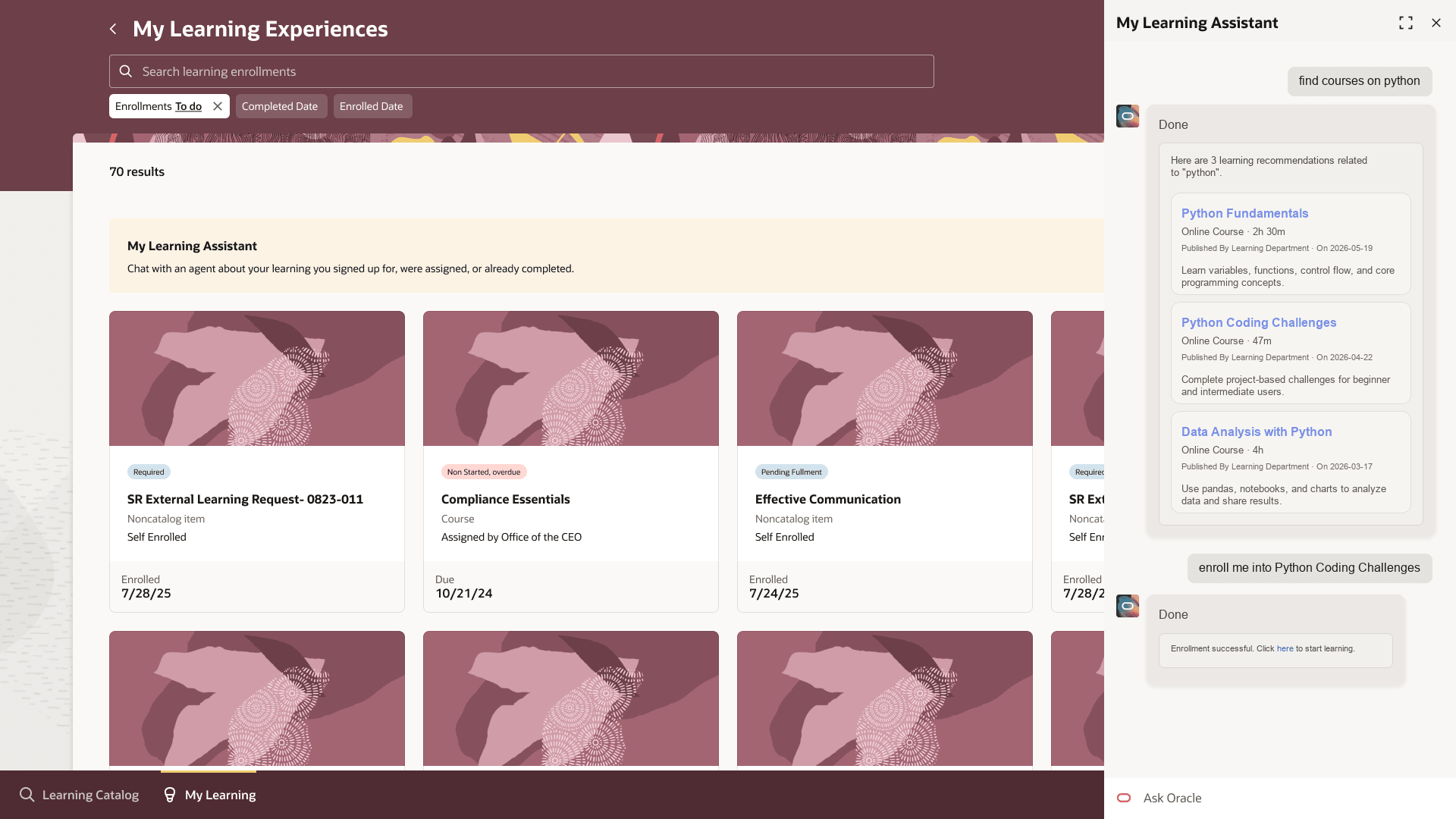
My Learning Assistant has been significantly enhanced, providing a unified conversational experience for learners to manage their development. Users can now ask questions about their active, overdue, or completed learning, and receive intelligent recommendations from the learning catalog.
The assistant presents recommendation cards with key details like format, effort, and an AI-generated reason, facilitating informed choices. Learners can initiate enrollment directly from these recommendations, with the assistant guiding them through offering selections or explaining why automatic enrollment isn’t available.
Furthermore, direct access to tasks like recording external learning or requesting noncatalog learning is now available within the conversation, streamlining the entire learning journey.
Business benefits:
- Streamlined access to learning information and tasks
- Efficient discovery of relevant learning content
- Simplified enrollment process through conversational interface
- Improved understanding of learning recommendations with AI reasons
4. Use Grow Coach Workspace and Ask Oracle in Grow to receive learning guidance
Quick Notes:
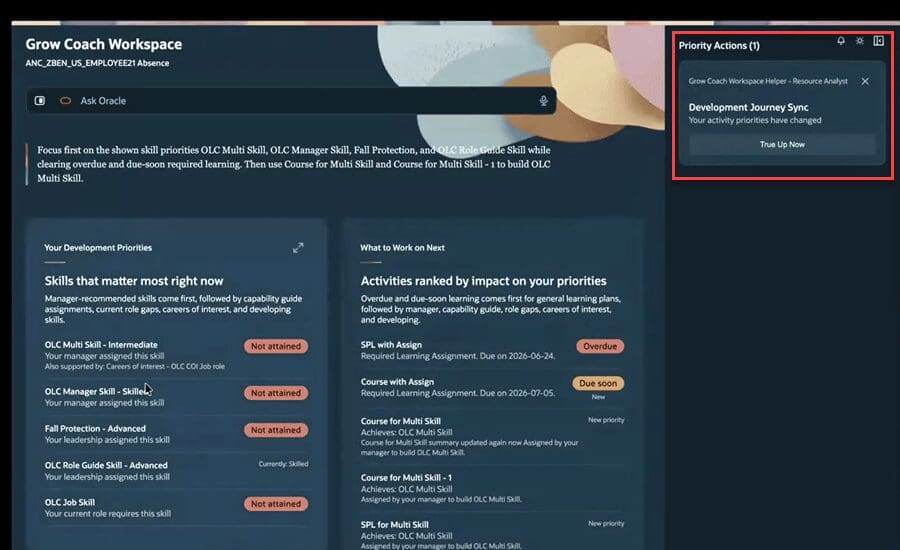
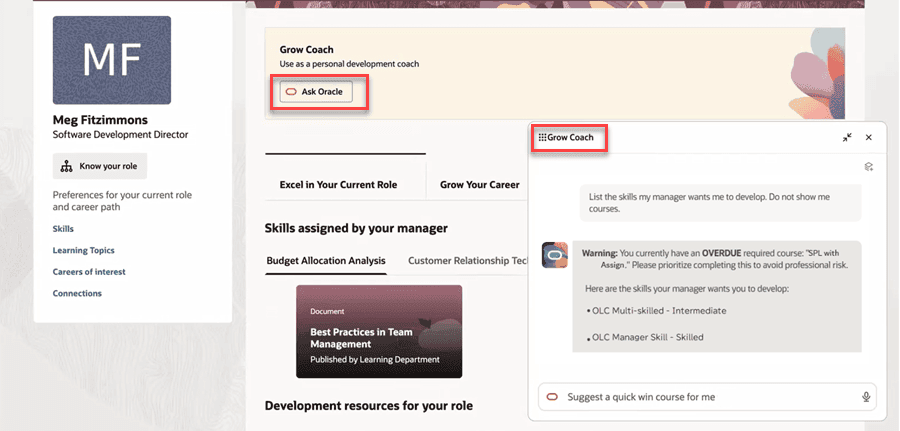
Workers can now leverage the Grow Coach Workspace and the Ask Oracle banner within Grow to receive highly personalized and prioritized guidance for their skills and learning activities. This integration ensures consistent recommendations across both experiences, helping users understand the rationale behind suggested skills and learning paths.
The system prioritizes skills based on manager assignments, capability guides, role gaps, and career interests, while learning activities are ranked by urgency and development impact. Users can engage with Ask Oracle to query priorities, recommendations, and role gaps, maintaining a persistent development journey.
A “True Up Now” feature also allows syncing development journeys between the Journeys app and Grow Coach.
Business benefits:
- Personalized and prioritized skill and learning guidance
- Consistent recommendations across Grow Coach Workspace and Ask Oracle
- Clear understanding of recommendation rationale
- Persistent development journey and syncing capabilities.
5. Learning Path Renewals
Quick Notes:

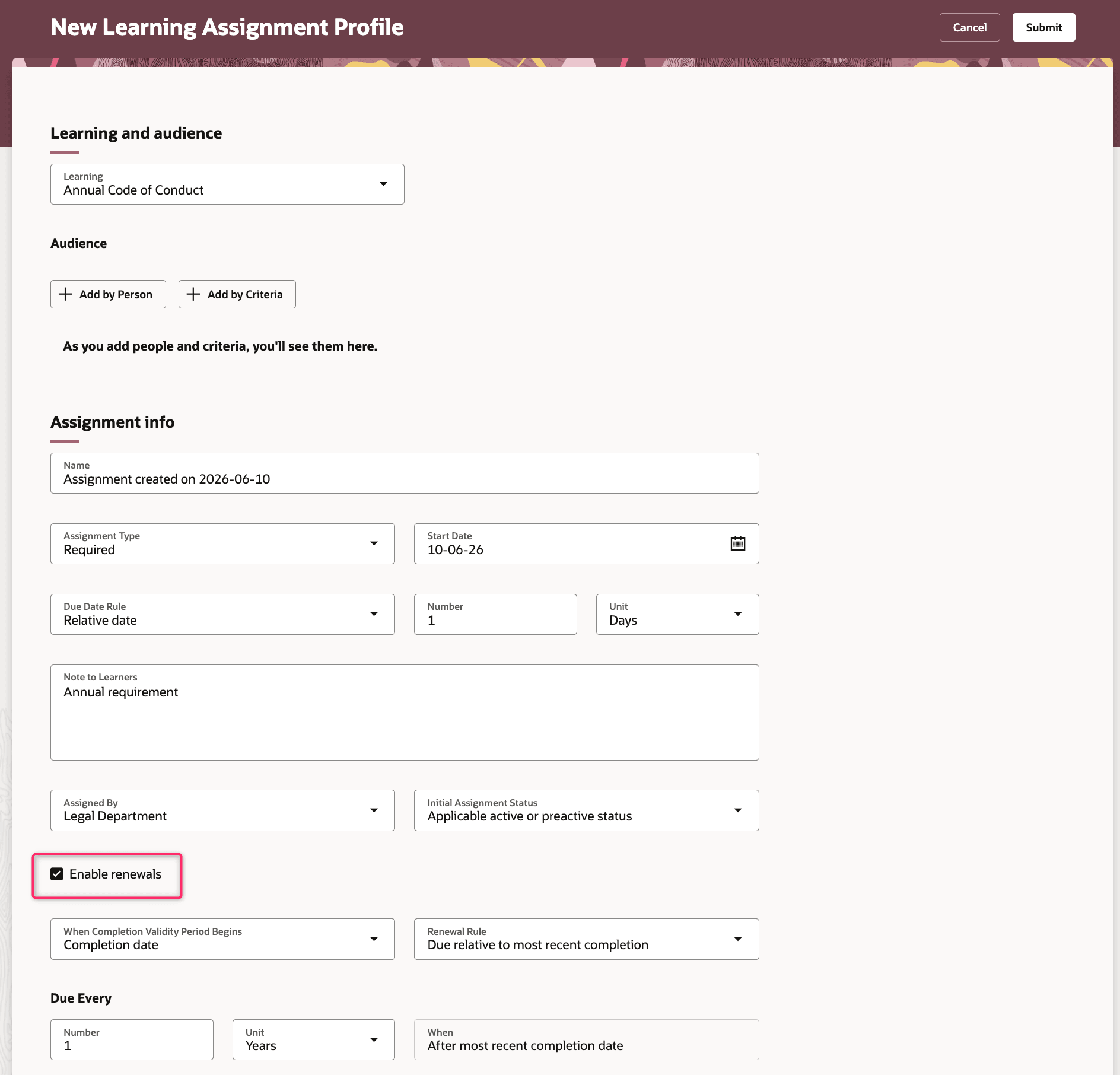
Organizations can now configure renewal rules for learning paths, extending a critical capability previously available only for individual courses and self-paced learning. This enhancement allows administrators to ensure that learners periodically refresh their knowledge and skills by assigning new instances of learning paths.
When a learning path renews, learners receive a new assignment based on the current path structure, requiring them to complete the activities again. Each renewal initiates a new fulfillment cycle, meaning only valid completions earned on or after the renewal assignment start date count towards satisfying the renewed activities.
This ensures that learning remains current and relevant over time.
Business benefits:
- Ensures continuous skill and knowledge refreshment
- Automates re-assignment of critical learning paths
- Maintains compliance with recurring training requirements
- Extends renewal capabilities to structured learning paths
6. Audit Learning Catalog Changes
Quick Notes:
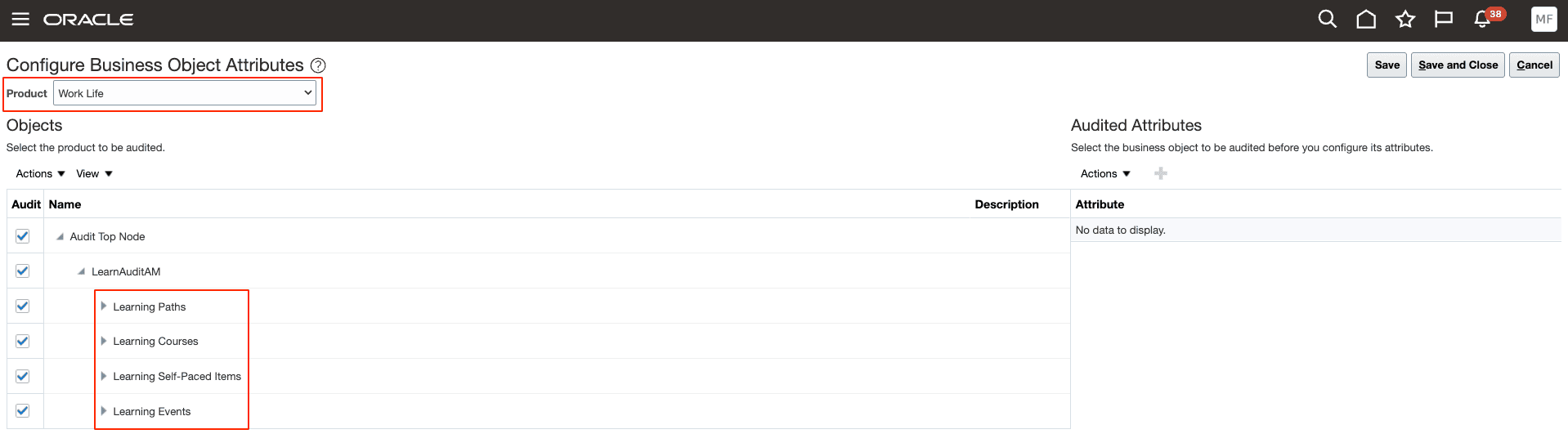
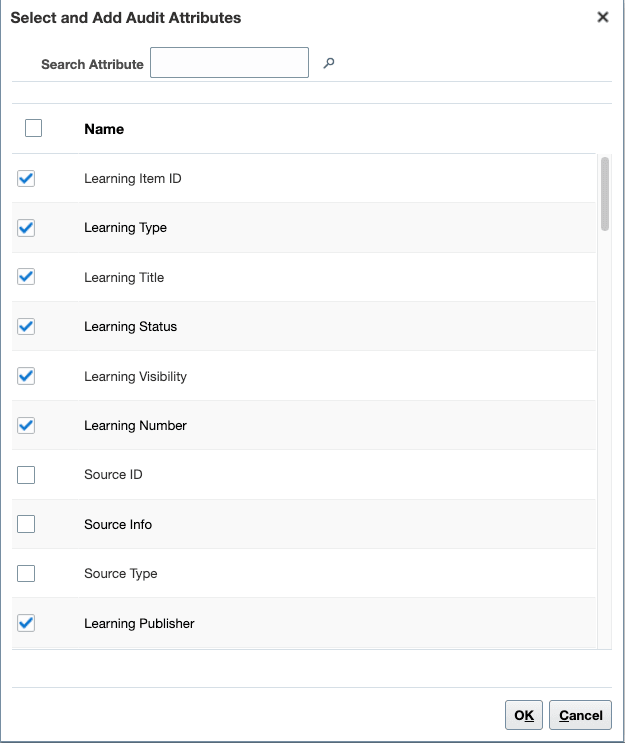
This feature introduces enhanced auditing capabilities for key learning catalog items, including the creation and updates to courses, learning paths, events, and self-paced learning. These business objects are now available under “Work Life” in Audit Policies, allowing administrators to select specific objects and view all associated auditable attributes.
By enabling auditing for relevant objects, subresources, and attributes, organizations can gain comprehensive visibility into changes made to their learning catalog. This improved audit trail supports critical compliance, governance, and reporting requirements, ensuring transparency and accountability for learning content management.
Audit details can be viewed and analyzed through the Tools > Audit Reports section.
Business benefits:
- Improved audit visibility for learning items
- Enhanced compliance and governance support
- Detailed tracking of catalog changes
- Streamlined reporting on learning content modifications
7. Learning Audience Management with AI Assistance
Quick Notes:
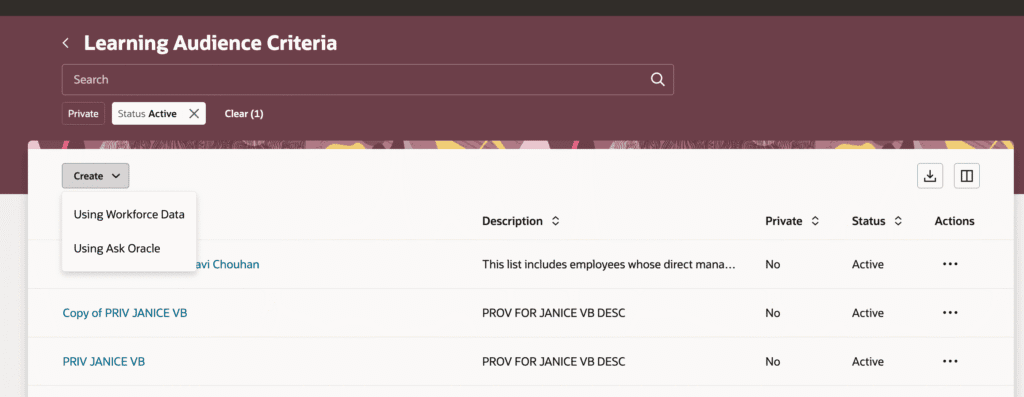
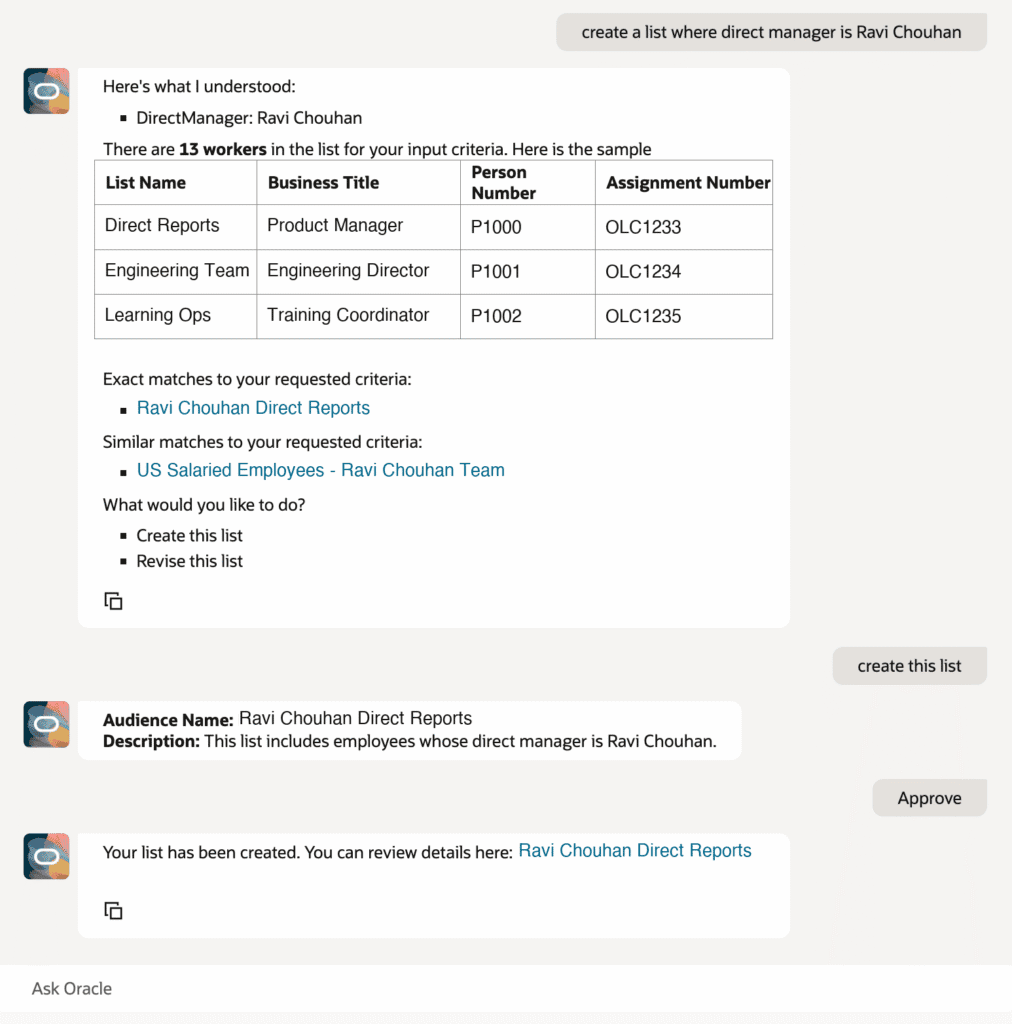
Administrators can now create worker-based learning audiences more efficiently using AI assistance within the new Learning Audience Criteria page. This feature allows users to define audience criteria manually or describe their desired audience in natural language to an AI assistant.
The assistant can provide sample criteria, list available attributes, and preview matching workers, significantly simplifying the audience creation process. It also helps identify exact or similar existing audiences, promoting reuse and preventing redundant definitions.
The AI can even derive audience names and details from the criteria. Once satisfied, administrators can approve the AI-generated criteria, improving confidence in audience definitions and streamlining learning assignments.
Business benefits:
- Efficient creation of worker-based learning audiences
- Improved accuracy and confidence in audience definitions
- Reduced creation of duplicate audiences
- Leverages natural language for audience criteria definition