
Oracle HCM Recruiting Cloud 26C

Low

Feature Enablement
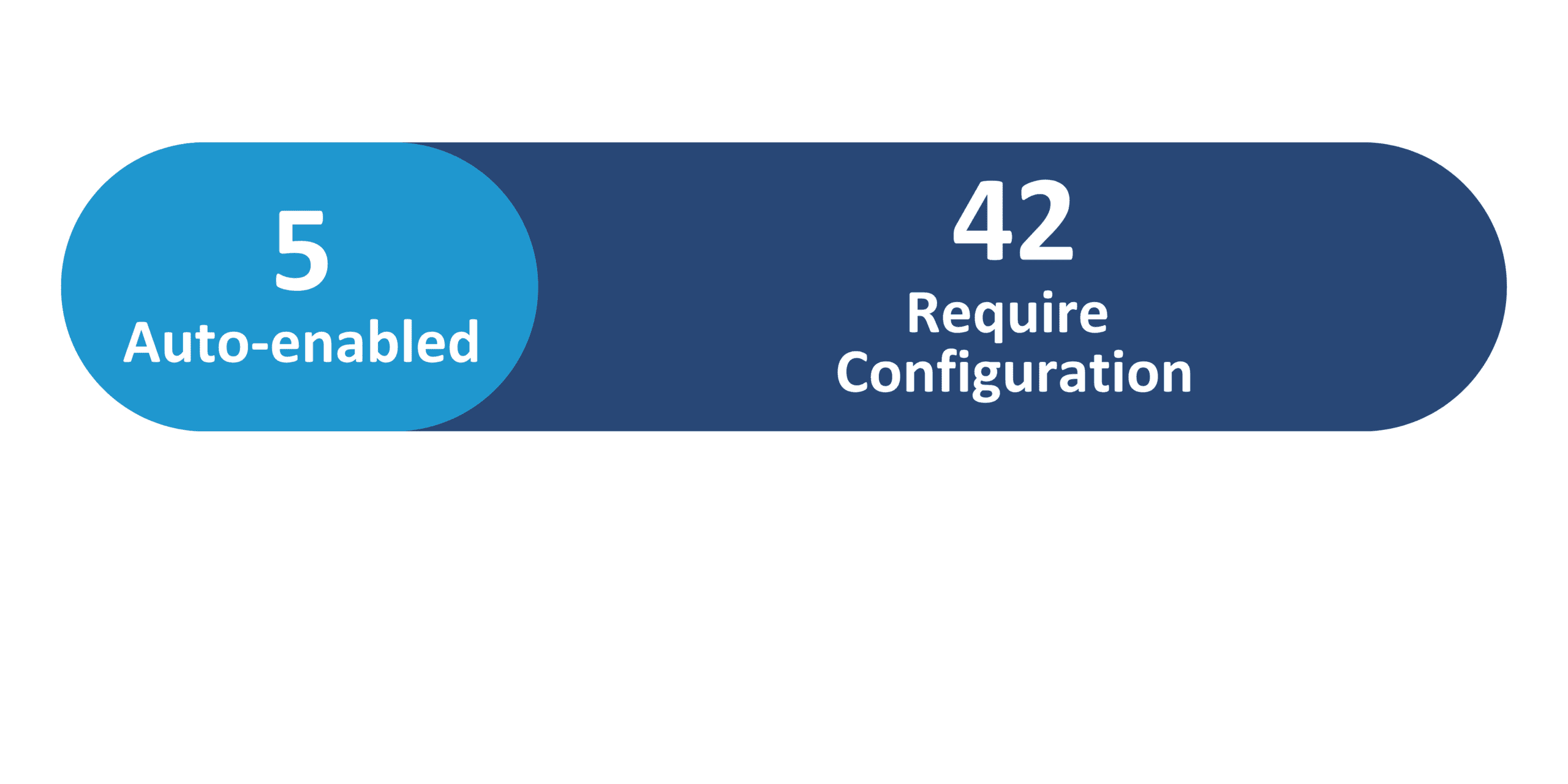
Redwood Features
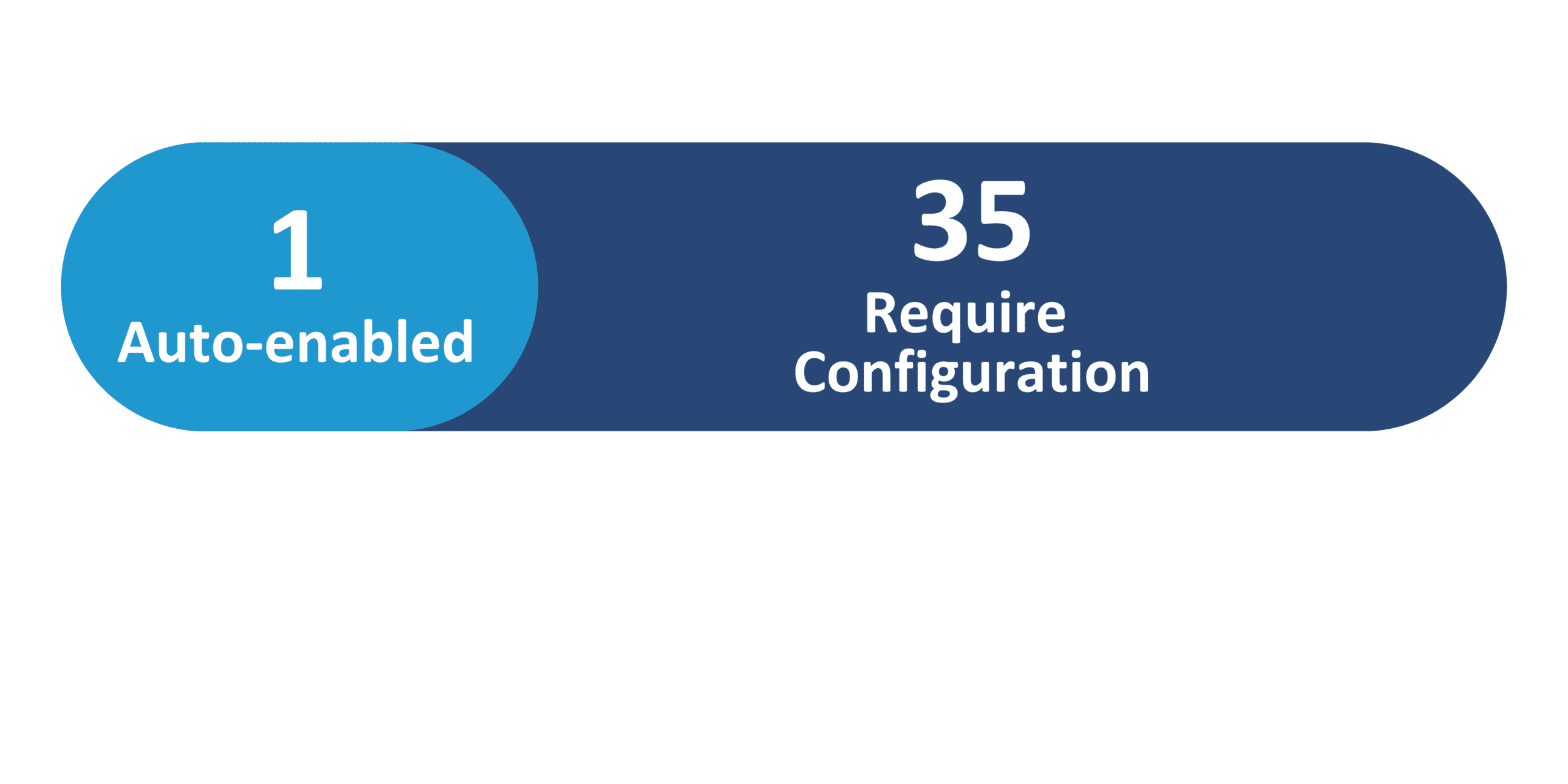
Generative AI Features
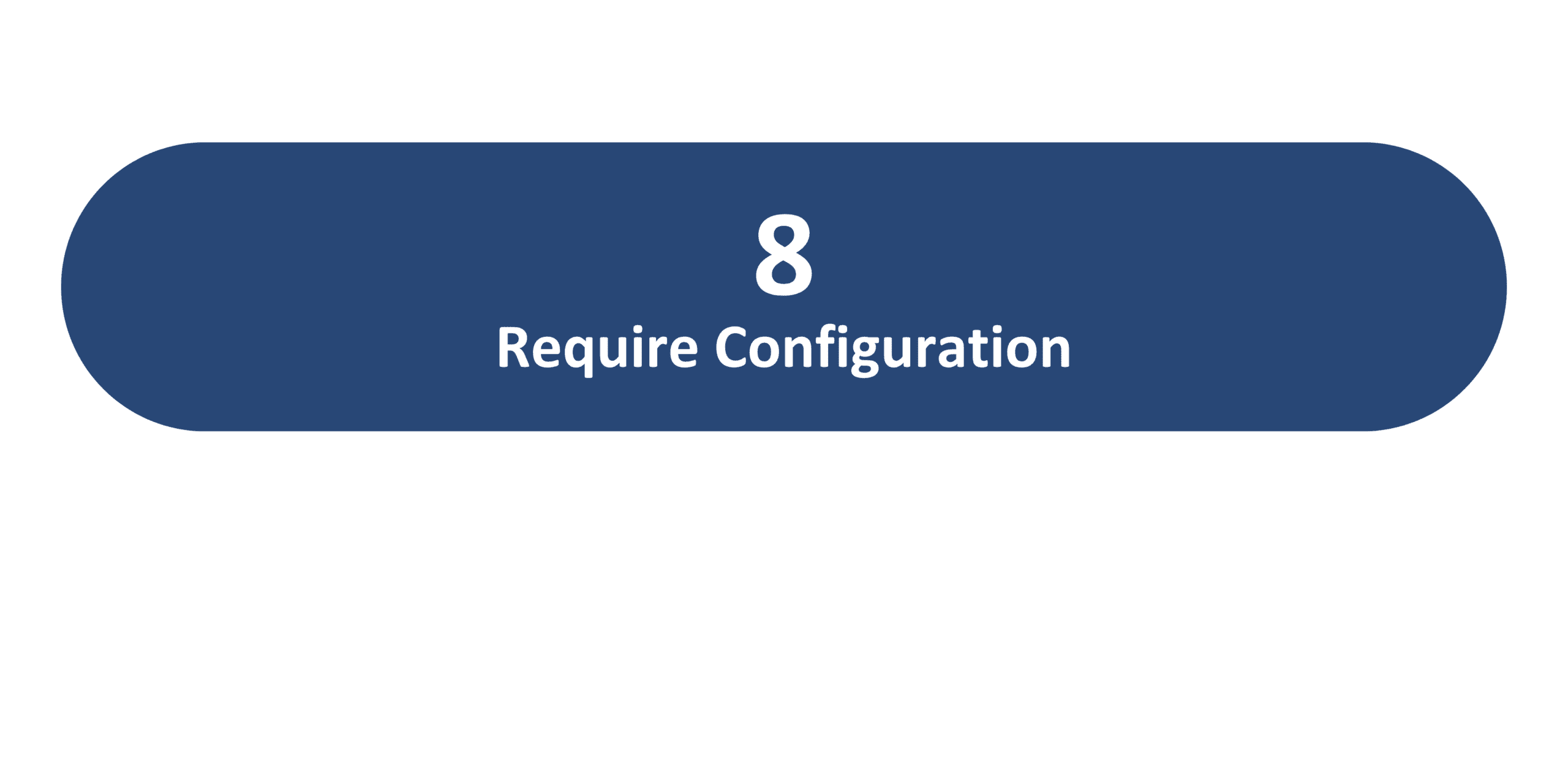
26C Update Features Covered:
- Redwood Experience
- Generative AI
- Redwood Experience: Additional Person Types Considered as Candidates
- Redwood Experience: Change Posting Locations of Non-Draft Job Requisitions
- Redwood Experience: Customize Payroll and Position Override Sections in the Create and Edit Job Offer Flows
- Redwood Experience: Defaulting and Validation Rules For Job Requisition Details Section in Request New Position Flow
- Redwood Experience: Job Offer Letter Versioning Enhancement
- Redwood Experience: More Use Cases for Defaulting and Validation Rules for Create Job Requisition Flow
1. Redwood Experience
Update 26C delivers 36 Redwood features across Recruiting Cloud — the largest Redwood investment across all HCM modules this quarter. Key themes include improved recruiting workflows, expanded Redwood extensibility, interview management additions, and continued Redwood adoption throughout all stages of the recruiting lifecycle. Newsletter highlights include broadening talent pools by supporting additional GHR person types as external candidates; flexible posting location updates on non-draft requisitions; customizable Payroll and Position Override sections in job offer flows via VB Studio; enhanced defaulting and validation rules for both the Create Job Requisition and Request New Position flows; and offer letter versioning to ensure compliance and audit readiness
2. Generative AI
Update 26C introduces 8 Generative AI features across Recruiting Cloud, continuing Oracle’s investment in AI-driven recruiting. Key AI capabilities include automatically launching AI Agents from Activity Centers and candidate selection steps to streamline recruiting workflows; initiating sourcing efforts using AI Agents; generating interview resources and job requisition posting descriptions via AI Agents; categorizing and saving email attachments using AI Agents; creating interview summaries and populating questionnaires; and powering AI assistance in external candidate experience
3. Redwood Experience: Additional Person Types Considered as Candidates
Quick Notes:


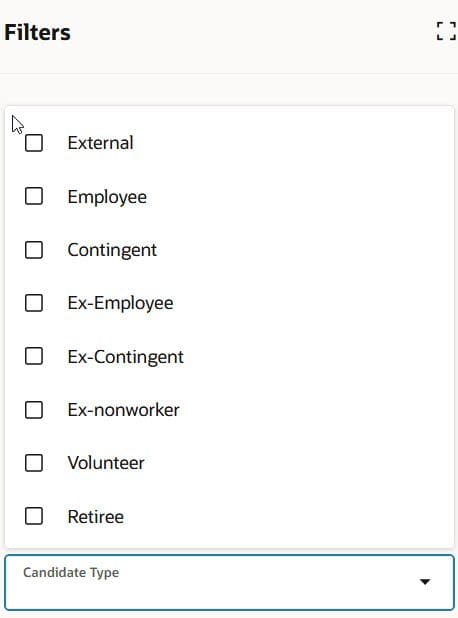
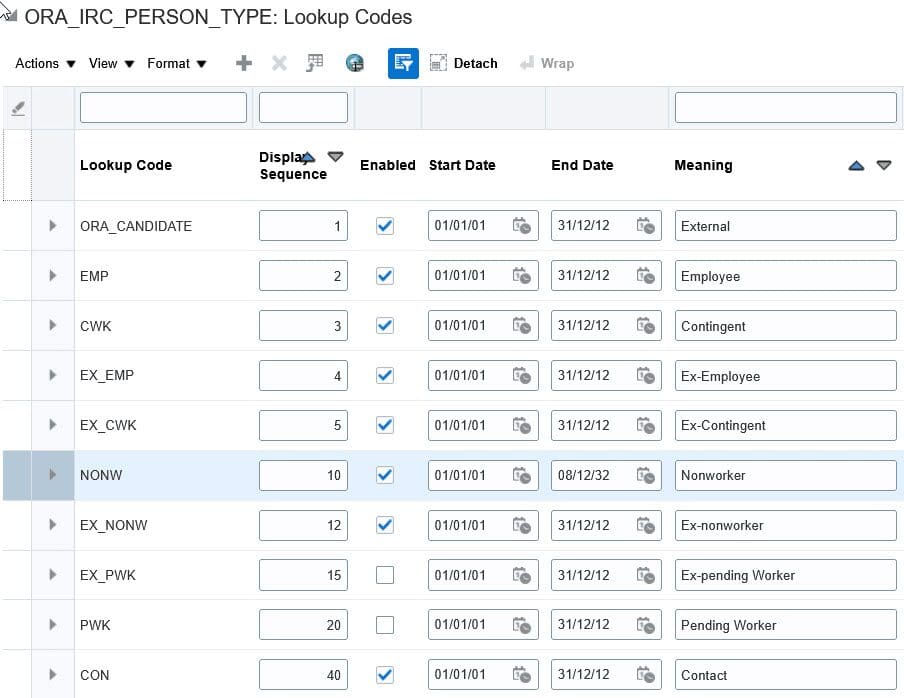
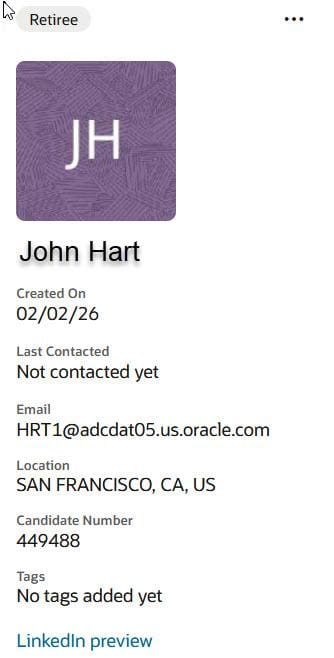
Global Human Resources supports several system person types such as contacts, non-workers, volunteers, and beneficiaries. In update 26C, these additional person types are now available in Recruiting and treated as external candidates, broadening the talent pool and eliminating duplicate profiles.
- Additional person types are visible across all Recruiting areas: application flows (apply, request information, talent community), sourcing (campaigns, pools, events), candidate search, offers, candidate duplicate check and merge, and filters
- Candidates can be referenced using their existing person number— no new person number needs to be assigned
- Broadens talent pool by extending recruiting beyond employees and ex-employees to include new and diverse talent sources
- Eliminates duplicate profiles: candidates can apply using existing profiles and person numbers, ensuring a single source of truth
- Reduces time-to-hire by leveraging pre-existing person records instead of creating new candidate profiles
4. Redwood Experience: Change Posting Locations of Non-Draft Job Requisitions
Quick Notes:
Recruiters can now change the Primary Location and Other Locations fields on a job requisition even when it is not in Draft status. Previously, these fields could only be modified when the requisition was in Draft, or when it was Open – Posted with job applications.
- Location fields can now be updated when the requisition is in the Job Formatting phase
- Location fields can now be updated when the requisition is Open – Posted with no job applications
- Increases operational flexibility: recruiters can quickly adjust job locations without reverting requisitions to Draft, reducing hiring delays
- Allows teams to correct or refine location details after posting, ensuring job visibility is aligned with hiring needs
5. Redwood Experience: Customize Payroll and Position Override Sections in the Create and Edit Job Offer Flows
Quick Notes:
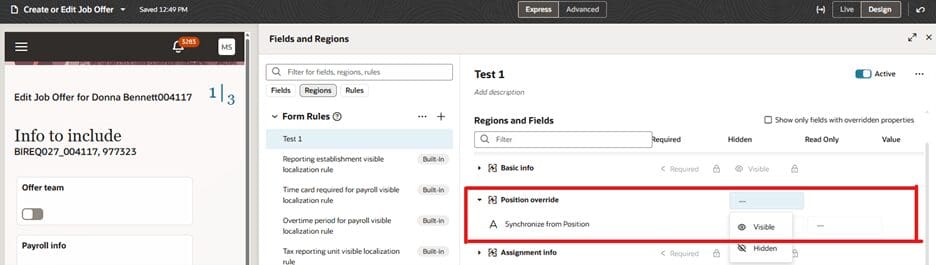
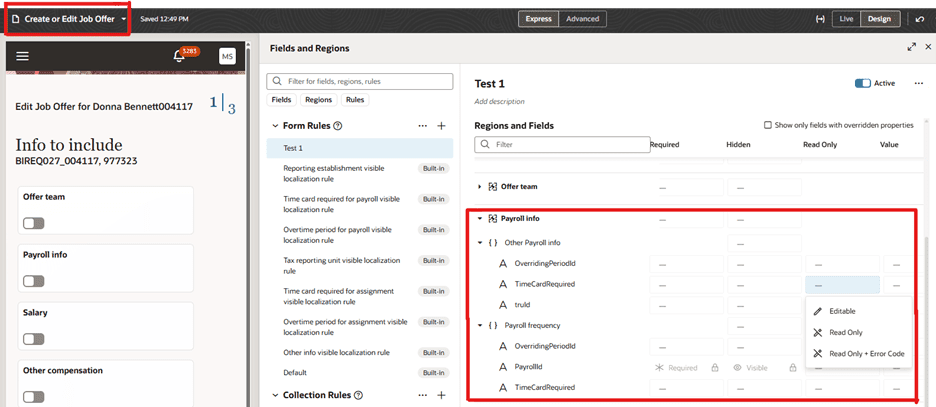
Using Visual Builder Studio, administrators can now customize the Payroll and Position Override regions in the Redwood create and edit job offer flows, applying business rules to control field visibility and editability.
- Payroll region: create business rules in VB Studio (Hiring > Create or Edit Job Offer > Payroll info) to set fields as read-only for specific business conditions
- Position Override region: create business rules (Hiring > Create or Edit Job Offer > Position override) to set fields as visible or hidden, or as read-only for specific business conditions
- Restricting edits to payroll fields under specific business conditions helps ensure that critical compensation and payroll information remains accurate and consistent
- Making Position Override fields read-only helps organizations control when position data can be modified, ensuring alignment with internal business rules and approvals
6. Redwood Experience: Defaulting and Validation Rules For Job Requisition Details Section in Request New Position Flow
Quick Notes:

The Job Requisition Details section in the Redwood Request New Position flow now supports new defaulting and validation rules in Visual Builder Studio, providing greater control over data accuracy and consistency during position creation.
- Default the value of the Business Justification field to New Position, or based on a condition when creating a new position
- Validate the Business Justification field value when creating a job requisition using a position
- Default the Recruiting Type field based on a job attribute; default Organization based on the position’s department; default Primary Location based on the position’s work location
- Default the Hiring Manager field with the signed-in user
- Apply validation rules on the fields in the requisition Details section based on job name
- Three new fields are now exposed in VB Studio for the Requisition Details section in Position flows: Opening Type, Number of Openings, and Unlimited Openings Flag — bringing parity with the create and edit requisition pages
7. Redwood Experience: Job Offer Letter Versioning Enhancement
Quick Notes:
Update 26C adds version control for job offer letters, ensuring consistency between the version presented to candidates and the one retained for record-keeping. The offer letter version is now locked when the offer is extended.
- When an offer is extended, the offer letter version is locked — the same version is viewed by the candidate, used during signing, and stored in the Document of Record (DOR)
- If the offer letter template is updated before the offer is extended, the latest version is used for both preview and extension
- When an offer is redrafted, the version is cleared and reset to use the latest available template version
- For offers in inactive states (Processed, Withdrawn by Candidate, Abandoned, Assignment Terminated), offer preview remains available using the version based on the offer’s extended date
- Ensures that the exact offer letter viewed and accepted by the candidate is the same version stored in official records, improving compliance and audit readiness
8. Redwood Experience: More Use Cases for Defaulting and Validation Rules for Create Job Requisition Flow
Quick Notes:
The Job Requisition Details section in the Redwood Request New Position flow now supports new defaulting and validation rules in Visual Builder Studio, providing greater control over data accuracy and consistency during position creation.
- Default the value of the Business Justification field to New Position, or based on a condition when creating a new position
- Validate the Business Justification field value when creating a job requisition using a position
- Default the Recruiting Type field based on a job attribute; default Organization based on the position’s department; default Primary Location based on the position’s work location
- Default the Hiring Manager field with the signed-in user
- Apply validation rules on the fields in the requisition Details section based on job name
- Three new fields are now exposed in VB Studio for the Requisition Details section in Position flows: Opening Type, Number of Openings, and Unlimited Openings Flag — bringing parity with the create and edit requisition pages