Oracle HCM Talent Management Cloud 26D
Low

Feature Enablement
Redwood Features

Generative AI Features
26D Update Features Covered:
- Redwood Experience
- Generative AI
- Reorder Fields on the Goal Details Page
- Add Task Description to Library Goal Task
- Manager Assigns Performance and Development Goals in Team Activity Center
- Simplify Check-Ins Experience
- Upload Media Files to Generate Conversation Summary
- Mass Process Performance Document Reopen, Restore, and Transfer Actions
- Time-Based Autosave for Providing Requested Feedback
- Make Requested Feedback Share Options Read-Only and Configure Page Properties with New Contexts
- Enhance All-in-One Evaluations with Star Ratings, Read-Only Controls, and Modify Column Headers
- Badges in Profiles
- View Talent Profile in a Talent Review Drawer
- Auto-Save Status Updates for Talent Review
- AI-Driven and Improved Manager Experience for Talent Review Ratings Preparation
- View Talent Profile and Talent Ratings During Talent Review
1. Redwood Experience
The Oracle Cloud 26D Talent Management release delivers significant Redwood user experience enhancements designed to streamline performance and goal management workflows. Organizations benefit from simplified check-in creation processes, enhanced field reordering capabilities within Visual Builder Studio, and direct assignment of performance and development goals within Team Activity Center. These modernized interface updates elevate operational efficiency, reduce administrative steps, and foster more effective, structured conversations between managers and employees across the enterprise.
2. Generative AI
Oracle continues to expand embedded artificial intelligence capabilities across Talent Management to drive meaningful employee alignment and engagement. In this release, artificial intelligence capabilities enhance check-in interactions by allowing managers and workers to upload media recordings up to 25 megabytes. The system automatically processes transcriptions and generates concise conversation summaries, while enhanced AI assistance streamlines note creation, reducing administrative overhead and fostering higher-quality performance discussions.
3. Reorder Fields on the Goal Details page
Quick Notes:


The Reorder Fields on the Goal Details page feature provides administrators with flexible layout control over goal creation and maintenance pages. Using Visual Builder Studio, administrators can rearrange delivered fields within their respective sections on the Goal Details page for both performance and development goals.
Reordered fields display consistently across create, edit, and view modes, including access points from Goals Center, Team Goals Center, goal plans, mass assignments, and mass share workflows. By prioritizing high-value goal attributes at the top of the interface, organizations enhance usability, minimize data entry friction, and ensure critical goal information is readily visible to workers and managers.
Business benefits:
- Allows administrators to reorder delivered fields within sections using Visual Builder Studio.
- Ensures consistent field layout across create, edit, and view goal experiences.
- Improves administrative control and user efficiency during goal entry and review.
4. Add Task Description to Library Goal Task
Quick Notes:
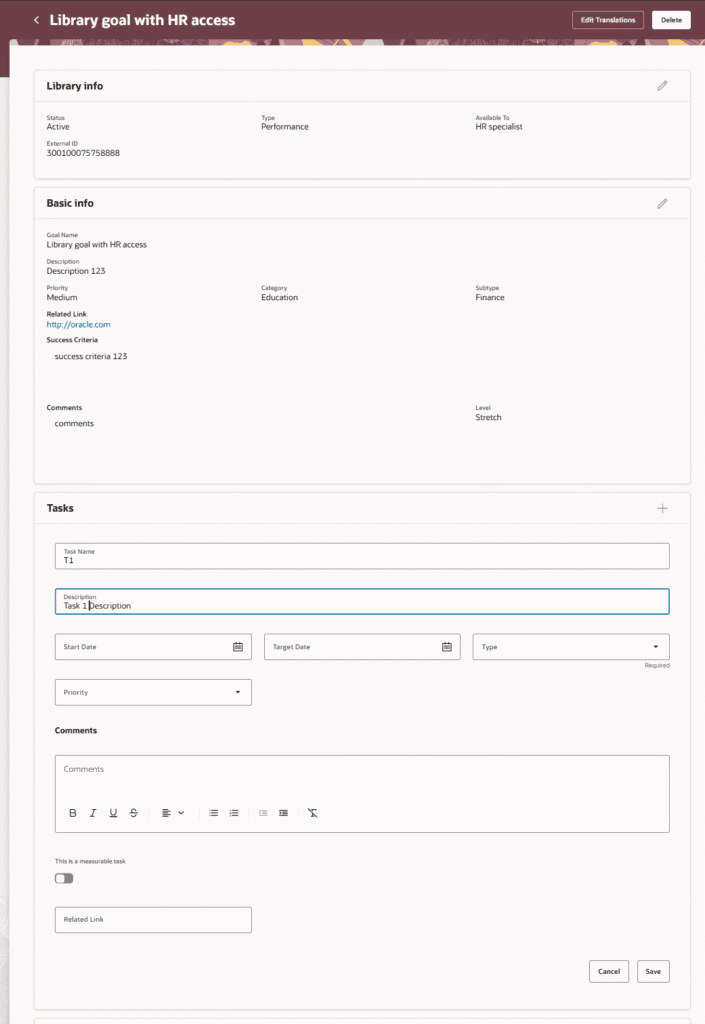
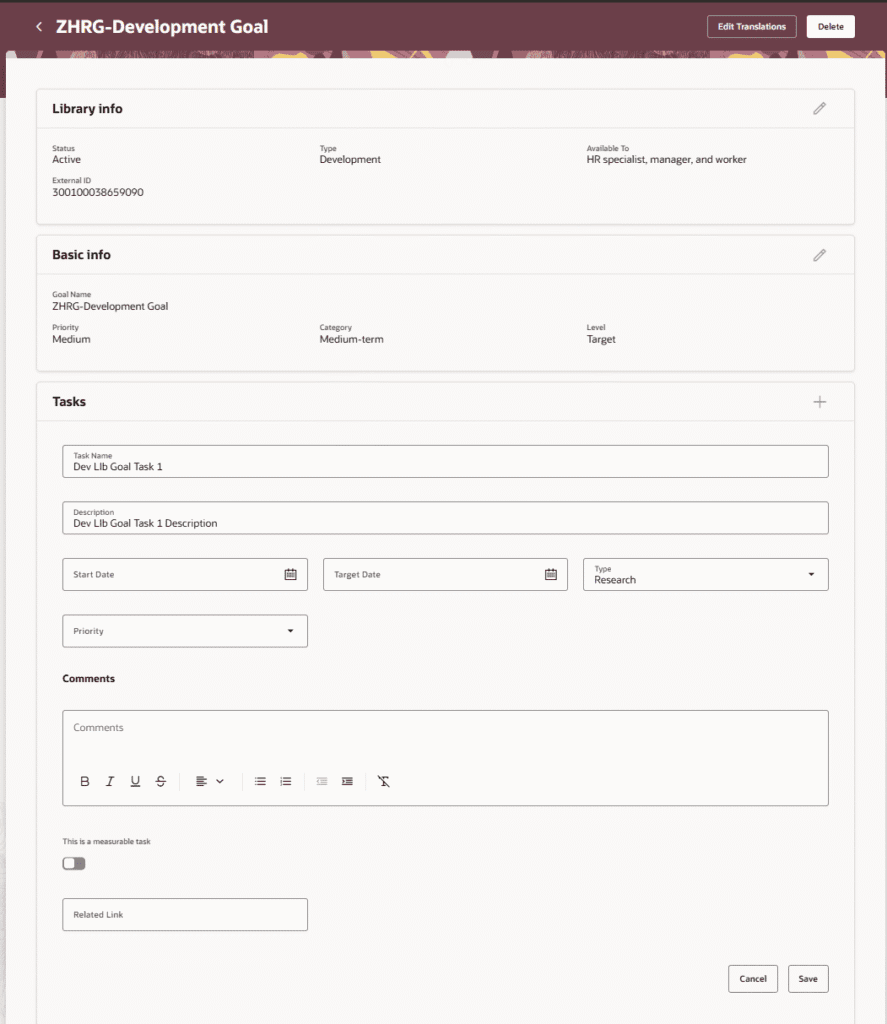
HR specialists can now enter a task description for a library goal task. The task description provides an explanation of the task when users add a performance library goal to a worker’s goal plan or a development library goal to a development plan.
When the task section is enabled for the library goal details page in Visual Builder Studio, HR specialists can see the task description with the task name and other task-related fields.
Business benefits:
- Provides clearer context for tasks tied to library goals
- Description carries through goal plans, mass assignments, and configurations
- Supports business-rule control over visibility and edit access
5. Manager Assigns Performance and Development Goals in Team Activity Center
Quick Notes:
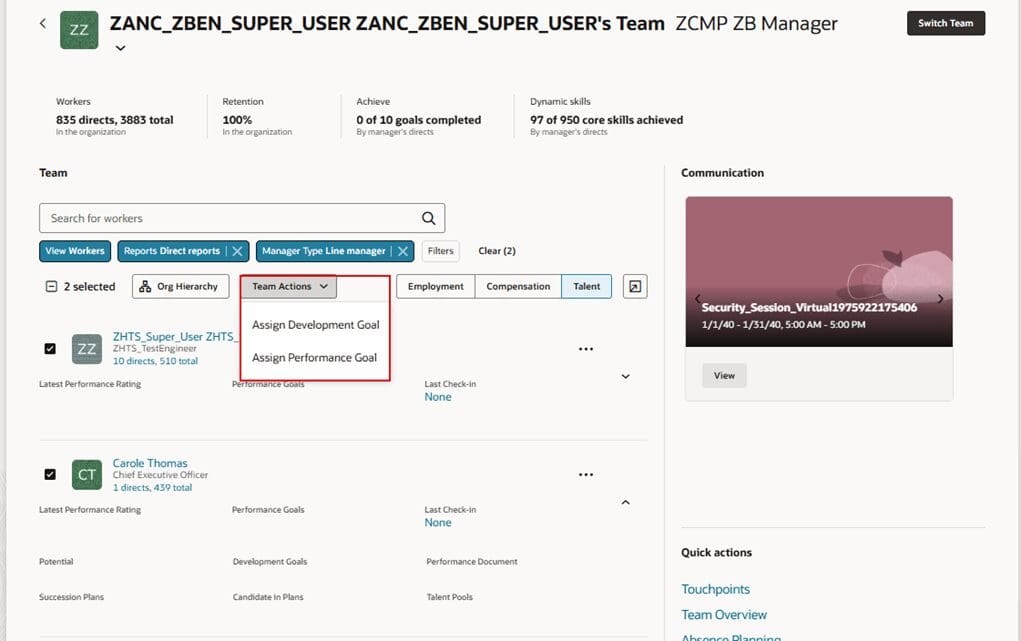
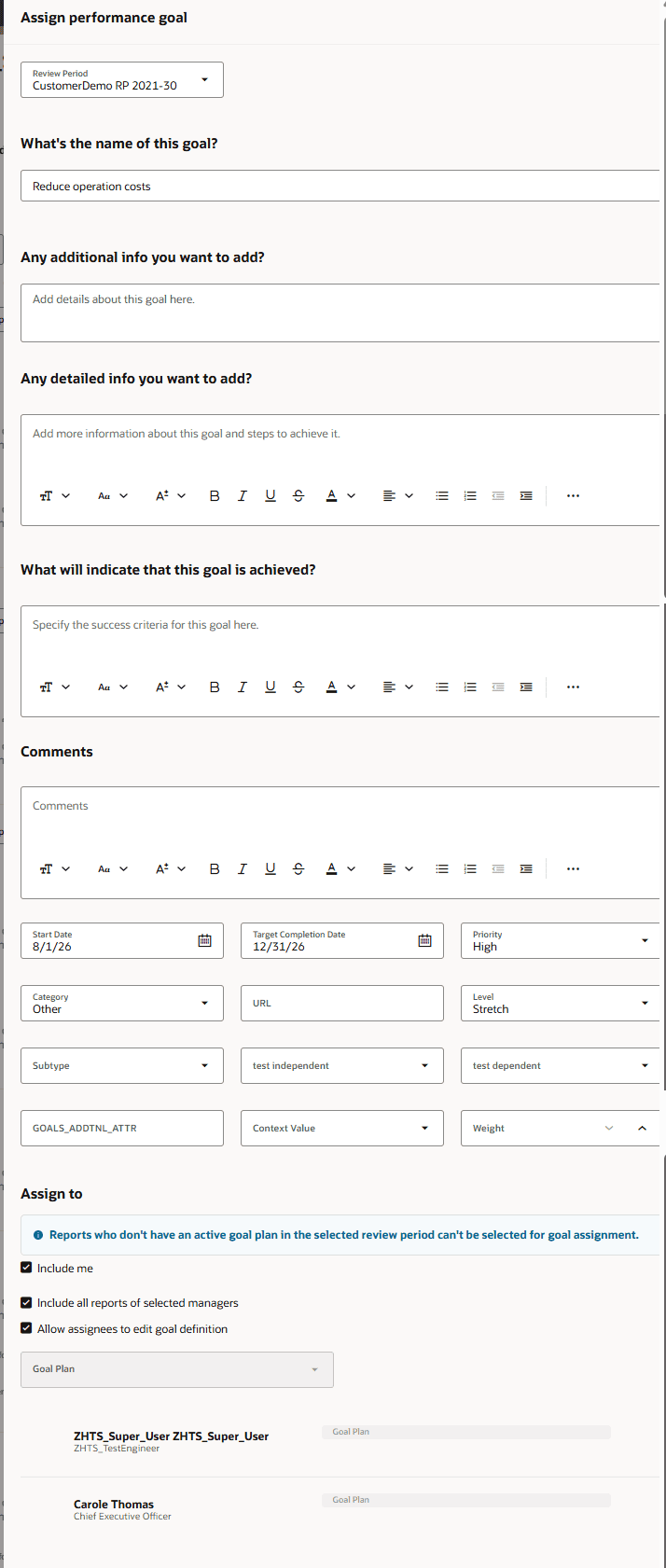
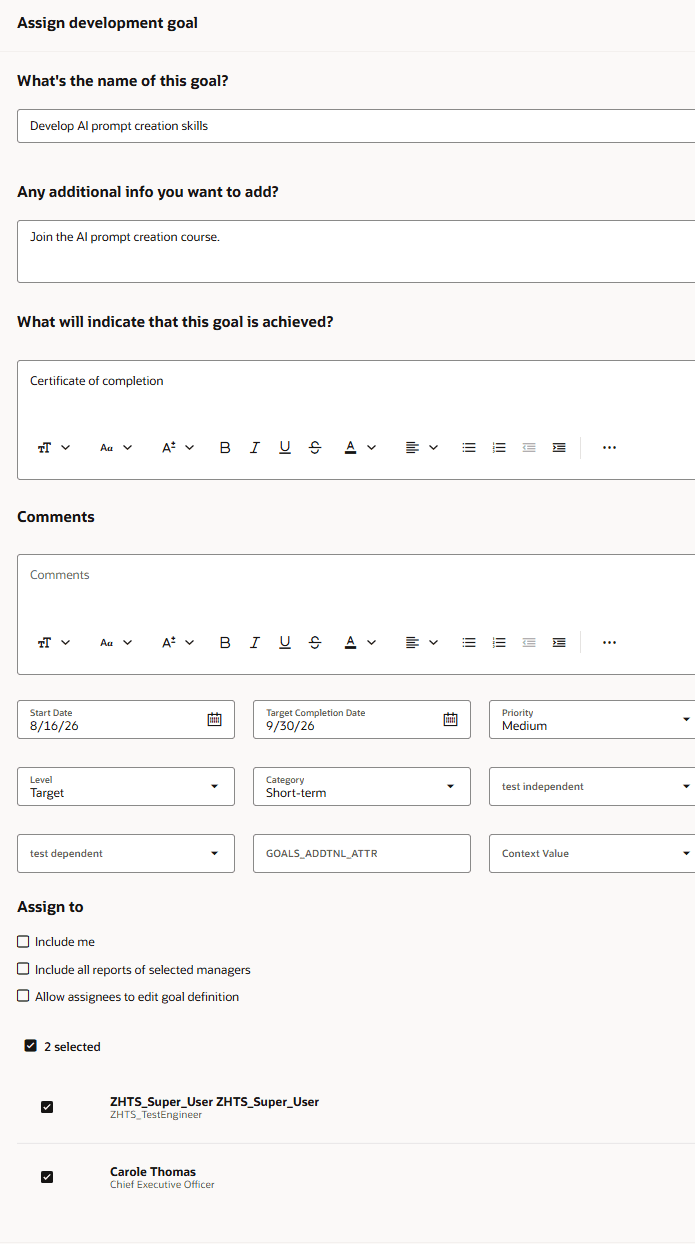
The Manager Assigns Performance and Development Goals in Team Activity Center feature empowers managers to assign goals directly within the Team Activity Center interface. Managers can filter team members using specific criteria including direct or indirect status, job, department, location, assignment status, worker type, and manager type.
From the Team Actions menu, managers select performance or development goal options and review assignees in a dedicated side panel prior to submission. The flow allows managers to select review periods, choose appropriate goal plans, pull from goal libraries, or utilize generative AI to create tailored goal descriptions, significantly streamlining manager goal management workflows across workforce teams.
Business benefits:
- Consolidates goal assignment tasks directly into Team Activity Center for managers.
- Provides advanced filtering capabilities to select target direct and indirect reports efficiently.
- Supports library goal selection and generative AI goal creation during assignment.
6. Simplify Check-Ins Experience
Quick Notes:
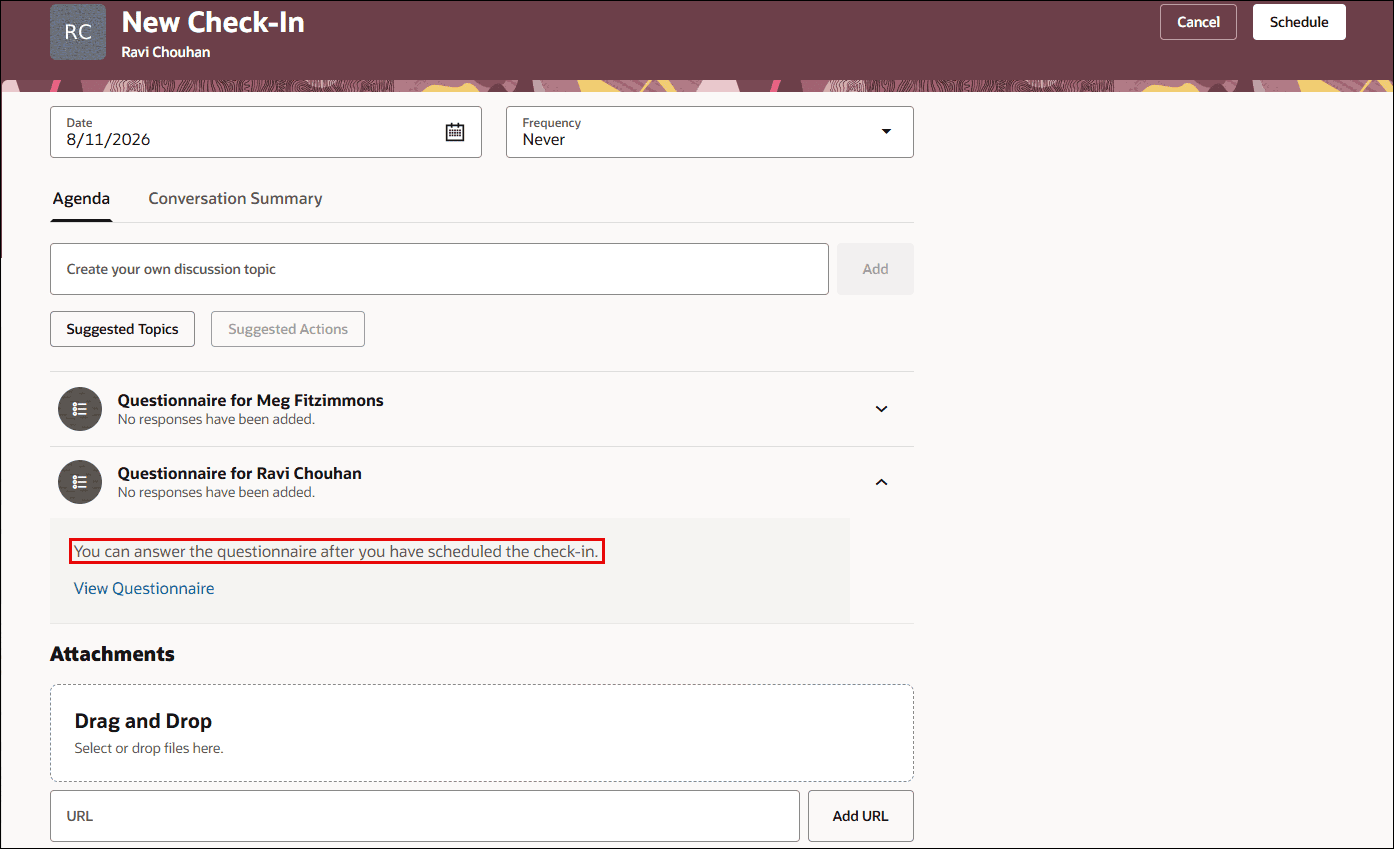
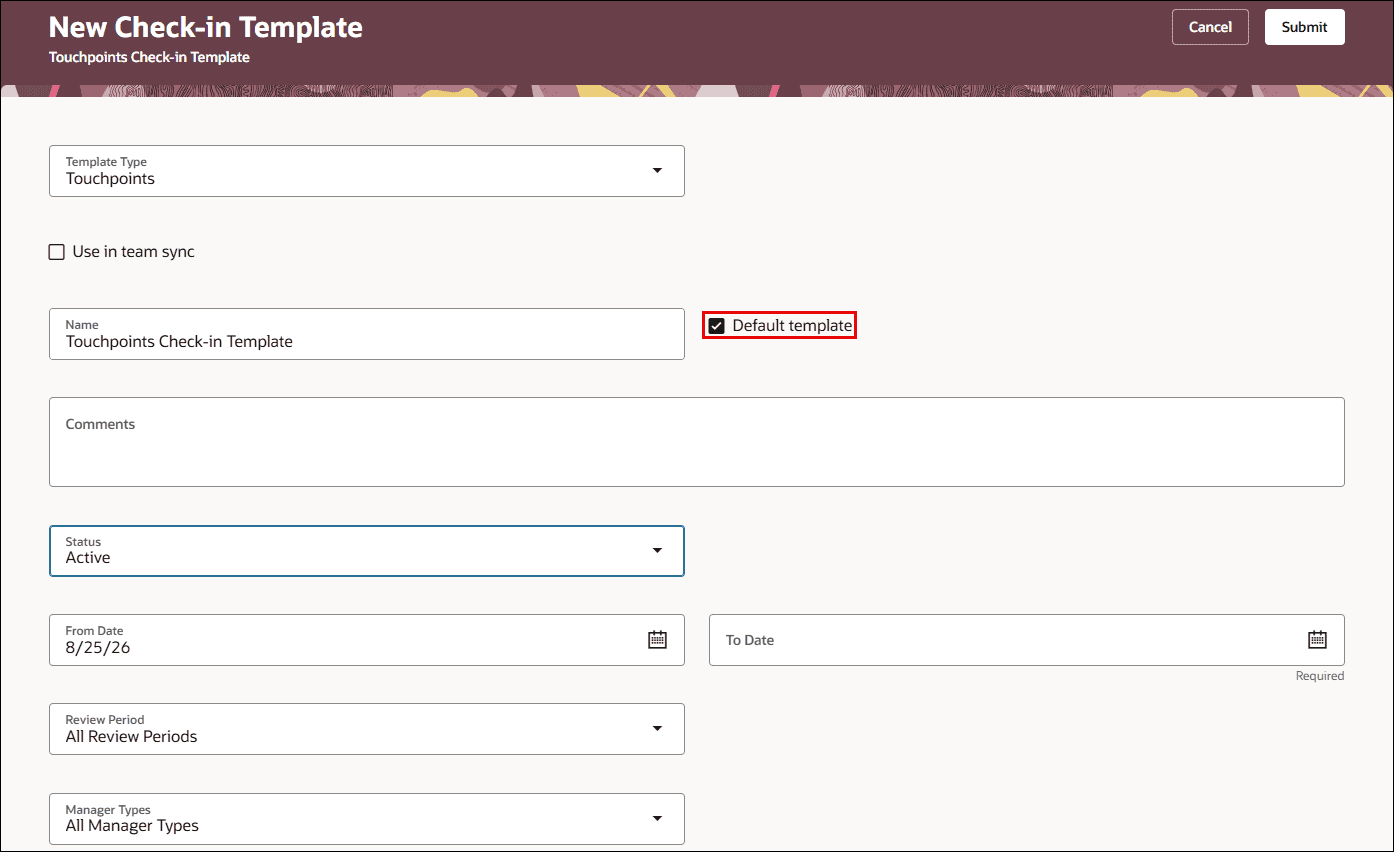
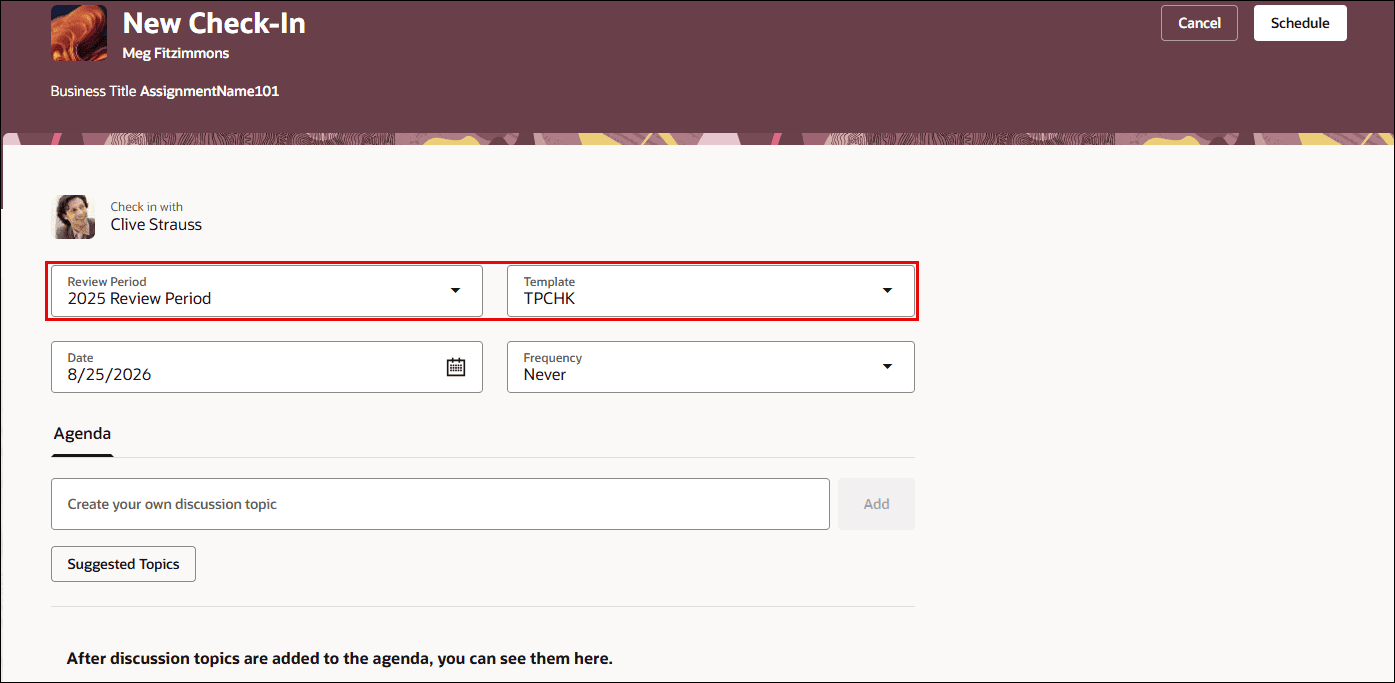
The Simplify Check-Ins Experience feature improves how organizations manage employee and manager discussions within Oracle Cloud HCM. Users can schedule and manage check-ins more efficiently through streamlined template selection and enriched discussion topics. Discussion topics can now incorporate configured questionnaires and past conversation summaries directly into the check-in session.
Furthermore, the feedback tab now displays anytime and requested feedback received over the past 12 months in descending order, ensuring the most recent context is readily accessible. Enhanced artificial intelligence capabilities also assist users in creating detailed check-in notes, reducing manual effort while driving richer, more meaningful continuous performance conversations throughout the workforce.
Business benefits:
- Streamlines template selection to accelerate check-in creation.
- Integrates 12 months of historical feedback directly into check-in discussion topics.
- Leverages enhanced AI assistance to simplify note creation and capture key discussion points.
7. Upload Media Files to Generate Conversation Summary
Quick Notes:
The Upload Media Files to Generate Conversation Summary feature expands check-in capabilities by allowing managers and employees to upload recorded media files directly to check-in records. Supporting file formats such as MP4, WAV, M4A, TXT, CSV, SRT, VTT, and JSON up to 25 megabytes, the Check-In Transcript Assistant agent automatically processes uploaded files to produce concise, professional summaries.
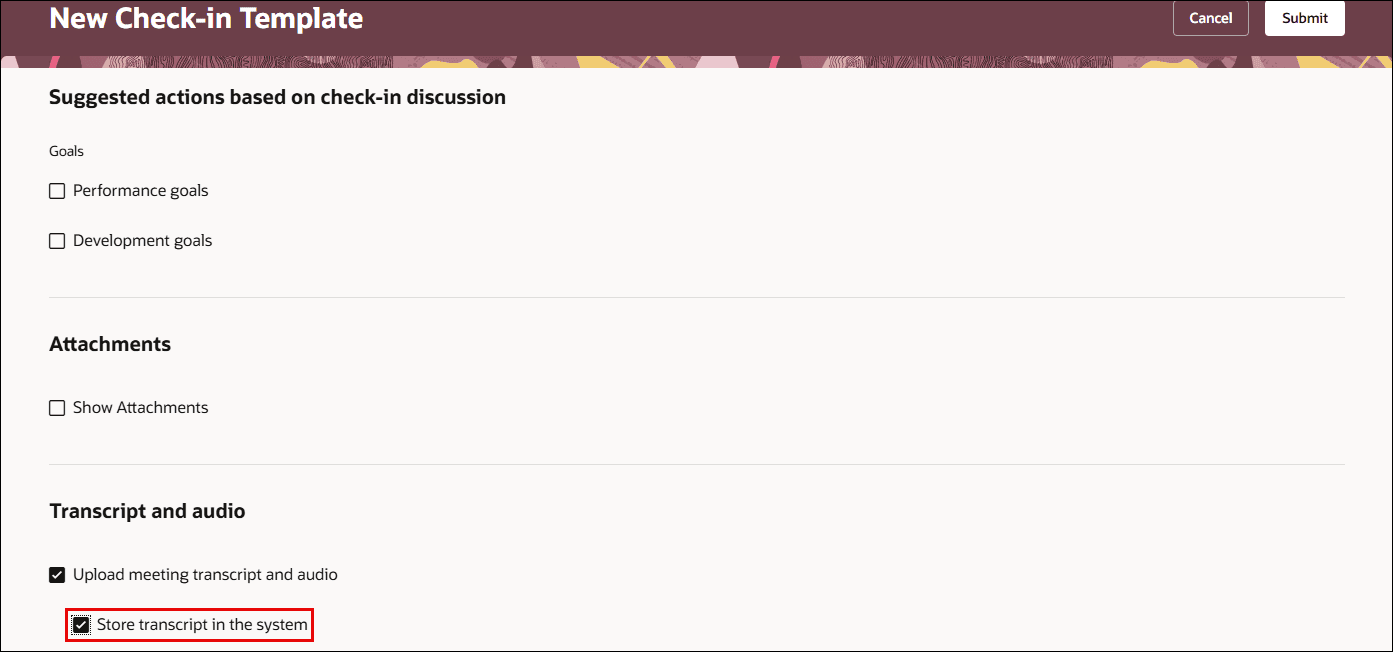
Users do not need to remain on the page while processing occurs, as email notifications automatically alert participants with direct links once summaries are generated. Additionally, organizations can choose to store transcripts in the system, ensuring comprehensive record-keeping and effortless retrieval for ongoing talent development.
Business benefits:
- Automates check-in transcript parsing and summary generation using AI technology.
- Supports various audio, video, and text file formats up to 25 MB.
- Delivers asynchronous email notifications to notify participants when summaries are ready.
8. Mass Process Performance Document Reopen, Restore, and Transfer Actions
Quick Notes:
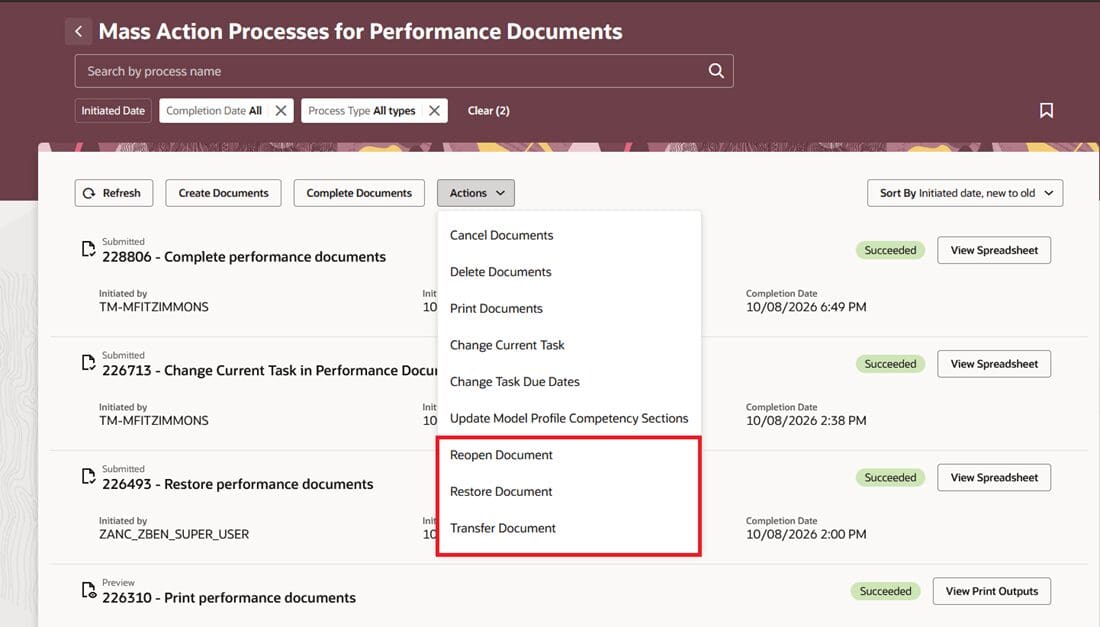
HR administrators can now reopen, restore, or transfer performance documents in bulk from the Redwood Mass Action Processes page, rather than handling each document one at a time. Actions can target completed or canceled documents, and transfers move a document to a new manager while preserving the review history. The process runs through HCM Data Loader, so administrators can also perform the same bulk actions directly via HDL for specific populations.
Notification templates for employees and managers — including both the previous and new manager on a transfer — can be configured in Alerts Composer so affected workers stay informed of changes.
Business benefits:
- Corrects performance documents at scale instead of one at a time
- Reduces manual administrative effort for HR teams
- Keeps affected workers and managers informed via configurable notifications
- Supports targeted corrections for specific populations
9. Time-Based Autosave for Providing Requested Feedback
Quick Notes:

Feedback providers completing a requested feedback questionnaire can now have their comments automatically saved at a configured interval, with a last-saved timestamp displayed under the Submit button. If a provider leaves the page, hits a session timeout, or experiences a crash, the most recently autosaved or manually saved feedback is preserved when the request is reopened.
This protects feedback that’s already been entered from being lost due to an unexpected session end, giving providers more confidence when completing longer feedback forms.
Business benefits:
- Prevents loss of entered feedback from timeouts or crashes
- Builds provider confidence with a visible last-saved timestamp
- Configurable autosave frequency and maximum save count
- Shared interval setting keeps behavior consistent with performance documents
10. Make Requested Feedback Share Options Read-Only and Configure Page Properties with New Contexts
Quick Notes:
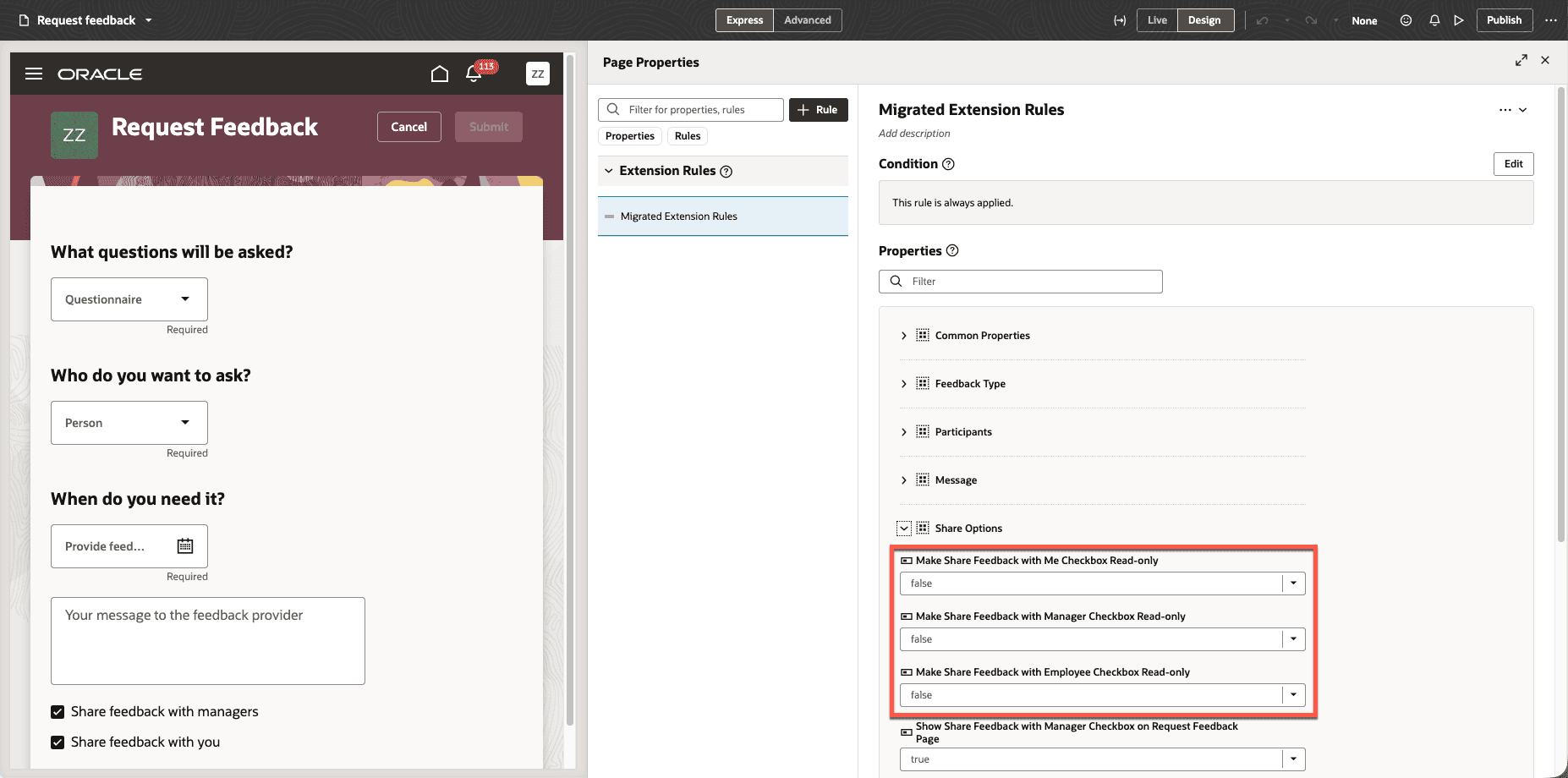
HR can now use Visual Builder Studio to make the Share Feedback with Employee, Share Feedback with Manager, and Share Feedback with Me options read-only on the Request Feedback page, working alongside existing properties that set the default share options. These read-only rules can be applied by worker attributes such as job, location, department, business unit, position, or by feedback type or template.
This gives organizations a way to enforce consistent feedback-sharing policies across different worker and feedback contexts, preventing requesters from overriding configured defaults.
Business benefits:
- Enforces consistent feedback-sharing policies organization-wide
- Prevents unintended changes to configured share-option defaults
- Supports granular targeting by worker or feedback context
- Reduces governance risk around sensitive feedback visibility
11. Enhance All-in-One Evaluations with Star Ratings, Read-Only Controls, and Modify Column Headers
Quick Notes:
All-in-One Evaluations now displays performance ratings as stars when the performance document uses star ratings, letting managers view employee, participant, target-proficiency, and calculated ratings alongside each rating level’s description. HR specialists can also use Visual Builder Studio to make an entire performance document — or specific topics like Performance Goal, Development Goal, Competency, or Overall Summary — read-only, and can similarly lock down actions such as Submit or Calculate Ratings.
Administrators can additionally relabel the Performance and Proficiency column headers for All-in-One Evaluations specifically, without affecting how those labels appear elsewhere in the application.
Business benefits:
- Provides a more consistent, visual rating experience for managers
- Gives organizations precise control over when evaluations can be edited
- Supports locking specific actions without disabling the whole page
- Enables tailored terminology for All-in-One Evaluations only
12. Badges in Profiles
Quick Notes:
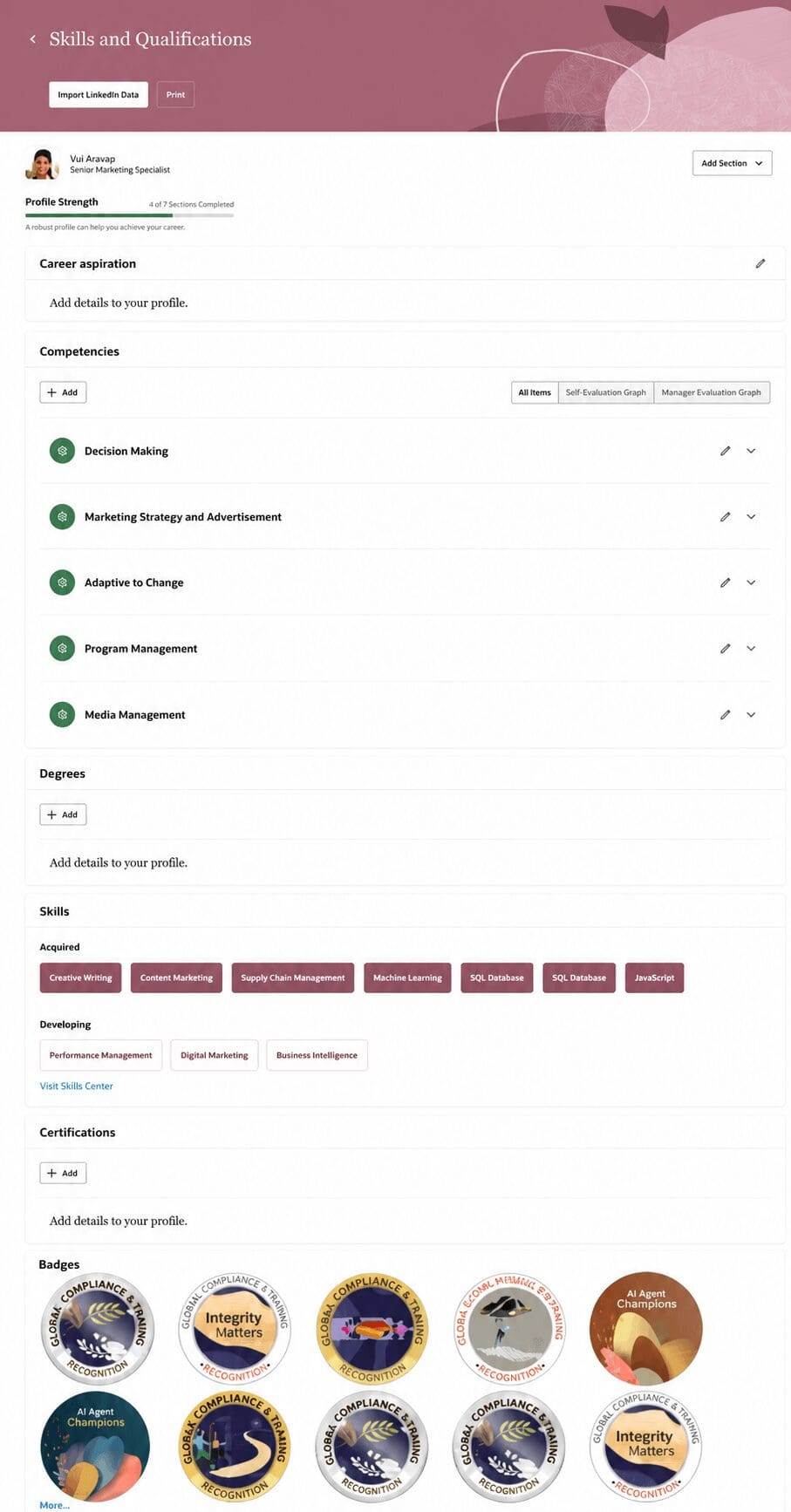
The Honors and Awards section of the Talent Profile now supports visual badging — displaying images and a card-based layout instead of standard text. Organizations can use the seeded Badges catalog, including Gold, Silver, and Bronze medal badges, as a starting point, or build their own. Badges display as avatar-style cards on the Talent Profile in a grid or list view, with full detail available in a side panel.
This gives organizations a more engaging, visual way to recognize employee honors and awards directly on the talent profile, rather than relying on plain text entries.
Business benefits:
- Adds a visual, recognizable format to employee honors and awards
- Uses a ready-to-use seeded badge catalog to get started quickly
- Supports multiple badge types across separate content sections
- Enhances the overall look and engagement of the Talent Profile
13. View Talent Profile in a Talent Review Drawer
Quick Notes:
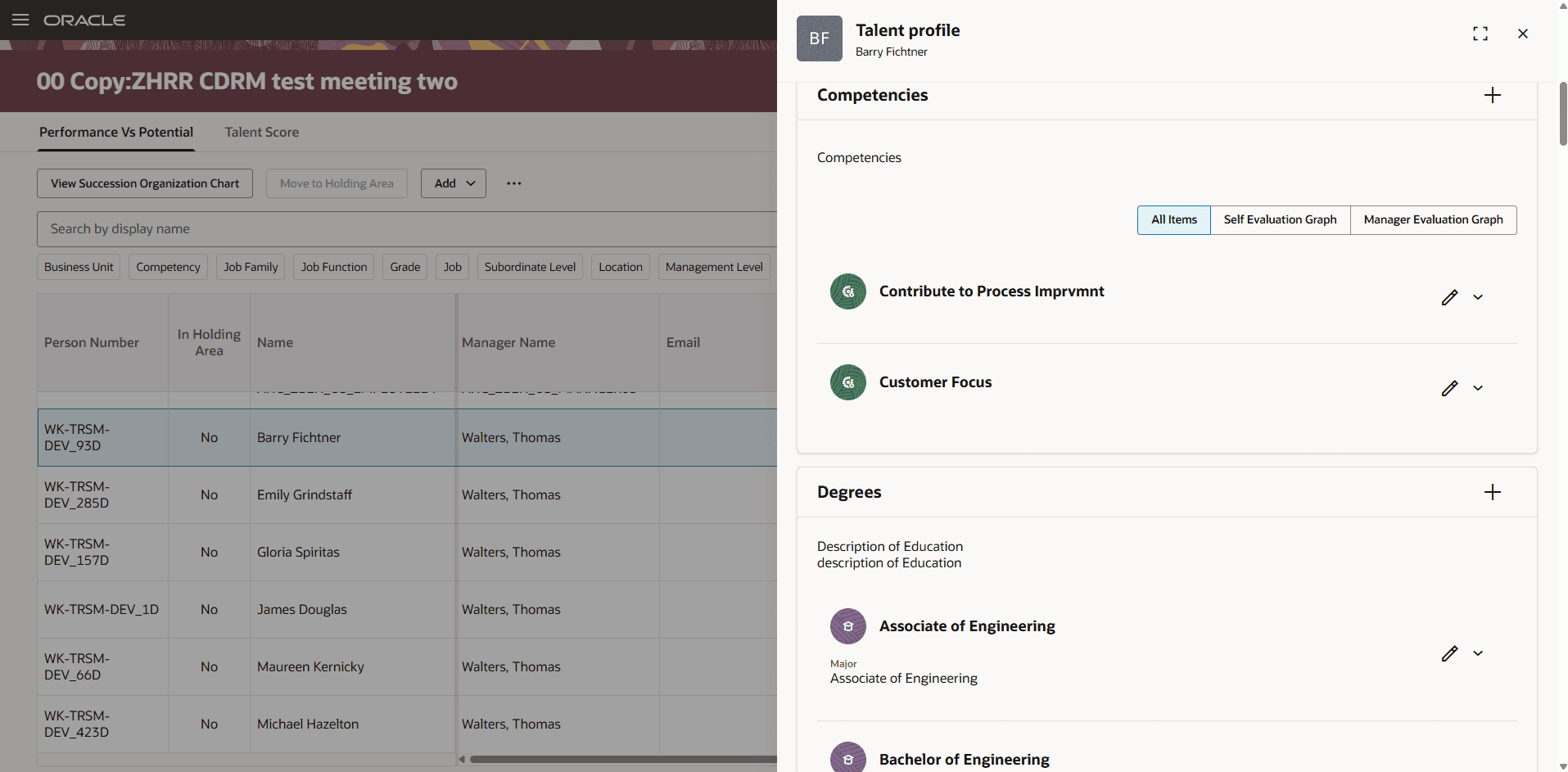
Managers preparing for a Talent Review, and administrators conducting one, can now open an employee’s Talent Profile directly in a side drawer, keeping the current Talent Review page in context. The profile opens in editable or read-only mode based on the manager’s existing profile security, so no new access setup is required.
This removes the need to leave the Talent Review page to check an employee’s profile details, keeping reviewers focused and reducing back-and-forth navigation.
Business benefits:
- Keeps reviewers in context while checking employee talent details
- Respects existing profile security with no new access setup
- Reduces navigation and speeds up review preparation
14. Auto-Save Status Updates for Talent Review
Quick Notes:
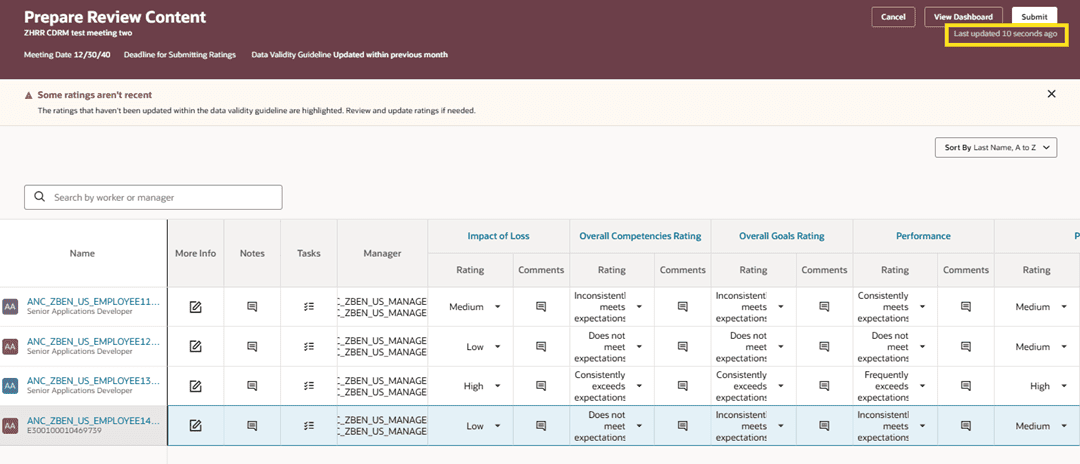
Changes made by managers preparing review content, and by facilitators conducting a Talent Review meeting, are now automatically saved. A visible timestamp confirms when the most recent update — including rating changes, potential assessment updates, or meeting dashboard actions — was saved.
This gives managers and facilitators added confidence that their work is preserved during the review process, without needing to manually save or worry about losing changes.
Business benefits:
- Automatically protects manager and facilitator updates during review
- Builds confidence with a visible last-saved confirmation
- Requires no setup — works immediately
15. AI-Driven and Improved Manager Experience for Talent Review Ratings Preparation
Quick Notes:
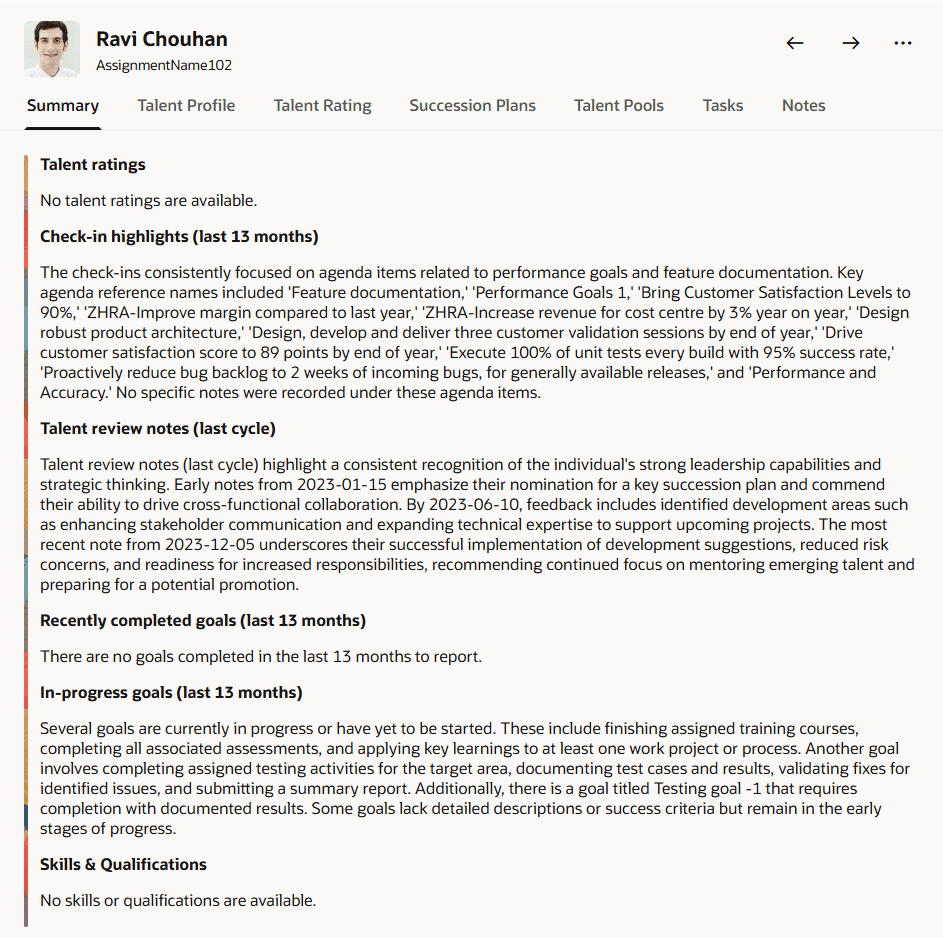
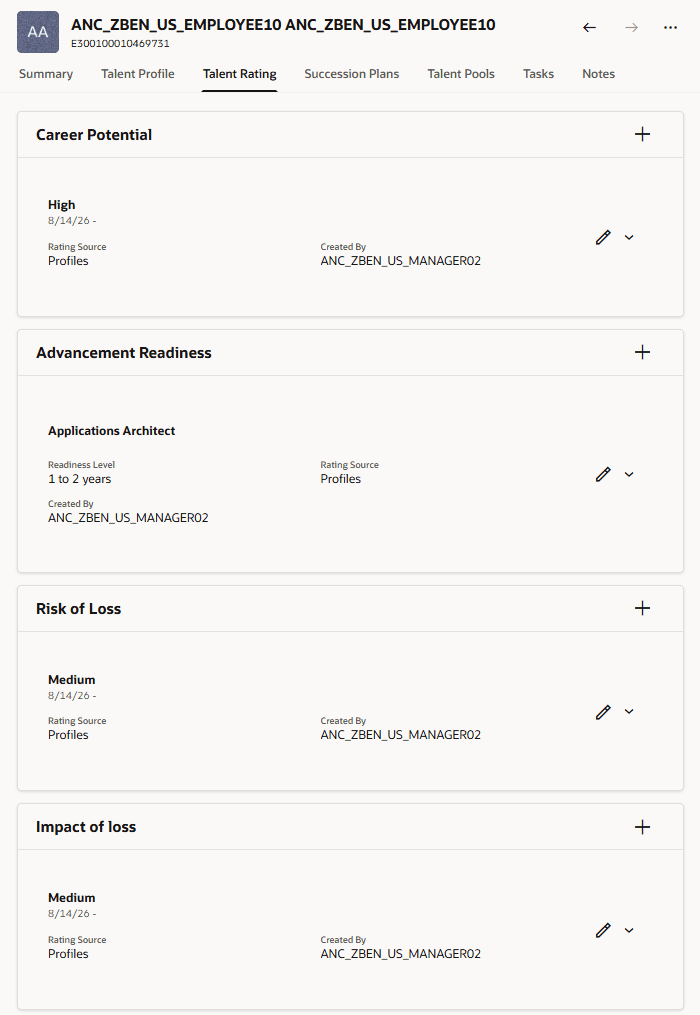
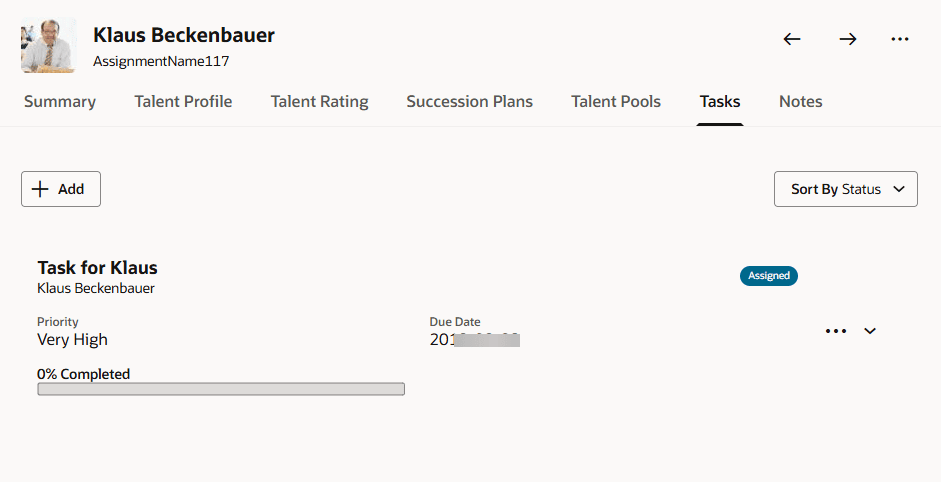
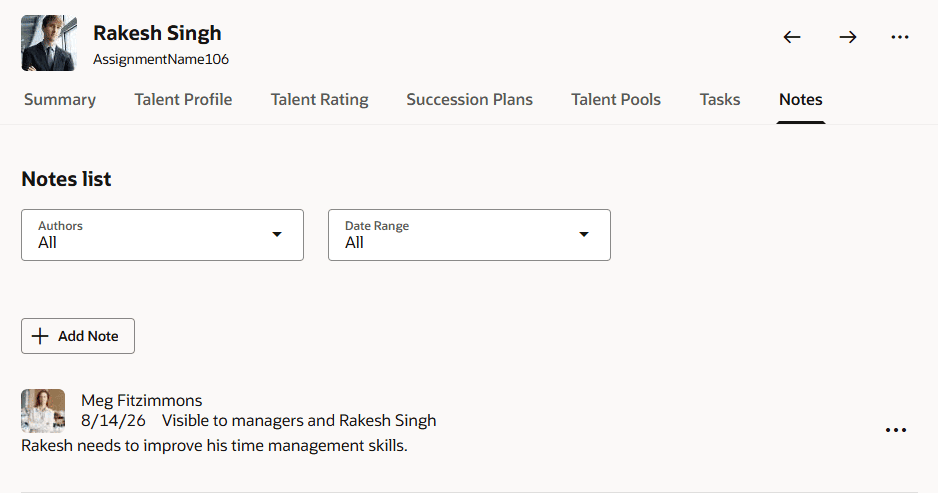
Managers preparing Talent Review ratings can now click a More Info link to see an AI-generated talent summary for each team member, covering recent performance and talent ratings, check-in highlights, prior review notes, goals, and skills — all without leaving the review context. Additional tabs let managers view or edit succession plans, talent pools, notes, and tasks from the same panel.
By bringing this employee context directly into the ratings-preparation workflow, managers spend less time navigating between pages and can make more informed, better-supported rating decisions during the review cycle.
Business benefits:
- Reduces navigation between systems during ratings preparation
- Surfaces AI-generated context exactly when managers need it
- Supports more informed, consistent rating decisions
- Gives administrators control over which panels are visible
16. View Talent Profile and Talent Ratings During Talent Review
Quick Notes:
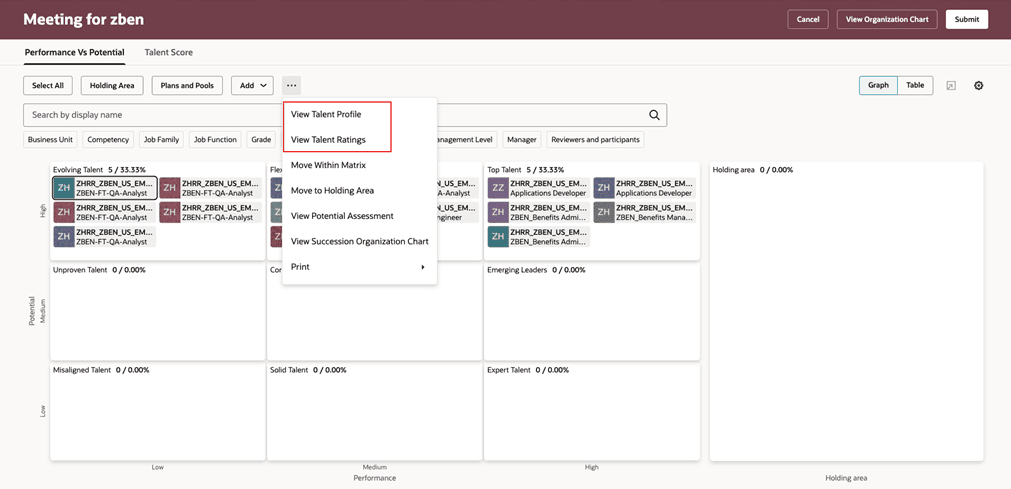
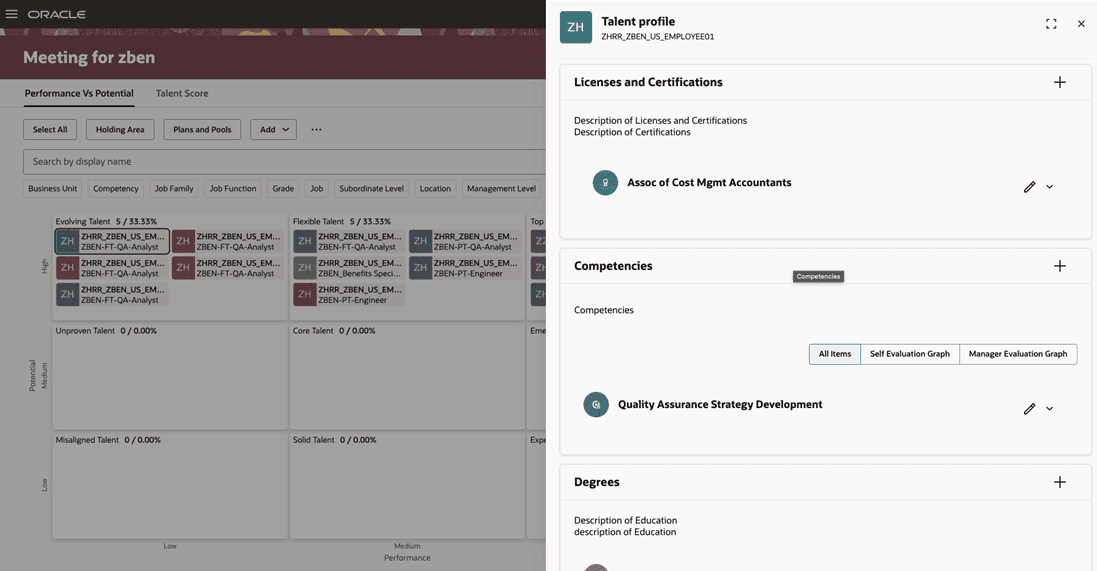
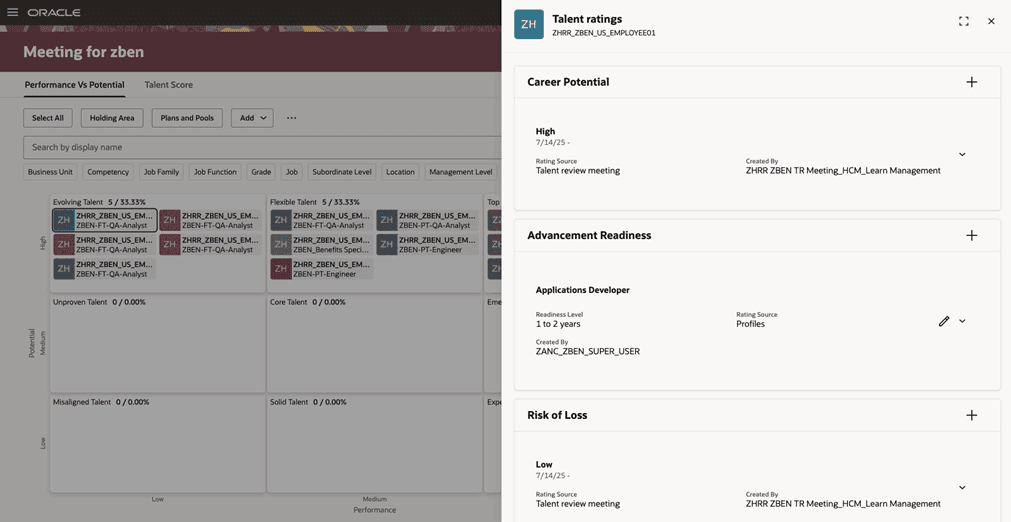
Facilitators can now select a reviewee from the Talent Review meeting dashboard or Table view and view their Talent Profile and ratings in a panel, without leaving the meeting. The action is available both from an individual member’s actions menu and from the dashboard’s More Actions menu.
This keeps facilitators focused on the discussion at hand while still giving them quick access to the employee details needed to guide the conversation.
Business benefits:
- Keeps facilitators in the meeting context while reviewing employee details
- Speeds up access to talent profile and ratings during discussions
- Reduces disruption to the flow of Talent Review meetings