Oracle HCM Time and Labor 26C
Low

Feature Enablement
Redwood Features

26C Update Features Covered:
- Redwood Experience
- Timecard Approval Enhancements
- New Worker Timecard Approval
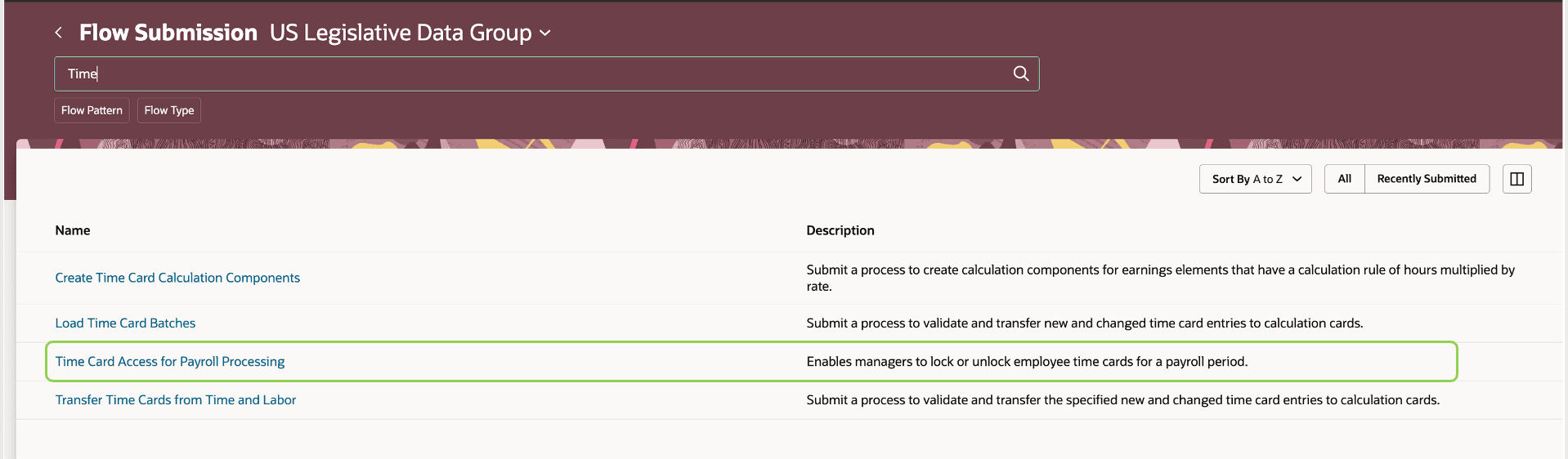
- Timecard Access for Payroll Processing
1. Redwood Experience
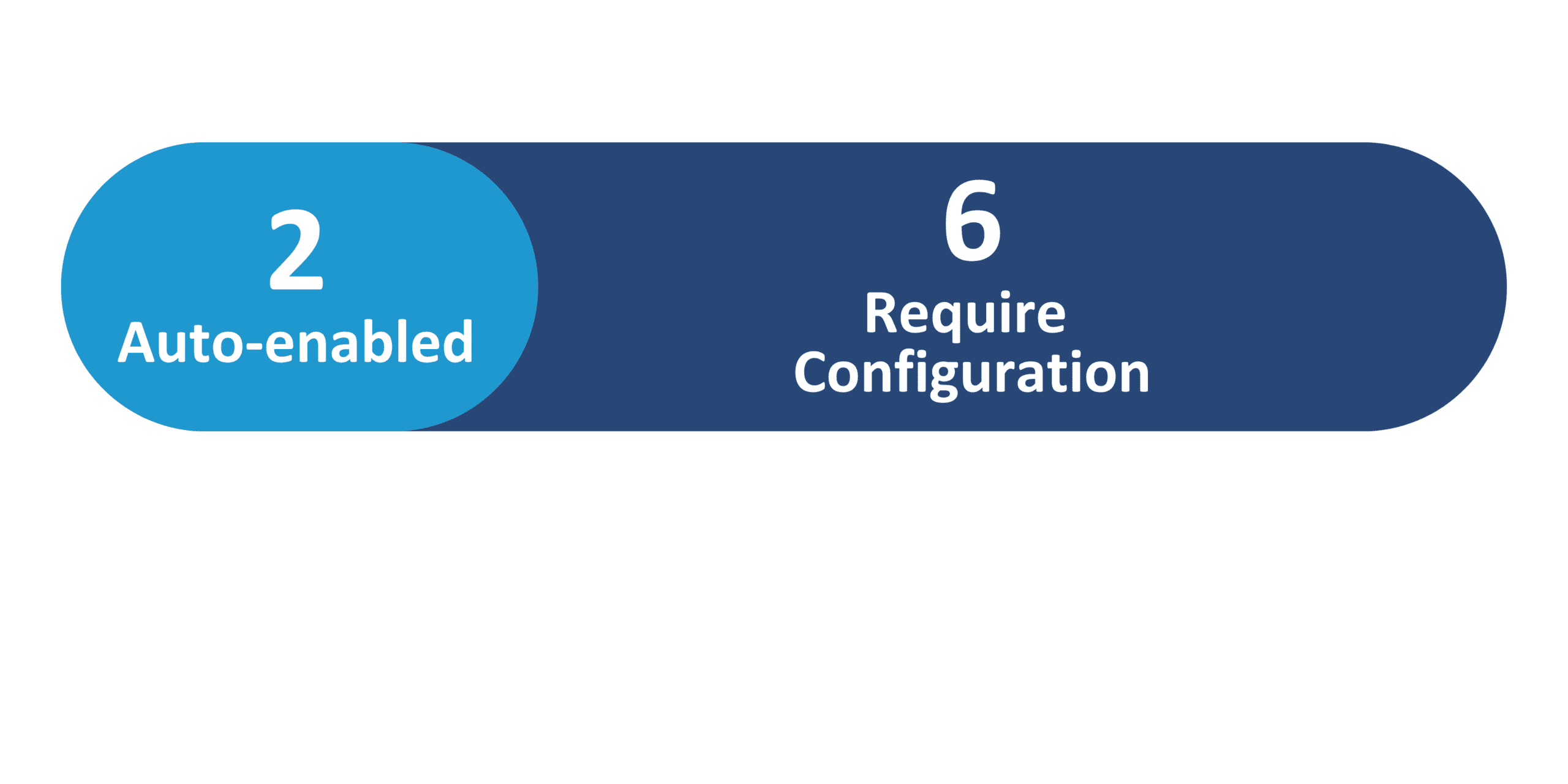
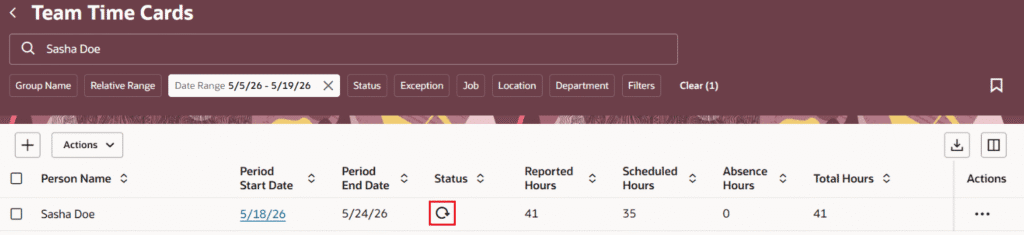
Update 26C delivers 2 Redwood features across Time and Labor. The Redwood Timecard Enhancements feature (not in this newsletter selection) continues the Redwood timecard experience improvements. Within this newsletter, Timecard Approval Enhancements includes a meaningful improvement to the Redwood Team Timecards page — mass approval is now processed inline, with an in-progress indicator in the status column during processing.
2. Timecard Approval Enhancements
Quick Notes:


Update 26C delivers two enhancements to the Timecard approval experience — improving mass approval processing on the Redwood Team Timecards page and enriching the approval history for greater auditability.
- Mass Approve Timecards Enhancement: Mass approval from the Redwood Team Timecards page is now processed inline when managers select and approve one or several timecards. An in-progress indicator appears in the status column during processing, with the final status reflected upon completion and a page Refresh
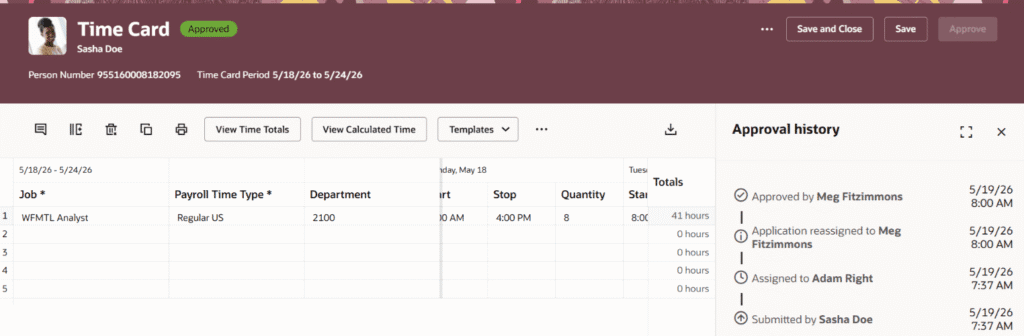
- Approval History Enhancement: Approval history information is improved by eliminating misleading entries such as Withdrawn by Application. The approval history now reflects a clear sequence of approval actions, including approver assignment, reassignment to Time and Labor manager in case of approval overrides, and the final approval
- The approval history improvement is aligned whether the approval is done from the Team Timecards page or the Mass Submit and Approve Timecards process
3. New Worker Timecard Approval
Quick Notes:
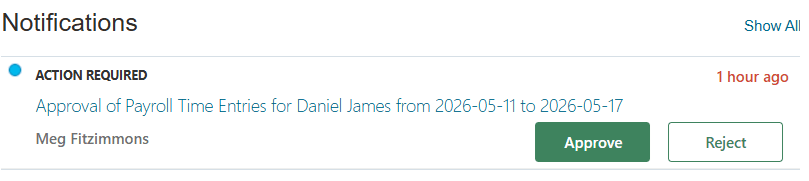
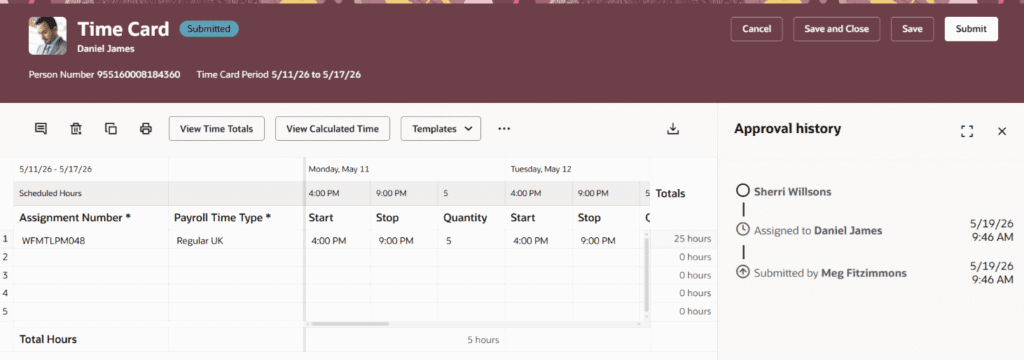
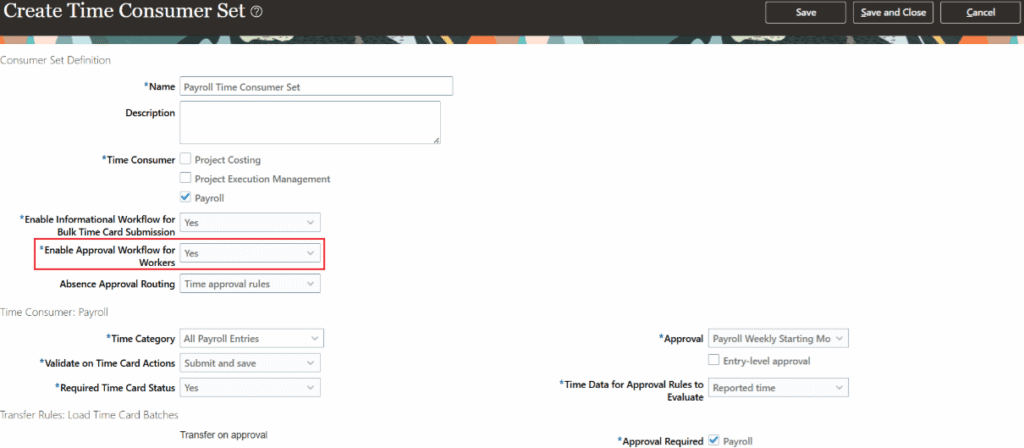
Update 26C introduces the ability to enable worker approval (or acceptance) of timecards submitted on their behalf by managers, time submission rules, or the Mass Submit Timecards process. When worker approval is enabled, it becomes the first step in the timecard approval flow.
- When worker approval is required, the worker receives the first Action Required notification — manager approval waits until the worker has approved or rejected the timecard
- Workers can add comments during approval or rejection; once the worker approves, the timecard is assigned to the next approver or manager and remains in Submitted status
- If a worker rejects the timecard, the manager or submitter is notified, and the timecard status is set to Rejected
- Enables workers to acknowledge timecards prepared by the system or by timekeepers, improving worker participation, compliance, and auditability

4. Timecard Access for Payroll Processing
Quick Notes:
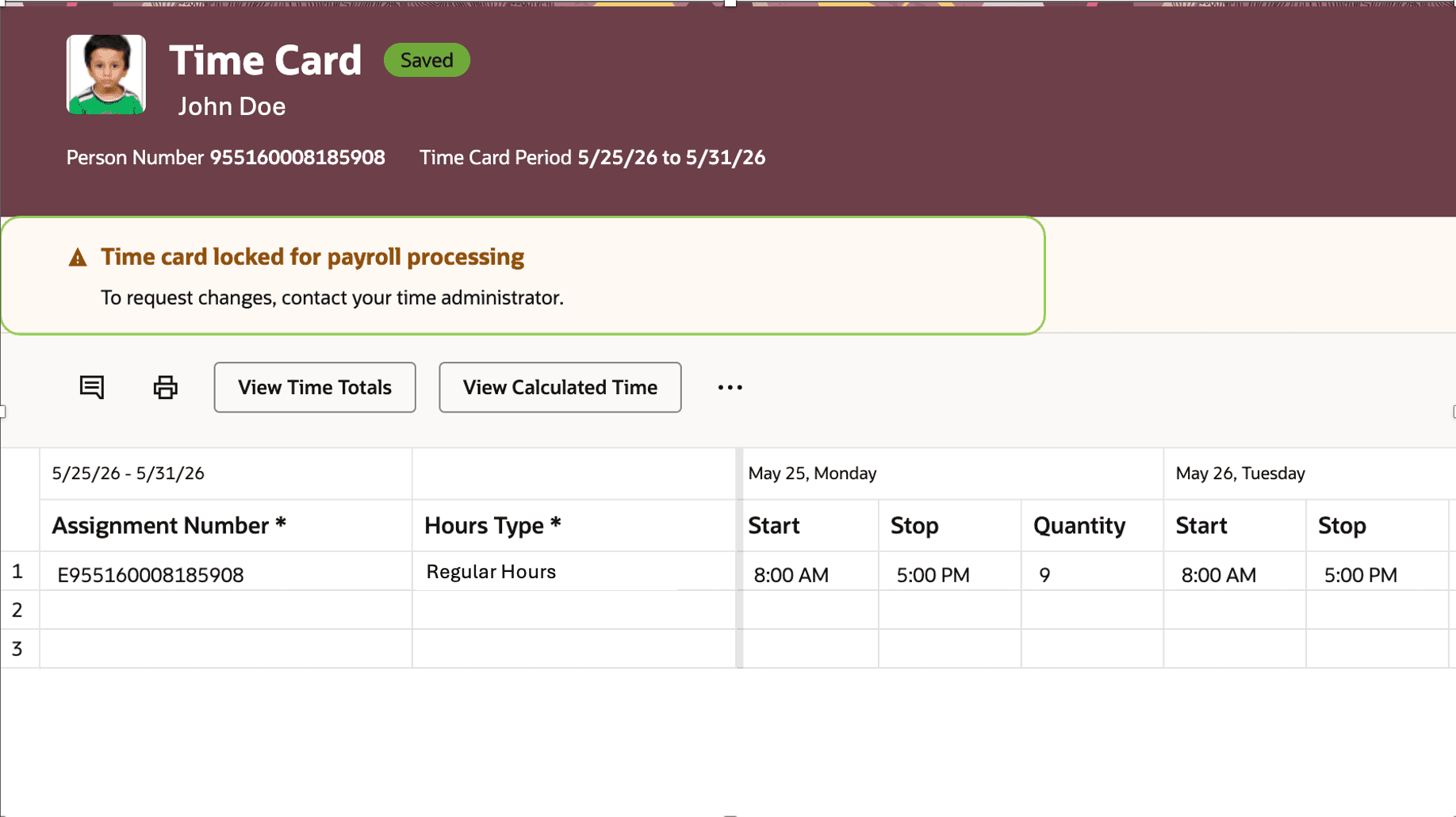
Payroll and time administrators can now use the Timecard Access Management for Payroll flow to lock or unlock timecards for a selected payroll and payroll period. This prevents workers and line managers from editing timecards during payroll processing while preserving administrator access.
- When a timecard is locked, workers and line managers see a warning message and the timecard opens in read-only mode — Edit, Delete, and Submit actions are restricted
- Time managers and timekeepers with the Manage Timecards by Time and Labor Manager privilege can continue to manage locked timecards via My Client Groups
- Approval actions, approved change requests, internal time entry processes, and integrations can still update locked timecards
- Workers can still create timecards and request time changes; approved changes can update locked timecards