Oracle HCM Time and Labor Cloud 26D
Medium

Feature Enablement
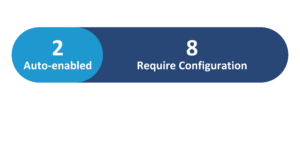
Redwood Features
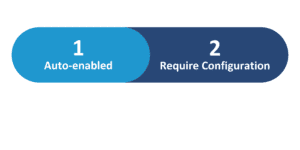
26D Update Features Covered:
- Redwood Experience
- Redwood Experience for Workday Definitions
- Enhancements for Calendar Events on Redwood Time Cards
- Enhancements for Absence Integration on Redwood Time Cards
- View Locked Time Cards in Time Activity Center
1. Redwood Experience
Oracle Cloud 26D brings significant Redwood experience enhancements to Time & Labor, streamlining critical processes for both workers and administrators. These updates provide clearer visibility into time cards, calendar events, and absence integration, ensuring greater accuracy and efficiency. Administrators benefit from guided experiences for workday definitions, while managers gain improved insights into locked time cards. The focus remains on delivering an intuitive, integrated, and transparent user experience across the Time & Labor module.
2. Redwood Experience for Workday Definitions
Quick Notes:


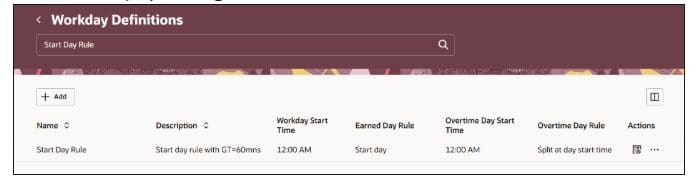
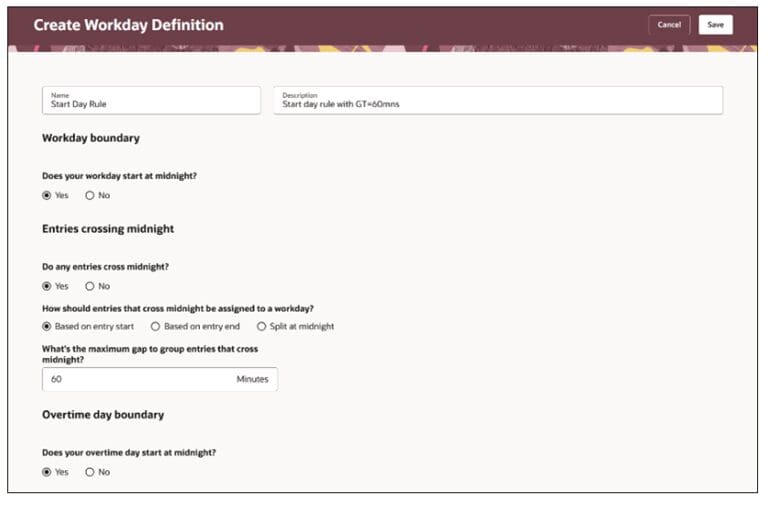
The Redwood Experience for Workday Definitions provides administrators with a modernized, guided interface for creating and managing workday definitions within the Setup and Maintenance work area. This enhancement simplifies the configuration of crucial day-boundary rules, including earned day spanning, overtime day spanning, and how time entries crossing midnight are assigned.
Administrators can easily define whether a workday starts at midnight, specify maximum grouping gaps, and configure overtime day boundaries. This intuitive experience improves clarity and efficiency in setting up complex time rules, ensuring accurate time calculation and compliance.
It allows for quick searching, editing, and reviewing of definitions, making administrative tasks more straightforward.
Business benefits:
- Streamlined configuration of workday definitions
- Improved clarity for day-boundary and overtime rules
- Enhanced accuracy in time calculation
- Simplified management of time entries crossing midnight
3. Enhancements for Calendar Events on Redwood Time Cards
Quick Notes:
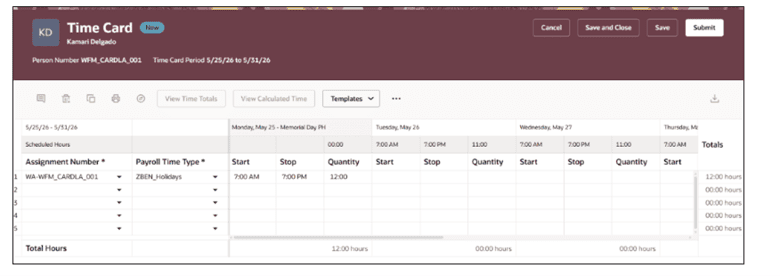
This enhancement provides workers and managers with clearer visibility into calendar events directly on Redwood time cards. It automatically defaults full-day event entries, such as public holidays, based on the applicable schedule source. The system now prioritizes published schedules for defaulting calendar event entries, ensuring consistency. Calendar event information is displayed even when no entry is defaulted, offering comprehensive context.
This feature intelligently defaults entries from fixed work-pattern shifts, time-profile durations, or worker availability, ensuring that time cards accurately reflect scheduled and non-scheduled events. This improves transparency and reduces manual entry errors for common calendar events.
Business benefits:
- Improved visibility of calendar events on time cards
- Automatic defaulting of full-day event entries
- Enhanced accuracy in time card population
- Reduced manual entry and potential errors
4. Enhancements for Absence Integration on Redwood Time Cards
Quick Notes:
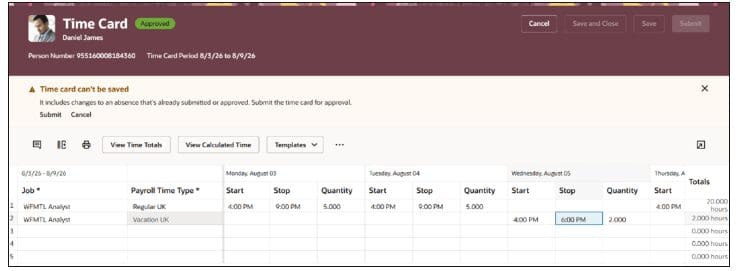
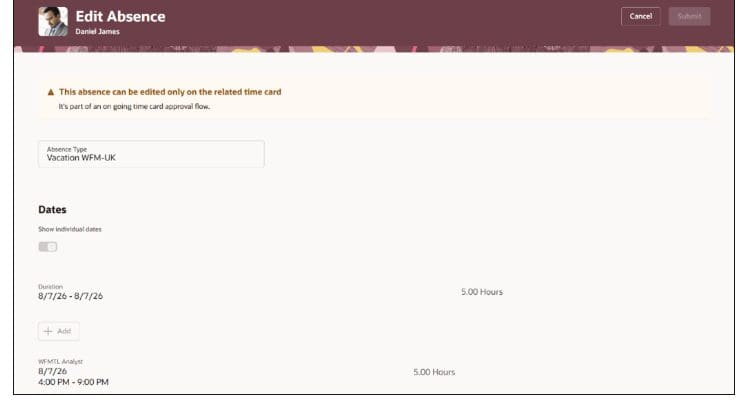
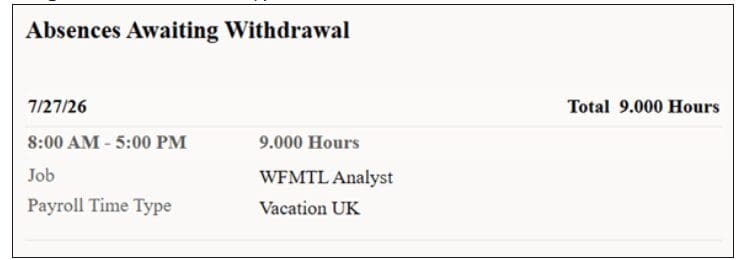
This feature significantly enhances the integration of absences with Redwood time cards, aligning absence removal with Absence Management processing and providing greater visibility into approval flows. When an absence is removed from a time card, the system intelligently deletes or withdraws it based on its status and applies configured approval rules.
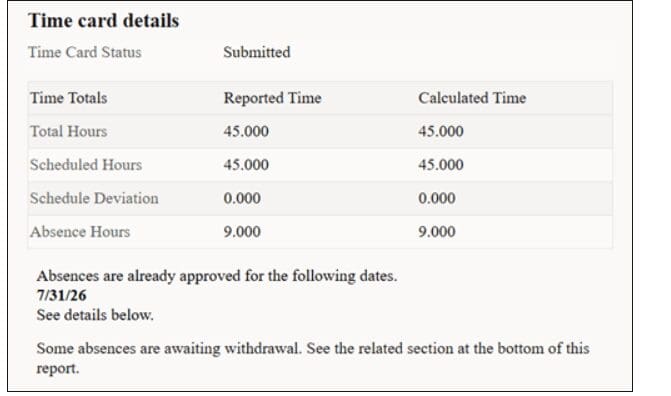
Workers and approvers gain clearer insight into the absence withdrawal process, with pending and completed withdrawals no longer displayed on the time card. The system ensures that time card approval processes are synchronized with absence withdrawal approvals, preventing inconsistencies and prompting users to submit time cards for processing absence changes, thereby maintaining data integrity.
Business benefits:
- Seamless integration of absence removal with Absence Management
- Improved visibility into absence approval and withdrawal status
- Enhanced data integrity between time cards and absences
- Streamlined approval processes for combined time and absence entries
5. View Locked Time Cards in Time Activity Center
Quick Notes:
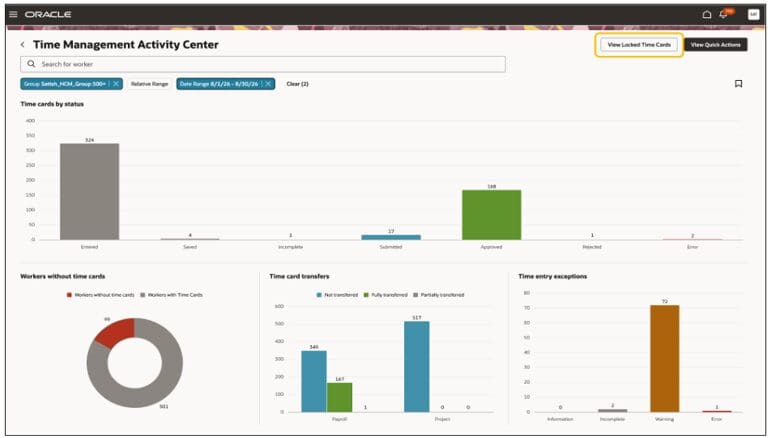
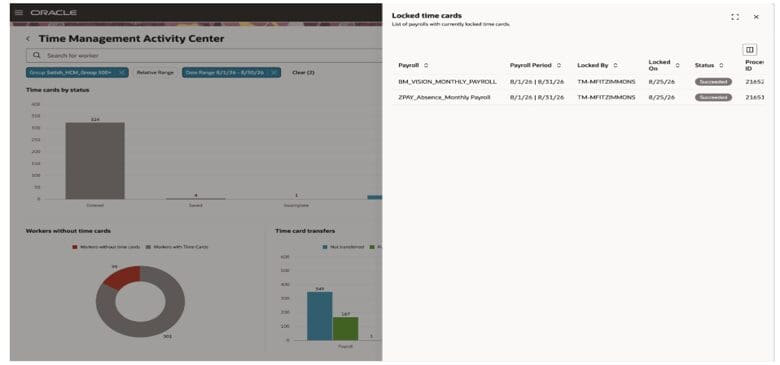
The ‘View Locked Time Cards’ action in the Time Activity Center provides Time and Labor managers with enhanced visibility into time cards currently undergoing payroll processing. This feature allows managers to identify payroll periods with locked time cards and monitor the status of the lock process.
The drawer displays crucial details such as the payroll name, period, lock date and time, the user who submitted the lock, and the process status and ID. It shows successful and in-progress lock processes from the past 90 days, improving transparency and enabling managers to effectively monitor time cards that are part of the payroll flow, ensuring smooth processing.
Business benefits:
- Improved visibility into payroll-locked time cards
- Ability to monitor the status of time card lock processes
- Enhanced transparency for Time and Labor managers
- Facilitates smoother payroll processing and issue resolution