Oracle HCM Talent Management Cloud 26B
Low
Feature Enablement
Redwood Features
Generative AI Features

26B Update Features Covered:
- Redwood Experience
- Generative AI
- Redwood: Populate Talent Review Participants Automatically Based on Review Population
- Configure Ratings as Read-Only and Required in Talent Review
- Personal Contribution AI Agent
- AI-Generated Feedback And Check-In Summaries in Performance Documents
- Multi-Select Records on Performance HR Admin Pages
1. Redwood Experience
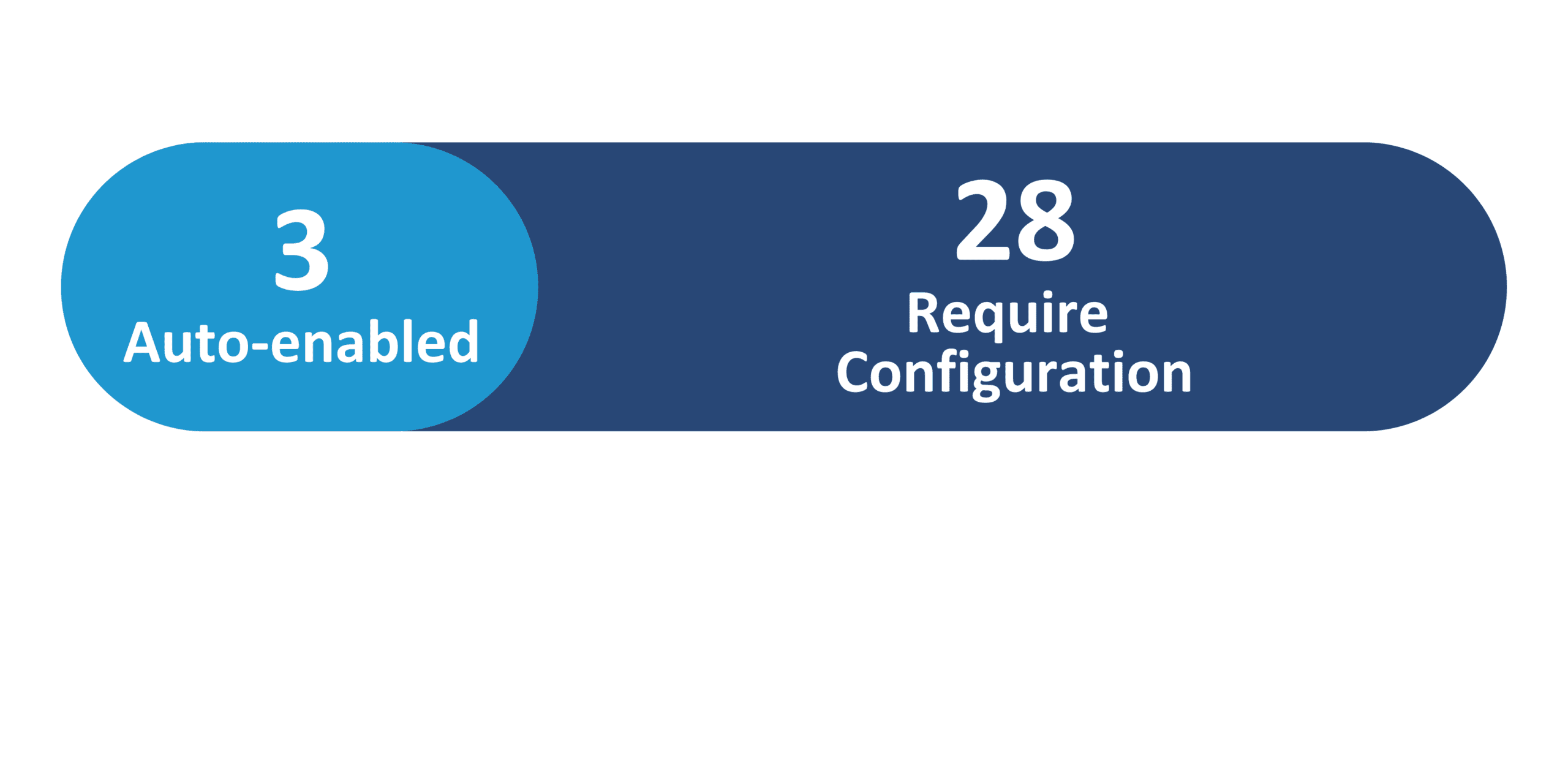
Oracle continues expanding Redwood in the 26B Talent Management release with enhancements across Check-Ins, Goals, Performance, Talent, and Succession. Updates include improved setup visibility through Redwood-enabled FSM tasks, cleaner feedback workflows, refreshed configuration and scheduled process pages for Goals, expanded extract fields, and stronger privacy controls for shared and organization goals. Performance gains multi-select admin actions, enhanced mass-creation notifications, and new VB Studio properties to fine-tune filters and page content. Succession and Talent Review are strengthened with role-context support, a team succession dashboard, configurable rating rules, automated participant population, and an integrated organization-chart view. Additional refinements include improvements to the Manager Edge experience and expanded attributes within Learning Records for better tracking of learning outcomes and provider information.
2. Generative AI
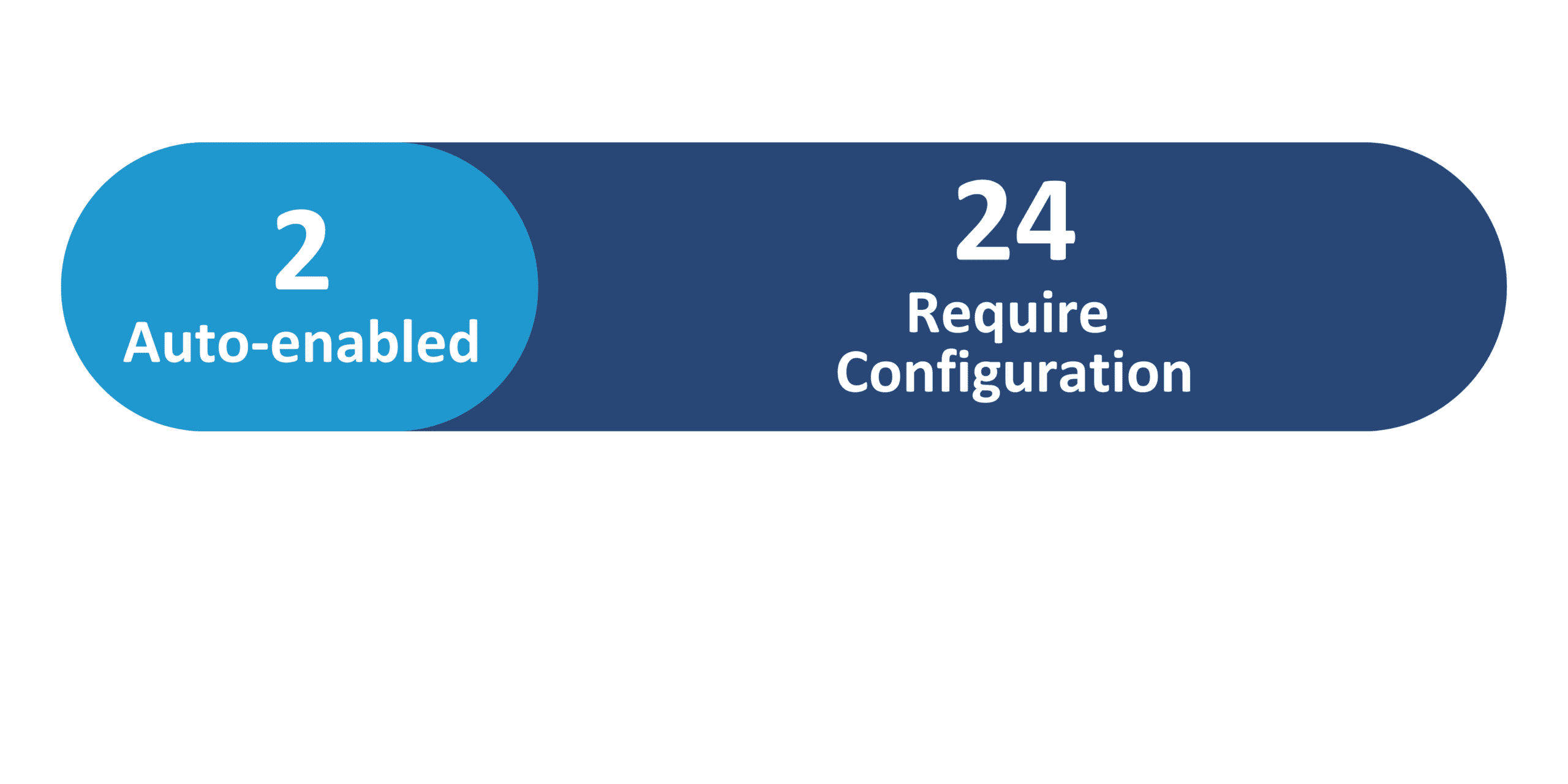
Oracle continues enhancing AI and Generative AI capabilities in the 26B Talent Management release with updates that streamline content creation, strengthen evaluations, and improve talent insights. AI-generated feedback and check-in summaries are now displayed directly in Check-Ins and Performance Documents, reducing manual writing for employees and managers. Performance documents gain additional GenAI enhancements that improve narrative quality and assist evaluators during review cycles. The Employee Goal Assistant leverages AI to help users draft and refine goals while also triggering the necessary approval workflows. Succession Planning benefits from updated Advisor Agent capabilities, providing more intelligent, context-aware recommendations for successor identification and readiness assessment.
3. Redwood: Populate Talent Review Participants Automatically Based on Review Population
Quick Notes:


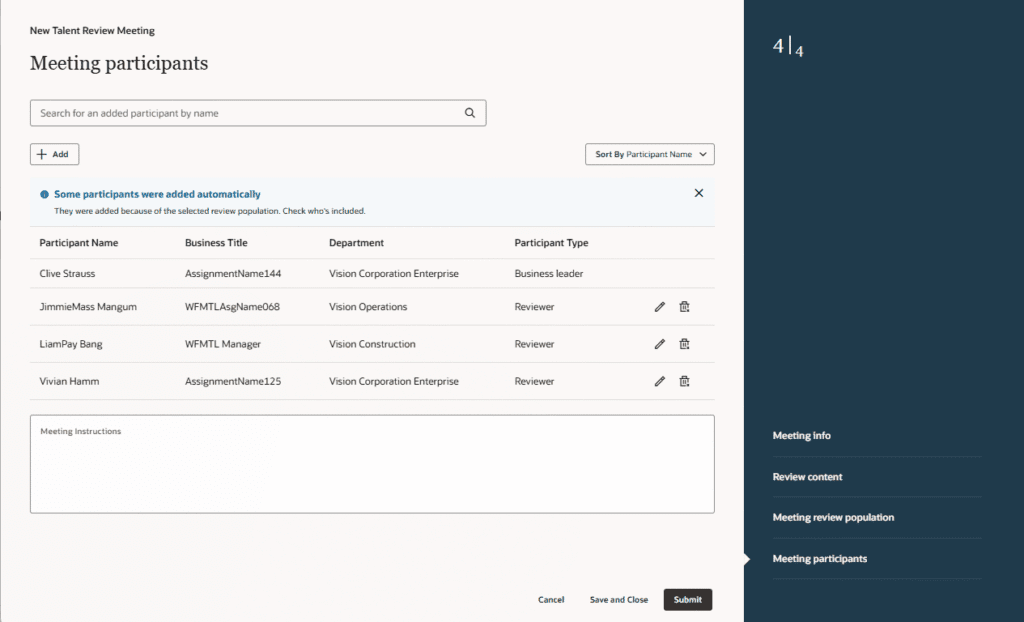
Talent team facilitator can now have reviewers automatically added to Talent Review meetings, eliminating the need to manually add line managers. This enhancement streamlines the Talent Review process by automatically including the line managers of employees in the review population, saving significant time for meeting facilitators.
Steps to enable:
- Set the following profile options to Y or Yes:
- ORA_HCM_VBCS_PWA_ENABLED
- ORA_HRR_TALENT_REVIEW_SETUP_REDWOOD_ENABLED
- ORA_HRR_TALENT_REVIEW_REDWOOD_ENABLED
4. Configure Ratings as Read-Only and Required in Talent Review
Quick Notes:
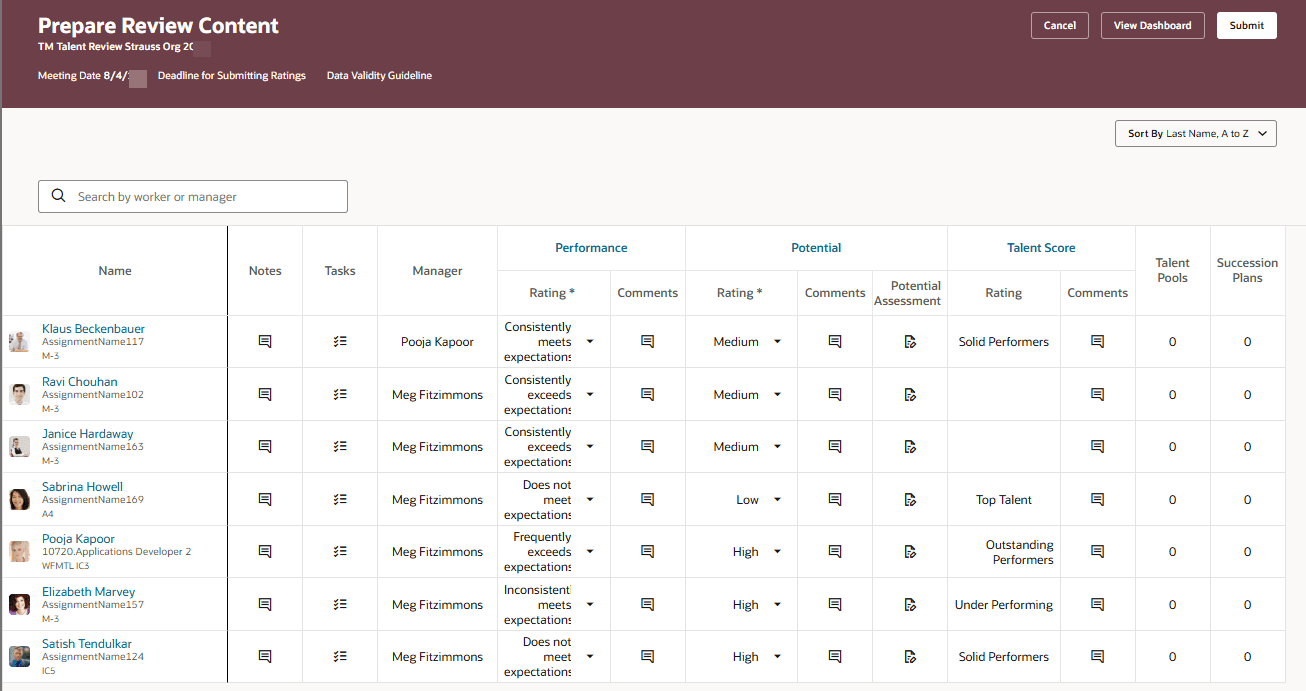
If your administrator has done the required configurations, some talent ratings will appear as read-only or required on these Talent Review pages:
- Prepare Review Content
- Table view of the Talent Review dashboard
- Graph view of the Talent Review dashboard
Your administrator can also disable the submission of the read-only ratings to Talent Profiles.
5. Performance Document Generative AI Enhancements
Quick Notes:
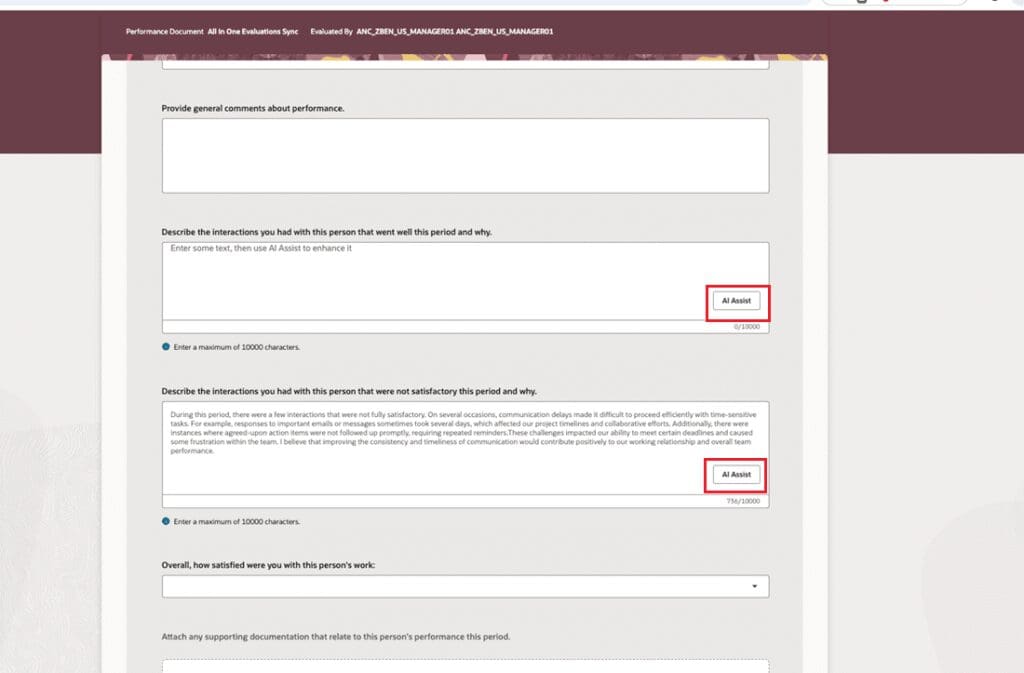
Oracle has introduced enhanced Generative AI capabilities in performance documents for workers, managers, and participants, with the same functionality available in All-in-One Evaluations. Users can leverage AI Assist to generate responses for text-based evaluation questions and to create evaluation comments in topic summaries for competencies, skills, and performance or development goals. These enhancements help users produce stronger initial responses and more comprehensive feedback by using Generative AI.
Steps to enable:
- Enable the Redwood Performance Documents and Goals Center using the ORA_HRA_PERFORMANCE_DOCUMENTS_AND_GOALS_REDWOOD_ENABLED profile option.
6. AI-Generated Feedback And Check-In Summaries in Performance Documents
Quick Notes:
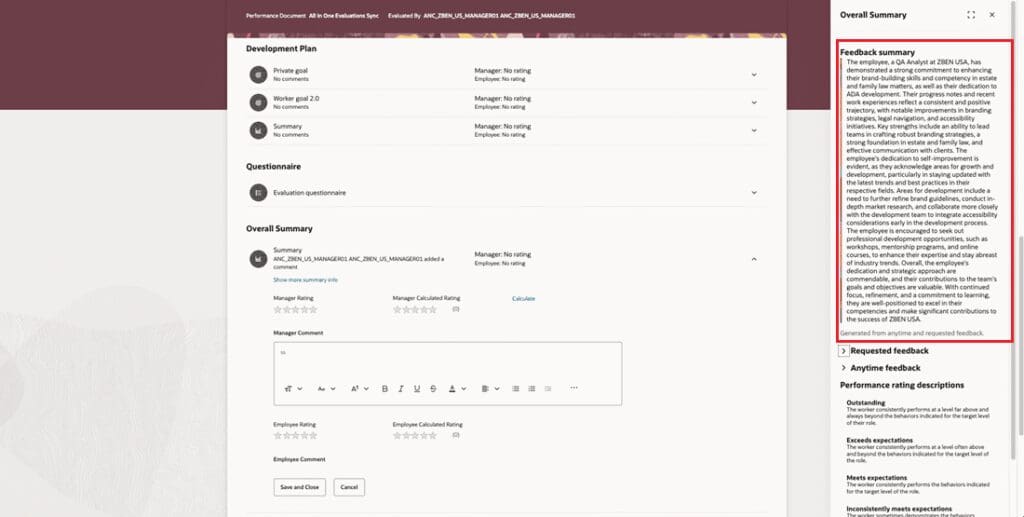
Workers and managers can now view AI-generated summaries of check-ins and anytime/requested feedback directly in the Questionnaire and Overall Summary drawers of the performance document, as well as in All-in-One Evaluations for managers. HR admins can enable or disable these summaries in the performance template settings on the Process tab. This feature provides a clear, concise AI-generated overview of employee feedback to help reviewers quickly grasp key insights.
Steps to enable:
- Set the following profile options to Y or Yes:
- ORA_HCM_VBCS_PWA_ENABLED
- ORA_HRA_PERFORMANCE_DOCUMENTS_AND_GOALS_REDWOOD_ENABLED
7. Multi-Select Records on Performance HR Admin Pages
Quick Notes:
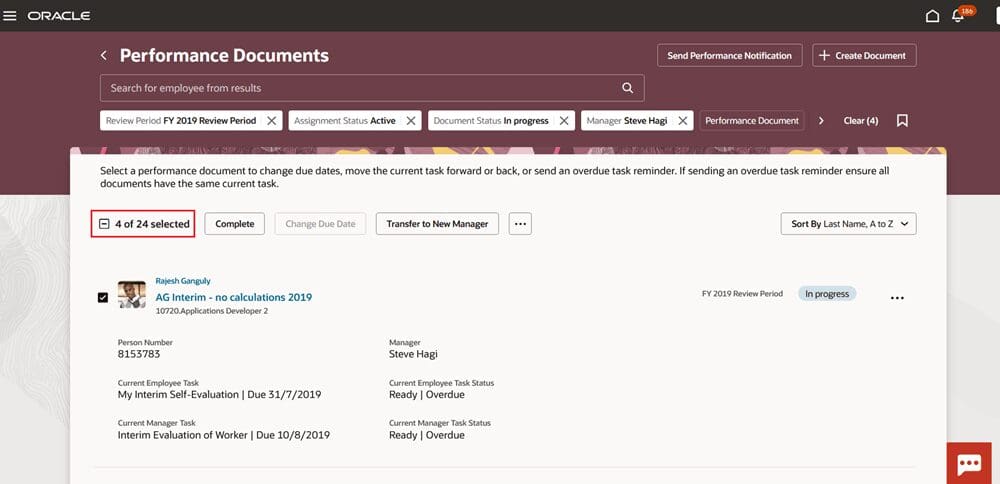
HR users can now select multiple records at once on the Performance Documents, Create Performance Document, and Participant Feedback pages. A new checkbox, shown in the illustration below, allows users to select all records or choose specific ones, with the total number of selected items displayed automatically. This enhancement streamlines bulk processing, reduces repetitive actions, and helps save a lot of time by minimizing administrative effort.
Steps to enable:
- Set the following profile options to Y or Yes:
- ORA_HCM_VBCS_PWA_ENABLED
- ORA_HRA_PERFORMANCE_ADMIN_REDWOOD_ENABLED